
Introduction
The Moman CPX Motorcycle Group Mesh Intercom is designed to provide seamless communication and enhanced audio experience for motorcycle riders. This system supports up to 24 riders with dual-mode mesh technology, offering clear communication over a 2KM range. Equipped with advanced AI noise reduction, Bluetooth 5.4, and a durable waterproof design, the CPX ensures a reliable and enjoyable riding experience.
Кутуда эмне бар
Сиздин пакетте бардык компоненттер бар экенин текшериңиз:
- CPX Mesh Intercom Unit
- Changeable Microphone Speakers (Boom Mic for open-face helmets, Soft Mic for full-face helmets)
- Back Clip (for helmet mounting)
- Back Clip (Stick Style)
- Interchangeable Shells (2 extra colors)
- Заряддоо кабели (USB-C)
- Тасма топтому
- Hexagon Key
- User Manual

Image: All components included in the Moman CPX package.
Орнотуу жана орнотуу
Follow these steps to properly install your Moman CPX intercom system onto your helmet.
1. Динамик жана микрофонду орнотуу
First, remove the inner lining of your helmet to access the speaker pockets. Securely attach the speaker Velcro pads inside the helmet, ensuring they align with your ears. Repeat this process for both sides. Then, connect the appropriate microphone (boom mic for open-face helmets, soft mic for full-face helmets) to the main unit and position it near the corner of your mouth for clear communication.
Video: Detailed operating instructions for the Moman CPX, including speaker and microphone installation.
2. Негизги блокту монтаждоо
Choose your preferred mounting method: the clip-on bracket or the adhesive stick-on bracket. Attach the chosen bracket to the side of your helmet. Once the bracket is secure, slide the main CPX intercom unit onto the bracket until it clicks into place. Ensure all cables are neatly tucked away within the helmet lining to avoid discomfort or interference.

Image: Moman CPX intercom unit securely attached to a helmet.
Иштөө нускамалары
Күйгүзүү/өчүрүү жана жупташтыруу
To power on the device, press and hold the power button for 3 seconds. The device will enter pairing mode, indicated by flashing red and blue lights. To pair with your phone, enable Bluetooth on your phone and select "Moman CPX" from the available devices. Once connected, the blue light will flash slowly.
Intercom Communication (Mesh Technology)
The Moman CPX features dual-mode mesh intercom:
- Open Mesh Mode: Connects up to 24 riders seamlessly within a 2KM range.
- Group Mesh Mode: Allows for 6 private groups with up to 24 riders each.

Image: Multiple riders communicating using the Moman CPX mesh intercom system.
Audio Multitasking and Adaptive Volume
The CPX supports simultaneous processing of music playback, navigation prompts, voice assistant, and intercom communication. The exclusive "Intercom Priority" adaptive volume system automatically lowers music levels when intercom is active and restores them afterward, ensuring critical communication is not missed.

Image: Visual representation of audio multitasking and adaptive volume features.
Intuitive Control and Voice Assistant
The glove-friendly oversized knob allows for precise control over music, calls, and voice assistant activation. A built-in FM radio is also available. Activate your phone's voice assistant (e.g., Siri) with a dedicated button press for hands-free control.

Image: Close-up of the Moman CPX's large control knob and voice assistant functionality.
Негизги өзгөчөлүктөрү
Quad AI Noise Cancellation & Hi-Fi Sound
The CPX helmet headset features 40mm high-fidelity speakers for immersive audio. Its four-layer intelligent AI noise reduction system (DSP, CVC, ENC, and a wind-proof microphone) eliminates up to 98% of ambient noise, ensuring crystal-clear audio quality even at speeds of 120 km/h.
Image: Illustration of the Moman CPX's quad AI noise cancellation and high-fidelity sound features.
Bluetooth 5.4 технологиясы
Equipped with BT5.4 technology, the CPX delivers significantly improved pairing efficiency and connection stability, minimizing intercom disconnection issues. This advanced Bluetooth version ensures a smooth and seamless experience throughout your ride.
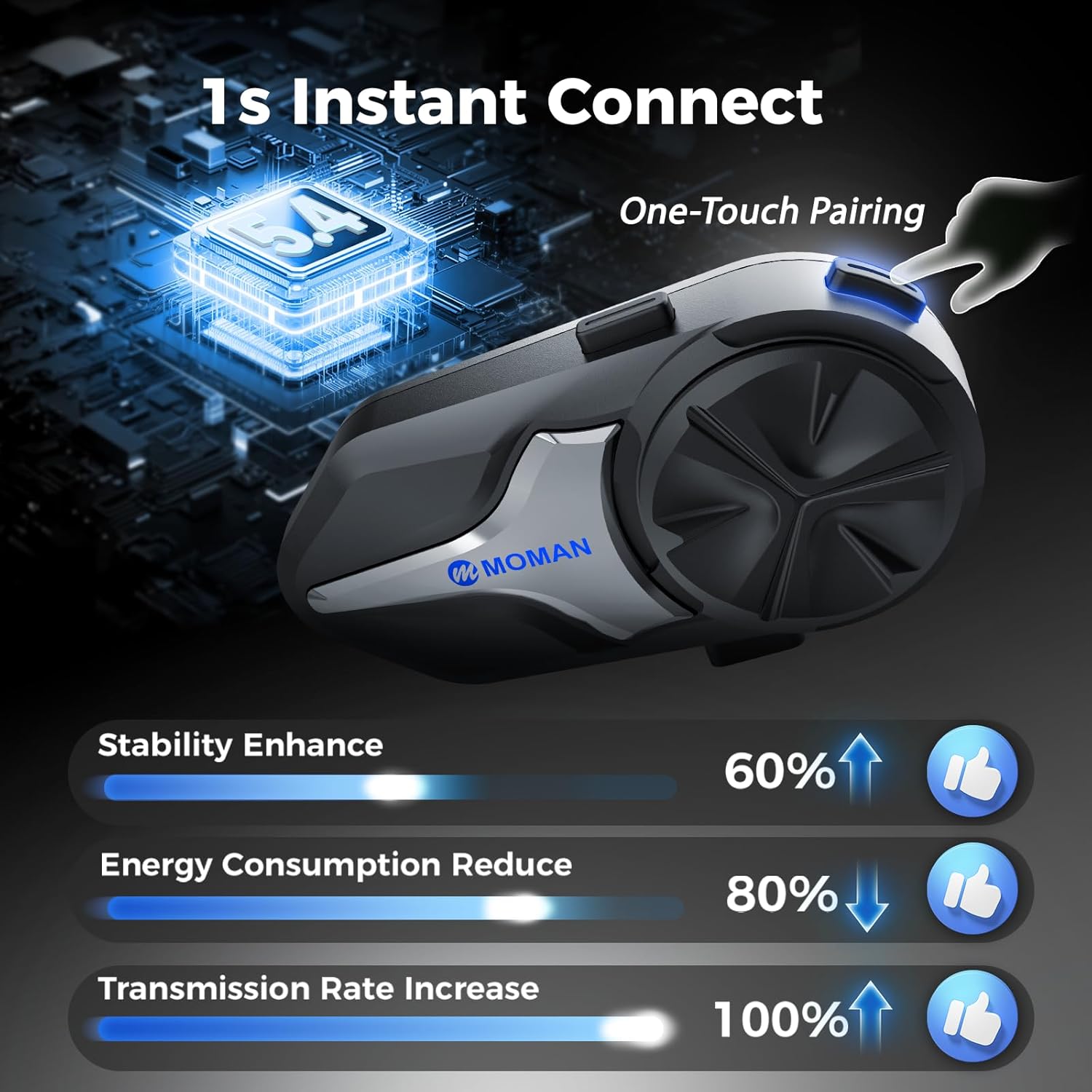
Image: Moman CPX highlighting 1-second instant connect and BT5.4 benefits.
Long-Lasting Battery & IP65 Waterproof
Powered by a 1000mAh high-capacity battery, the CPX provides up to 28 hours of continuous use. With an IP65-rated waterproof and dustproof design, it performs reliably in all weather conditions, standing up to rain, dust, and rugged use.

Image: Moman CPX battery life and IP65 waterproof rating.
Техникалык тейлөө
To ensure the longevity and optimal performance of your Moman CPX intercom, follow these maintenance guidelines:
- Тазалоо: жумшак колдонуу, damp cloth to wipe the exterior of the intercom unit. Avoid using harsh chemicals or abrasive cleaners.
- Заряддоо: Always use the provided USB-C charging cable. Do not use damaged cables or chargers. Ensure the charging port cover is securely closed when not charging to maintain waterproofing.
- Сактагыч: Store the device in a cool, dry place away from direct sunlight and extreme temperatures. If storing for extended periods, ensure the battery is partially charged (around 50%) to prevent degradation.
- Гидроизоляция: While IP65 rated, avoid prolonged submersion in water. Ensure all ports and covers are sealed before exposure to water or dust.
Проблемаларды чечүү
If you encounter issues with your Moman CPX, try the following solutions:
- Кубат жок: Ensure the device is fully charged. Connect it to the charger and check if the charging indicator light appears.
- Жупташтыруу маселелери:
- Ensure both the CPX and your phone's Bluetooth are enabled and in pairing mode.
- Clear previous Bluetooth pairing records on both devices and attempt to pair again.
- Ensure only CPX devices are being paired together for intercom functionality.
- Начар аудио сапаты:
- Check microphone and speaker placement inside the helmet to ensure they are correctly positioned.
- Микрофондун тосулуп калбагандыгын текшериңиз.
- Adjust volume levels using the control knob.
- Домофонду өчүрүү: Ensure devices are within the 2KM range. The BT5.4 technology provides improved stability, but extreme distances or obstacles can affect connection.
Техникалык шарттар
| Өзгөчөлүк | Деталь |
|---|---|
| Модель аты | Moman CPX |
| Байланыш технологиясы | Зымсыз (Bluetooth 5.4) |
| Домофон түрү | Group Mesh Intercom (24 Riders, 2KM range) |
| Noise Control | Quad AI Noise Cancellation (DSP, CVC, ENC) |
| Аудио драйвер түрү | Dynamic Driver (40mm Hi-Fi Speakers) |
| Батареянын иштөө мөөнөтү | 28 саатка чейин |
| Сууга туруктуулук деңгээли | IP65 суу өткөрбөйт |
| Башкаруу ыкмасы | Push Button (Glove-friendly oversized knob) |
| Элемент Салмагы | 9.1 унция |
| Пакеттин өлчөмдөрү | 7.32 x 4.88 x 1.54 дюйм |
Кепилдик жана колдоо
For warranty information, technical support, or service inquiries, please refer to the contact details provided in the included User Manual or visit the official Moman webсайт. Сатып алуу квитанциясын кепилдик дооматтары үчүн сатып алуунун далили катары сактаңыз.