
Introduction
This manual provides essential information for the safe and efficient operation of your GEPRC DarkStar22 O4 Pro CineWhoop Quadcopter. Please read these instructions thoroughly before first use and retain for future reference. The DarkStar22 O4 Pro is designed for cinematic-grade 4K/120fps footage with ultra-low latency, featuring a 20A AIO flight controller for precision control and a reinforced frame for durability.
Продукт өзгөчөлүктөрү
- Cinematic-Grade Footage: Capture 4K/120fps video with ultra-low latency for real-time responsiveness and professional quality.
- Өркүндөтүлгөн учууну башкаруу: Equipped with a 20A AIO flight controller with integrated stabilization algorithms for precision control in various conditions.
- Дирилдөө Damping: Engineered to minimize vibrations and maintain camera stability during dynamic movements.
- Туруктуу дизайн: Features a reinforced frame with a shockproof canopy and prop guards for enhanced durability in indoor and outdoor flights.
- Колдонуучуга ыңгайлуу Ассамблея: Simplified assembly with only 4 screws and intuitive LED controls for quick customization.
Пакеттин мазмуну
Verify all items are present in your package:
- 1 × DarkStar22 Drone
- 1 × Prop Guard
- 1 × Top Plate
- 1 × Camera Cover
- 1 × Battery Pad
- 2 × Propellers (pairs)
- 1 × 10*120mm Battery Strap
- 1 × L-shaped Hex Wrench 1.5mm
- 1 × Battery Anti-slip Pad
- 1 × Damping Ball Punch Tool
- 1 × Binding Pin
- 1 × USB Adapter Board
- 1 × 5P Terminal Cable
- Spare Screw Pack (2 × Damping Balls, 4 × M2*4 Round-head Screws, 4 × M2*7 Round-head Screws, 4 × M2*6 Countersunk Screws, 4 × M2*5 Countersunk Screws, 4 × M2*6 Round-head Screws, 4 × M2*7 Countersunk Self-Tapping Screw)
Жайгашуу
Binding Radio and Quadcopter
To establish communication between your radio transmitter and the DarkStar22 quadcopter, follow the binding procedure. Ensure both devices are powered off before starting.
Видео: Aquila16 Brushless Drone User Tips. This video demonstrates the binding process for a similar drone model, which can be applied to the DarkStar22.
Батарея орнотуу
Proper battery installation is crucial for safe operation. Always ensure the battery is securely fastened.
Видео: Aquila16 Brushless Drone User Tips. This video includes a demonstration of battery installation for a similar drone model.
O4 Air Unit Pro Camera and VTX Installation
The DarkStar22 features an integrated O4 Air Unit Pro. If re-assembly or maintenance is required, refer to the following videos for guidance on installing the O4 camera and VTX module. While these videos may feature different drone models, the O4 Air Unit installation steps are generally applicable.
Видео: Meteor65 Pro/ Meteor75 Pro Brushless Drone Installation. This video demonstrates the installation of the DJI O4 Air Unit, which is relevant for the DarkStar22.
Видео: Pavo Femto Quadcopter Installation. This video also shows the installation process for the DJI O4 Air Unit.
Иштөө нускамалары
Before each flight, ensure the battery is fully charged and securely installed. Perform a pre-flight check of all propellers, motors, and the frame for any damage. Always operate the quadcopter in an open area, away from people, animals, and obstacles. Familiarize yourself with the flight controller's functions and emergency procedures.
Негизги учуу башкаруу
- Муунткуч: Controls altitude. Increase to ascend, decrease to descend.
- Ээ: Rotates the quadcopter left or right on its vertical axis.
- Үн: Tilts the quadcopter forward or backward.
- Ролл: Tilts the quadcopter left or right.
Start with slow, controlled movements to get accustomed to the controls. Practice hovering and gentle maneuvers before attempting more advanced flights.
Техникалык тейлөө
Regular maintenance ensures the longevity and optimal performance of your DarkStar22. After each flight, inspect the propellers for cracks or chips and replace them if damaged. Check the motor mounts and frame for any loose screws or structural integrity issues. Keep the camera lens clean and free from dust or debris. Store the quadcopter and batteries in a cool, dry place.
Проблемаларды чечүү
| Көйгөй | Мүмкүн себеп | Чечим |
|---|---|---|
| Quadcopter does not power on | Батарея заряддалган эмес же туура эмес орнотулган | Charge battery fully. Ensure battery is correctly inserted and clicked into place. |
| Loss of control/unresponsive | Binding issue or signal interference | Re-bind the radio and quadcopter. Move to an area with less interference. |
| Unstable flight/vibrations | Damaged propellers or loose components | Inspect and replace damaged propellers. Check all screws and connections for tightness. |
| Видеонун сапаты начар | Dirty camera lens or VTX interference | Clean the camera lens. Ensure VTX antenna is properly connected and not obstructed. |
Техникалык шарттар
| Өзгөчөлүк | Деталь |
|---|---|
| Модел | DarkStar22 O4 Pro |
| Frame | GEP-DS22 |
| Main Carbon Plate Thickness | 2.5мм |
| Wheelbase | 100мм |
| ФК системасы | TAKER F405 20A ELRS2.4 2-4S AIO |
| MCU | STM32F405 |
| Гиро | ICM42688-P |
| FC микропрограммасы | GEPRC_TAKER_F405 AIO |
| Flash | 16MB |
| ESC | 8 бит 20A |
| Мотор | SPEEDX2 1104 7500KV |
| Пропеллер | HQProp 2219-3 |
| Power Connector | XT30U-M |
| VTX | O4 аба блогу Pro |
| Камера | O4 Air Unit Pro camera module |
| Антенна | O4 Air Unit Pro antenna |
| Алуучу | PNP (O4 Pro built-in RX) / ELRS 2.4G |
| Weight (ELRS 2.4G version) | 126.8г |
| Сунушталган батарея | GEPRC Storm LiHV 3S 720mAh |
| Учуу убактысы | 6min45s (tested under smooth cruising; actual flight time depends on flight style) |
| Продукциянын өлчөмдөрү | 5.47"L x 5.71"W x 2.61"H |
| Элемент Салмагы | 127 грамм |
| Өндүрүүчү | GEPRC |
Продукт бүттүview
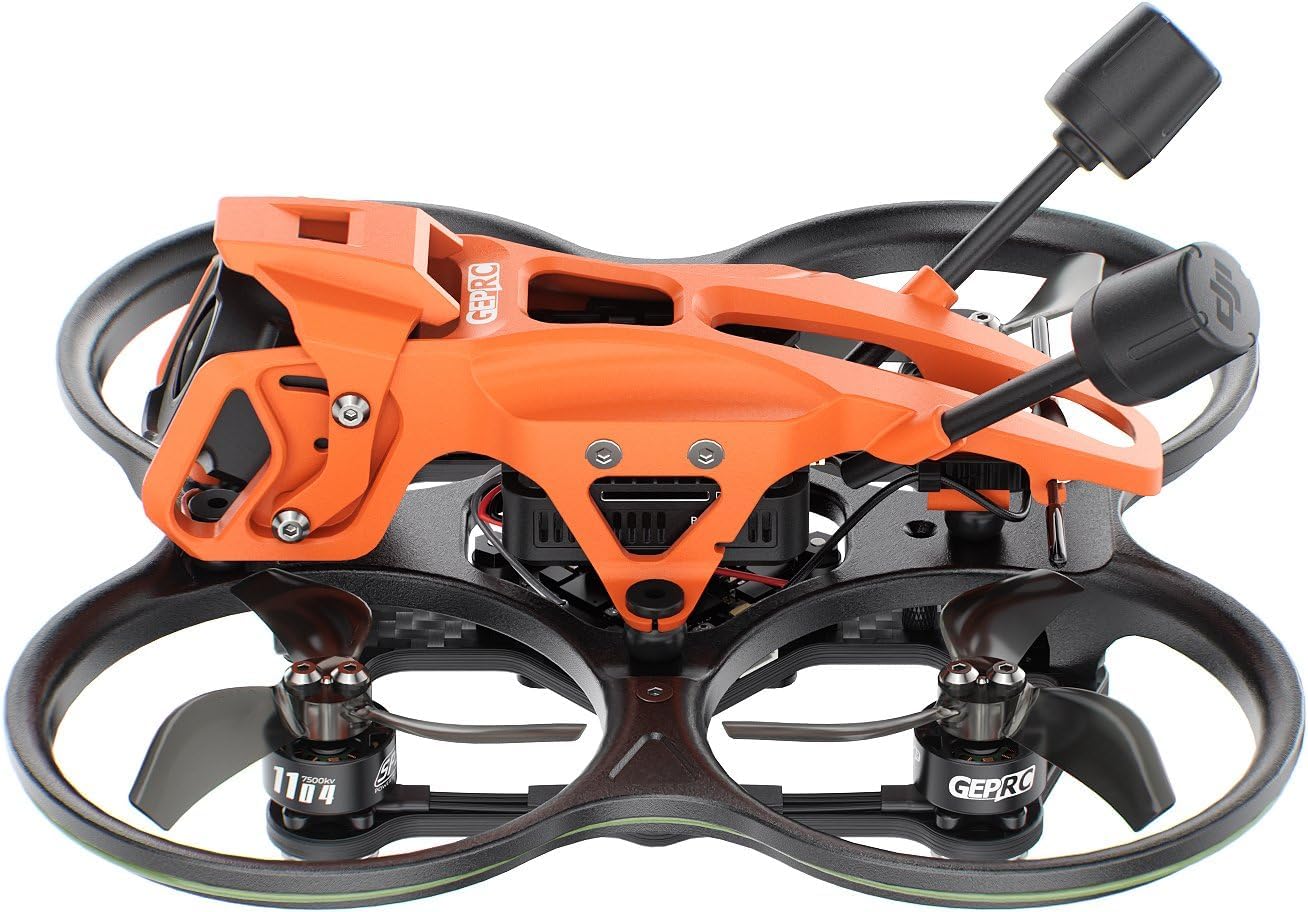


Кепилдик жана колдоо
GEPRC products are covered by a limited warranty against manufacturing defects. For detailed warranty information, technical support, or service inquiries, please visit the official GEPRC webсайтка же кардарларды тейлөөгө кайрылыңыз. Кепилдик дооматтар үчүн сатып алганыңыздын далилин сактаңыз.