
TECKNET TK-HS023
TECKNET TK-HS023 V5.4 Bluetooth Trucker Headset
User Manual
1. Киришүү
This manual provides detailed instructions for the proper use, setup, and maintenance of your TECKNET TK-HS023 V5.4 Bluetooth Trucker Headset. Please read this manual thoroughly before using the product to ensure optimal performance and longevity.
Пакеттин мазмуну
- TECKNET TK-HS023 Bluetooth гарнитура
- USB заряддоо кабели
- User Manual
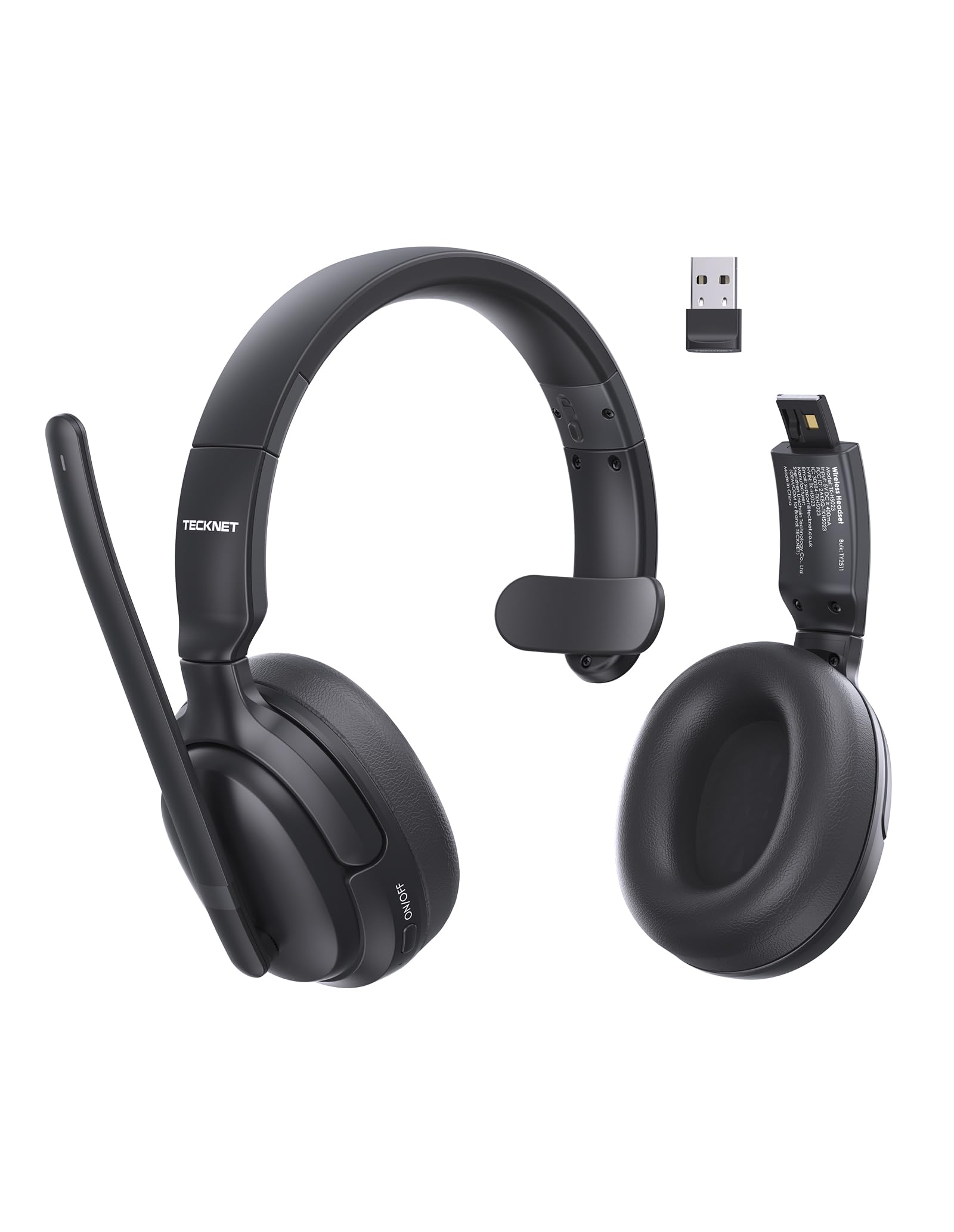
Image 1.1: TECKNET TK-HS023 Bluetooth Trucker Headset. This image displays the headset with its adjustable headband and microphone boom.
2. Продукциянын өзгөчөлүктөрү
- AI Noise-Canceling Microphone: Designed to filter out background noise, ensuring clear voice transmission in noisy environments.
- Single-Ear Design: Allows users to remain aware of their surroundings while using the headset.
- Dual-Device Seamless Connectivity: Connects to two Bluetooth devices simultaneously, enabling easy switching between calls and audio.
- Узак мөөнөттүү батарея: Provides extended usage time on a single charge.
- Stable Bluetooth V5.4 Connection: Offers reliable wireless connectivity with a range of up to 15 meters.
- Easy Call & Audio Controls: Intuitive buttons for managing calls, adjusting volume, and controlling media playback.
- Жөнгө салынуучу баш боосу: ар кандай баш өлчөмү үчүн жайлуу туура камсыз кылат.
3. Орнотуу
3.1 Гарнитураны заряддоо
Before initial use, fully charge the headset. A full charge takes approximately 2 hours and provides up to 65 hours of battery life.
- USB кубаттоочу кабелдин кичинекей учун гарнитуранын кубаттоочу портуна туташтырыңыз.
- Connect the large end of the USB charging cable to a USB power source (e.g., computer USB port, wall adapter).
- The LED indicator on the headset will show the charging status. It typically turns red during charging and blue or off when fully charged.
3.2 Bluetooth жупташтыруу
To connect your headset to a device via Bluetooth:
- Гарнитура толук заряддалганын текшериңиз.
- Power on the headset by pressing and holding the Multi-Function Button (MFB) until the LED indicator flashes blue and red alternately, indicating pairing mode.
- Түзмөгүңүздө (смартфон, планшет, ноутбук) Bluetooth иштетиңиз жана жеткиликтүү түзмөктөрдү издеңиз.
- Select "TECKNET TK-HS023" from the list of found devices.
- Once connected, the LED indicator on the headset will flash blue slowly or turn solid blue.
Dual-Device Connectivity: After pairing with the first device, disable Bluetooth on the first device, then put the headset back into pairing mode to connect to a second device. Once the second device is paired, re-enable Bluetooth on the first device. The headset should automatically connect to both devices, allowing seamless switching.
4. Иштөө нускамалары
4.1 Гарнитураны башкаруу элементтери
- Көп функциялуу баскыч (MFB): Power on/off, Play/Pause, Answer/End Call, Reject Call, Redial.
- Үнүн жогорулатуу (+): Үнүн жогорулатуу, Кийинки трек (узун басуу).
- Үнүн төмөндөтүү (-): Үндү азайтуу, Мурунку трек (узун басуу).
- Үнсүз баскычы: Mute/unmute microphone during a call.
4.2 Чалууларды башкаруу
- Чакырууга жооп берүү: MFB бир жолу басыңыз.
- Чакырууну аяктоо: Чалуу учурунда MFB баскычын бир жолу басыңыз.
- Чакырууну четке кагуу: MFBди 2 секунд басып туруңуз.
- Акыркы номерди кайра терүү: Чалуу болбогондо MFBди эки жолу басыңыз.
- Микрофондун үнүн басуу: Press the Mute button during a call. Press again to unmute.
4.3 Аудио ойнотуу
- Ойнотуу/тындыруу: MFB бир жолу басыңыз.
- Кийинки трек: Үндү жогорулатуу (+) баскычын көпкө басыңыз.
- Мурунку трек: Үндү азайтуу (-) баскычын көпкө басыңыз.
4.4 ИИ ызы-чууну жок кылуучу микрофон
The integrated AI Noise Cancelling Microphone actively reduces ambient noise, such as engine sounds or office chatter, to ensure your voice is transmitted clearly to the other party during calls. Position the microphone boom approximately 1-2 inches from your mouth for best performance.
5. Техникалык тейлөө
5.1 Тазалоо
- Wipe the headset with a soft, dry, or slightly damp кездеме.
- Катуу химиялык заттарды, тазалоочу эриткичтерди же күчтүү жуучу каражаттарды колдонбоңуз.
- Ар кандай тешиктерге ным кирүүдөн сактаңыз.
5.2 Сактоо
- Гарнитураны салкын, кургак жерде, өтө жогорку температурадан алыс сактаңыз.
- Avoid prolonged exposure to direct sunlight or moisture.
6. Кыйынчылыктарды
Жалпы маселелер жана чечимдер
- Гарнитура күйбөй жатат: Гарнитура толук заряддалганын текшериңиз.
- Түзмөк менен жупташтыруу мүмкүн эмес:
- Гарнитура жупташтыруу режиминде экенин текшериңиз (LED көк жана кызыл түстө күйүп-өчүп турат).
- Түзмөгүңүздө Bluetooth иштетилгенин текшериңиз.
- Гарнитураны түзмөгүңүзгө жакыныраак жылдырыңыз.
- Гарнитураны да, түзмөгүңүздү да өчүрүп күйгүзүңүз.
- Үн жок же аудио сапаты начар:
- Гарнитурадагы жана туташкан түзмөгүңүздүн үнүнүн деңгээлин текшериңиз.
- Ensure the headset is within the 15-meter Bluetooth range.
- Disconnect and reconnect the headset to your device.
- Башка зымсыз аппараттардын кийлигишүүсүн текшериңиз.
- Микрофон иштебей жатат:
- Микрофондун үнү өчүрүлбөгөнүн текшериңиз.
- Туташкан түзмөгүңүздөгү микрофондун жөндөөлөрүн текшериңиз.
7. Техникалык шарттар
| Өзгөчөлүк | Спецификация |
|---|---|
| Бренд | TECNET |
| Модель аты | TK-HS023 |
| Байланыш технологиясы | Зымсыз (Bluetooth V5.4) |
| Bluetooth диапазону | 15 метрге чейин |
| Кулак жайгаштыруу | Over Ear (Single-ear design) |
| Микрофон | AI ызы-чууну жокко чыгаруу |
| Батареяны заряддоо убактысы | Болжол менен 2 саат |
| Батареянын орточо иштөө мөөнөтү | 65 саатка чейин |
| Шайкеш түзмөктөр | Уюлдук телефондор, рабочий компьютерлер, ноутбуктар, планшеттер |
| Кошумча функциялар | Adjustable Headband, Volume Control, Dual-Device Connectivity |
| Түс | Кара |
8. Кепилдик жана колдоо
8.1 Кепилдик маалыматы
The TECKNET TK-HS023 Bluetooth Trucker Headset comes with a 3 жылдык кепилдик сатып алынган күндөн тартып. Бул кепилдик өндүрүш кемчиликтерин камтыйт жана нормалдуу колдонууда буюмдун материалдык жана жасалгалоо кемчиликтери жок экенин камсыз кылат.
The warranty does not cover damage caused by misuse, accident, unauthorized modification, or external causes such as drops or liquid damage.
8.2 Кардарларды колдоо
For technical support, warranty claims, or any questions regarding your TECKNET TK-HS023 headset, please refer to the contact information provided on the TECKNET official website or your purchase documentation. Please have your model number (TK-HS023) and proof of purchase ready when contacting support.
Ask a question about this manual
Ask about setup, troubleshooting, compatibility, parts, safety, or missing instructions. Manuals+ will review the question and use this page’s manual context to help answer it.