
Продукт бүттүview
The LiftMaster 2220L Chain Drive Garage Door Opener is a robust and reliable system designed for smooth and efficient garage door operation. This model includes an integrated camera and myQ connectivity, allowing for remote monitoring and control. It is engineered for higher-cycle homes, providing consistent strength for standard garage doors.
Эскертүү: This product is a replacement unit and does ЖОК include the rail. The rail must be purchased separately or reused from an existing installation.
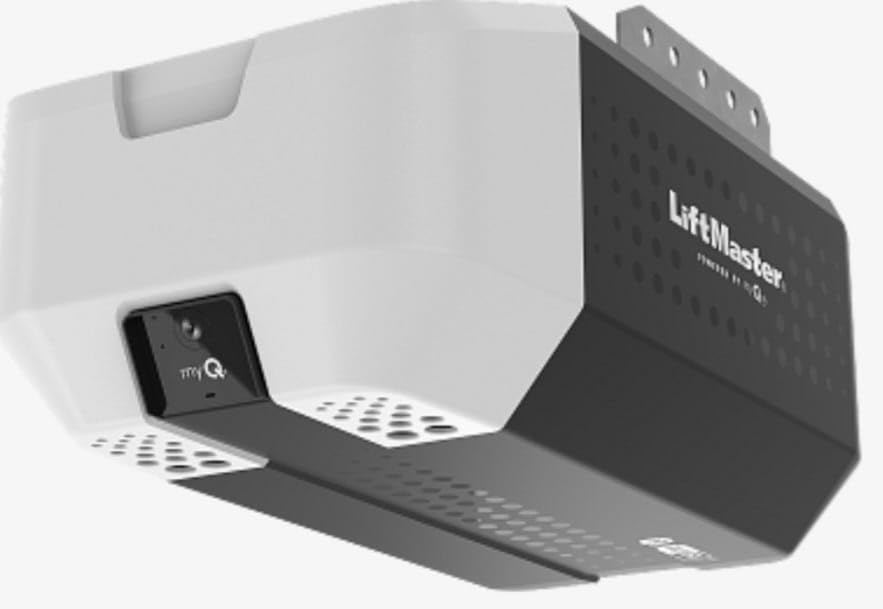
Figure 1: The LiftMaster 2220L Chain Drive Garage Door Opener unit.
Орнотуу жана орнотуу
Proper installation is crucial for the safe and efficient operation of your garage door opener. It is recommended that installation be performed by a qualified technician. Ensure all safety precautions are followed.
Компоненттер камтылган:
- Internal Wall Button
- Алыстан башкаруу
- myQ app Connectivity (requires Wi-Fi setup)
Негизги орнотуу кадамдары:
- Ачкычты орнотуу: Securely mount the opener unit to the garage ceiling using appropriate hardware. Ensure the unit is level and properly aligned with the garage door track.
- Chain Drive Assembly: Install the chain drive system along the rail. Refer to the detailed diagrams in the full installation guide for correct chain tension and trolley attachment.
- Электр байланышы: Connect the opener to a grounded electrical outlet.
- Wall Button Installation: Mount the internal wall button in a convenient location, at least 5 feet above the floor, away from moving parts of the door.
- Алыстан башкарууну жупташтыруу: Follow the instructions to pair the remote control with the opener.
- myQ App Setup: Download the myQ app and follow the in-app instructions to connect your opener to your home Wi-Fi network for smart control and camera access.
- Шашылыш чыгаруу: Ensure the emergency release cord is accessible and properly attached for manual operation.
- Жарыктандыруу: Install a standard garage lighting bulb (not included) into the opener unit.

Figure 2: Detail of the chain drive mechanism, highlighting its robust construction.

Figure 3: The integrated wide-angle camera for real-time garage monitoring.
Иштөө нускамалары
Your LiftMaster 2220L opener offers multiple ways to operate your garage door.
Стандарттык операция:
- Wall Button: Press the internal wall button once to open or close the garage door.
- Алыстан башкаруу: Press the designated button on your remote control once to open or close the garage door.

Figure 4: The included internal wall button and remote control for convenient operation.
myQ App Operation:
- Ачык жабык: Use the myQ app on your smartphone to remotely open or close your garage door from anywhere with an internet connection.
- Live Garage View: Access the integrated camera through the myQ app to monitor your garage in real-time.
- Эскертмелер: Receive alerts on your phone for garage door activity or detected motion.

Figure 5: The myQ app interface, providing remote control and live camera feed of your garage.

Figure 6: A user interacting with the garage door opener system.
Шашылыш чыгаруу:
Куч болгон учурда уtage or malfunction, pull the red emergency release cord to disconnect the garage door from the opener. This allows for manual opening and closing of the door. To re-engage, push the trolley release lever back into place and operate the door manually or with the opener.
Техникалык тейлөө
Regular maintenance ensures the longevity and safe operation of your LiftMaster garage door opener.
- Ай сайын текшерүү: Check the garage door for proper balance. If the door is unbalanced, contact a qualified garage door service technician.
- Майлоо: Lubricate the garage door rollers, hinges, and bearings annually. Do not lubricate the garage door tracks.
- чынжыр чыңалуу: Periodically check the chain tension. It should be taut but not overly tight. Adjust if necessary according to the full installation manual.
- Коопсуздукту артка кайтаруу сыноосу: Perform the safety reversal test monthly. With the door fully open, place a 1.5-inch object (like a 2x4 board) flat on the floor in the path of the door. Close the door. The door must reverse when it strikes the object. If it does not, adjust the opener's force settings or contact a service technician.
- Фото көз сенсорлору: Ensure the photo eye sensors are clean and properly aligned. Obstructions or misalignment can prevent the door from closing.
Проблемаларды чечүү
If you encounter issues with your garage door opener, refer to the following common troubleshooting steps:
- Opener Not Responding: Check if the power cord is securely plugged in. Verify that the circuit breaker has not tripped.
- Алыстан башкаруу иштебейт: Replace the remote control battery. Reprogram the remote control if necessary.
- Door Not Closing: Check the photo eye sensors. Ensure they are clean, aligned, and free of obstructions. The indicator lights on the sensors should be steady.
- Door Reverses Unexpectedly: This could indicate an obstruction or that the safety reversal force settings are too sensitive. Clear any obstructions and perform the safety reversal test. Adjust force settings if needed.
- myQ App Connectivity Issues: Ensure your home Wi-Fi network is active and the opener is within range. Restart your router and the opener if necessary. Re-establish the myQ connection through the app settings.
- адаттан тыш үндөр: Inspect the chain drive for proper lubrication and tension. Check for any loose hardware or worn parts.
For persistent issues, consult the comprehensive troubleshooting guide in your full product manual or contact LiftMaster customer support.
Техникалык шарттар
| Модель номери | 2220L |
| Өндүрүүчү | Чемберлен |
| Drive Type | Chain Drive |
| Мотор күчү | 3/4 HPs DC Motor (comparable to 3/4 HP AC motor) |
| Байланыш | myQ App, Wi-Fi |
| Integrated Features | Camera, Standard Garage Lighting (bulb not included) |
| Элемент Салмагы | 20 фунт |
| Продукциянын өлчөмдөрү | 10 x 12 x 18 дюйм |
| Түс | Кара |
| Батареялар талап кылынат | Жок |
Кепилдик маалымат
The LiftMaster 2220L Chain Drive Garage Door Opener comes with the following warranty:
- Мотор: 5 жылдык кепилдик
- чынжыр: 1 жылдык кепилдик
This warranty covers defects in materials and workmanship under normal use. For detailed terms and conditions, please refer to the warranty documentation included with your product or visit the manufacturer's official webсайт.
Колдоо
For further assistance, technical support, or to schedule service, please contact LiftMaster customer support. Have your model number (2220L) and serial number ready when contacting support.
You can find additional resources, FAQs, and detailed installation guides on the official LiftMaster webсайт.