
Introduction
This user manual provides detailed instructions for the CALOETHNEY HX911 Bluetooth Retractable Neckband Headphones. Please read this manual carefully before using the product to ensure proper operation and to maximize your listening experience. Keep this manual for future reference.
Кутуда эмне бар
- CALOETHNEY HX911 Bluetooth Retractable Neckband Headphones
- USB-C заряддоо кабели
- Наушниктер (ар кандай өлчөмдөгү)
- User Manual
Продукт бүттүview
Familiarize yourself with the components and controls of your CALOETHNEY HX911 headphones.
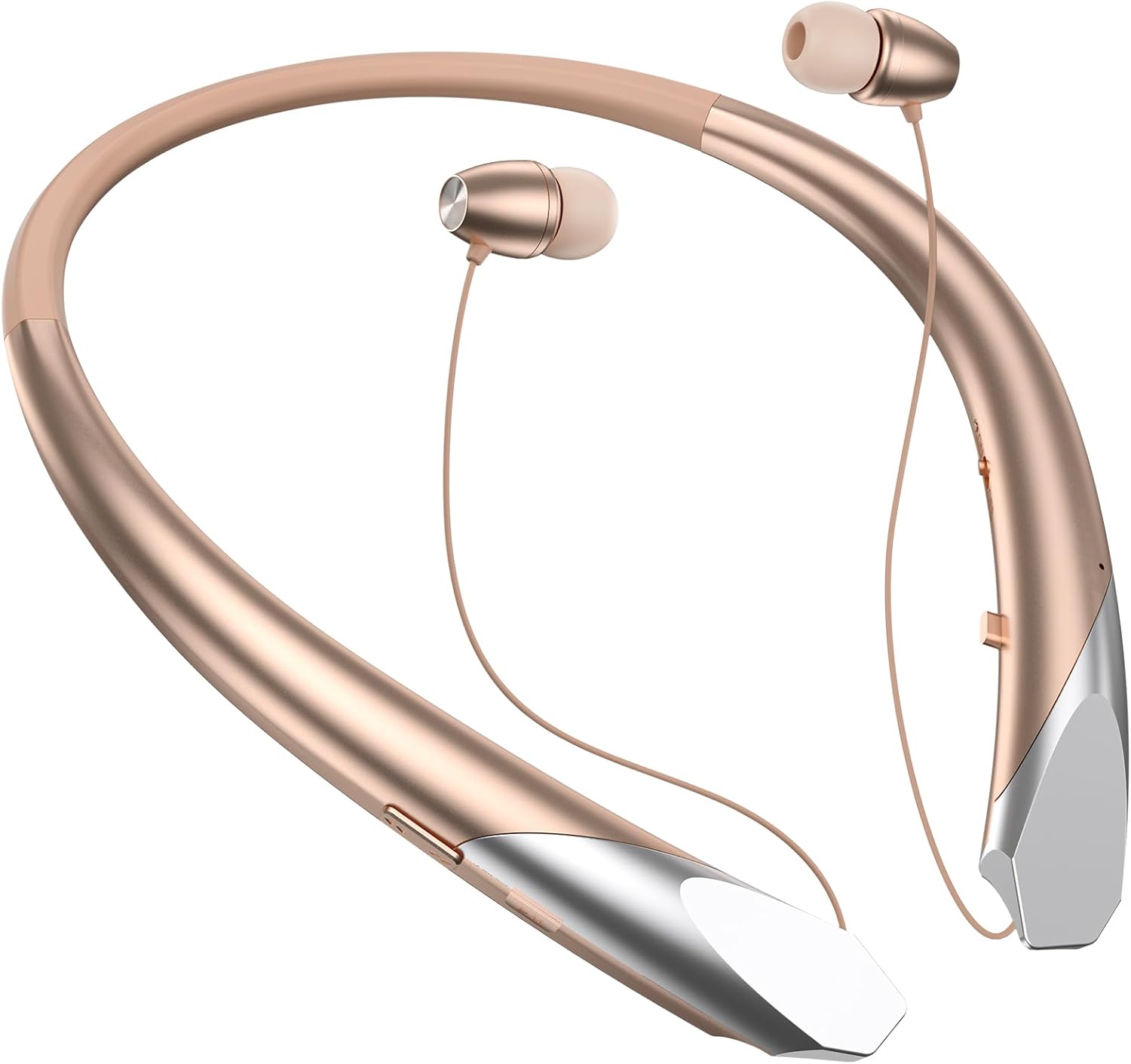
1-сүрөт: Негизги view of the CALOETHNEY HX911 Bluetooth Retractable Neckband Headphones in Rose Gold.

2-сүрөт: Деталдаштырылган view of the control buttons and charging port located on the neckband. These include power, volume, and multi-function buttons.

3-сүрөт: The retractable earbud design allows for easy storage. Pull the earbud wire to extend, and press the retract button to store.
Жайгашуу
1. Наушниктерди заряддоо
Биринчи жолу колдонуудан мурун, кулакчыныңызды толук кубаттаңыз. Толук кубаттоо болжол менен 2 саатты талап кылат.
- Connect the provided USB-C charging cable to the charging port on the neckband.
- Кабелдин экинчи учун USB кубат адаптерине (кошумча эмес) же компьютердин USB портуна туташтырыңыз.
- LED индикатору кубаттоо абалын көрсөтөт (мисалы, кубаттоо үчүн кызыл, толук заряддалган үчүн көк).

4-сүрөт: The headphones offer extended battery life, providing up to 22 hours of music playback on a single charge.
2. Bluetooth түзмөгү менен жупташуу
Кулакчындар туруктуу жана тез байланыш үчүн Bluetooth 5.1 колдонот.
- Наушниктердин өчүрүлгөнүн текшериңиз.
- Press and hold the multi-function button (usually the power button) until the LED indicator flashes red and blue alternately, indicating pairing mode.
- Түзмөгүңүздө (смартфон, планшет, ноутбук) Bluetooth иштетиңиз жана жеткиликтүү түзмөктөрдү издеңиз.
- Select "HX911" from the list of found devices.
- Once connected, the LED indicator will flash blue slowly, and you may hear a confirmation tone.

5-сүрөт: The headphones utilize Bluetooth 5.1 technology for faster and more stable connections.
Көп түзмөк туташуусу: The HX911 supports connecting to two devices simultaneously. After pairing with the first device, disable Bluetooth on that device, then pair with the second device. Re-enable Bluetooth on the first device, and the headphones should connect to both. You can then switch between audio sources as needed.

6-сүрөт: The headphones can connect to two Bluetooth-enabled devices concurrently, allowing seamless switching.
Иштөө нускамалары
Күйгүзүү/өчүрүү
- Күйгүзүү: Press and hold the multi-function button for approximately 3 seconds until the LED indicator flashes blue and you hear a power-on prompt.
- Өчүрүү: Press and hold the multi-function button for approximately 3 seconds until the LED indicator flashes red and you hear a power-off prompt.
Музыкалык башкаруу
- Ойнотуу/тындыруу: Көп функциялуу баскычты бир жолу басыңыз.
- Кийинки трек: Көлөмү + баскычын басып, кармап туруңуз.
- Мурунку трек: Үн көлөмү - баскычын басып, кармап туруңуз.
- Көлөмү: Үндү катуулатуу + баскычын кыскача басыңыз.
- Үнүн азайтуу: Үн баскычын кыскача басыңыз.
Чалууларды башкаруу
The built-in microphone with CVC6.8 noise-canceling technology ensures clear calls.
- Чалууга жооп берүү/аяктоо: Көп функциялуу баскычты бир жолу басыңыз.
- Чакырууну четке кагуу: Көп функциялуу баскычты болжол менен 2 секунд басып туруңуз.
- Акыркы номерди кайра терүү: Көп функциялуу баскычты эки жолу басыңыз.
- Incoming Call Vibration: The neckband will vibrate to alert you of incoming calls.
Тартылуучу кулакчындар
To extend the earbuds, gently pull them out from the neckband. To retract, press the dedicated retract button on the side of the neckband, and the wires will automatically retract.
Техникалык тейлөө
- Тазалоо: Наушниктерди тазалоо үчүн жумшак, кургак чүпүрөктү колдонуңуз. Абразивдүү тазалагычтарды же эриткичтерди колдонбоңуз.
- Сактагыч: When not in use, store the headphones in a cool, dry place, away from direct sunlight and extreme temperatures. Ensure earbuds are retracted to prevent cable damage.
- Суу каршылык: The headphones are sweatproof, making them suitable for sports. However, avoid submerging them in water or exposing them to heavy rain.
- Батареяга кам көрүү: To prolong battery life, avoid fully discharging the battery frequently. Charge the headphones regularly, even if not in constant use.
Проблемаларды чечүү
| Көйгөй | Мүмкүн себеп | Чечим |
|---|---|---|
| Кулакчындар күйбөйт. | Батарея аз. | Кулакчындарды кеминде 2 саат кубаттаңыз. |
| Түзмөк менен жупташтыруу мүмкүн эмес. | Кулакчындар жупташтыруу режиминде эмес; түзмөктө Bluetooth өчүрүлгөн; түзмөк өтө алыс. | Ensure headphones are in pairing mode (flashing red/blue). Enable Bluetooth on your device. Move device closer to headphones (within 10 meters). |
| Sound is intermittent or cuts out. | Device too far; interference; low battery. | Түзмөгүңүзгө жакыныраак жылыңыз. Wi-Fi же башка Bluetooth сигналдары күчтүү болгон чөйрөлөрдөн алыс болуңуз. Кулакчындарды кубаттаңыз. |
| Poor call quality (muffled sound). | Микрофон бөгөттөлгөн; айлана-чөйрөнүн ызы-чуусу; Bluetooth байланышы начар. | Ensure microphone is clear. Move to a quieter environment. Check Bluetooth connection strength. |
| Voice prompts are not in English. | Incorrect language setting. | Refer to the full user manual (if available) or contact customer support for instructions on changing the voice prompt language. This is typically done by pressing a specific button combination in pairing mode. |
Техникалык шарттар
| Өзгөчөлүк | Деталь |
|---|---|
| Бренд | КАЛОТНИ |
| Модель номери | HX911 |
| Байланыш технологиясы | Зымсыз (Bluetooth) |
| Bluetooth версиясы | 5.1 |
| Bluetooth диапазону | 10 метрге чейин (33 фут) |
| Кулак жайгаштыруу | Кулакта |
| Форма фактору | Моюн, кулакта |
| Наушник уясы | USB-C (кубаттоо үчүн) |
| Noise Cancellation | CVC6.8 (for calls) |
| Батареянын орточо иштөө мөөнөтү | 22 саатка чейин (музыканы ойнотуу) |
| Батареяны заряддоо убактысы | Болжол менен 2 саат |
| Сууга туруктуулук деңгээли | Терге чыдамдуу |
| Башкаруу түрү | Volume Control, Multi-function button |
| Шайкеш түзмөктөр | Cellphones, Desktops, Laptops, Tablets, Telephones |
Кепилдик жана колдоо
The CALOETHNEY HX911 Bluetooth Retractable Neckband Headphones come with a 1 жылдык кепилдик сатып алынган күндөн тартып.
For warranty claims, technical support, or any questions regarding your product, please contact CALOETHNEY customer service through the retailer where you purchased the product or refer to the contact information provided on the product packaging or official CALOETHNEY webсайт.
Кепилдик тейлөө үчүн сатып алуу далилиңизди сактап коюңуз.