
1. Киришүү
This manual provides essential information for the proper use and maintenance of your XIAOMI Redmi Note 15 Pro 5G smartphone. Please read this guide thoroughly before using your device to ensure optimal performance and longevity.
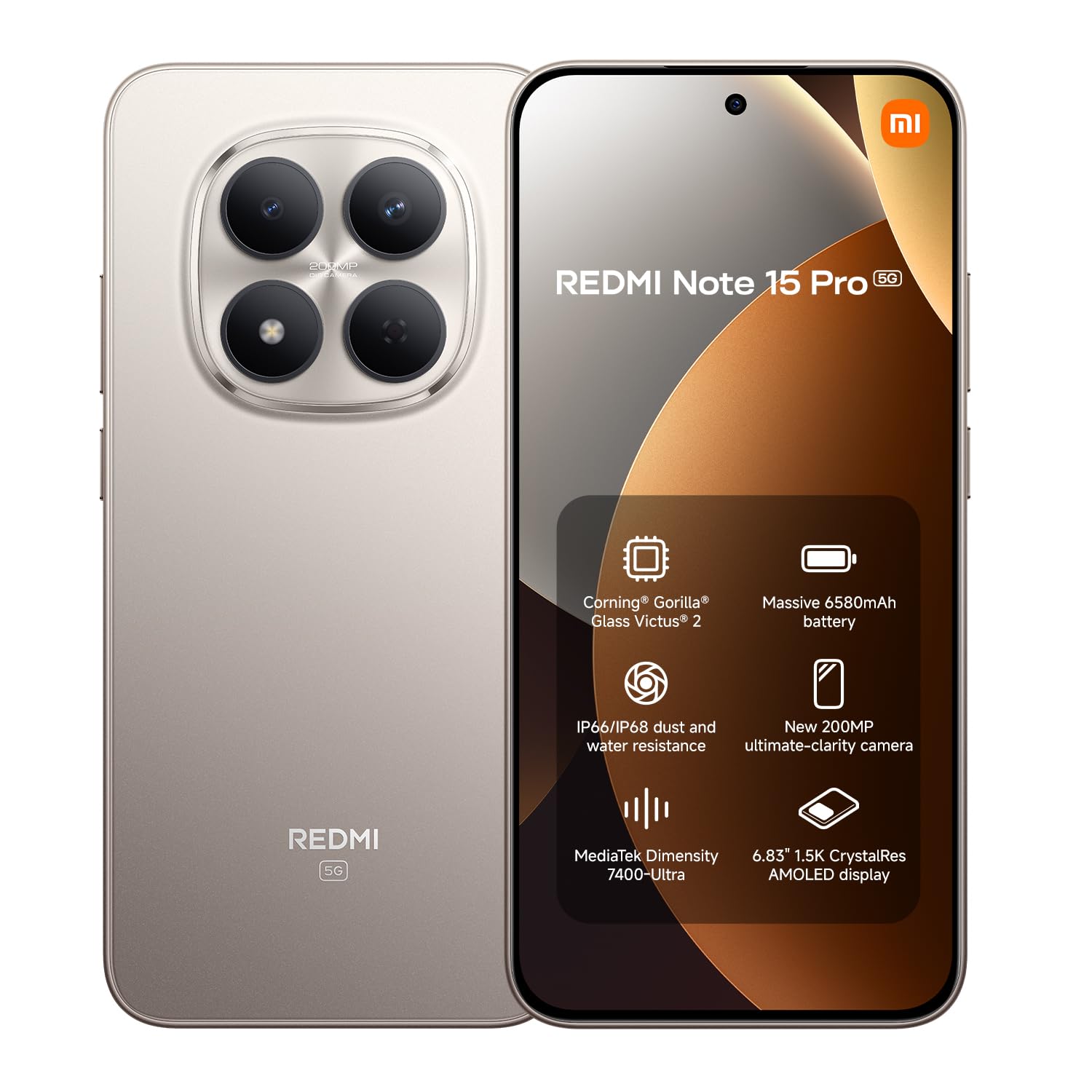
Сүрөт: алдыңкы view of the XIAOMI Redmi Note 15 Pro 5G smartphone.
2. Түзмөк бүттүview
The Redmi Note 15 Pro 5G features a large AMOLED display, a powerful processor, and a high-resolution camera system. Familiarize yourself with the physical components of your device.
2.1. Фронт View
Сүрөт: алдыңкы view of the Redmi Note 15 Pro 5G, highlighting the display and punch-hole front camera.
2.2. Арткы View

Сүрөт: Арткы view of the Redmi Note 15 Pro 5G, showcasing the circular camera module and Redmi branding.
3. Орнотуу
Follow these steps to set up your new Redmi Note 15 Pro 5G.
3.1. SIM карталарды салуу
- Түзмөгүңүздүн капталындагы SIM карта салгычын табыңыз.
- SIM чыгаруучу куралды лотоктун жанындагы кичинекей тешикке киргизип, лоток чыгып кеткенче бекем басыңыз.
- Place your Nano-SIM cards (up to two) into the designated slots on the tray. Ensure the gold contacts face downwards.
- SIM салгычты кылдаттык менен аппаратка кайра салыңыз.
3.2. Баштапкы күйгүзүү жана орнотуу
- XIAOMI логотиби пайда болгонго чейин Кубат баскычын басып, кармап туруңуз.
- Тилди, аймакты тандоо, Wi-Fi'га туташуу жана Google аккаунтуңузду орнотуу үчүн экрандагы көрсөтмөлөрдү аткарыңыз.
- You may be prompted to transfer data from an old device or set up a new device.
3.3. Аппаратты заряддоо
Your Redmi Note 15 Pro 5G comes with a USB cable. Please note that a power adapter is not included. Use a compatible USB-C power adapter (sold separately) to charge your device. Connect the USB cable to the phone's USB-C port and to the power adapter, then plug the adapter into a wall outlet.

Image: Redmi Note 15 Pro 5G shown with a USB-C cable and a power adapter (adapter not included with product).
4. Иштөө нускамалары
This section covers the basic operation of your smartphone.
4.1. Дисплей жана навигация
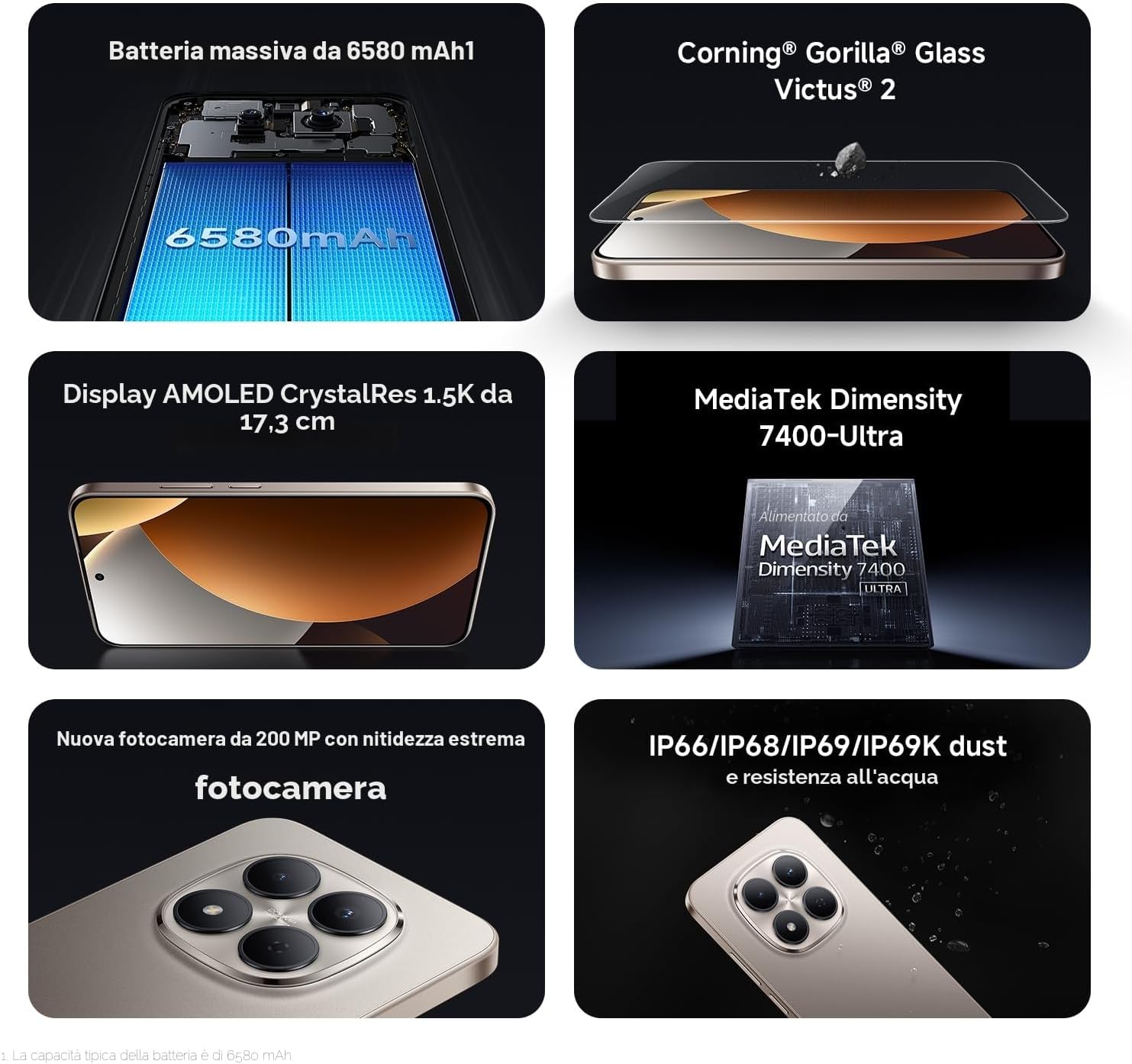
The device features a 6.83-inch 1.5K CrystalRes AMOLED display with a 120Hz refresh rate for smooth visuals. Navigate using gestures or on-screen buttons, configurable in settings.

Image: The 6.83-inch 1.5K CrystalRes AMOLED display of the Redmi Note 15 Pro 5G.
4.2. Камераны колдонуу
Your Redmi Note 15 Pro 5G is equipped with a 200 MP rear camera and a 20 MP front camera. Open the Camera app to access various modes like Photo, Video, Portrait, and Night mode. Tap to focus and use the zoom controls for desired framing.

Image: Close-up of the 200 MP rear camera system on the Redmi Note 15 Pro 5G.
4.3. Аткаруучулук жана туташуу
Powered by the MediaTek Dimensity 7400 processor and running Android 15, the device offers smooth performance. It supports 5G cellular networks, Bluetooth, NFC for contactless payments, and Wi-Fi for internet connectivity.

Image: Graphic representation of the MediaTek Dimensity 7400-Ultra processor.
4.4. Батареяны башкаруу
The 6580 mAh battery provides extended usage. To optimize battery life, manage background app activity, reduce screen brightness, and enable power-saving modes when needed.

Image: Illustration of the 6580 mAh battery capacity.
5. Техникалык тейлөө
Proper care ensures the longevity and optimal functioning of your Redmi Note 15 Pro 5G.
5.1. Аппаратыңызды тазалоо
Телефонуңуздун экранын жана корпусун тазалоо үчүн жумшак, мамыксыз чүпүрөктү колдонуңуз. Абразивдүү материалдардан же катуу химиялык заттардан алыс болуңуз. Өжөр тактар үчүн бир азampчүпүрөктү суу менен.
5.2. Программалык камсыздоону жаңыртуу
Түзмөгүңүздө эң акыркы функциялар, коопсуздук жаңыртуулары жана иштин жакшыртылышы бар экенине ынануу үчүн система жаңыртууларын үзгүлтүксүз текшерип жана орнотуп туруңуз. Орнотуулар > Телефон жөнүндө > MIUI версиясы жаңыртууларды текшерүү үчүн.
5.3. Экранды коргоо
The display is protected by Corning Gorilla Glass Victus 2, offering enhanced durability against drops and scratches. For additional protection, consider using a screen protector.

Image: Representation of Corning Gorilla Glass Victus 2 protecting the display.
5.4. Суу жана чаңга туруктуулук
The device features IP68/IP69K dust and water resistance. While designed to withstand splashes and dust, avoid intentional submersion in water or exposure to high-pressure water jets. Damage caused by liquid exposure is not covered under warranty.

Image: Redmi Note 15 Pro 5G demonstrating its IP68/IP69K dust and water resistance.
6. Кыйынчылыктарды
Бул жерде сиз кабылышы мүмкүн болгон жалпы маселелерди чечүү жолдору бар.
6.1. Түзмөк күйбөй жатат
- Батарея заряддалганын текшериңиз. Түзмөктү заряддагыч түзүлүшкө кеминде 30 мүнөт туташтырыңыз.
- Кайра иштетүү үчүн кубат баскычын 10-15 секунд басып туруңуз.
6.2. Колдонмолор бузулуп жатат же катып жатат
- Колдонмону жаап, кайра ачыңыз.
- Колдонмонун кэшин жана дайындарын тазалоо (Орнотуулар > Колдонмолор > Колдонмолорду башкаруу > [Колдонмонун аты] > Дайындарды тазалоо).
- Колдонмонун акыркы версиясына жаңыртылганын текшериңиз.
6.3. Connectivity Issues (Wi-Fi/Bluetooth/5G)
- Wi-Fi/Bluetooth/Мобилдик дайындарды өчүрүү жана күйгүзүү.
- Түзмөгүңүздү өчүрүп күйгүзүңүз.
- For Wi-Fi, forget the network and reconnect. For 5G, ensure your SIM card and plan support 5G and you are in a 5G coverage area.
6.4. Заводдук абалга кайтаруу
If issues persist, you may perform a factory reset. Эскертүү: Бул түзмөгүңүздөгү бардык дайындарды жок кылат. Улантуудан мурун маанилүү маалыматтардын камдык көчүрмөсүн сактаңыз. барыңыз Орнотуулар > Телефон жөнүндө > Заводдук абалга кайтаруу жана нускамаларды аткарыңыз.
7. Техникалык шарттар
Detailed technical specifications for the Redmi Note 15 Pro 5G.
| Өзгөчөлүк | Спецификация |
|---|---|
| Бренд | XIAOMI |
| Модель аты | Redmi Note 15 Pro 5G |
| Операция системасы | Android 15 |
| Процессор | Mediatek Dimensity 7400 (2.6 ГГц) |
| RAM | 12 ГБ |
| Ички сактагыч | 256 ГБ |
| Дисплей өлчөмү | 6.83 дюйм |
| Дисплей түрү | AMOLED |
| Резолюция | 1920 x 1080 (1080p Full HD) |
| Жаңыртуу ылдамдыгы | 120 Гц |
| Арткы камера | 200 депутат |
| Алдыңкы камера | 20 депутат |
| Батарея сыйымдуулугу | 6580 мАч |
| SIM карта уячалары | Dual SIM (eSIM) |
| Байланыш | 5G, Bluetooth, NFC, Wi-Fi |
| Суу каршылык | IP68/IP69K (Not water resistant for intentional submersion) |
| Өлчөмдөр | 19 x 9 x 4 см |
| Салмагы | 406 грамм |
| кутуга киргизилген | USB Cable (Power adapter not included) |
8. Кепилдик жана колдоо
8.1. Продукцияга кепилдик
Your XIAOMI Redmi Note 15 Pro 5G is covered by a 2 жылдык өндүрүүчүнүн кепилдиги. Please retain your proof of purchase for warranty claims. The availability of spare parts in the EU is guaranteed for 6 years.
8.2. Кардарларды колдоо кызматы
For further assistance, technical support, or warranty inquiries, please visit the official XIAOMI support website or contact their customer service. You can also find additional information and FAQs on the Amazonдагы XIAOMI дүкөнү.
Кошумча документтер:


