
1. Киришүү
The Elitech DIT-220 is a non-contact infrared thermometer designed for quick and accurate temperature measurements across various applications, including industrial, automotive, HVAC, and home use. It features laser targeting, adjustable emissivity, and a backlit display for ease of use. This manual provides essential information for safe and effective operation of your device.
2. Коопсуздук маалыматы
WARNING: Laser Radiation
- Лазердик нурга тике карабаңыз.
- Avoid direct eye exposure to the laser.
- Do not point the laser at people or animals.
- Чагылдыруучу беттер болушу мүмкүн болгон жерлерде лазер менен иштегенде этият болуңуз.
- Аппаратты балдар жетпеген жерде сактаңыз.
- Аппаратты ажыратууга же өзгөртүүгө аракет кылбаңыз.
3. Пакеттин мазмуну
- 1 x Elitech DIT-220 Infrared Thermometer
- 2 x AAA батареялары
- 1 x User Manual
4. Продукт бүтүп калдыview
Familiarize yourself with the components of your Elitech DIT-220 Infrared Thermometer.
- Триггер: Press to activate the thermometer and take a measurement.
- LCD дисплей: Температуранын көрсөткүчтөрүн, режим индикаторлорун жана батареянын абалын көрсөтөт.
- Режим ачкычы: Cycles through various functions and settings.
- °C/°F баскычы: Цельсий жана Фаренгейт температура бирдиктери ортосунда которулат.
- Laser Button: Activates or deactivates the laser pointer.
5. Орнотуу
5.1 Батареяны орнотуу
- Термометрдин туткасындагы батарея бөлүкчөсүнүн капкагын табыңыз.
- Батарея уясынын капкагын ачыңыз.
- Туура полярдуулукту (+ жана -) камсыз кылуу менен эки AAA батарейкасын салыңыз.
- Батарея уясынын капкагын бекем жабыңыз.
6. Иштөө нускамалары
6.1 Ченөө
- Термометрди максаттуу бетке багыттаңыз.
- Press and hold the trigger. The laser pointer (if activated) will indicate the measurement area.
- The temperature reading will appear on the LCD display. The device will display "SCAN" during measurement and "HOLD" when the trigger is released, showing the last measured temperature.
- Release the trigger to hold the reading. The device will automatically shut off after a period of inactivity to conserve battery.

6.2 Laser Pointer Activation
Press the dedicated laser button to toggle the laser pointer on or off. The laser helps to accurately identify the center of the measurement area.
6.3 Которуу температурасынын бирдиктери (°C/°F)
Press the °C/°F button to switch between Celsius and Fahrenheit temperature scales.
6.4 Жөнгө салынуучу эмиссия
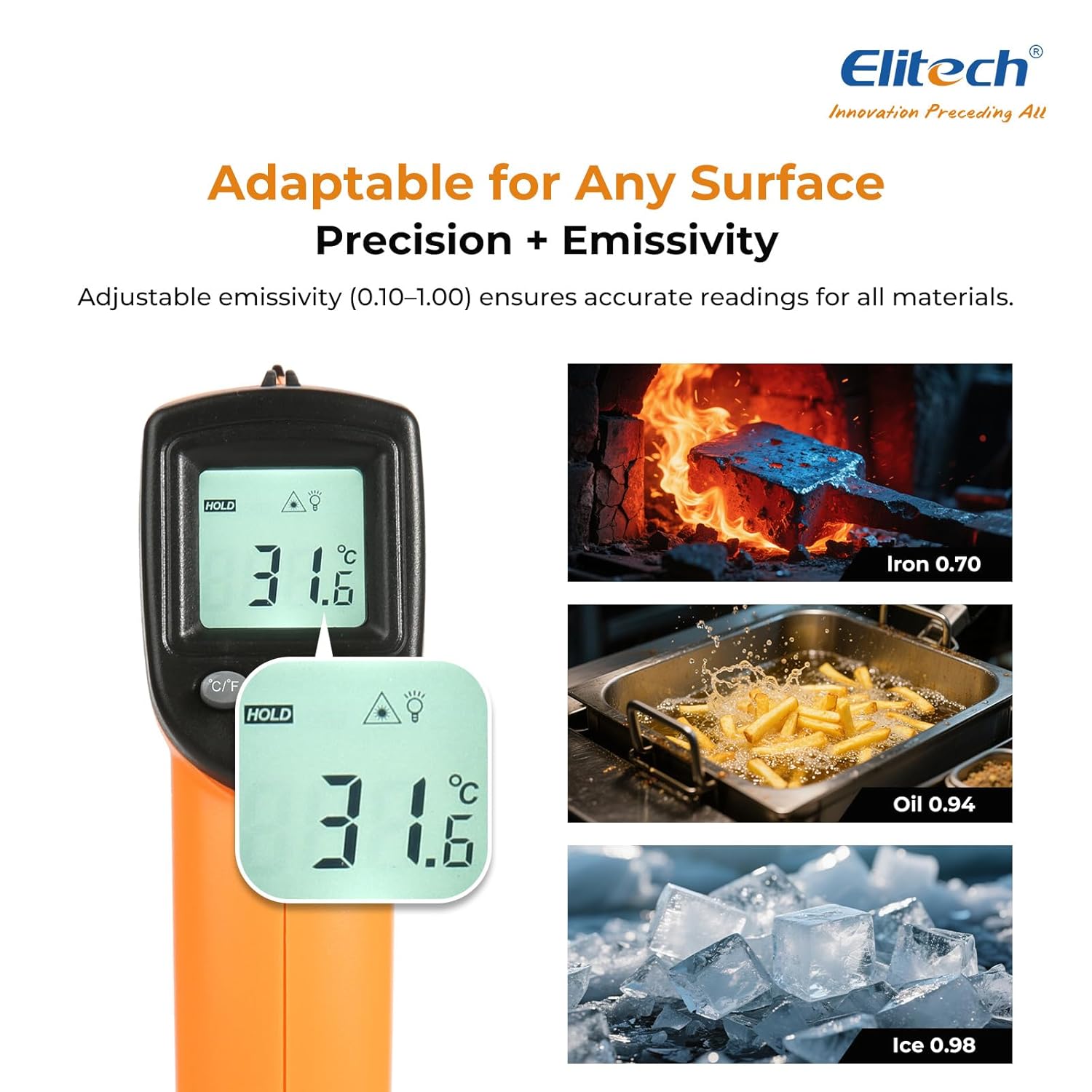
Emissivity (ε) is the ability of a material to emit thermal energy. Different materials have different emissivity values. For accurate measurements, adjust the emissivity setting (0.10-1.00) to match the target material.
- Press the MODE button until "EMS" appears on the display.
- Use the °C/°F and Laser buttons to adjust the emissivity value.
- Press the MODE button again to confirm and exit.

6.5 МАКСИМАЛДУУ/МИН/ОРТОЧО РЕЖИМДЕРИ
The DIT-220 can display maximum, minimum, or average temperatures during a continuous scan.
- While holding the trigger, press the MODE button repeatedly to cycle through MAX (maximum), MIN (minimum), and AVG (average) temperature displays.
- The corresponding indicator will appear on the LCD.

6.6 Аралыктын чекитке карата катышы (D:S)
The D:S ratio indicates the size of the measurement area relative to the distance from the target. For the DIT-220, the D:S ratio is 12:1, meaning at a distance of 12 inches, the measurement spot diameter is 1 inch. For optimal accuracy, ensure the target spot is entirely within the measurement area.

7. Техникалык тейлөө
7.1 Тазалоо
- Линзаны жумшак менен тазалаңыз, damp cloth or cotton swab. Do not use abrasive cleaners.
- Түзмөктү сүртүңүз casing жарнама мененamp кездеме. Аппаратты сууга салбаңыз.
7.2 Сактоо
- Термометрди колдонбогондо салкын, кургак жерде сактаңыз.
- Агып кетпеш үчүн аппарат узак убакыт бою колдонулбаса, батареяларды алып салыңыз.
8. Кыйынчылыктарды
| Көйгөй | Мүмкүн себеп | Чечим |
|---|---|---|
| Эч бир дисплей/Түзмөк күйбөйт | Төмөн же өлүп калган батарейкалар; Батареяны туура эмес орнотуу | Батареяларды алмаштырыңыз; Батареянын полярдуулугун текшериңиз |
| Так эмес окуулар | Incorrect emissivity setting; Distance too far/too close; Lens is dirty | Adjust emissivity; Ensure correct D:S ratio; Clean the lens |
| Лазер иштебейт | Laser disabled; Device malfunction | Press the laser button to enable; Contact support if issue persists |
| "Ло" же "Салам" көрсөтүлөт | Temperature is outside the measurement range | Ensure the target temperature is within -50°C to 530°C (-58°F to 986°F) |
9. Техникалык шарттар
- Модел: DIT-220 (EU-DIT-220)
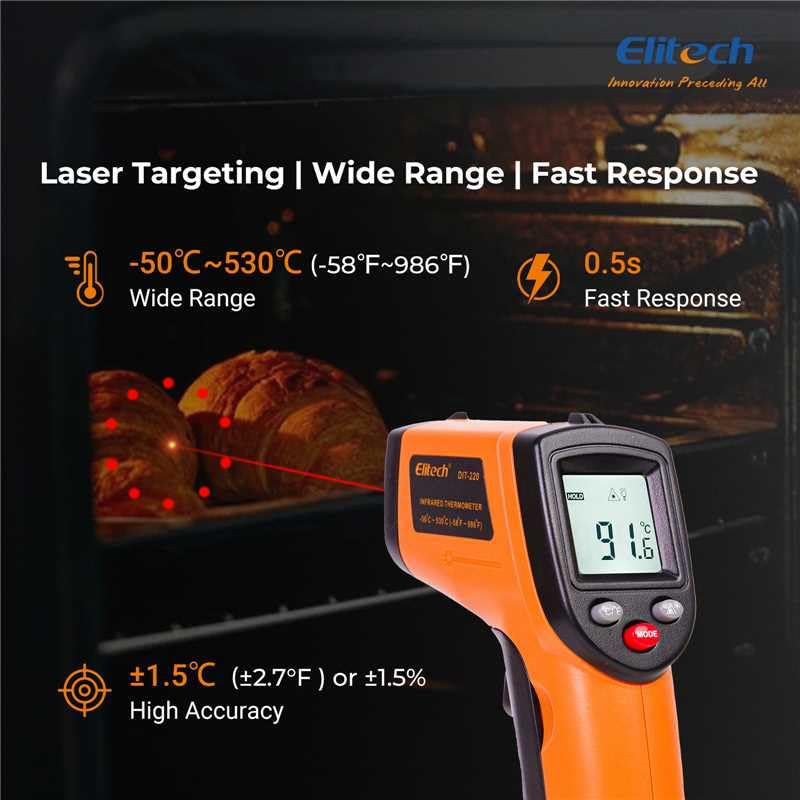
- Температура диапазону: -50°Cден 530°Cге чейин (-58°Fтен 986°Fге чейин)
- Тактыгы: ±1.5°C (±2.7°F) or ±1.5% (whichever is greater) for 0°C to 530°C; ±3°C (±5°F) for -50°C to 0°C
- Жооп убактысы: 0.5 seconds (500 ms)
- Аралыктын чекитке болгон катышы (D:S): 12:1
- Чыгаруучу: 0.10дон 1.00го чейин жөнгө салынат
- Спектралдык жооп: 8-14 мкм
- Лазердик күч: <1 мВт (2-класс)
- Дисплей: Арткы жарыктуу LCD
- Кубат булагы: 2 x AAA батарейкалар (киргизилген)
- Автоматтык түрдө өчүрүү: Ооба
- Иштөө чөйрөсү: 0°Cден 50°Cге чейин (32°Fден 122°Fге чейин), 10%дан 90%га чейин RH конденсацияланбайт
- Сактоо чөйрөсү: -20°C to 60°C (-4°F to 140°F), <80% RH non-condensing
- Материал: Пластик
- Түсү: Ачык күрөң
10. Кепилдик жана колдоо
Elitech products are designed for reliability and performance. This product comes with a standard manufacturer's warranty against defects in materials and workmanship. For specific warranty details, technical support, or service inquiries, please refer to the warranty card included with your product or visit the official Elitech webсайт.
Көбүрөөк жардам алуу үчүн Elitech кардарларды колдоо кызматына кайрылыңыз.