1. Орнотуу колдонмосу
This section guides you through the initial setup of your MXQ PRO 4K Android TV Box.

Image: The MXQ PRO 4K Android TV Box, its remote control, and product packaging.
1.1 Пакеттин мазмуну
Баштоодон мурун, таңгактагы бардык буюмдардын бар экендигин текшериңиз:
- MXQ PRO 4K Android TV Box
- Алыстан башкаруу
- Кубаттуу адаптер
- HDMI кабели
- Колдонуучунун Колдонмосу (бул документ)

Image: Contents of the MXQ PRO 4K Android TV Box package, including the TV box, remote control, power adapter, and cables.
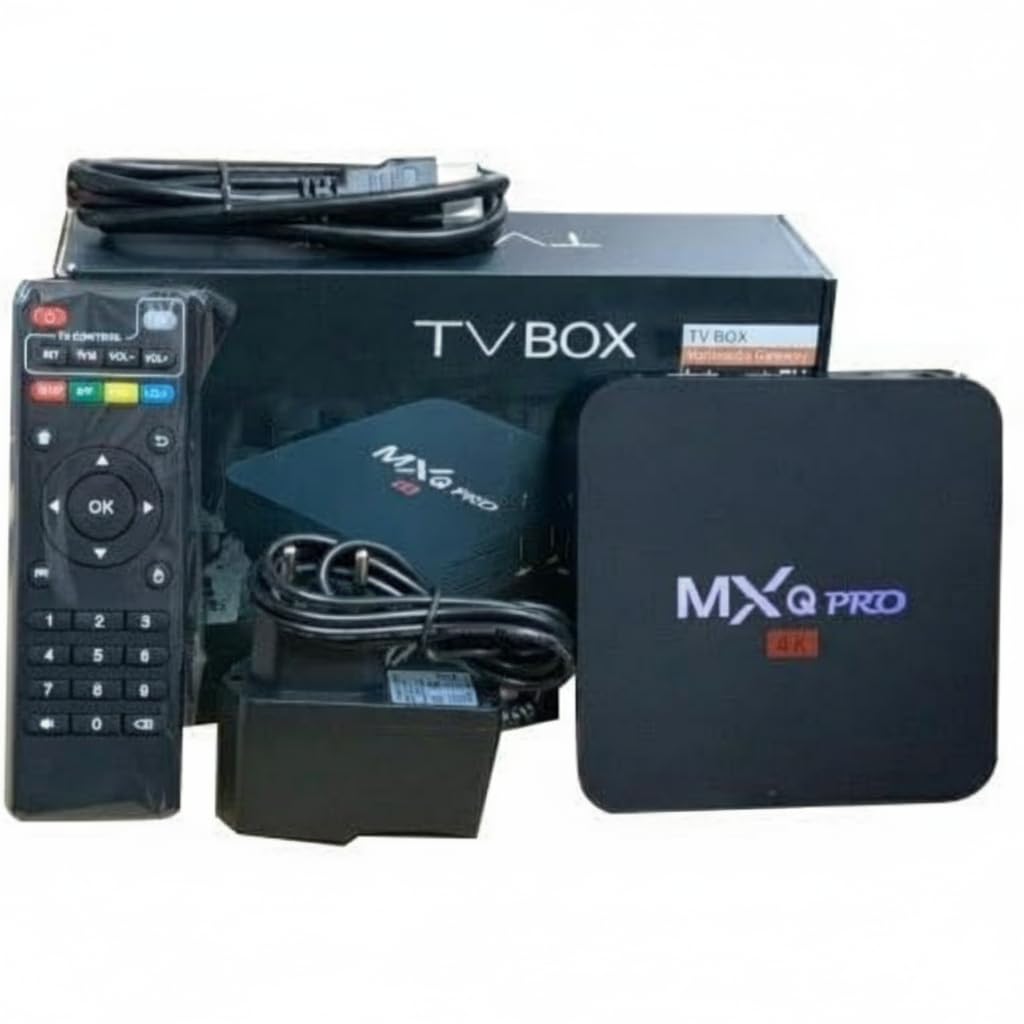
Сүрөт: башка view of the MXQ PRO 4K Android TV Box, remote control, power adapter, and various connection cables.
1.2 Аппаратты туташтыруу
- Сыналгыга туташуу: Use the provided HDMI cable to connect the HDMI port on the TV Box to an available HDMI input port on your television.
- Кубатка туташуу: Plug the power adapter into the DC 5V port on the TV Box, then plug the other end into a wall outlet.
- Тармакка туташуу (милдеттүү эмес): For a wired internet connection, connect an Ethernet cable from your router to the LAN port on the TV Box. For Wi-Fi, proceed to section 2.2.
1.3 Баштапкы күйгүзүү
Once all connections are secure, turn on your television and select the correct HDMI input source. The MXQ PRO 4K Android TV Box should automatically power on and display the boot-up screen. Follow any on-screen prompts for initial language and basic settings.
2. Иштөө нускамалары
This section details how to operate your MXQ PRO 4K Android TV Box.
2.1 Алыстан башкарууview
The included remote control allows you to navigate the Android interface, launch applications, and control media playback. Familiarize yourself with the buttons for power, navigation (directional pad and OK button), volume, home, back, and app access.
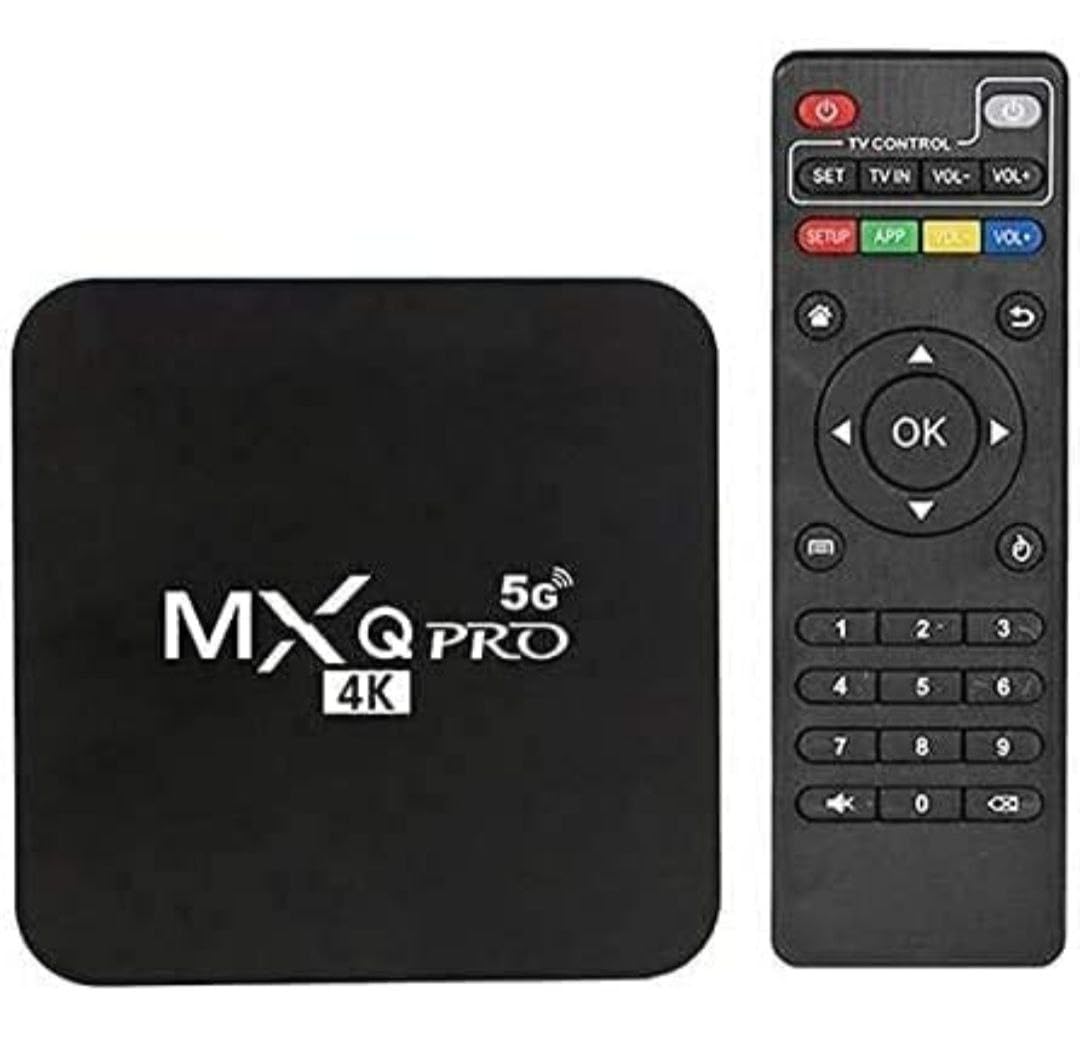
Image: The MXQ PRO 4K Android TV Box and its accompanying remote control, highlighting the compact design of both units.
2.2 Wi-Fiга туташуу
- Башкы экрандан төмөнкүгө өтүңүз: Орнотуулар.
- Тандоо Тармак жана Интернет.
- Тизмеден каалаган Wi-Fi тармагын тандаңыз.
- Enter the Wi-Fi password using the on-screen keyboard and select Туташуу.
2.3 Тиркемелерди орнотуу жана колдонуу
The MXQ PRO 4K Android TV Box supports a wide range of Android applications. You can download and install apps from the pre-installed app store or other compatible sources.
- дегенге өтүңүз Колдонмолор section on the home screen.
- Browse or search for applications.
- Колдонмону тандаңыз view its details and choose Орнотуу.
- Once installed, the app icon will appear in your Apps list for quick access.

Image: The MXQ PRO 4K Android TV Box user interface showing popular streaming applications like Netflix, YouTube, and Prime Video, indicating its smart TV capabilities.
2.4 Connecting a Bluetooth Speaker/Device
You can connect external Bluetooth devices such as speakers or headphones to enhance your audio experience.
- барыңыз Орнотуулар үй экранындагы сөлөкөтү.
- Тандоо Алыстан башкаруу каражаттары жана аксессуарлар.
- чыкылдатыңыз Аксессуар кошуңуз.
- Put your Bluetooth device into pairing mode. The TV Box will search for available devices.
- Туташуу үчүн тизмеден түзмөгүңүздү тандаңыз.

Image: Step-by-step visual guide demonstrating how to connect a Bluetooth speaker or device to the MXQ PRO 4K Android TV Box through the settings menu.
3. Техникалык тейлөө
Туура тейлөө аппаратыңыздын узак мөөнөттүү жана оптималдуу иштешин камсыз кылат.
3.1 Жалпы кам көрүү
- Түзмөктү салкын, кургак жерде, түз күн нурунан жана ашыкча ысыктан алыс кармаңыз.
- Аппаратты сууга же башка суюктуктарга тийгизүүдөн сактаңыз.
- Сыртын жумшак, кургак чүпүрөк менен тазалаңыз. Абразивдүү тазалоочу каражаттарды же эриткичтерди колдонбоңуз.
- Ашыкча ысып кетүүнүн алдын алуу үчүн аппараттын айланасында туура желдетүүнү камсыз кылыңыз.
3.2 Программалык камсыздоо жаңыртуулары
Periodically check for software updates in the device settings to ensure you have the latest features and security patches. Updates can improve performance and stability.
3.3 Аппаратты баштапкы абалга келтирүү
Маанилүү эскертүү:
If you reset your Android Box, any free pre-installed apps will be deleted. So, please do not reset it unless absolutely necessary and you are prepared to reinstall applications.
A factory reset will erase all user data and settings, restoring the device to its original factory state. This can be done via the Settings menu under "Device Preferences" or "About" and then "Factory data reset."
4. Кыйынчылыктарды
This section addresses common issues you might encounter with your MXQ PRO 4K Android TV Box.
| Көйгөй | Мүмкүн себеп | Чечим |
|---|---|---|
| Кубат жок / Түзмөк күйбөй жатат | Кубат адаптери туташкан эмес же бузук; розеткада көйгөй бар. | Кубат адаптери түзмөккө жана иштеп жаткан розеткага бекем туташтырылганын текшериңиз. Башка розетканы колдонуп көрүңүз. |
| No signal on TV / Blank screen | Incorrect HDMI input selected on TV; loose HDMI cable. | Verify your TV is set to the correct HDMI input. Check that the HDMI cable is securely connected at both ends. Try a different HDMI port or cable. |
| Slow performance / Apps freezing | Too many apps running in the background; insufficient memory; poor internet connection. | Close unused applications. Clear cache for problematic apps. Restart the device. Check your internet speed and connection stability. |
| Wi-Fi туташуу маселелери | Туура эмес сырсөз; роутер көйгөйлөр; түзмөк роутерден өтө алыс. | Double-check the Wi-Fi password. Restart your router and the TV Box. Move the TV Box closer to the router or consider a wired Ethernet connection. |
| Алыстан башкаруу жооп бербей жатат | Low batteries; obstruction; remote not paired. | Replace the batteries in the remote control. Ensure there are no obstructions between the remote and the TV Box. Re-pair the remote if it's a Bluetooth remote (refer to device settings). |
5. Техникалык шарттар
Detailed technical specifications for the Generic MXQ PRO 4K Android TV Box.
| Өзгөчөлүк | Деталь |
|---|---|
| Бренд | Жалпы |
| Модел | MXQ PRO 4K (Mxq-4k 8gb/128gb) |
| Операция системасы | Android 12 |
| RAM эс тутуму | 8 ГБ |
| Сактоо сыйымдуулугу | 128 ГБ |
| Резолюция | 4K Ultra HD (60Hz) |
| Процессор | Quad-Core 64-бит CPU |
| Wi-Fi туташуусу | Dual-Band WiFi (802.11 a/b/g/n/ac), 2.4G WiFi |
| Видеону чечмелөө | H.265 |
| Өзгөчөлүктөр | 4K Resolution, Android Operating System, Internet TV, Remote Control, 3D Support |
| Шайкеш түзмөктөр | HDTV, LCD TV, LED TV, Smart TV |
| Байланыш порттору | Ethernet, HDMI, USB, Wi-Fi |
| Элемент Салмагы | 300 г |
| Пакеттин өлчөмдөрү | 15 x 12 x 5 см |
6. Колдоо жана кепилдик
For technical assistance or further inquiries, please contact customer support.
Кардарларды колдоо Email: onlightshopping@gmail.com
Кепилдик маалыматы: Please refer to your purchase documentation for specific warranty terms and conditions. Typically, electronic devices come with a limited manufacturer's warranty covering defects in materials and workmanship.


