
1. Киришүү
Сатып алганыңыз үчүн рахматasing the Aiwa BST-130RD Bluetooth Speaker. This portable speaker features Bluetooth 5.3 connectivity, vibrant RGB lighting, FM radio, and multiple playback options including USB and TF card. This manual provides essential information for the safe and efficient use of your device. Please read it thoroughly before operation and retain it for future reference.
2. Пакеттин мазмуну
Пакетте бардык буюмдар бар экенин текшериңиз:
- Aiwa BST-130RD Bluetooth Speaker
- USB Type-C кубаттоочу кабель
- Instruction Manual
3. Продукт бүтүп калдыview
Динамиктин башкаруу элементтери жана порттору менен таанышып алыңыз.
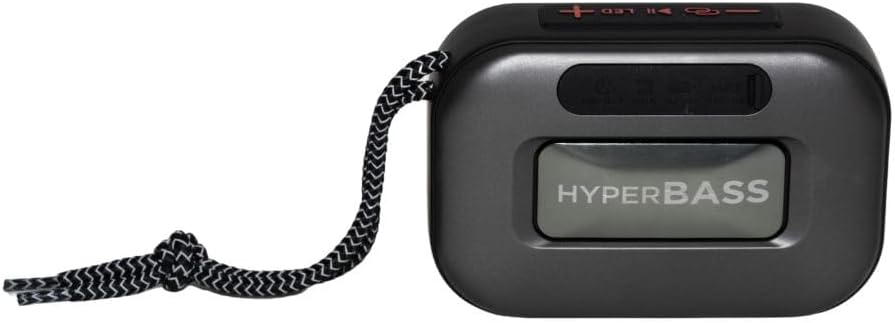
3.1-сүрөт: Фронт view of the Aiwa BST-130RD Bluetooth Speaker, showcasing the speaker grille and RGB light ring.

3.2-сүрөт: Close-up of the tactile control buttons located on the top panel of the speaker. These include power, play/pause, volume, mode, and LED light controls.

3.3-сүрөт: Арткы view of the speaker, illustrating the USB-A port, Micro SD (TF) card slot, AUX-IN port, and USB Type-C charging port.
Башкаруу каражаттары:
- Кубат баскычы: Динамикти күйгүзүү/өчүрүү үчүн басып туруңуз.
- Ойнотуу/тындыруу баскычы: Аудиону ойнотуу же тындыруу. Bluetooth режиминде чалууларга жооп берүү/аяктоо.
- Үнүн жогорулатуу (+): Increase volume. Long press for next track/FM station.
- Үнүн төмөндөтүү (-): Decrease volume. Long press for previous track/FM station.
- Режим баскычы (M): Switch between Bluetooth, FM Radio, USB, TF Card, and AUX-IN modes.
- LED баскычы: RGB жарык режимдерин өзгөртүү.
Порттор:
- USB-A порту: USB флэш-дискти ойнотуу үчүн.
- TF карта уячасы: Micro SD карта ойнотуу үчүн.
- AUX-IN Port (3.5mm): Зымдуу аудио туташуу үчүн.
- USB Type-C заряддоо порту: Динамикти заряддоо үчүн.
4. Орнотуу
4.1 Динамикти заряддоо
- Берилген USB Type-C кубаттоо кабелин динамиктин кубаттоо портуна туташтырыңыз.
- Connect the other end of the cable to a 5V DC USB power adapter (not included).
- Заряддоо индикатору кубаттоо учурунда күйөт жана толук заряддалгандан кийин өчөт.
- Толук кубаттоо адатта болжол менен 2-3 саатты талап кылат.
4.2 Күйгүзүү/өчүрүү
- Күйгүзүү үчүн: Үн чыккан сигнал чыгып, RGB жарыктары күйгөнгө чейин Кубат баскычын 2-3 секунд басып туруңуз.
- Өчүрүү үчүн: Press and hold the Power button for 2-3 seconds until you hear an audible prompt and the RGB lights deactivate.
5. Иштөө нускамалары
5.1 Bluetooth жупташтыруу
- Ensure the speaker is powered on and in Bluetooth mode (indicated by an audible prompt or LED status). If not, press the Mode button to switch to Bluetooth mode.
- Смартфонуңузда, планшетиңизде же башка Bluetooth иштетилген түзмөгүңүздө Bluetooth'ду иштетиңиз.
- Издөө available devices and select "AIWA BST-130RD" from the list.
- Once paired, the speaker will emit an audible confirmation.
- Эми сиз түзмөгүңүздөн аудиону динамик аркылуу ойной аласыз.
5.2 Чыныгы зымсыз стерео (TWS) жупташтыруу
The TWS function allows you to connect two Aiwa BST-130RD speakers for a stereo sound experience.
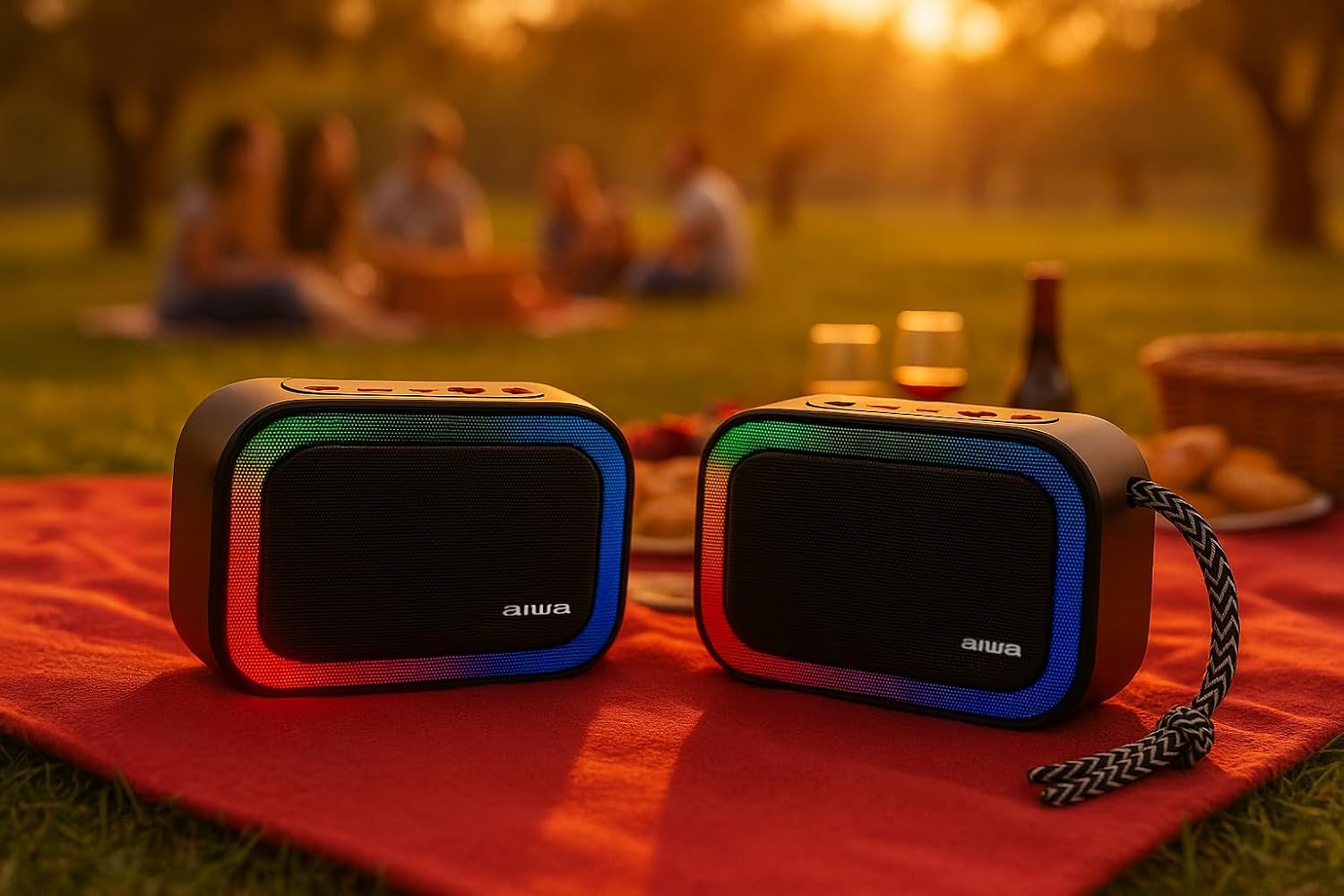
5.1-сүрөт: Two Aiwa BST-130RD speakers operating in True Wireless Stereo (TWS) mode, providing a wider soundstage.
- Ensure both BST-130RD speakers are powered on and in Bluetooth mode, but not yet paired to any device.
- On one of the speakers (this will be the primary speaker), double-press the Play/Pause button. The speaker will search for another BST-130RD.
- Once connected, you will hear an audible confirmation. The primary speaker will act as the left channel, and the secondary speaker as the right channel.
- Now, pair your Bluetooth device to the primary speaker as described in Section 5.1.
5.3 FM радиосунун иштеши
- Press the Mode button repeatedly until you enter FM Radio mode.
- Press the Play/Pause button once to initiate an automatic station scan. The speaker will scan and save available FM stations.
- Сакталган станциялардын ортосунда багыт алуу үчүн Үндү катуулатуу (+) жана Үндү азайтуу (-) баскычтарын колдонуңуз (көпкө басып туруңуз).
5.4 USB / TF картасын ойнотуу
- Insert a USB flash drive into the USB-A port or a TF (Micro SD) card into the TF card slot.
- The speaker will automatically switch to the corresponding mode and begin playing MP3 files. If not, press the Mode button to select USB or TF mode.
- Use the Play/Pause button to control playback. Use the Volume Up (+) and Volume Down (-) buttons (long press) to skip tracks.
5.5 AUX-IN режими
- Connect one end of a 3.5mm audio cable (not included) to the speaker's AUX-IN port.
- Экинчи учун тышкы түзмөгүңүздүн (мисалы, MP3 ойноткуч, компьютер) аудио чыгышына туташтырыңыз.
- Press the Mode button to switch to AUX-IN mode.
- Audio will now play through the speaker. Control playback from your external device.
5.6 Hands-free функциясы
Bluetooth аркылуу смартфонго туташканда, колонканы колсуз чалуулар үчүн колдонсо болот.
- Чакырууга жооп берүү: Play/Pause баскычын бир жолу басыңыз.
- Чакырууну аяктоо: Чалуу учурунда Play/Pause баскычын бир жолу басыңыз.
- Чакырууну четке кагуу: Play/Pause баскычын 2 секунд басып туруңуз.
5.7 RGB жарыкты башкаруу
The speaker features a dynamic RGB lighting system.

5.2-сүрөт: The Aiwa BST-130RD speaker displaying its vibrant RGB lighting effects.
- Ар кандай RGB жарык режимдери аркылуу айлануу үчүн LED баскычын басыңыз.
- Press and hold the LED button to turn the RGB lighting On/Off.
6. Техникалык тейлөө
- Динамикти жумшак, кургак чүпүрөк менен тазалаңыз. Абразивдүү тазалагычтарды же эриткичтерди колдонбоңуз.
- Динамикти өтө жогорку температурага, түз күн нуруна же жогорку нымдуулукка дуушар кылбаңыз.
- Динамикти сууга салбаңыз. Ал суу өткөрбөйт.
- When not in use for extended periods, charge the battery at least once every three months to prolong its lifespan.
7. Кыйынчылыктарды
| Көйгөй | Мүмкүн себеп | Чечим |
|---|---|---|
| Динамик күйбөйт. | Батарея аз. | Берилген USB Type-C кабелин колдонуп, динамикти кубаттаңыз. |
| Үн жок. | Volume too low; incorrect mode; device not paired. | Increase volume on speaker and connected device. Ensure correct mode is selected. Re-pair Bluetooth device. |
| Bluetooth жупташуусу болбой жатат. | Динамик жупташтыруу режиминде эмес; түзмөк өтө алыс; тоскоолдук бар. | Динамик Bluetooth жупташтыруу режиминде экенин текшериңиз. Түзмөктү динамикке жакындатыңыз. Башка Bluetooth түзмөктөрүн өчүрүңүз. |
| FM радиосун кабыл алуу начар. | Алсыз сигнал; экологиялык кийлигишүү. | Динамикти башка жерге жылдырыңыз. Кайрадан авто-сканерлөөнү аткарыңыз. |
8. Техникалык шарттар
- Модел: BST-130RD
- Bluetooth версиясы: V5.3
- Чыгуу күчү: 5W RMS (10% THD)
- Динамик айдоочу: 5 cm (Full Range), 3 Ohm Impedance
- Жыштык жообу: 80 Гц - 18 кГц
- Ызы-чуунун катышы: ≥ 85 дБ
- Сезимталдуулук: 490 mV (1 kHz)
- Киргизүүлөр: Bluetooth, USB MP3, TF MP3, FM Scanner, AUX-IN (3.5mm Stereo)
- Кубат киргизүү: 5V DC USB Type-C
- Батарея: 1200mAh, 3.7V Lithium (with protection circuit)
- Заряддоо Voltage: 5V 1A
- Өзгөчөлүктөрү: TWS (True Wireless Stereo), RGB Lighting, Hands-free Function
- Өлчөмдөрү: 133 x 89 x 47.5 мм
- Салмагы: 0.314 кг
9. Коопсуздук маалыматы
- Аппаратты демонтаждабаңыз, оңдоого же өзгөртүүгө болбойт.
- Түзмөктү суудан, нымдуулуктан жана тез күйүүчү заттардан алыс кармаңыз.
- Угуу жөндөмүнө зыян келтирбөө үчүн катуу үн менен көпкө угуудан алыс болуңуз.
- Dispose of the battery and device responsibly according to local regulations.
10. Кепилдик жана колдоо
Aiwa products are designed and manufactured to the highest quality standards. For warranty information and technical support, please refer to the warranty card included in your package or visit the official Aiwa webсиздин аймак үчүн сайт.