
Wantek WK882MBT
Wantek WK882MBT Wireless Headset Instruction Manual
Model: WK882MBT
1. Продукт бүтүп калдыview
The Wantek WK882MBT is a versatile wireless headset designed for clear communication and comfortable use across various devices. It features both Bluetooth 5.3 and a 2.4GHz USB dongle for stable connectivity.

Image 1.1: Headset Components. This image displays the Wantek WK882MBT headset with key components labeled, including the padded headband, noise-canceling microphone, 40mm dynamic speaker, volume controls, play/pause button, answer/reject call/Siri button, power on/off/pair button, and USB-C charging port.
Негизги өзгөчөлүктөрү:
- Үндү тазалоо: Built-in microphone for natural sound quality.
- Кош байланыш: Stable Bluetooth 5.3 and USB A/C dongle for PC, laptop, TV, and mobile phones.
- Ыңгайлуу дизайн: Lightweight on-ear design with soft ear cushions and an adjustable headband.
- Интегралдык башкаруу каражаттары: On-ear buttons for power, volume, mute, and call management.
- Бош эмес жарык: Integrated indicator for professional communication.
2. Кутуда эмне бар
Орнотууну улантуудан мурун пакетте бардык элементтер бар экенин текшериңиз.
- Wantek WK882MBT Headset
- Сактоочу баштык
- USB Charge Cable (USB-A to USB-C)
- USB Dongle (2.4GHz)
- Колдонуучунун Колдонмосу (бул документ)

Сүрөт 2.1: Таңгактын мазмуну. This image shows the headset, the 2.4GHz USB dongle, and the USB A-C charging cable, which are included in the box.
3. Орнотуу
3.1. Гарнитураны заряддоо
Before initial use, fully charge the headset. A full charge takes approximately 2 hours and provides up to 45 hours of battery life.
- Кубаттоочу кабелдин USB-C учун гарнитуранын кубаттоо портуна туташтырыңыз.
- Кубаттоочу кабелдин USB-A учун USB кубат булагына туташтырыңыз (мисалы, компьютердин USB порту, дубал адаптери).
- Гарнитурадагы LED индикатору кубаттоо абалын көрсөтөт (чоо-жайын LED индикатору бөлүмүн караңыз).
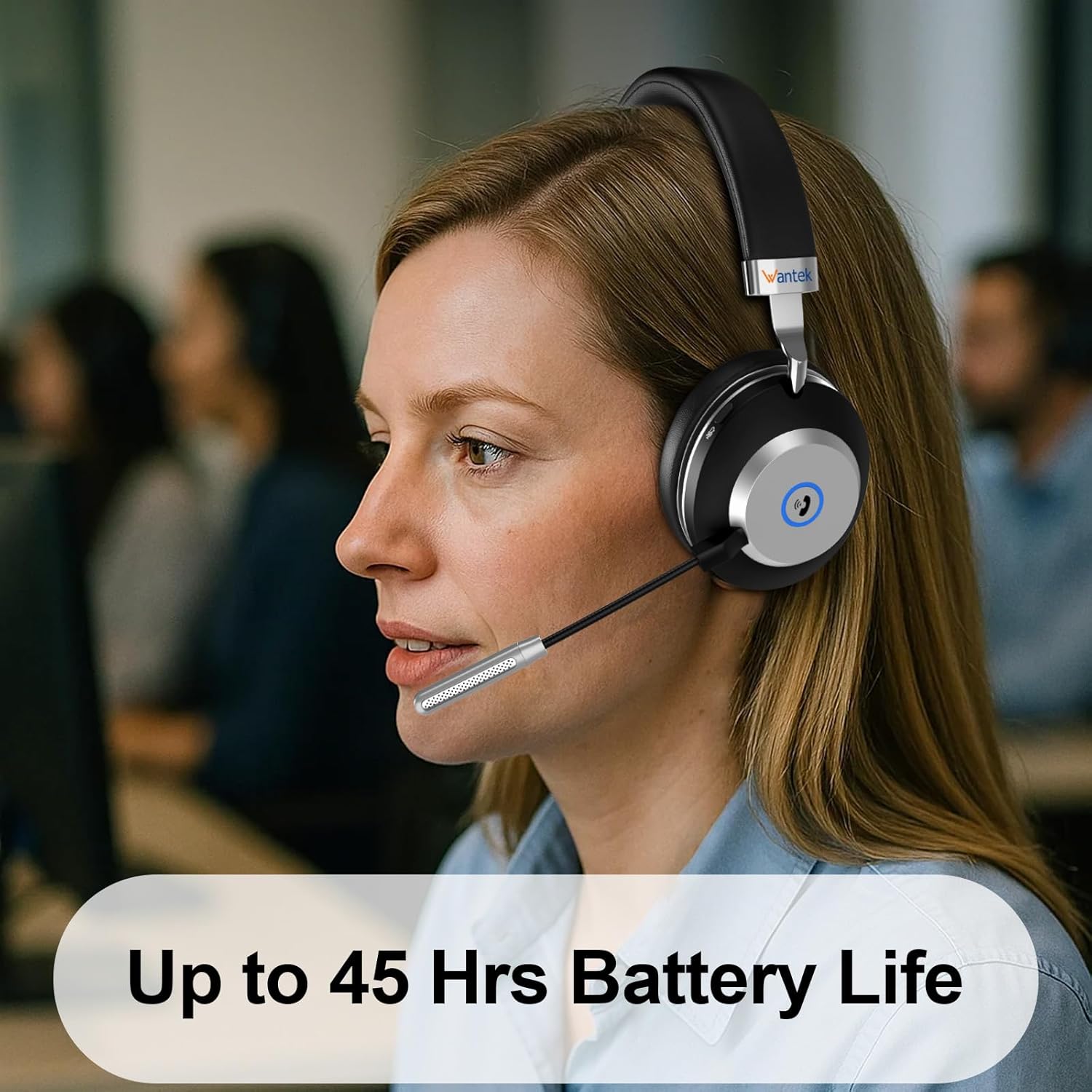
Image 3.1: Battery Life. The headset offers up to 45 hours of battery life on a single charge.
3.2. Connecting via USB Dongle (2.4GHz Wireless)
This method provides a stable, low-latency connection ideal for PCs and laptops.
- Insert the 2.4GHz USB dongle into an available USB-A or USB-C port on your computer (use an adapter if necessary).
- Power on the headset by pressing and holding the Power On/Off/Pair button until the LED indicator lights up.
- The headset and dongle should automatically pair. The LED indicator on the headset will show a solid blue light once connected.
- On your computer, ensure the Wantek headset is selected as the default audio input and output device in your sound settings.
3.3. Bluetooth 5.3 аркылуу туташуу
Connect the headset to mobile phones, tablets, or other Bluetooth-enabled devices.
- Гарнитура өчүрүлгөнүн текшериңиз.
- Press and hold the Power On/Off/Pair button for approximately 5-7 seconds until the LED indicator flashes blue and red alternately, indicating pairing mode.
- Түзмөгүңүздө Bluetooth жөндөөлөрүнө өтүп, Bluetooth'ду иштетиңиз.
- Издөө available devices and select "Wantek WK882MBT" from the list.
- Once connected, the headset's LED indicator will show a solid blue light.

Image 3.2: Dual Wireless Modes. This image illustrates the two connection methods: 2.4GHz USB dongle for desktops and laptops, and Bluetooth 5.3 for tablets, laptops, and cellphones.

Image 3.3: Connection Range. This diagram shows the headset connected to a laptop via a USB dongle and to a phone via Bluetooth, indicating a wireless range of 10-15 meters (32-49 feet).
4. Иштөө нускамалары
4.1. Күйгүзүү/өчүрүү
- Күйгүзүү: Press and hold the Power On/Off/Pair button for 2-3 seconds until the LED indicator lights up.
- Өчүрүү: Press and hold the Power On/Off/Pair button for 3-4 seconds until the LED indicator turns off.
4.2. Чалууларды башкаруу элементтери
- Чакырууга жооп берүү: Press the Answer/Reject Call button once.
- Чакырууну четке кагуу: Press and hold the Answer/Reject Call button for 2 seconds.
- Чакырууну аяктоо: Press the Answer/Reject Call button once during a call.
- Үн жардамчысын иштетүү (Siri/Google Жардамчысы): Double-press the Answer/Reject Call button.
- Микрофондун үнүн басуу/ачуу: Press the dedicated Mute button on the microphone boom or ear cup.
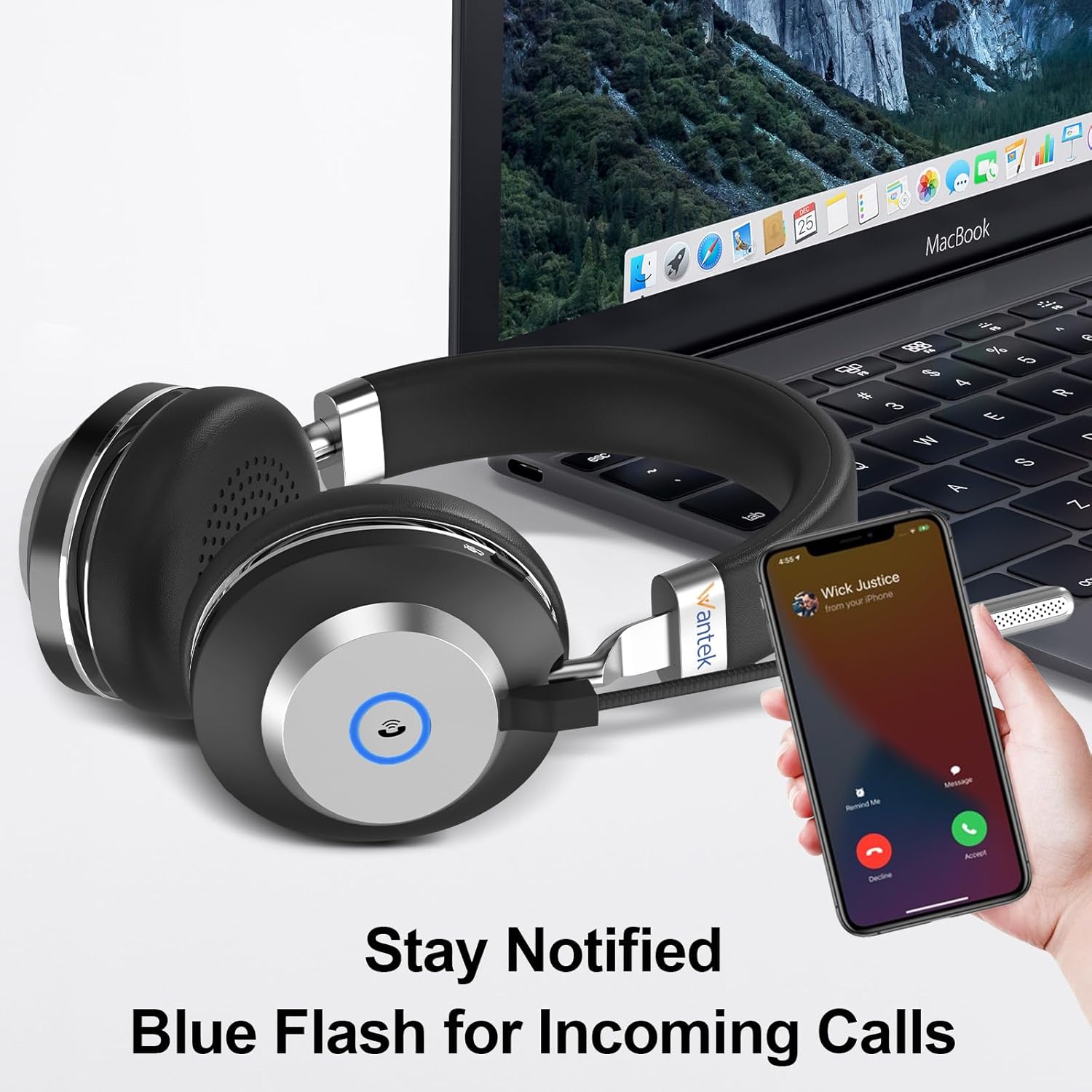
Image 4.1: Incoming Call Notification. The headset features a blue flash indicator to notify you of incoming calls.

Image 4.2: Mute Function. This image highlights the location of the mute button on the headset, allowing for easy microphone muting.
4.3. Volume Control & Play/Pause
- Көлөмү: "Үн +" баскычын басыңыз.
- Үнүн азайтуу: "Үндү катуулатуу -" баскычын басыңыз.
- Ойнотуу/тындыруу: Press the "Play/Pause" button once to toggle playback.
4.4. Busy Light Function
The integrated busy light indicates when you are on a call, signaling to others that you are occupied. This feature activates automatically during active calls.
5. Ыңгайлуулук жана туурасы
The Wantek WK882MBT headset is designed for extended wear comfort.
- Жөнгө салынуучу баш боосу: The metal headband can be adjusted to fit various head sizes.
- Rotatable Earcups: The earcups can rotate 90 degrees, allowing for a comfortable fit and easy storage. They feature soft memory foam earmuffs.
- Ийкемдүү микрофон: The microphone boom is flexible and can be rotated 270 degrees to position it optimally for voice pickup or to move it out of the way when not in use.

Image 5.1: Ergonomic Flexible Design. This image highlights the padded headband, 90-degree rotatable soft memory foam earmuffs, adjustable metal headband, and 270-degree flexible microphone for enhanced comfort and fit.

Image 5.2: Comfort Features. This diagram illustrates the soft ear cushions, adjustable headband, and 270-degree flexible microphone, all contributing to user comfort.
6. Техникалык тейлөө
Тийиштүү кам көрүү гарнитураңыздын узак мөөнөттүү иштешин жана оптималдуу иштешин камсыз кылат.
- Тазалоо: Use a soft, dry cloth to wipe the headset. Do not use abrasive cleaners or solvents.
- Сактагыч: When not in use, store the headset in the provided storage bag to protect it from dust and damage. Avoid extreme temperatures.
- Суу каршылык: Гарнитура жок суу өткөрбөйт. Суюктуктарга тийгизбеңиз.
7. Кыйынчылыктарды
Эгер көйгөйлөргө туш болсоңуз, төмөнкү чечимдерди колдонуп көрүңүз:
| Көйгөй | Чечим |
|---|---|
| Гарнитура күйбөйт. | Ensure the headset is fully charged. Connect it to a power source using the USB charge cable. |
| Bluetooth аркылуу туташуу мүмкүн эмес. | Ensure the headset is in pairing mode (flashing blue/red LED). Turn off and on your device's Bluetooth. Forget the device and try pairing again. Ensure the headset is not connected to another device. |
| Cannot connect via USB dongle. | Ensure the dongle is fully inserted into a working USB port. Check your computer's sound settings to ensure the Wantek headset is selected as the default audio device. Try a different USB port. |
| Үн жок же аудио сапаты начар. | Check volume levels on both the headset and your connected device. Ensure the headset is properly connected. Test with another application or device. |
| Микрофон иштебей жатат. | Ensure the microphone is not muted. Check microphone input settings on your connected device. Ensure the microphone boom is positioned correctly. |
8. Техникалык шарттар
Technical details of the Wantek WK882MBT Wireless Headset.
| Өзгөчөлүк | Деталь |
|---|---|
| Модель аты | WK882MBT |
| Байланыш технологиясы | Wireless (Bluetooth 5.3, 2.4GHz USB Dongle) |
| Кулак жайгаштыруу | On Ear |
| Аудио драйверинин өлчөмү | 40 миллиметр |
| Frequency Response | 20 KHz |
| Сезимталдуулук | 121 дБ |
| Импеданс | 32 Ом |
| Bluetooth диапазону | 10 метр |
| Батареянын иштөө мөөнөтү | 45 саат |
| Заряддоо убактысы | 2 саат |
| Элемент Салмагы | 190 грамм (6.7 унция) |
| Продукциянын өлчөмдөрү | 6.69 x 2.76 x 7.87 дюйм |
| Материал | ABS, Aluminum, Faux Leather |
| Сууга туруктуулук деңгээли | Сууга чыдамдуу эмес |
9. Кепилдик жана колдоо
Wantek products are designed for reliability and performance. This product typically comes with a standard manufacturer's warranty covering defects in materials and workmanship.
- Кепилдик мөөнөтү: Please refer to the warranty card included with your product or visit the official Wantek webкепилдиктин белгилүү бир шарттары жана мөөнөтү үчүн сайтты караңыз.
- Техникалык колдоо: For technical assistance, troubleshooting beyond this manual, or warranty claims, please contact Wantek customer support through their official webсайт же продукт таңгагында көрсөтүлгөн байланыш маалыматы.
Ask a question about this manual
Ask about setup, troubleshooting, compatibility, parts, safety, or missing instructions. Manuals+ will review the question and use this page’s manual context to help answer it.