
1. Киришүү
Thank you for choosing the LOBKIN S35 Open Ear Wireless Headphones. This manual provides essential information for setting up, operating, and maintaining your headphones. Please read it carefully before use to ensure optimal performance and longevity of your device.
2. Кутуда эмне бар
- LOBKIN S35 Open Ear Headphones
- Алынуучу микрофон
- Аудио кабель
- Заряддоо кабели (Type-C)
- User Manual

Image: Contents of the LOBKIN S35 package.
3. Продукциянын өзгөчөлүктөрү
- Ачык кулак дизайны: Allows ambient sound awareness for safety and comfort, preventing ear canal blockage and overheating.
- Алынуучу микрофон: 360° rotating microphone for clear voice pickup in various environments.
- 40 мм динамикалык драйверлер: Delivers powerful bass, crisp treble, and full stereo sound.
- Bluetooth 6.0 туташуусу: Ensures stable, reliable, and low-latency wireless connection.
- Жөнгө салынуучу RGB жарыктандыруу: Dynamic lighting effects for personalized aesthetics.
- Тез кубаттоо: Provides 1 hour of playback with just 5 minutes of charging.
- Кош байланыш: Supports both wireless Bluetooth and wired USB audio connections.
- Жеңил курулуш: Weighs approximately 180 grams for extended comfortable wear.
- Үн жардамчысы интеграциясы: Quick access to Siri or Google Assistant.
- Бүктөлүүчү Дизайн: Оңой сактоо жана көчмө болуу үчүн.
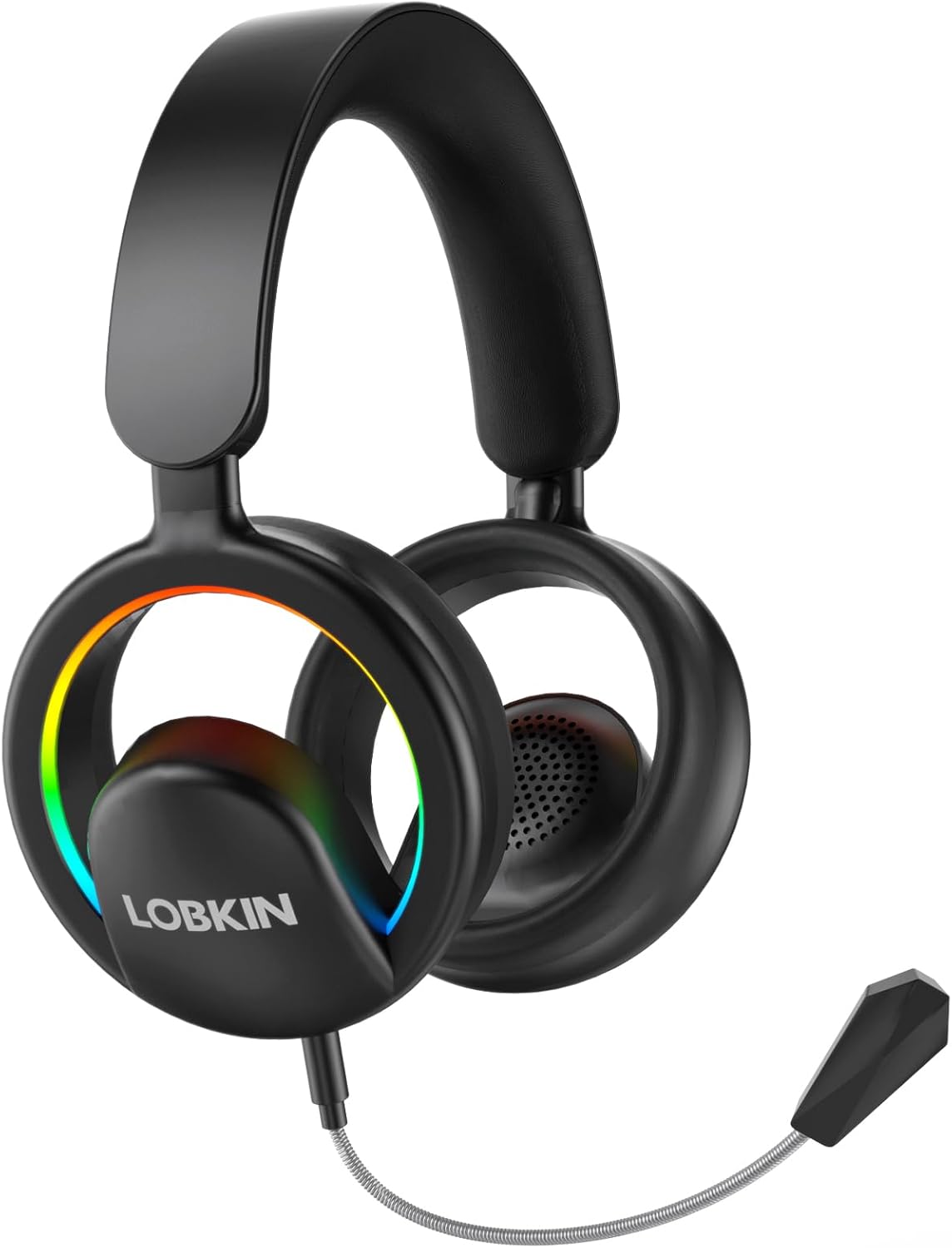
Image: LOBKIN S35 Open Ear Headphones.
4. Орнотуу жана алгачкы колдонуу
4.1 Наушниктерди заряддоо
Before first use, fully charge your headphones. Connect the provided Type-C charging cable to the charging port on the headphones and a compatible USB power source. A full charge takes approximately 2 hours. The LED indicator will show charging status.

Image: Charging and battery life overview.
4.2 Алынып туруучу микрофонду тиркөө
Locate the microphone port on the left earcup. Align the detachable microphone's connector with the port and gently push until it clicks into place. The microphone can be rotated 360° for optimal positioning.

Image: Detachable microphone attachment and adjustment.
4.3 Баш боону тууралоо
The headband is adjustable to fit various head sizes. Gently slide the earcups up or down along the headband until a comfortable fit is achieved. The open-ear design ensures comfort without sealing your ears.
Video: Demonstrates the S35 Open Ear Headphones operation, including headband adjustment and microphone attachment.
5. Иштөө нускамалары
5.1 Күйгүзүү/өчүрүү
- Күйгүзүү: Кубат баскычын 2 секунд басып туруңуз.
- Өчүрүү: Кубат баскычын 3 секунд басып туруңуз.
5.2 Bluetooth жупташтыруу
- Наушниктердин өчүрүлгөнүн текшериңиз.
- Press and hold the power button for 5 seconds until the LED indicator flashes blue and red, indicating pairing mode.
- On your device (smartphone, tablet, computer), enable Bluetooth and search for "LOBKIN S35".
- Select "LOBKIN S35" to connect. The LED indicator will turn solid blue once connected.
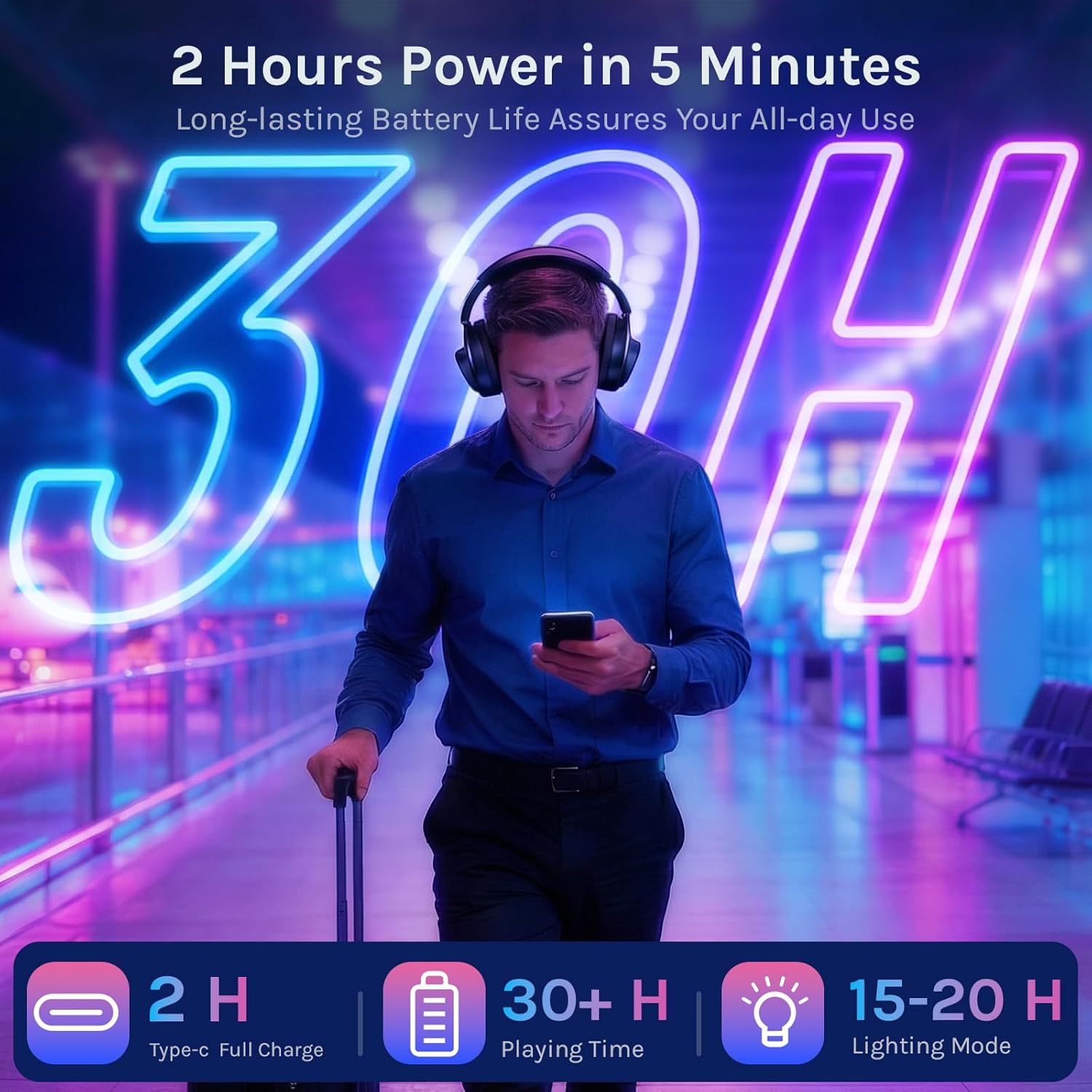
Image: Bluetooth 6.0 pairing with a smartphone.
5.3 Зымдуу туташуу
For a wired connection, use the provided audio cable. Plug one end into the headphone's audio jack and the other end into your device's 3.5mm audio port. This allows for an uninterrupted, lossless audio experience without battery consumption.
5.4 Башкаруу каражаттары жана функциялар
- Үндү көзөмөлдөө: Кулакчындагы үндү катуулатуу/акырындатуу баскычтарын колдонуңуз.
- Ойнотуу/тындыруу: Кубат баскычын бир жолу басыңыз.
- Кийинки трек: Double press the volume up button.
- Мурунку трек: Double press the volume down button.
- Чалууга жооп берүү/аяктоо: Кубат баскычын бир жолу басыңыз.
- Чакырууну четке кагуу: Кубат баскычын 2 секунд басып туруңуз.
- Үн Жардамчысын жандыруу: Triple-press the power button.
- Switch RGB Lighting Mode: Double-press the power button (cycles through multicolor, red, green, blue, lights off).
- Оюн режимин иштетүү: Quadruple-press the power button.
- Заводдун баштапкы абалга келтирүү: Кубат баскычын 8 секунд кармап туруңуз.

Image: Multifunction button guide.
6. Техникалык тейлөө
- Keep the headphones dry. Do not expose to extreme temperatures.
- Clean the earcups and headband with a soft, dry cloth. Avoid harsh chemicals.
- Store in a cool, dry place when not in use. The foldable design allows for compact storage.
- Кулакчындарды түшүрүүдөн же катуу тийүүдөн сактаныңыз.

Image: Foldable design for portability.
7. Кыйынчылыктарды
| Көйгөй | Чечим |
|---|---|
| Кулакчындар күйбөйт. | Кулакчындар кубатталганын текшериңиз. Type-C кабелин колдонуп, кубат булагына туташтырыңыз. |
| Bluetooth аркылуу жупташтыруу мүмкүн эмес. | Make sure headphones are in pairing mode (flashing blue/red LED). Ensure Bluetooth is enabled on your device and it's within 15 meters. Try restarting both devices. |
| Үн жок же үнү төмөн. | Check headphone and device volume levels. Ensure headphones are properly connected (Bluetooth or wired). Test with another audio source. |
| Микрофон иштебей жатат. | Ensure the detachable microphone is securely connected. Check microphone settings on your device. |
| RGB чырактары иштебей жатат. | Double-press the power button to cycle through lighting modes. Ensure headphones are powered on. |
8. Техникалык шарттар
- Модел: S35
- Бренд: ЛОБКИН
- Түсү: Кара
- Кулак жайгаштыруу: Ачык кулак
- Форма фактору: Over-Ear, True Wireless
- Импеданс: 32 Ом
- Элемент Салмагы: 171 грамм
- Аудио драйвер түрү: 40мм динамикалык драйвер
- Жыштык жообу: 20 KHz
- Сезимталдуулук: 110 дБ
- Байланыш технологиясы: Зымсыз (Bluetooth 6.0), Зымдуу (3.5 мм уяча)
- Bluetooth диапазону: 15 метр
- Батареяны заряддоо убактысы: 2 саат (С түрү)
- Батареянын орточо иштөө мөөнөтү: 30 Hours (playback), 15-20 Hours (with RGB lighting)
- Башкаруу түрү: Control Button
- Кошумча өзгөчөлүктөр: Adjustable Headband, Built-In Voice Assistant, Detachable Cable, Fast Charging, Lightweight, Microphone Included, RGB Lights, Volume Control.
- Материал: Акрилонитрил бутадиен стирол (ABS), металл
9. Кепилдик жана колдоо
The LOBKIN S35 Open Ear Wireless Headphones come with a 36 айлык кепилдик сатып алынган күндөн тартып. Бул кепилдик кадимки колдонуудагы өндүрүштүк кемчиликтерди жана материалдык кемчиликтерди камтыйт. Ал туура эмес колдонуудан, кырсыктардан, уруксатсыз өзгөртүүлөрдөн же кадимки эскирүүдөн келип чыккан зыянды камтыбайт.
For warranty claims, technical support, or any inquiries, please contact LOBKIN customer service through the retailer where the product was purchased or visit the official LOBKIN webбайланыш маалыматы үчүн сайт.