
Introduction
Thank you for choosing the OMOTON WK016 Wireless Bluetooth Keyboard. This keyboard offers versatile connectivity options, including 2.4 GHz wireless and Bluetooth, allowing seamless switching between up to three devices. Designed for comfort and efficiency, it features an ergonomic layout, silent scissor-switch keys, and a full-size AZERTY layout with a numeric keypad. This manual provides detailed instructions for setup, operation, maintenance, and troubleshooting to ensure optimal performance.

Image: The OMOTON WK016 keyboard connected to an iPad, MacBook, and desktop monitor, illustrating its multi-device capability.
Пакеттин мазмуну
- OMOTON WK016 Wireless Bluetooth Keyboard
- USB заряддоо кабели
- 2.4 GHz USB-A Receiver (stored in the keyboard's back compartment)
- User Manual
Продукт бүттүview
Familiarize yourself with the keyboard's components and features.

Image: Detailed diagram highlighting the various parts of the OMOTON WK016 keyboard, including the power switch, charging port, multimedia keys, 2.4 GHz receiver, and indicators.
- Күйгүзүү/өчүрүү: Located on the back, used to power the keyboard on or off.
- Заряддоо туташтыргычы: USB-C port for recharging the keyboard.
- Мультимедиа ачкычтары: 12 dedicated keys for quick access to functions like volume, playback, and brightness.
- 2.4 GHz Receiver: USB-A dongle for wireless connection, stored in a compartment on the back.
- Caps Lock көрсөткүчү: LED light indicating Caps Lock status.
- Rubber Anti-slip Pads: Located on the bottom for stability.
- Connection Channels: BT1, BT2, and 2.4G for multi-device pairing.
- Заряддоо көрсөткүчү: LED light showing charging status.
- Numeric Keypad Indicator: LED light for numeric keypad status.
- Foldable Support: Adjustable feet on the back for ergonomic tilt.

Сүрөт: Арткы view of the keyboard, illustrating the foldable support, anti-slip pads, and the storage location for the 2.4G receiver.
Жайгашуу
2.4 ГГц зымсыз туташуу
- Locate the 2.4 GHz USB-A receiver in the compartment on the back of the keyboard.
- Кабыл алгычты компьютериңиздеги жеткиликтүү USB-A портуна сайыңыз.
- Күйгүзүү/өчүрүү баскычын колдонуп, баскычтопту күйгүзүңүз.
- Клавиатура түзмөгүңүзгө автоматтык түрдө туташышы керек.
Bluetooth туташуу (BT1 / BT2)

Image: Visual guide for pairing the keyboard via Bluetooth, showing the power switch, BT1/BT2 buttons, and device's Bluetooth settings.
- Баскычтопту күйгүзүңүз: Locate the power switch on the back of the keyboard and slide it to the 'ON' position.
- Select a Bluetooth channel: басып, кармап туруңуз BT1 key for 3 seconds until the blue LED indicator flashes, indicating pairing mode. To pair a second device, repeat this step with the BT2 ачкыч.
- Activate Bluetooth on your device: Түзмөгүңүздүн Bluetooth жөндөөлөрүнө өтүңүз.
- Pair the keyboard: In the list of available devices, select "BT3.0 Keyboard" or "BT5.0 Keyboard" (depending on your device's Bluetooth version) to connect.
- Connection confirmation: Once successfully paired, the blue LED indicator on the keyboard will turn off.
The keyboard can be paired with up to three devices simultaneously (one via 2.4 GHz, two via Bluetooth). To switch between connected devices, simply press the corresponding connection key (BT1, BT2, or the 2.4G key if applicable).
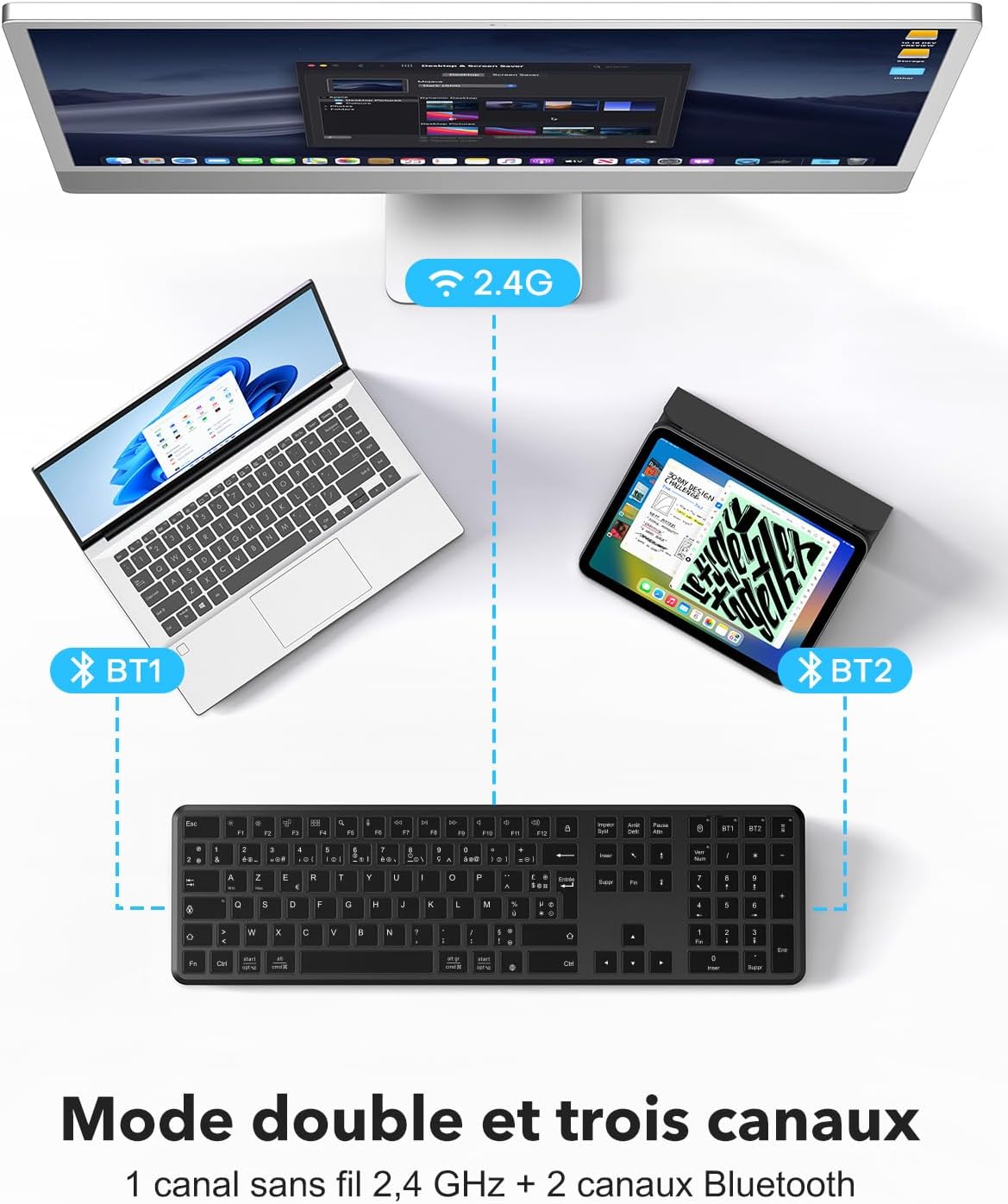
Image: Illustration of the keyboard's dual-mode and triple-channel connectivity, showing connections to a desktop (2.4G), laptop (BT1), and tablet (BT2).
Иштөө нускамалары
Function Keys (F1-F12) and Multimedia Controls
The keyboard features 12 multimedia keys for enhanced productivity. These keys provide direct access to various functions without complex key combinations.

Сүрөт: деталдуу view of the function keys (F1-F12) and their multimedia shortcuts, such as brightness control, mission control, search, dictation, and media playback controls.
- F1: Brightness Down
- F2: Brightness Up
- F3: Mission Control (macOS) / Task View (Windows)
- F4: Launchpad (macOS) / Search (Windows)
- F5: издөө
- F6: Диктант
- F7: Мурунку трек
- F8: Ойнотуу/Тыныгуу
- F9: Кийинки трек
- F10: Үнсүз
- F11: Үндү төмөндөтүү
- F12: Үндү көтөрүү
To use the standard F1-F12 functions, you may need to press the Fn key simultaneously with the desired F key, depending on your operating system settings.
Эргономикалык дизайн
The keyboard features an ergonomic rear tilt and silent scissor-switch keys to reduce typing fatigue and provide a comfortable, quiet typing experience.

Image: Detailed illustration of the scissor-switch key mechanism, highlighting its quiet and comfortable operation.
Заряддоо жана Батарея
The OMOTON WK016 keyboard is equipped with a built-in rechargeable lithium battery.

Image: The keyboard connected to a Type-C charging cable, showing that a charge time of less than 3 hours provides up to 150 hours of continuous use.
- Заряддоо: Connect the provided USB charging cable to the keyboard's charging port and a USB power source. The charging indicator light will illuminate during charging.
- Заряддоо убактысы: Толук кубаттоо болжол менен 3 саатты талап кылат.
- Батареянын иштөө мөөнөтү: Толук кубаттоо 150 саатка чейин үзгүлтүксүз колдонууну камсыз кылат.
- Төмөн кубаттуулук боюнча эскертүү: A power indicator light will notify you when the battery is low and requires recharging.
- Автоматтык уйку режими: To conserve energy, the keyboard automatically enters sleep mode after 10 minutes of inactivity. Press any key to instantly wake it up.
Шайкештик
The OMOTON WK016 keyboard offers broad compatibility with various operating systems and devices.
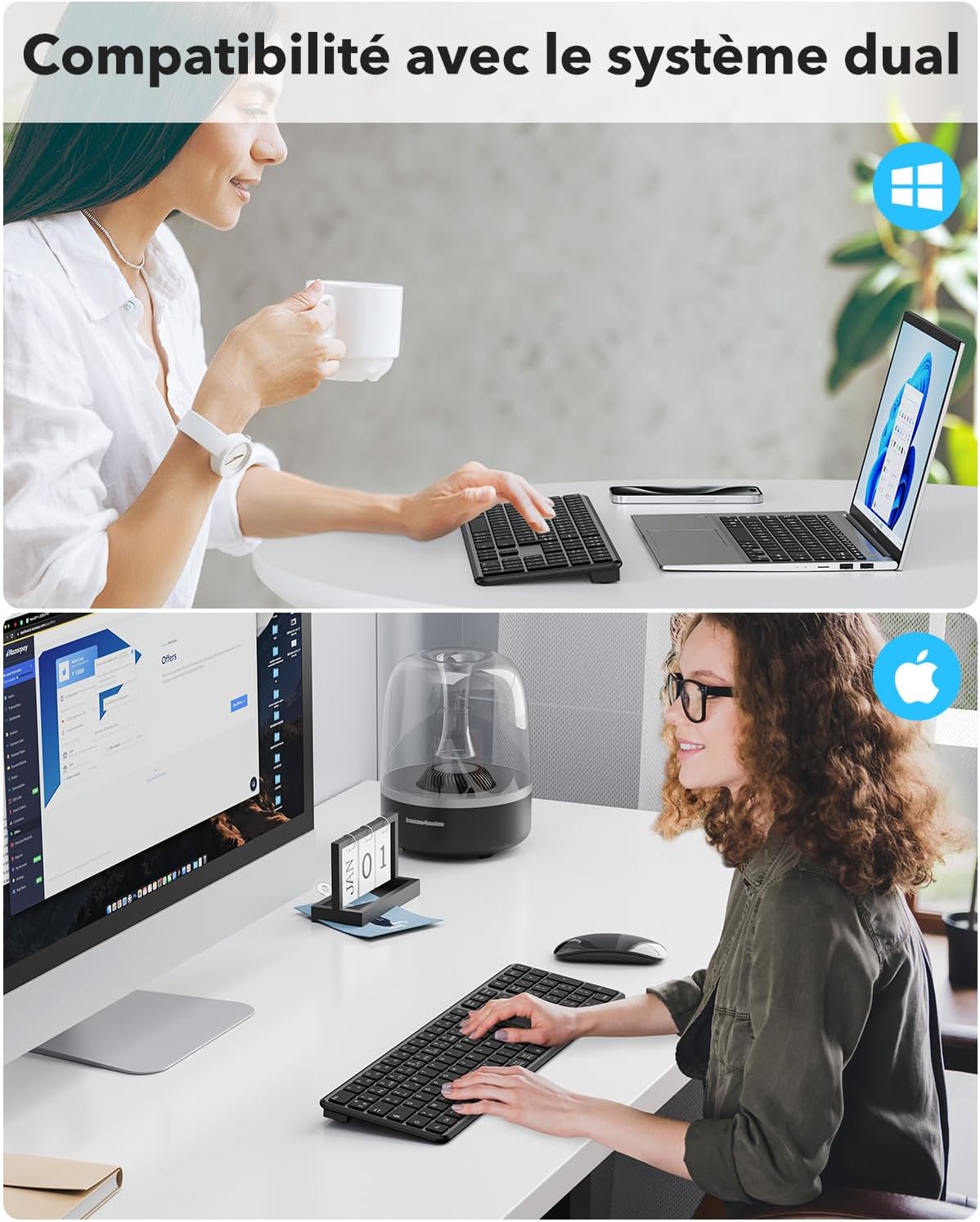
Image: The keyboard in use with both Windows and Apple macOS systems, highlighting its dual-system compatibility.
- Операциялык системалар: Windows (11/10/8/7), macOS (iMac/MacBook Pro/Air/Mac Mini), iOS (partial support), Android (partial support).
- Шайкеш түзмөктөр: Laptops, smartphones, tablets (e.g., Samsung Galaxy Tab S7 FE 12.4").
- Макет: FR AZERTY layout. For optimal use, ensure your computer's language setting is set to French.
Техникалык тейлөө
To ensure the longevity and optimal performance of your OMOTON WK016 keyboard, follow these maintenance guidelines:
- Тазалоо: Клавиатуранын бетин аарчуу үчүн жумшак, кургак, түксүз чүпүрөктү колдонуңуз. Өтө кир болсо, бир аз сүртүңүз.ampчүпүрөктү суу же жумшак тазалоо эритмеси менен жууп салыңыз. Ашыкча нымдуулуктан сактаныңыз.
- Чаңды тазалоо: Баскычтардын ортосундагы чаңды жана калдыктарды тазалоо үчүн кысылган абаны колдонуңуз.
- Сактагыч: Клавиатураны көпкө чейин колдонбогон учурда, батареянын кубатын үнөмдөө үчүн өчүрүп коюңуз. Аны салкын, кургак жерде, күндүн нуру түз тийбеген жана өтө жогорку температурадан алыс сактаңыз.
- Суюктуктардан алыс болуңуз: Do not expose the keyboard to liquids. In case of accidental spills, immediately turn off the keyboard and allow it to dry completely before use.
- Этияттык менен мамиле кылуу: Баскычтопту түшүрүүдөн же катуу соккулардан сактаныңыз.
Проблемаларды чечүү
If you encounter issues with your OMOTON WK016 keyboard, refer to the following common solutions:
- Баскычтоп Bluetooth аркылуу туташпай жатат:
- Баскычтоп күйгүзүлгөнүн жана толук кубатталганын текшериңиз.
- Make sure the correct Bluetooth channel (BT1 or BT2) is selected and in pairing mode (flashing blue LED).
- Verify that Bluetooth is enabled on your device and that the keyboard is selected from the list of available devices.
- Try unpairing and re-pairing the keyboard on your device.
- Түзмөгүңүздү жана баскычтопту өчүрүп күйгүзүңүз.
- Keyboard not connecting via 2.4 GHz:
- Ensure the 2.4 GHz USB-A receiver is securely plugged into your device.
- Verify the keyboard is turned on.
- Ресиверди башка USB портуна сайып көрүңүз.
- Ensure the keyboard is not in Bluetooth mode.
- Баскычтар жооп бербей жатат же туура эмес терип жатат:
- Батареянын деңгээлин текшерип, керек болсо кайра заряддаңыз.
- Клавиатура түзмөгүңүзгө туура туташкандыгын текшериңиз.
- Clean any debris from under the keys using compressed air.
- Verify your device's keyboard language settings match the AZERTY layout.
- Кечигүү же кечигүү менен киргизүү:
- Ensure the keyboard is within the effective range of your device (typically up to 10 meters).
- Башка зымсыз түзмөктөрдүн кийлигишүүсүн азайтыңыз.
- Батареянын деңгээлин текшериңиз.
- Клавиатура уйку режимине өтө тез өтөт:
- The keyboard is designed to enter sleep mode after 10 minutes of inactivity to save power. This is normal behavior. Press any key to wake it up.
Техникалык шарттар
| Бренд | ОМОТОН |
| Модел | WK016 |
| Байланыш технологиясы | Bluetooth, 2.4 GHz Wireless (USB-A) |
| Шайкеш түзмөктөр | Ноутбук, смартфон, планшет |
| Операциялык системанын шайкештиги | Windows (7/8/10/11), macOS, iOS (partial), Android (partial) |
| Баскычтоптун жайгашуусу | AZERTY (French Layout) |
| Ачкычтардын саны | 105 |
| Которуу түрү | Scissor-switch (Linear) |
| Өзгөчөлүктөр | Rechargeable, Silent, Multimedia Keys, Multi-device (3 channels) |
| Power Source | Батарея менен иштейт (Кайра заряддалуучу литий батареясы) |
| Заряддоо убактысы | < 3 саат |
| Үзгүлтүксүз колдонуу убактысы | 150 саатка чейин |
| Материал | Пластик |
| Түс | Кара |
| Салмагы | 520г |
| Өлчөмдөрү (L x W x Y) | 439мм x 125мм x 21.5мм (болжол менен) |

Image: Diagram illustrating the physical dimensions and weight of the OMOTON WK016 keyboard.
Кепилдик жана колдоо
OMOTON provides a 1 жылдык кепилдик бул продукт үчүн, сатып алынган күндөн тартып өндүрүштүк кемчиликтерди жабат.
For technical support, warranty claims, or any questions regarding your OMOTON WK016 keyboard, please contact OMOTON customer service through the retailer where you purchased the product or visit the official OMOTON webбайланыш маалыматы үчүн сайт.
Кепилдик тейлөө үчүн сатып алуу далилиңизди сактап коюңуз.