
1. Киришүү
The FiiO DM15 is a portable stereo CD player designed for high-fidelity audio playback. It features a true 24-bit R2R DAC, high-power output, aptX Adaptive Bluetooth transmission, and versatile connectivity options, including USB DAC functionality. This manual provides detailed instructions for setting up, operating, and maintaining your DM15 to ensure optimal performance and longevity.
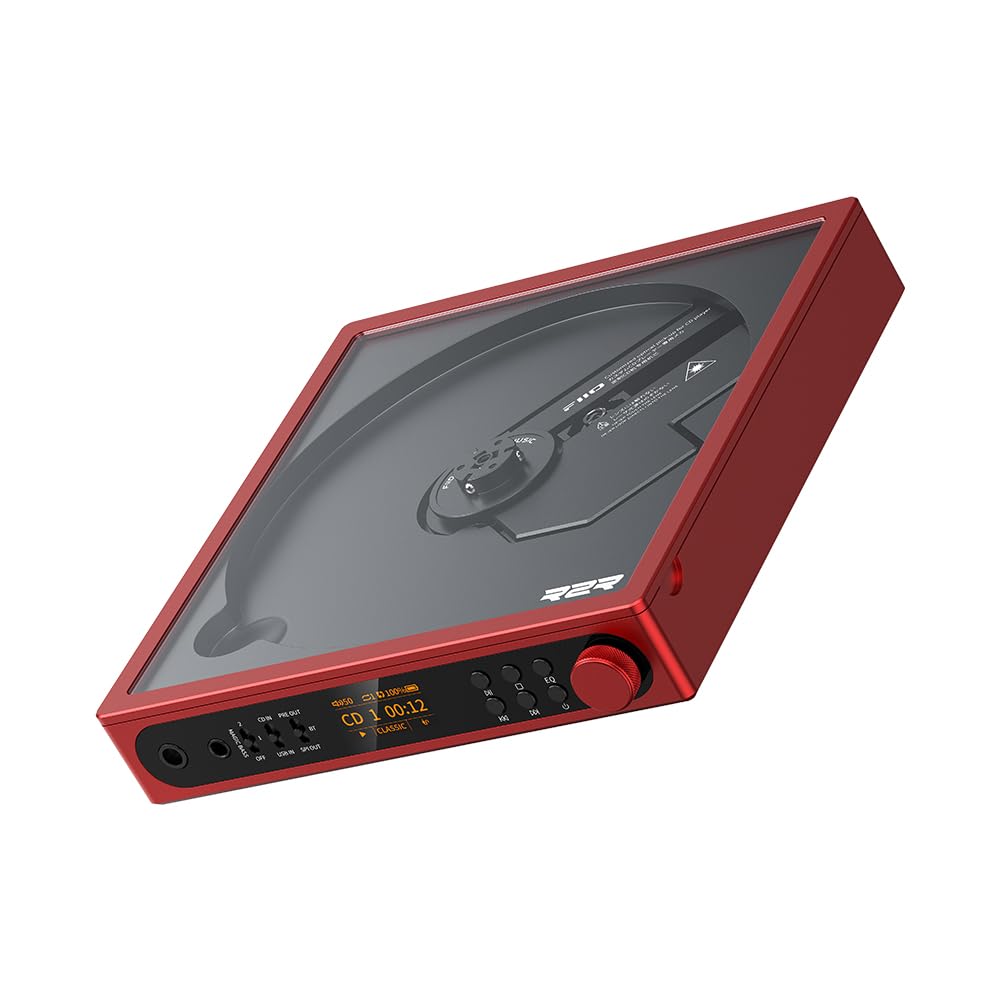
Figure 1: FiiO DM15 Portable Stereo CD Player (Red variant).
2. Кутуда эмне бар
Пакетиңиздин мазмунун текшериңиз. Эгерде кандайдыр бир буюмдар жок же бузулуп калса, сатуучуга кайрылыңыз.
- FiiO DM15 көчмө стерео CD ойноткуч
- USB кабели (электр энергиясын жана маалыматтарды өткөрүп берүү үчүн)
- Алыстан башкаруу
- Колдонуучунун Колдонмосу (бул документ)
3. Продукт бүтүп калдыview
3.1 Алдыңкы панелдин башкаруу элементтери жана байланыштары
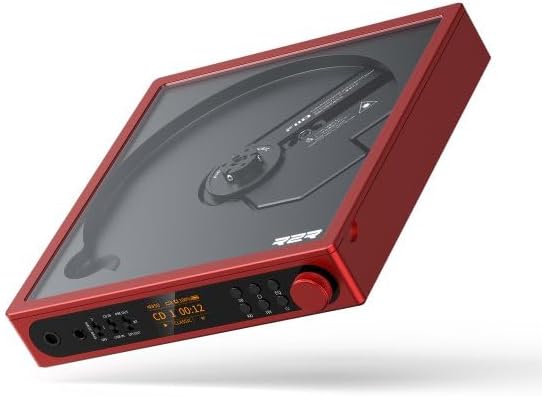
2-сүрөт: алдыңкы панел view of the FiiO DM15, showing the display, control buttons, and headphone outputs.
- 3.5 мм гарнитуранын чыгышы: Стандарттык бир жактуу гарнитура уячасы.
- 4.4 мм салмактуу гарнитуранын чыгышы: For high-performance headphones.
- Magic Bass Switch: Toggles between Off, Bass Low, and Bass High settings.
- Input/Output Mode Switches: Select between CD In, USB In, SPDIF Out, Bluetooth Out, and Pre Out.
- HD TFT Display: Shows track information, volume, battery status, EQ settings, and more.
- Ойнотуу башкаруулары: Ойнотуу/Тындыруу, Алдыга/Арткага өткөрүү.
- EQ баскычы: Cycles through built-in equalizer presets.
- Үн баскычы: Stepped metal knob for precise volume adjustment.
3.2 Арткы панелдин туташуулары

Сүрөт 3: Арткы панель view of the FiiO DM15, illustrating various input and output ports and switches.
- USB In/Rec Port (USB-C): For connecting to a computer as a USB DAC or for ripping CDs to a USB storage device.
- D. Режим которуу: Toggles Desktop Mode On/Off, allowing the unit to run without relying on battery power.
- Power In Port (USB-C): Dedicated power input.
- ESP которгучу: Toggles Electronic Skip Protection On/Off.
- LO/Coax/Opt Output: Multi-function jack for Analog Line Out, Coaxial Digital Out, and Optical Digital Out.
- BAL LO (4.4mm) Output: Dedicated 4.4mm balanced line output for connecting to higher-end amplifiers or systems.
4. Орнотуу
4.1 Күйгүзүү жана заряддоо
- Берилген USB кабелин туташтырыңыз Power In port on the rear panel and to a USB power adapter (not included) or a computer.
- The device will automatically power on or can be powered on by pressing the power button (if available, or by inserting a CD).
- The battery indicator on the HD TFT display will show the charging status. A full charge provides approximately 7 hours of continuous playback.
4.2 CDди кыстаруу
- Gently lift the transparent lid from the side of the device.
- Place a CD onto the central spindle, ensuring it snaps securely into place.
- Close the lid. The device will typically begin loading the CD automatically.
4.3 Аудио түзүлүштөрдү туташтыруу
The FiiO DM15 offers multiple ways to connect to headphones, speakers, or other audio systems:

Figure 4: Diagram illustrating various input and output connections for the FiiO DM15.
- Наушник: Connect 3.5mm or 4.4mm balanced headphones to the corresponding jacks on the front panel.
- Line Out (Analog): Use the LO/Coax/Opt output for a fixed-level analog signal to an ampкөтөргүч же кубаттуу динамиктер.
- Digital Out (Coaxial/Optical): Use the LO/Coax/Opt output to send a pure digital signal to an external DAC.
- Bluetooth чыгаруу:
- Set the output mode switch to BT Out.
- The DM15 will enter pairing mode (indicated on the display).
- On your Bluetooth headphones or speaker, enable Bluetooth pairing.
- Select "FiiO DM15" from the list of available devices to connect.
- USB DAC: туташтыруу USB In/Rec port to a computer. The DM15 will function as a high-performance USB sound card.
5. Иштөө нускамалары
5.1 Негизги ойнотуу
- After inserting a CD, playback typically starts automatically.
- колдонуу Ойнотуу/Тыныгуу ойнотууну тындыруу же улантуу үчүн баскыч.
- колдонуу Алдыга/Арткага өткөрүп жиберүү тректер арасында өтүү үчүн баскычтар.
- Үнүн колдонуп, үнүн жөндөңүз Көлөм баскычы on the front panel or the remote control.
5.2 Sound Customization (EQ and Bass Boost)

Figure 5: The FiiO DM15 offers 24 sound combinations through BASS modes and EQ presets.
- EQ алдын ала орнотуулары: басыңыз EQ button to cycle through 8 built-in equalizer presets (e.g., Jazz, Pop, Rock, Dance, Classic, Hip Hop, Retro) or turn EQ off. The current preset is displayed on the screen.
- Magic Bass: колдонуу Magic Bass Switch to select between Off, Bass Low, or Bass High for enhanced bass response.
- Note: Adjust volume as necessary when changing EQ or Bass settings, as output levels may vary.
5.3 USB CD көчүрүү

Figure 6: The FiiO DM15 supports USB ripping to preserve audio from CDs.
The DM15 allows you to rip audio from CDs directly to a USB storage device (not included). Connect your USB storage device to the USB In/Rec port and follow the on-screen instructions or refer to the detailed ripping guide on the FiiO support webсайт.
5.4 Иш такта режими
For extended use without battery reliance, activate Desktop Mode. Flip the D. Mode switch on the rear panel to "ON". This allows the DM15 to operate as a desk unit, powered directly via the USB-C power input.
5.5 Алыстан башкаруу
The included remote control provides full functionality for the DM15, allowing you to control playback, volume, EQ settings, and other features from a distance. Ensure the remote is aimed at the front of the unit for optimal response.
6. Техникалык тейлөө
6.1 Аппаратты тазалоо
- Wipe the exterior of the DM15 with a soft, dry cloth.
- Do not use liquid cleaners or abrasive materials, as they may damage the finish.
- Keep the CD compartment clean and free of dust. Use a soft brush or compressed air if necessary.
6.2 CD Handling
- Always handle CDs by their edges to avoid fingerprints and scratches.
- Store CDs in their cases when not in use.
- Clean dirty CDs with a soft, lint-free cloth, wiping from the center outwards.
6.3 Батареяга кам көрүү
- Батареянын оптималдуу иштөө мөөнөтү үчүн, бат-баттан батарейканы толук зарядсыздандырбаңыз.
- Эгерде түзмөктү узак убакытка сактасаңыз, аны болжол менен 50% га чейин кубаттап, салкын, кургак жерде сактаңыз.
7. Кыйынчылыктарды
| Көйгөй | Мүмкүн себеп | Чечим |
|---|---|---|
| Күч жок | Battery depleted; Power cable not connected properly. | Charge the device; Ensure power cable is securely connected. |
| CD ойнотулбай жатат же ойнотулбай жатат | CD is dirty or scratched; ESP is off; Device is unstable. | Clean or replace CD; Ensure ESP switch is ON; Place device on a stable surface. |
| Наушниктерден/колонналардан үн чыкпайт | Volume too low; Incorrect output mode selected; Headphones/speakers not connected properly. | Increase volume; Select correct output mode (e.g., CD In, Pre Out); Check cable connections. |
| Bluetooth жупташуу көйгөйлөрү | DM15 not in pairing mode; Device too far; Interference. | Set output mode to BT Out to enter pairing; Move devices closer; Reduce interference. |
| Пульт иштебей жатат | Line of sight blocked; Remote battery depleted. | Ensure clear path to DM15; Replace remote battery. |
8. Техникалык шарттар
| Өзгөчөлүк | Деталь |
|---|---|
| Бренд | FiiO |
| Модель аты | DM15 |
| DAC түрү | True 24Bit R2R DAC (192pcs of 0.1% precision resistors) |
| Гарнитуранын чыгыш кубаттуулугу | Up to 1150mW+1150mW (Balanced output, 32Ω, THD+N < 1%) |
| Bluetooth чипсети | Qualcomm QCC3095 |
| Bluetooth кодектери | aptX, aptX HD, aptX Adaptive, SBC |
| USB DAC колдоосу | 384 кГц/32 биттик PCM, DSD256 чейин |
| Үн алдын ала орнотуулары | 24 combinations (3-stage BASS boost + 8 EQ presets) |
| Дисплей | HD TFT Display |
| Батарея сыйымдуулугу | 4700mAh (approx. 7 hours continuous playback) |
| Байланыш технологиясы | Bluetooth, USB |
| Медиа формат түрү | Аудио CD |
| Колдоого алынган аудио формат | MP3 (for USB ripping) |
| Наушник уясы | 3.5mm, 4.4mm Balanced |
| Сап чыгаруу | Analog Line Out, Coaxial Digital Out, Optical Digital Out, 4.4mm Balanced Line Out |
9. Кепилдик жана колдоо
The FiiO DM15 Portable Stereo CD Player comes with a 1 жылдык кепилдик сатып алынган күндөн тартып. Бул кепилдик өндүрүштүк кемчиликтерди жана нормалдуу колдонуудагы бузулууларды камтыйт.
For technical support, troubleshooting assistance, or warranty claims, please contact your authorized FiiO retailer or visit the official FiiO support webсайтында www.fiio.com/support. Please have your product model and purchase information ready when contacting support.
10. Продукт видеосу бүттүview
Видео 1: Бүттүview of the FiiO DM15 CD Player, demonstrating its features, connectivity options, and design. This video provides a visual guide to the product's functionality and physical attributes.