
1. Киришүү
The CallToU CC32-HW12 Bed Alarm System is designed to provide monitoring and assistance for individuals requiring care. This bundle includes a CC32 Receiver, an HW12 Motion Sensor, and E-01A Call Buttons. The system helps caregivers detect when a patient is getting out of bed or leaving a designated area, and allows the patient to call for help easily.
2. Пакеттин мазмуну
Please verify that all items listed below are included in your package. Note that items may arrive in two separate packages.
- 1 x CC32 Receiver
- 1 x HW12 Motion Sensor
- 2 x E-01A Call Button
- 1 x USB Type-C Charging Cable (for Receiver)
- Mounting Accessories (for Motion Sensor)

Сүрөт: бүттүview of the CallToU CC32-HW12 Bed Alarm System components.
3. Орнотуу колдонмосу
3.1 Charging the CC32 Receiver
The CC32 Receiver is portable and features a Type-C charging port. Before initial use, ensure the receiver is fully charged using the provided USB Type-C cable and a compatible power adapter (not included).

Image: The CC32 Receiver with its USB Type-C charging port and portable belt clip.
3.2 HW12 Motion Sensor Placement
Proper placement of the HW12 Motion Sensor is crucial for accurate detection and to prevent false alarms. The sensor supports 360° rotation for flexible positioning.
- Under the Bed: Place the sensor at the bed bottom, with its detection window facing the patient. This detects when the patient's feet touch the floor.
- Under Bedside Table: Place the sensor at the base of a bedside table, with the detection window facing the patient.

Image: Recommended placement options for the HW12 Motion Sensor.
3.3 Pairing the E-01A Call Button
The E-01A Call Button requires pairing with the CC32 Receiver to function. Follow the instructions provided with the product for the specific pairing procedure. If you encounter difficulties, please contact customer support.
4. Операция
4.1 Motion Sensor Detection
The HW12 Motion Sensor uses infrared detection to identify movement. When a person gets out of bed or leaves a monitored area, the sensor triggers an alert on the CC32 Receiver.

Image: The motion sensor detecting movement when a person gets out of bed or leaves a room.
4.2 Receiver Modes and Settings
The CC32 Receiver offers various alert modes and adjustable settings:
- Үн деңгээли: The receiver has 5 adjustable volume levels, ranging from 0 (silent) to 110dB.
- Рингтон: Choose from 18 different ringtones.
- Үнсүз режим: For discreet monitoring, the receiver can be set to vibrate only, without an audible chime.
- Vibration + Chime Mode: Provides both vibration and sound alerts.
To adjust settings, refer to the specific instructions provided with your product. When not monitoring, you can turn off the receiver or switch to silent/vibrate mode as needed.

Image: Nighttime alert modes for the CC32 Receiver.
4.3 E-01A Call Button Usage
The E-01A Call Button allows the user to easily call for assistance. Simply press the button to send an alert to the paired CC32 Receiver. The call button is IP55 waterproof, features a replaceable battery, and includes a low power reminder.
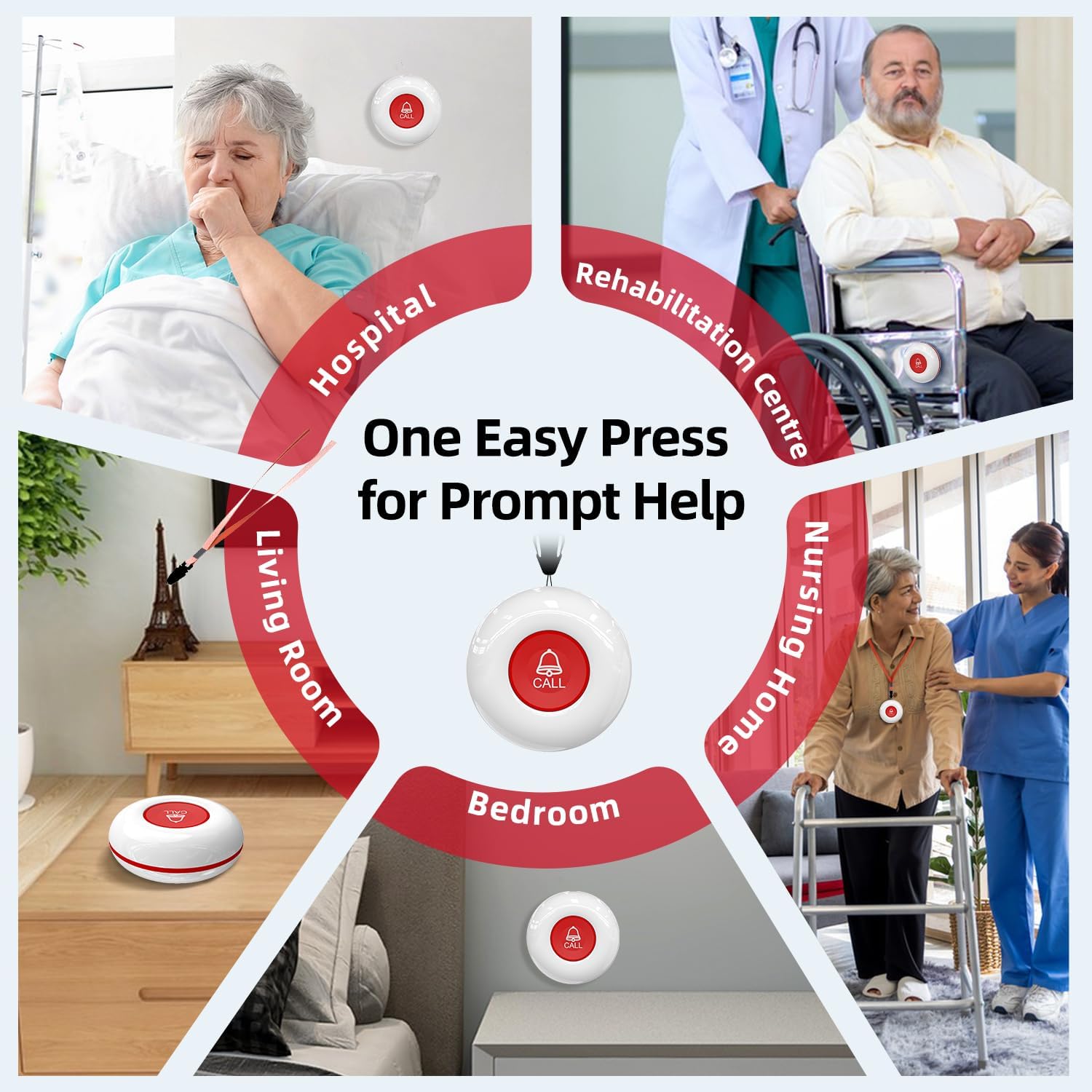
Image: Features of the E-01A Call Button.
5. Техникалык тейлөө
To ensure optimal performance and longevity of your CallToU system, follow these maintenance guidelines:
- Тазалоо: Wipe the receiver, motion sensor, and call buttons with a soft, dry cloth. Avoid using abrasive cleaners or solvents.
- Батареяны алмаштыруу (чакыруу баскычы): When the low power reminder activates on the E-01A Call Button, replace its battery promptly. Refer to the call button's specific instructions for battery type and replacement procedure.
- Кабылдагычтын заряды: Recharge the CC32 Receiver as needed to maintain its portability.
6. Кыйынчылыктарды
If you experience issues with your CallToU system, consider the following common troubleshooting steps:
- No Alert from Motion Sensor:
- Ensure the motion sensor is properly positioned and its detection window is clear.
- Check if the CC32 Receiver is powered on and within range.
- Verify that the receiver's volume is not set to 0 or silent mode if an audible alert is expected.
- Чакыруу баскычы иштебей жатат:
- Confirm the E-01A Call Button is paired with the CC32 Receiver. If not, re-pair it according to the instructions.
- Check the call button's battery and replace it if necessary.
- Ensure the receiver is powered on and within range.
- Алуучу жооп бербей жатат:
- Ensure the receiver is charged or connected to power.
- Try restarting the receiver.
For persistent issues, please refer to the detailed troubleshooting section in the full product manual or contact CallToU customer support.
7. Техникалык шарттар
| Компонент | Өзгөчөлүк | Деталь |
|---|---|---|
| CC32 кабыл алуучу | Үн деңгээли | 5 деңгээл (0-110дБ) |
| Ringtones | 18 вариант | |
| Заряддоо порту | Type-C | |
| Portability | Portable with belt clip | |
| HW12 Motion Sensor | Аныктоо түрү | Инфракызыл |
| Айлануу | 360° жөнгө салынуучу | |
| Сезүү диапазону | 10 метрге чейин | |
| E-01A Call Button | Суу өткөрбөйт рейтинги | IP55 |
| Батарея | Replaceable, with low power reminder | |
| Дизайн | Durable lanyard, easy use |
8. Кепилдик жана колдоо
CallToU products are designed for reliability and performance. For information regarding product warranty, returns, or technical support, please refer to the warranty card included with your purchase or visit the official CallToU website. You may also contact CallToU customer service directly for assistance with setup, operation, or troubleshooting.