
1. Киришүү
Thank you for choosing the Cooler Master ELITE Gold 1000W Power Supply Unit. This manual provides essential information for the safe and efficient installation, operation, and maintenance of your new power supply. The ELITE Gold 1000W is designed for daily gaming and PC building enthusiasts, fully supporting the latest ATX 3.1 standard and offering flexible compatibility with RTX 50 series GPUs and future upgrades.
2. Коопсуздук маалыматы
Сураныч, бул өнүмдү орнотуудан же иштетүүдөн мурун бардык коопсуздук нускамаларын окуп, түшүнүңүз. Антпесе жеке жаракат же продукт же туташкан түзмөктөр бузулушу мүмкүн.
- Электр шок коркунучу: Do not open the power supply unit casinг. Жогорку томtages are present inside, even when the unit is turned off. There are no user-serviceable parts inside.
- Туура Жерге салуу: Ensure the power supply is properly grounded using the provided power cord.
- Вентиляция: Do not block any ventilation openings of the power supply. Ensure adequate airflow around the unit to prevent overheating.
- Нымдуулук: Электр булагына суу же ашыкча нымдуулук тийгизбеңиз.
- Кубат булагы: Connect the power supply only to a power source with the correct voltage and frequency as indicated on the unit's label.
- Кабелдик башкаруу: Зымдарды кысып же зыян келтирип албаш үчүн этияттык менен өткөрүңүз.
- Температура: Operate the power supply within the specified temperature range (up to 40°C high-load environments).
3. Пакеттин мазмуну
Пакетиңизде бардык буюмдар бар экенин текшериңиз:
- Cooler Master ELITE Gold 1000W Power Supply Unit
- Modular Cable Set (including 12+4 Pin, ATX24 Pin, EPS 4+4 Pin, EPS 8 Pin, SATA + Peripheral 4 Pin connectors)
- AC Power Cord (A/JP cord)
- Монтаждоо бурамалар
- User Manual
4. Орнотуу жана орнотуу
Follow these steps to install your Cooler Master ELITE Gold 1000W Power Supply Unit:
- Системаңызды даярдаңыз:
Before installation, ensure your computer is completely powered off and unplugged from the wall outlet. Discharge any residual power by pressing the power button a few times.
- Install the PSU into the PC Case:
Position the ELITE Gold 1000W PSU into the designated power supply bay in your PC case. The compact design (under 150mm) facilitates easy installation in various PC cases. Secure the PSU with the provided mounting screws.

Image: The Cooler Master ELITE Gold 1000W Power Supply Unit installed within a computer chassis, viewed from above, highlighting its compact form factor and top-mounted fan grill.
- Модулдук кабелдерди туташтыруу:
The ELITE Gold 1000W features a full modular design. Connect only the necessary cables to the power supply unit first. Refer to the labels on the PSU for correct connector types (e.g., 10P MB, 18P MB, 8P PCI-E/CPU, 12V-2x6, 6P SATA/HDD).

Сүрөт: деталдуу view of the Cooler Master ELITE Gold 1000W Power Supply Unit's modular cable interface, clearly showing labeled ports for various component connections such as motherboard, CPU, PCIe, and SATA/HDD.

Image: The Cooler Master ELITE Gold 1000W Power Supply Unit with its full suite of modular cables securely connected and neatly routed, demonstrating the full modular design.
- Компоненттерге туташуу:
- Motherboard: 24-пин ATX кабелин энеңизге туташтырыңыз.
- CPU: Connect the 4+4 pin or 8-pin EPS cable(s) to your motherboard's CPU power connector(s).
- Графикалык карта (GPU): Connect the appropriate PCIe power cables (e.g., 8-pin, 12+4 pin for ATX 3.1/PCIe Gen 5.1) to your graphics card(s). This unit is optimized for RTX 50 series GPUs.
- Сактагыч түзмөктөр: SATA электр кабелдерин SSD, HDD жана оптикалык дисктериңизге туташтырыңыз.
- Перифериялык түзүлүштөр: Connect peripheral 4-pin cables to any other devices requiring power.
- AC кубатына туташтыруу:
Connect the provided AC power cord to the power supply unit and then to a grounded wall outlet. Ensure the power switch on the PSU is in the OFF position before connecting to the wall outlet.
5. Иштөө нускамалары
Ийгиликтүү орнотуудан кийин, системаңызды иштетүү үчүн бул кадамдарды аткарыңыз:
- Күйгүзүү:
Flip the power switch on the back of the power supply unit to the ON (I) position.
- Системаны ишке киргизүү:
Press the power button on your computer case to start your system. The ELITE Gold 1000W will provide stable and efficient power, thanks to its 80 Plus Gold certification and quiet, long-life rifle bearing fan.
- Өчүрүү:
To power off your system, shut down your operating system normally. For complete power disconnection, flip the power switch on the back of the power supply unit to the OFF (O) position and unplug the AC power cord.
6. Техникалык тейлөө
Туура техникалык тейлөө сиздин электр менен камсыздоо блогуңуздун узак мөөнөттүү иштешин жана оптималдуу иштешин камсыз кылат.
- Чаңды тазалоо: Электр менен камсыздоонун желдеткичинен жана желдетүү торчолорунан мезгил-мезгили менен кысылган абаны колдонуп чаңды тазалап туруңуз. Тазалоодон мурун системанын өчүрүлгөнүн жана розеткадан суурулганын текшериңиз.
- Вентиляция: Ensure that the PC case has adequate airflow and that the power supply's fan intake and exhaust are not obstructed.
- Кабелдик текшерүү: Regularly check all modular cables for any signs of wear, fraying, or damage. Replace damaged cables immediately.
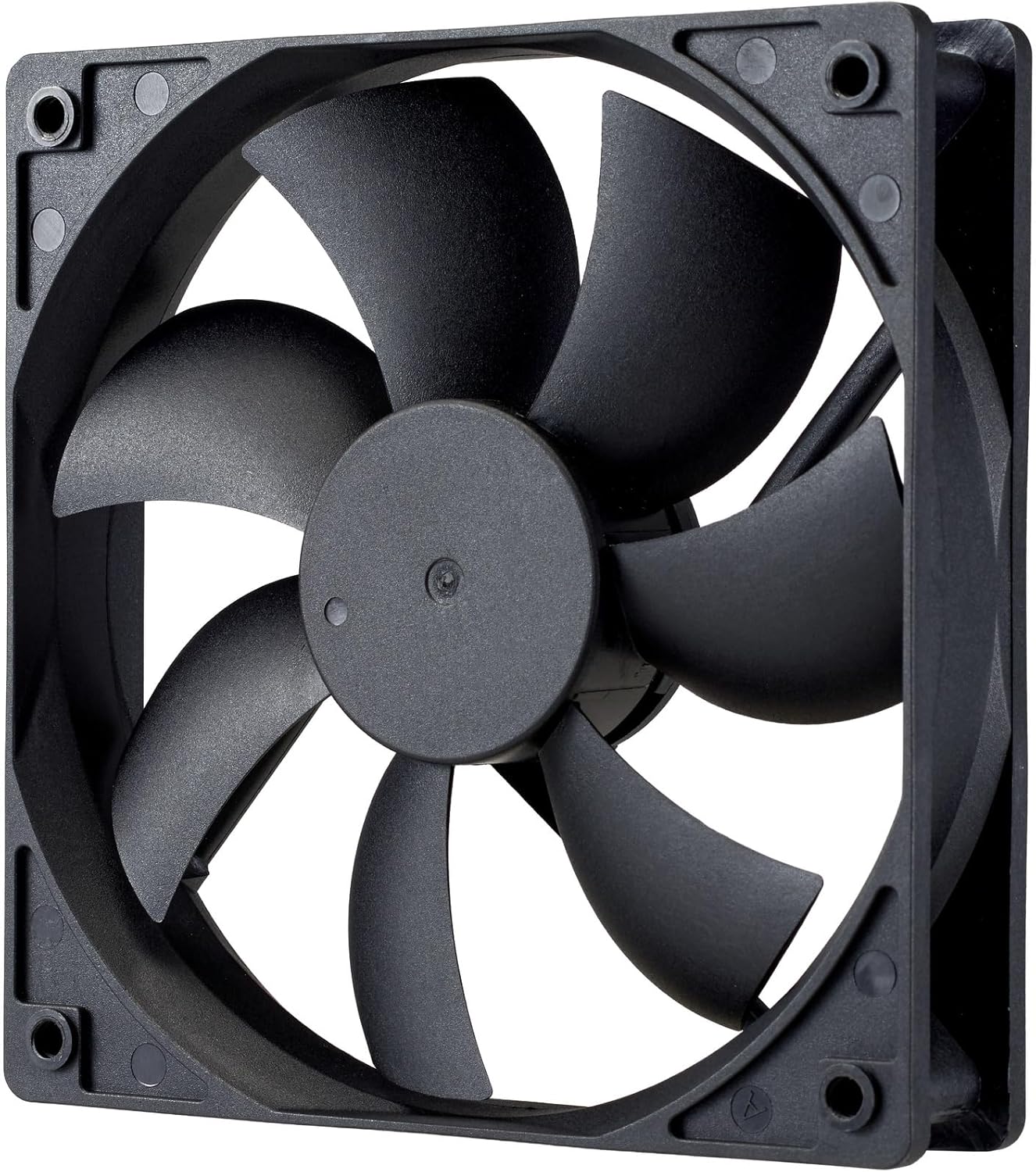
Сүрөт: жакын план view of the power supply's cooling fan, featuring five blades designed for efficient airflow and quiet operation.
7. Кыйынчылыктарды
If you encounter issues with your power supply, refer to the following troubleshooting steps:
- Кубат жок:
- AC кубат шнуру кубат булагына жана розеткага бекем туташтырылганын текшериңиз.
- Verify that the power switch on the back of the PSU is in the ON (I) position.
- Check all modular cables (24-pin ATX, EPS, PCIe) are firmly seated in both the PSU and the respective components.
- Розетканын иштеп жатканын текшерүү үчүн аны башка түзмөк менен текшериңиз.
- Системанын туруксуздугу/Кокус өчүрүүлөр:
- Ашыкча ысып кетүүдөн сактануу үчүн компьютериңиздин ичинде жетиштүү желдетүүнү камсыз кылыңыз.
- Verify that your system's power requirements do not exceed the 1000W capacity of the PSU.
- Кабелдик туташуулардын бошоп калганын текшериңиз.
- адаттан тыш үндөр:
- A quiet rifle bearing fan is designed for minimal noise. If you hear unusual grinding or rattling, ensure no cables are obstructing the fan.
- Эгер ызы-чуу кайталана берсе, Cooler Master колдоосуна кайрылыңыз.
Эгерде бул кадамдар маселени чечпесе, кошумча жардам алуу үчүн Cooler Master кардарларды колдоо бөлүмүнө кайрылыңыз.
8. Техникалык шарттар
Detailed technical specifications for the Cooler Master ELITE Gold 1000W Power Supply Unit:
| Модель аты | ELITE Gold |
| Өндүрүүчү моделдин номери | MPX-A005-AFAG-BJP |
| Бренд | Cooler Master |
| Чыгуу Wattage | 1000 Ватт |
| 80 PLUS сертификаты | Алтын |
| ATX версиясы | ATX 3.1 |
| PCIe версиясы | PCIe Gen 5.1 |
| Форма фактору | ATX |
| Power Design | Толук модулдук |
| Туташтыргычтын түрлөрү | 12+4 Pin, ATX24 Pin, EPS 4+4 Pin, EPS 8 Pin, SATA + Peripheral 4 Pin |
| Күйөрмандардын саны | 1 (Rifle Bearing Fan) |
| Максималдуу киргизүү көлөмүtage | 240 вольт (AC) |
| Минималдуу киргизүү көлөмүtage | 100 вольт (AC) |
| Продукциянын өлчөмдөрү (L x W x Y) | 14 x 15 x 8.6 см |
| Продукт Салмагы | 2230 грамм |
| Иштөө температурасы | 40°Сге чейин |

Сүрөт: Жогорку view of the Cooler Master ELITE Gold 1000W Power Supply Unit, showcasing its branding and honeycomb-patterned ventilation.

Image: The official 80 PLUS GOLD certification logo, indicating high power efficiency.
9. Кепилдик жана колдоо
The Cooler Master ELITE Gold 1000W Power Supply Unit comes with a 5 жылдык кепилдик сатып алынган күндөн тартып. Бул кепилдик нормалдуу колдонуудагы материалдардагы жана жасалгадагы кемчиликтерди камтыйт.
Техникалык колдоо, кепилдик талаптары же кошумча жардам алуу үчүн расмий Cooler Masterге кайрылыңыз website or contact your local Cooler Master distributor. Please have your product model number (MPX-A005-AFAG-BJP) and proof of purchase ready when contacting support.


