
1. Продукт бүтүп калдыview
This manual provides detailed instructions for the assembly, operation, and maintenance of your Simple Deluxe 47-inch L-Shaped Gaming Desk. Designed for versatility, this desk features integrated power outlets, USB charging ports, three fabric storage drawers, and two open shelves, making it suitable for gaming, home office, or study environments.
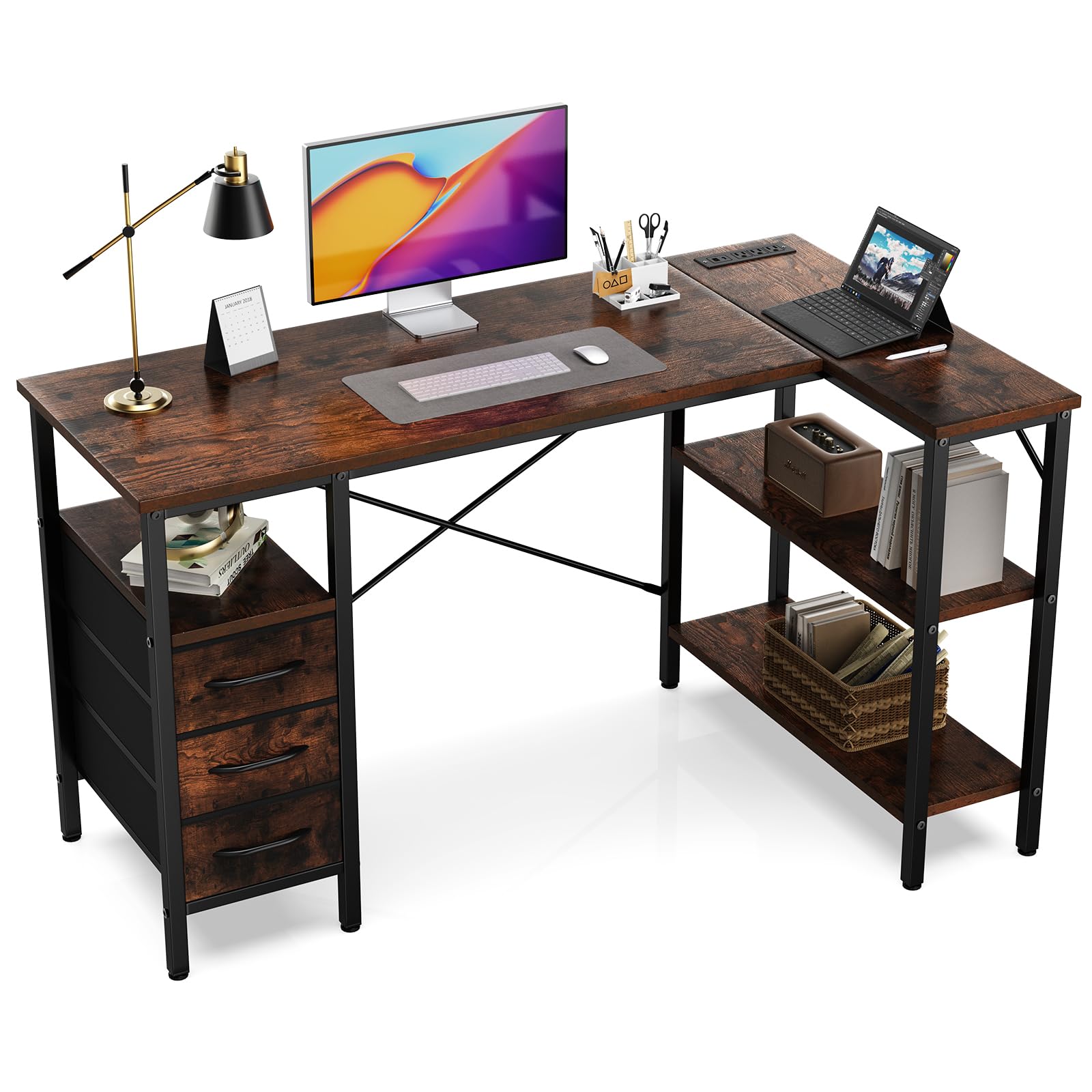
Figure 1: Fully assembled Simple Deluxe L-Shaped Gaming Desk.
2. Коопсуздук маалыматы
- Үстөлдү дайыма жумшак, таза бетке чогултуп, чийип калбаш үчүн.
- Колдонуудан мурун бардык бурамалар жана бекиткичтер бекем бекемделгенин текшериңиз.
- Do not overload the desk or shelves beyond the recommended weight capacity of 220 pounds (100 kg).
- Балдарды жана үй жаныбарларын чогултуу аянтынан алыс кармаңыз.
- Монтаждоо үчүн берилген шаймандарды жана жабдыктарды гана колдонуңуз.
- For electrical safety, do not expose the power outlets to moisture.
3. Пакеттин мазмуну
Чогултуудан мурун, төмөндө көрсөтүлгөн бардык компоненттердин бар экенин жана бузулбаганын текшериңиз. Эгерде кандайдыр бир тетиктер жок болсо же бузулган болсо, кардарларды колдоо кызматына кайрылыңыз.
| Part | Description | Саны |
|---|---|---|
| Үстөл панелдери | Main desktop, L-shaped extension, shelf boards | Ар түрдүү |
| Металл рамка компоненттери | Legs, support bars, cross braces | Ар түрдүү |
| Розетка модулу | Интеграцияланган AC розеткалары жана USB порттору | 1 |
| Кездеме тартмалары | Collapsible storage drawers | 3 |
| Аппараттык пакет | Бурамалар, алты бурчтуу ачкыч ж.б. | 1 комплект |

Figure 2: ашыкview of desk dimensions and main components.
4. Монтаждоо боюнча нускамалар
Follow these steps carefully for proper assembly. It is recommended that one person assembles the desk.
4.1. Видео колдонмо
Video 1: Detailed assembly guide for the L-Shaped Desk with Shelf Drawers. This video demonstrates each step of the assembly process, from frame construction to drawer installation and power outlet integration.
4.2. Step-by-Step Guide
- Негизги столдун рамасын чогултуу:
Connect the metal frame components using the provided screws and Allen wrench. Ensure all connections are firm. Pay attention to the orientation of the pieces as shown in the diagrams.

Figure 3: Initial assembly of the desk's metal frame structure.
- Attach the Shelf Boards:
Insert the shelf boards into the designated slots on the frame. Secure them with screws. Note that the height of some shelves may be adjustable to suit your needs.

Figure 4: Securing the shelf boards within the metal frame.
- Install the Desktop Panels:
Carefully place the main desktop and the L-shaped extension panel onto the assembled frame. Align the pre-drilled holes and secure them with screws. Ensure the power outlet cutout is correctly positioned.

Figure 5: Placing and securing the desktop surfaces.
- Integrate the Power Outlet Module:
Insert the power outlet module into its designated cutout on the desktop. Secure it with the provided screws. Connect the power cable as instructed.

Figure 6: Securing the power outlet module into the desktop.
- Assemble and Insert Fabric Drawers:
Unfold the fabric drawers and insert the bottom panel to give them shape. Attach the handles. Slide the assembled drawers into their respective compartments under the desk.
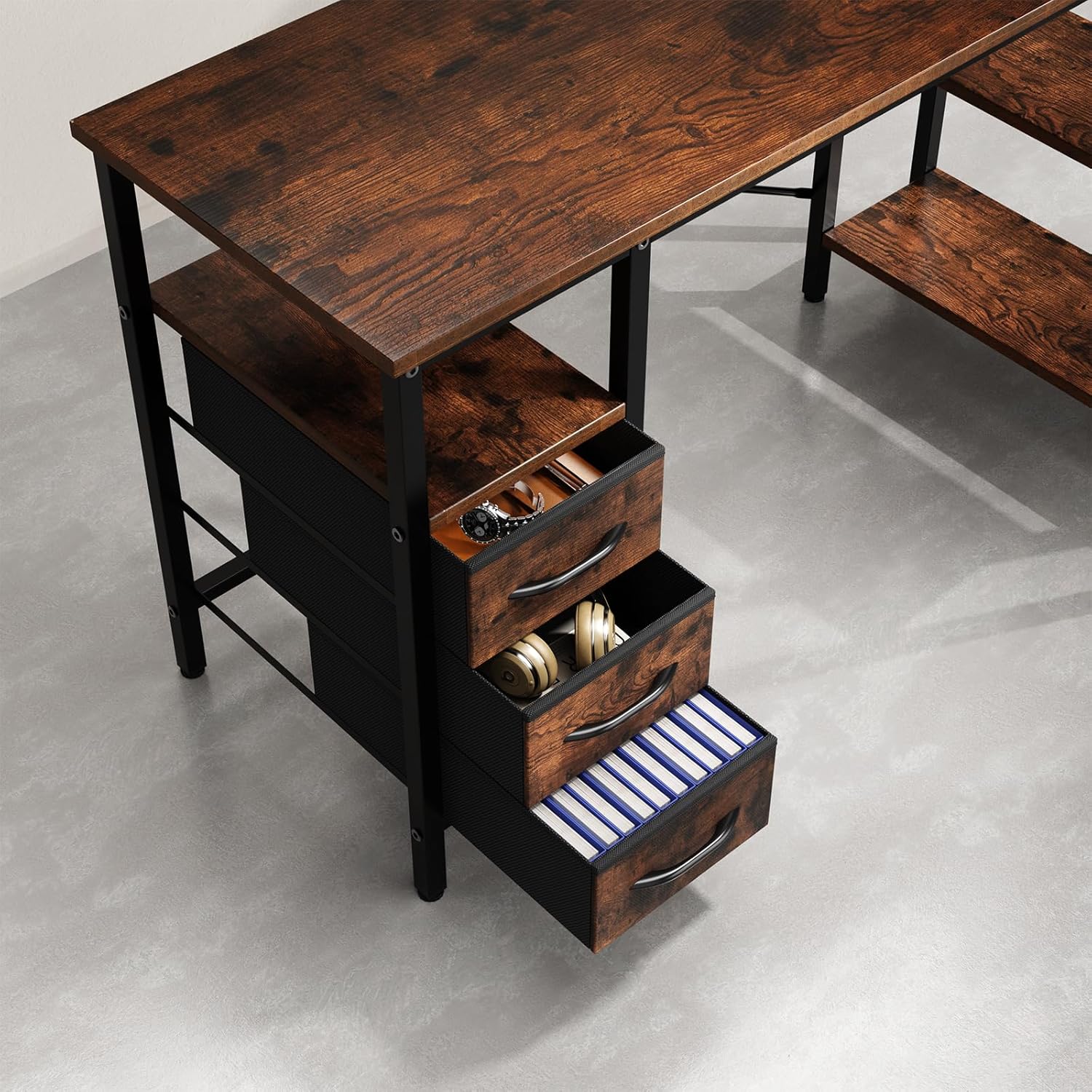
Figure 7: Fabric drawers providing ample storage for office supplies and accessories.
5. Иштөө нускамалары
5.1. Using the Integrated Power Outlets
- Үстөлдүн негизги кубат шнурун стандарттуу розеткага сайыңыз.
- The integrated power strip provides three AC outlets and two USB charging ports.
- Connect your devices (monitors, laptops, phones, etc.) to the appropriate outlets.
- Ensure devices are compatible with the power specifications (120V AC, 60Hz, 12A max).
6. Техникалык тейлөө
- Тазалоо: Үстөлдүн беттерин жарнама менен сүртүңүзamp кездеме. Финишке зыян келтирүүчү катаал химиялык заттардан же абразивдүү тазалагычтардан алыс болуңуз.
- Аппараттык камсыздоону текшерүү: Мезгил-мезгили менен бардык бурамалар жана бекиткичтер бекем болушу үчүн текшерип туруңуз. Туруктуулукту сактоо үчүн зарыл болсо, кайра тартыңыз.
- Электр коопсуздугу: Inspect the power cord and outlets for any signs of damage. Discontinue use and contact customer support if damage is found.
- тартма кам көрүү: The fabric drawers can be spot cleaned with a mild detergent. Allow them to air dry completely before reinserting.
7. Кыйынчылыктарды
| Көйгөй | Мүмкүн себеп | Чечим |
|---|---|---|
| Стол солкулдап турат. | Бошогон бурамалар же тегиз эмес пол. | Check and tighten all screws. Adjust the leveling feet on the bottom of the desk legs if applicable. |
| Электр розеткалары иштебейт. | Desk not plugged in, circuit breaker tripped, or faulty module. | Ensure the desk's power cord is securely plugged into a working wall outlet. Check your home's circuit breaker. If issues persist, contact customer support. |
| Тарткычтар жылмакай жылбайт. | Drawers are fabric and not designed to slide on rails. | The drawers are fabric storage bins designed to fit into compartments, not to slide on metal rails. Ensure they are properly shaped and inserted. |
8. Техникалык шарттар
- Бренд: Жөнөкөй Deluxe
- Модель номери: D-D3BCL01-47IN-RUST
- Форма: L-Курамы
- Продукциянын өлчөмдөрү: 18.5"D x 47.2"W x 29.7"H
- Түсү: Rustic Brown
- Материал: Инженердик жыгач, металл
- Тарткычтардын саны: 3
- Текчелердин саны: 2
- Maximum Салмагы сунуш: 220 фунт
- Электр розеткалары: Интеграцияланган AC розеткалары жана USB порттору
- Ассамблея талап кылынат: Ооба (1 адам сунушталат)
- Кам көрүү боюнча көрсөтмөлөр: Д менен сүртүңүзamp Кездеме
9. Кепилдик жана колдоо
For warranty information, missing parts, or technical support, please contact Simple Deluxe customer service. Keep your purchase receipt and model number handy for faster service.
зыярат кылыңыз Simple Deluxe Store көбүрөөк өнүмдөр жана маалымат үчүн.