
XREXS KYX-0035-WiFi
XREXS KYX-0035-WiFi 12.2 Inch Digital Wall Clock User Manual
Model: KYX-0035-WiFi
Introduction
The XREXS 12.2 Inch Digital Wall Clock (Model: KYX-0035-WiFi) is designed to provide precise timekeeping with a large, clear LED display. This multifunctional clock features WiFi time synchronization, a remote control for easy operation, dual alarms, and a versatile timer function. Its modern design makes it suitable for various environments, including homes, offices, and classrooms.
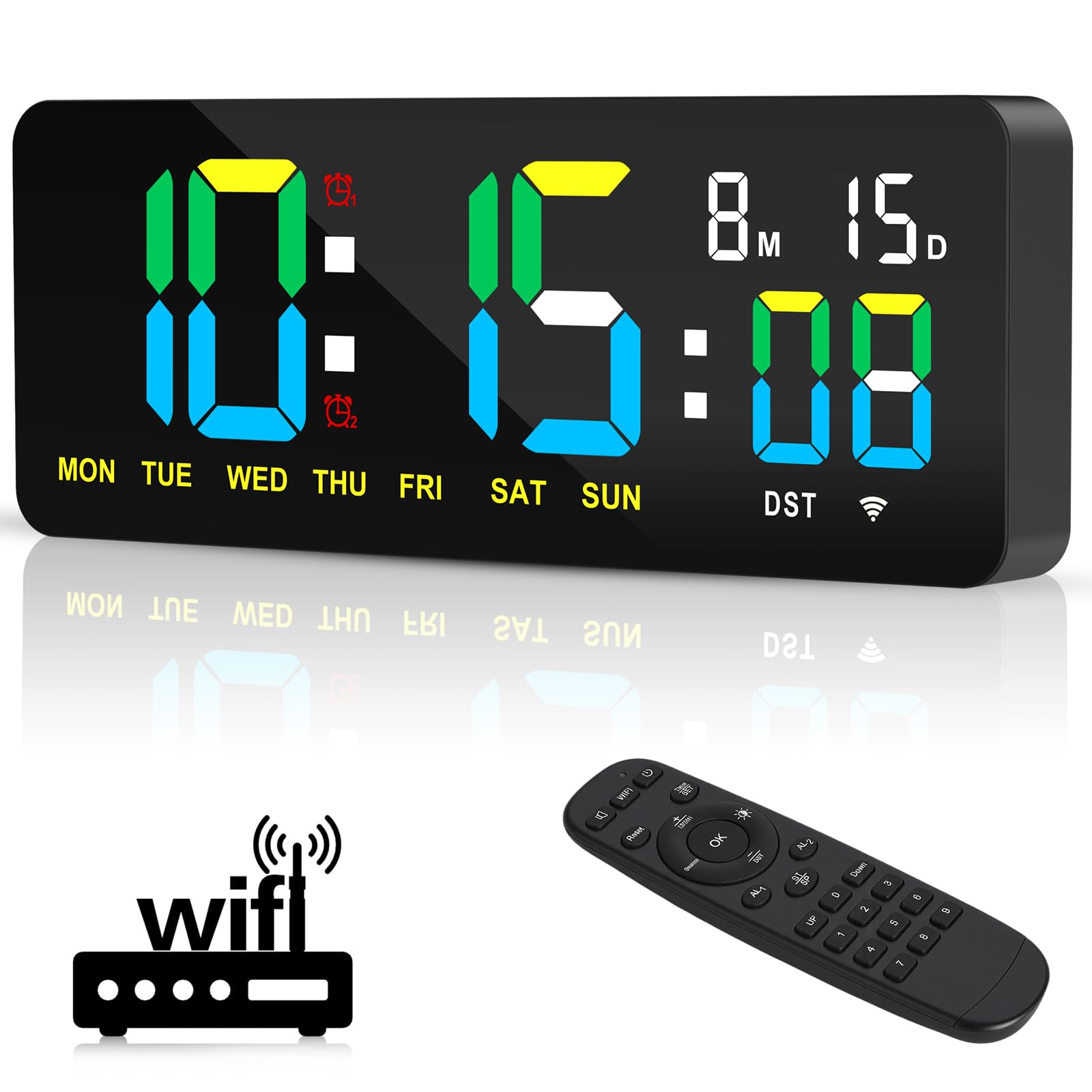
Сүрөт: бүттүview of the XREXS Digital Wall Clock highlighting its key features.
Пакеттин мазмуну
Сураныч, пакетте төмөнкү нерселерди текшериңиз:
- 1 x XREXS 12.2 Inch WiFi Sync Wall Clock
- 1 x Алыстан башкаруу
- 1 x Power Plug (Adapter)
- 1 x USB Cable (3m long)
- 1 x Ruler (for mounting assistance)
- 1 х Колдонуучунун колдонмосу (бул документ)
- 2 x Mounting Nails

Сүрөт: XREXS санариптик дубал саатынын топтомуна кирген бардык компоненттер.
Жайгашуу
1. Power Connection
Connect the provided USB cable to the clock and then to the power plug. Insert the power plug into a standard electrical outlet. The clock will power on automatically.
2. Монтаждоо параметрлери
The clock offers two installation methods:
- Дубалга орнотуу: Use the two mounting holes on the back of the clock and the provided nails to secure it to a wall.
- Desk/Shelf Placement: The clock includes a base that allows it to stand upright on a desk, shelf, or any flat surface.

Image: Dimensions and desk placement of the XREXS Digital Wall Clock.
3. WiFi Time Synchronization
The clock uses WiFi to automatically synchronize time, eliminating manual adjustments. Follow these steps:
- Сааттын күйгүзүлгөнүн текшериңиз.
- Using the remote control, navigate to the WiFi setup menu.
- Connect the clock to your local WiFi network. You may need to select your network and enter the password.
- Once connected, select your local time zone.
- The clock will automatically synchronize the time and date. It also supports automatic Daylight Saving Time (DST) adjustments.
Эскертүү:
- Маанилүү: The WiFi connection is solely for time synchronization and does not involve any privacy information.
- The remote control has a straight-line operating distance of up to 5 meters.

Image: Effortless setup and WiFi time synchronization process.
Иштөө нускамалары
The XREXS Digital Wall Clock offers multiple functions controlled via the included remote.
1. Дисплей режимдери
The clock displays hours, minutes, seconds, date, month, and day of the week. It supports both 12-hour and 24-hour formats. Use the remote control to switch between different display modes or functions (Clock, Timer, Alarm).
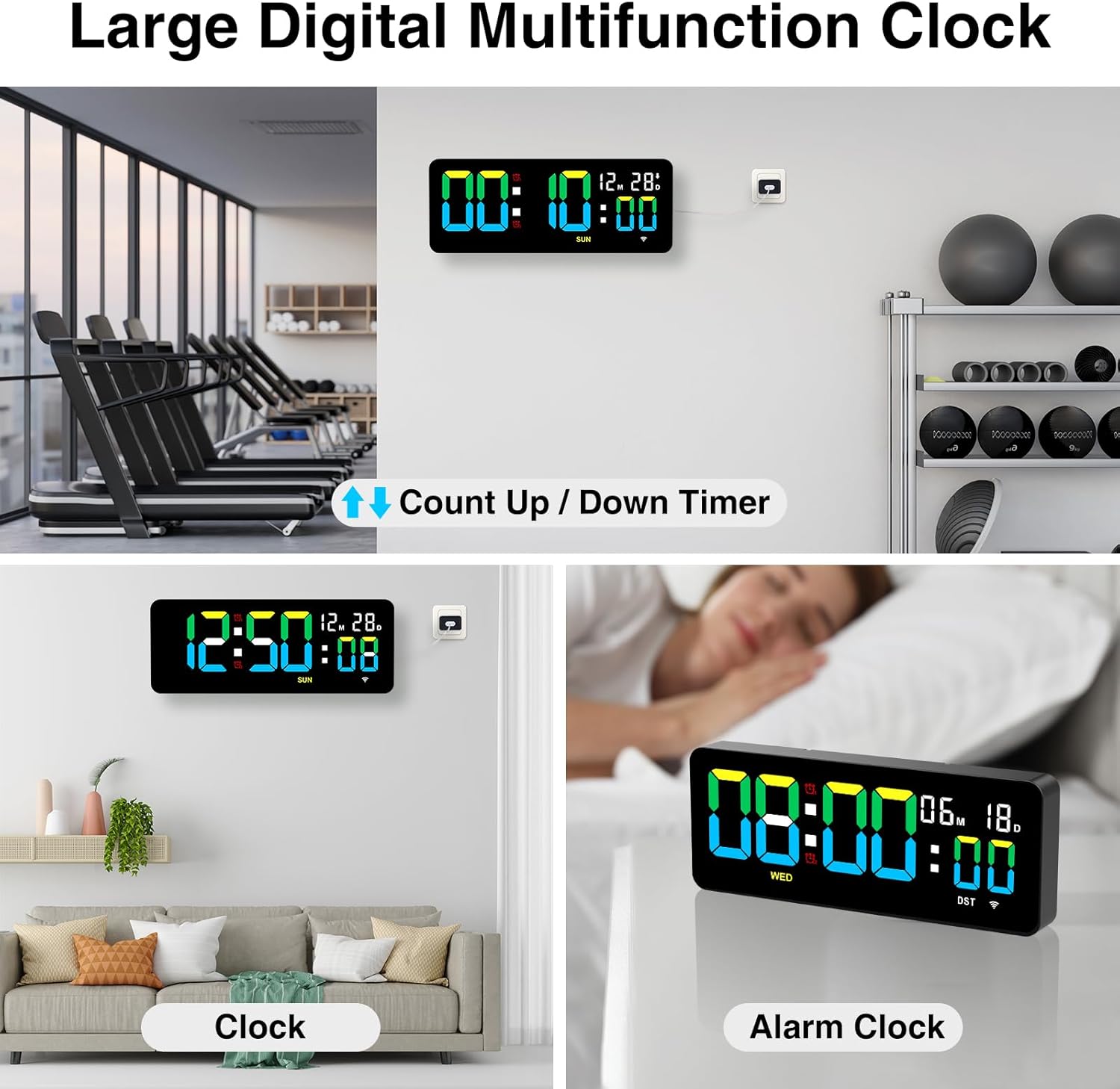
Image: Multifunction display modes including Clock, Timer, and Alarm.
2. Жарыкты жөндөө
The clock features three adjustable brightness levels to suit your environment and preference. Use the remote control to cycle through High, Medium, and Low brightness settings.

Image: Three levels of display brightness.
3. Ойготкуч саат функциясы
The clock allows you to set two independent alarms simultaneously. The alarm offers three modes to meet diverse needs (specific modes not detailed in product info, refer to full manual for details). Use the remote control to set and manage alarms.
- басыңыз AL1 or AL2 button on the remote to set the respective alarm.
- Use the number buttons to input the desired alarm time.
- Жөндөөнү ырастаңыз.
4. Timer Function (Countdown/Count-Up)
The integrated timer supports both countdown and count-up functions, with a maximum timing cycle of 99 hours, 59 minutes, and 59 seconds.
- Артка саноо: Set a desired time using the remote. Upon completion, the clock will emit a 60-second "beep-beep-beep" alert.
- Count-Up: Start the timer from zero.
- Эстутум функциясы: The timer retains previous settings if not manually cleared.
- Кайтаруу: Use the Reset button on the remote to clear the current timer setting and start a new cycle.
This feature is ideal for various activities such as cooking, exercise, study sessions, or managing children's screen time.
Техникалык тейлөө
To ensure the longevity and optimal performance of your XREXS Digital Wall Clock, follow these simple maintenance guidelines:
- Тазалоо: Дисплейди акырын сүртүп, casing менен жумшак, кургак же бир аз damp кездеме. Абразивдүү тазалоочу каражаттарды, эриткичтерди же химиялык чачыраткычтарды колдонуудан алыс болуңуз, анткени алар бетке зыян келтириши мүмкүн.
- Жайгашкан жери: Place the clock in a location away from direct sunlight, extreme temperatures, and high humidity to prevent damage to the electronic components and display.
- Күч: Always use the provided power adapter and USB cable. Do not attempt to use other adapters unless they meet the exact specifications.
- Колдонуу: Handle the clock and remote control with care to avoid physical damage.
Проблемаларды чечүү
If you encounter any issues with your XREXS Digital Wall Clock, please refer to the following common solutions:
1. Clock Does Not Power On
- Ensure the power plug is securely inserted into both the clock and the electrical outlet.
- Check if the electrical outlet is functioning correctly by plugging in another device.
- USB кабелинин бузулбагандыгын текшериңиз.
2. Incorrect Time Display
- WiFi Sync: Ensure the clock is successfully connected to your WiFi network and the correct time zone is selected. Re-attempt WiFi setup if necessary.
- Кол менен тууралоо: If WiFi is unavailable, refer to the full product manual for instructions on manual time setting using the remote control.
3. Алыстан башкаруу пульту жооп бербей жатат
- Пульттун батареясын текшерип, керек болсо алмаштырыңыз.
- Ensure there are no obstructions between the remote control and the clock.
- 5 метрлик иштөө диапазонунда экениңизди текшериңиз.
- Point the remote directly at the clock's sensor.
4. Ойготкуч угулбайт
- Verify that the alarm is enabled and set to the correct time.
- Check the alarm volume settings (if adjustable, refer to the full manual).
5. Timer Issues
- Ensure the timer function is correctly activated and the time is set.
- If the timer is not resetting, try pressing the Reset button on the remote.
Техникалык шарттар
| Бренд | XREXS |
| Модель номери | KYX-0035-WiFi |
| Дисплей түрү | Digital LED |
| Screen Size | 12.2 дюйм |
| Продукциянын өлчөмдөрү | 30W x 12H centimetres (approx. 11.81W x 4.73H inches) |
| Power Source | Corded Electric (USB Cable and Power Plug) |
| Өзгөчөлүктөр | Adjustable Brightness (3 levels), Alarm (2 alarms), Calendar Display, Count Up/Down Timer, WiFi Time Sync, Auto DST, Remote Control |
| Монтаж түрү | Дубалга монтаждоо, үстөлдү орнотуу |
| Frame Material | Акрил |
| Ички/тышкы колдонуу | Indoor |
Кепилдик жана колдоо
For warranty information or technical support, please refer to the documentation included with your purchase or contact XREXS customer service directly. Contact details can typically be found on the manufacturer's official webсайтында же продуктунун таңгагында.
Ask a question about this manual
Ask about setup, troubleshooting, compatibility, parts, safety, or missing instructions. Manuals+ will review the question and use this page’s manual context to help answer it.