
1. Introduction and Overview
Welcome to the NIMO 17.3 AI-Laptop Copilot+ PC user manual. This guide provides essential information for setting up, operating, maintaining, and troubleshooting your new laptop. Designed for high performance and productivity, your NIMO laptop is equipped with advanced features to enhance your daily tasks, creative work, and entertainment.
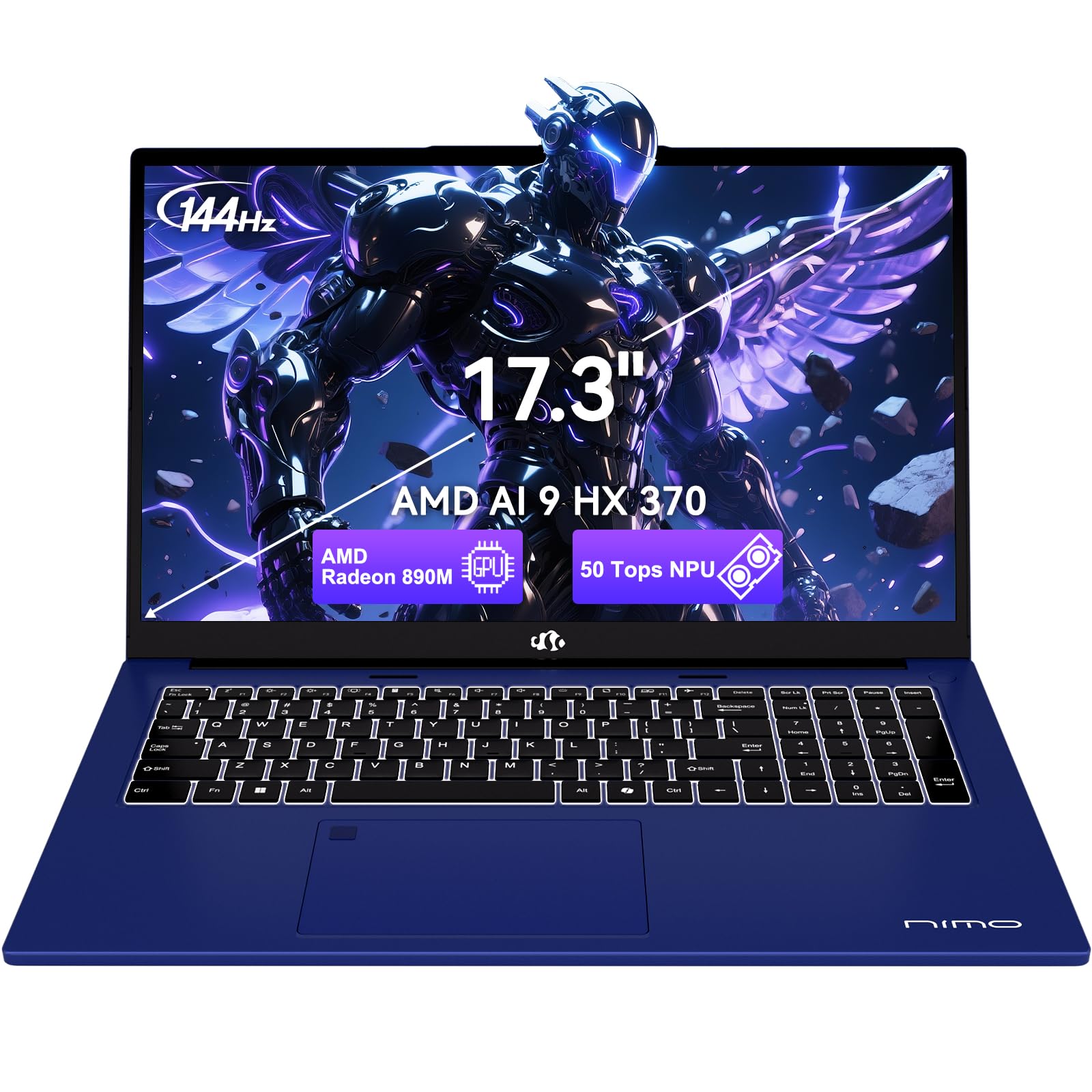
Figure 1.1: NIMO 17.3 AI-Laptop Copilot+ PC
Негизги өзгөчөлүктөрү:
- AI Ryzen Performance: Powered by AMD Ryzen AI 9 HX 370 with Radeon 890M graphics for AI-accelerated performance.
- Spacious 17.3-Inch Display: Сунуштар ample workspace with a 144Hz refresh rate for smooth visuals.
- Узак мөөнөттүү батареянын иштөө мөөнөтү: Equipped with a 75Wh high-capacity battery for extended use.
- 100W GaN тез кубаттоо: Quick and efficient recharging via USB-C PD.
- Advanced USB-C 4.0 Connectivity: Supports 40Gbps data transfer, 8K external displays, and eGPU docking.
- Comfortable Backlit Keyboard: Ensures accurate typing in various lighting conditions.
- Fast Fingerprint Unlock: Secure and instant access to your system.
- Толук сандык баскычтоп: Ideal for data entry and productivity tasks.

Figure 1.2: AMD Ryzen AI 9 HX 370 Processor Capabilities

Figure 1.3: AI Power for Real Life with 50 TOPS NPU

Figure 1.4: Radeon 890M Integrated Graphics Performance
Продукт бүттүview Видео:
Video 1.1: NIMO 17.3 AI370 Laptop Overview. This video provides a quick visual introduction to the NIMO AI-Laptop's design and key features.
2. Орнотуу
2.1 Кутудан чыгаруу жана алгачкы текшерүү
Carefully remove all items from the packaging. The box should contain:
- 1 x NIMO 17.3" AI Laptop
- 1 x Type-C 100W PD Fast Charger
- 1 х Колдонуучунун колдонмосу (бул документ)
- Windows 11 Home pre-installed
Inspect the laptop and accessories for any signs of damage. If any items are missing or damaged, please contact NIMO customer support immediately.
2.2 Күйгүзүү жана баштапкы кубаттоо
- Connect the Type-C 100W PD Fast Charger to the USB-C 4.0 port on your laptop and to a power outlet.
- Ноутбукту биринчи жолу колдонуудан мурун же батареянын индикатору жетиштүү зарядды көрсөткөнгө чейин кеминде 30 мүнөт заряддаңыз.
- Open the laptop lid. The system should power on automatically. If not, press the power button located on the top right of the keyboard.
- Windows 11 Home орнотуу процессин аяктоо үчүн экрандагы нускамаларды аткарыңыз. Буга аймакты, тилди тандоо, Wi-Fi тармагына туташуу жана колдонуучу каттоо эсебин түзүү кирет.

Figure 2.1: Connecting the 100W PD Fast Charger

2.2-сүрөт: Тез кубаттоо мүмкүнчүлүгү
3. Operating Your NIMO AI-Laptop
3.1 Баскычтоп жана сенсордук такта
The NIMO AI-Laptop features a full-size backlit keyboard with a dedicated numeric keypad for enhanced productivity. The multi-touch precision touchpad allows for intuitive navigation and gestures.
- Арткы жарык клавиатура: Басыңыз Fn + F10 (or the key with the keyboard backlight icon) to cycle through backlight brightness levels.
- Сандык баскычтоп: Use the dedicated numeric keypad for quick data entry. Ensure Num Lock is enabled.
- Тактык сенсордук тактасы: Supports multi-finger gestures for scrolling, zooming, and switching applications. Refer to Windows settings for customization.
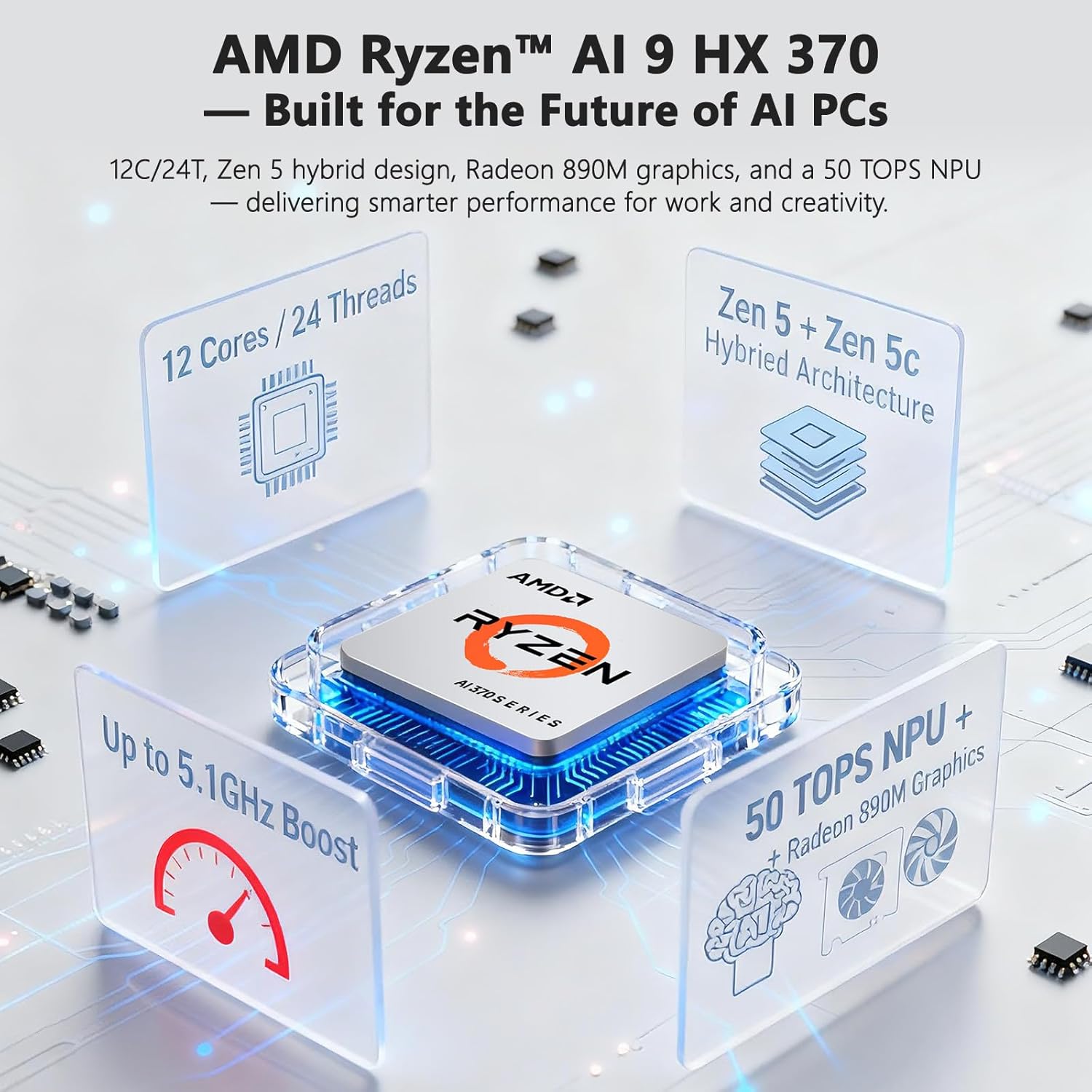
Figure 3.1: Backlit Keyboard and Touchpad

Figure 3.2: Fingerprint Unlock and Backlit Keyboard
3.2 Дисплейдин өзгөчөлүктөрү
Your NIMO AI-Laptop features a 17.3-inch Full HD (1920x1080) display with a 144Hz refresh rate, providing a smooth and immersive visual experience.
- Жогорку жаңылануу ылдамдыгы: The 144Hz refresh rate reduces motion blur and provides a more fluid experience, especially beneficial for gaming and fast-paced content.
- Экрандын өлчөмү: The large 17.3-inch display offers ample screen real estate for multitasking, creative applications, and immersive viewing.

Figure 3.3: 17.3-inch Display for Work and Creation

Figure 3.4: 144Hz Refresh Rate Visual Difference
3.3 AI Features with Copilot+
Your NIMO AI-Laptop is a Copilot+ PC, leveraging the AMD Ryzen AI 9 HX 370's Neural Processing Unit (NPU) for enhanced AI capabilities directly on your device. This enables features such as:
- Real-Time Notes & Translation: Copilot+ can record, summarize, and translate content as you work.
- AI-Powered Creation: Accelerate creative processes with intelligent image, video, and text tools.
- Smart Recall: Instantly find any file, webpage, or chat you've seen before.
- Enhanced Video Calls: Features like background blur, auto framing, and noise reduction for clearer communication.
Video 3.1: NIMO 17.3" AI Laptop AI Features. This video demonstrates the AI capabilities of the laptop, including Copilot+ functionalities.
3.4 Порттар жана туташуу
The NIMO AI-Laptop offers comprehensive connectivity options:
- USB-C 4.0: Supports 40Gbps data transfer, 100W Power Delivery, and 8K external displays.
- HDMI: Тышкы мониторлорго же проекторлорго туташуу үчүн.
- USB 3.2 жана USB 2.0: For connecting various peripherals.
- SD карта уячасы: Сүрөттөрдү оңой өткөрүү үчүн жана files.
- Headphone Combo Jack: Аудио киргизүү/чыгаруу үчүн.
- Kensington Lock Slot: Физикалык коопсуздук үчүн.
- Зымсыз туташуу: Wi-Fi 6E and Bluetooth for network and device connections.

3.5-сүрөт: Каптал View порттор менен

Figure 3.6: Comprehensive Multi-Port Design
3.5 Купуялык функциялары
The laptop includes a built-in privacy camera switch, allowing you to physically disable the 2.0MP webcam when not in use, ensuring your privacy.

Figure 3.7: Privacy-Focused Camera Convenience
4. Техникалык тейлөө
4.1 Батареяга кам көрүү
- Батареяны ашыкча ысыкка же отко тийгизбеңиз.
- Avoid completely draining the battery regularly. It is recommended to keep the charge between 20% and 80% for optimal battery longevity.
- Use only the provided 100W USB-C PD GaN charger or a compatible charger to prevent damage.
4.2 Ноутбугуңузду тазалоо
- Жумшак, түксүз кездемени колдонуңуз dampдисплейди тазалоо үчүн суу же экран тазалагыч менен иштетиңиз.
- Клавиатура жана шасси үчүн жумшак, кургак чүпүрөк колдонуңуз. Баскычтардын ортосундагы чаңды кетирүү үчүн кысылган абанын баллонун колдонсо болот.
- Катуу химиялык заттарды, абразивдерди же эриткичтерди колдонуудан алыс болуңуз.
4.3 Программалык камсыздоо жаңыртуулары
Regularly check for and install Windows updates and driver updates to ensure optimal performance, security, and compatibility. You can typically find driver updates on the NIMO official support webсайт.
5. Кыйынчылыктарды
This section covers common issues you might encounter with your NIMO AI-Laptop. For more detailed troubleshooting or issues not listed here, please refer to the NIMO support webсайтка же кардарларды тейлөөгө кайрылыңыз.
| Көйгөй | Мүмкүн чечим |
|---|---|
| Ноутбук күйбөйт. | Ensure the charger is properly connected and the power outlet is working. Try holding the power button for 15-20 seconds to perform a hard reset. |
| Батарея заряддалбай жатат. | Verify charger connection. Try a different power outlet. Ensure the charger is the original NIMO 100W PD charger. |
| Wi-Fi туташуу маселелери. | Restart your router and laptop. Check Wi-Fi drivers in Device Manager. Ensure Wi-Fi is enabled in Windows settings. |
| Жай аткаруу. | Close unnecessary applications. Check for background processes. Ensure Windows and drivers are up to date. Run a disk cleanup. |
| Баскычтоптун жарыгы иштебейт. | Press Fn + F10 (or the key with the keyboard backlight icon) to adjust brightness. |
6. Техникалык шарттар
Detailed technical specifications for your NIMO 17.3 AI-Laptop Copilot+ PC:
| Өзгөчөлүк | Деталь |
|---|---|
| Бренд | NIMO |
| Модель аты | 16GB DDR5 RAM|1TB SSD |
| Screen Size | 17.3 дюйм |
| Түс | Celestial Blue |
| Катуу дисктин өлчөмү | 1024 ГБ |
| CPU модели | Ryzen 9 (AMD Ryzen AI 9 HX 370) |
| RAM эстутум орнотулган өлчөмү | 16 ГБ DDR5 |
| Операция системасы | Windows 11 Home |
| Графикалык сопроцессор | AMD Radeon 890M |
| Hard Disk Description | SSD (PCIe 4.0) |
| Элемент Салмагы | 4.6 фунт |
| Батареянын иштөө мөөнөтү (орточо) | 12 саат |
| Батареянын энергия мазмуну | 75 Ватт саат |
| Display Resolution | 1920 x 1080 пиксел (Full HD) |
| Жаңыртуу ылдамдыгы | 144 Гц |
| Зымсыз байланыш | Wi-Fi 6E, Bluetooth |
| Жалпы USB порттору | 5 (including USB-C 4.0) |
| HDMI порттору | 1 |
| Webcam | 2 МП алдыңкы камера |
7. Кепилдик жана колдоо
7.1 Кепилдик маалыматы
Your NIMO AI-Laptop comes with a 2 жылдык кепилдик from NIMO Direct Inc. This warranty covers manufacturing defects and ensures peace of mind for your purchase.
Additionally, NIMO offers a 90-Day Free Return policy from the date of purchase. Please refer to the terms and conditions on the NIMO official webтолук маалымат алуу үчүн сайт.

Figure 7.1: NIMO 2-Year Support
7.2 Кардарларды колдоо
For any product-related questions, technical assistance, or warranty claims, please contact NIMO customer support:
- Официалдуу Webсайт: Visit the NIMO official webКөп берилүүчү суроолор, драйверлерди жүктөө жана колдоо булактары үчүн сайт.
- Электрондук почта колдоо: service@nimopc.com
- Телефондук колдоо: Contact details may be available on the official webсайт же продукт таңгак.
NIMO is committed to providing professional and high-quality customer service to ensure your satisfaction.

Figure 7.2: Professional Customer Assistance