
1. Киришүү
The ACECONN Pi2 Linux 4K HD Super Box TV Box is a high-performance streaming device designed to enhance your home entertainment experience. Featuring a stable Linux operating system, it supports 4K Ultra HD resolution and a wide range of video formats, ensuring clear and smooth playback. This manual provides essential information for setting up, operating, and maintaining your device.
2. Пакеттин мазмуну
Сураныч, төмөнкү нерселер үчүн кутучаны белгилеңиз:
- ACECONN Pi2 TV Box
- Алыстан башкаруу бирдиги (RCU)
- Кубат адаптери (ЕБ сайгычы)
- HDMI кабели
- IR Extender
- User Manual

2.1-сүрөт: Пакетке кирген буюмдар.
3. Продукт бүтүп калдыview
The ACECONN Pi2 is designed for efficient and reliable media streaming. It features a lightweight Linux 4.9 kernel, ensuring fast boot-up and a clean, ad-free user experience. The device supports 4K HDR output and offers various connectivity options.

Figure 3.1: ACECONN Pi2 TV Box and Remote Control.
3.1 Негизги өзгөчөлүктөрү
- Linux системасы: Highly customizable with exceptional stability and security.
- 4K UHD токтому: Supports 4K@60fps with HDR 10+ for high-definition quality.
- Multi-Format Decoding: Compatible with various video formats including MKV, MP4, AVI.
- Ар тараптуу байланыш: Multiple interfaces including HDMI 2.0, USB, Ethernet, Wi-Fi, and Bluetooth.
- Dual-Mode Update: Supports network and USB upgrades for convenient software updates.
- Fast Boot-up: Optimized for quick startup and direct playback.
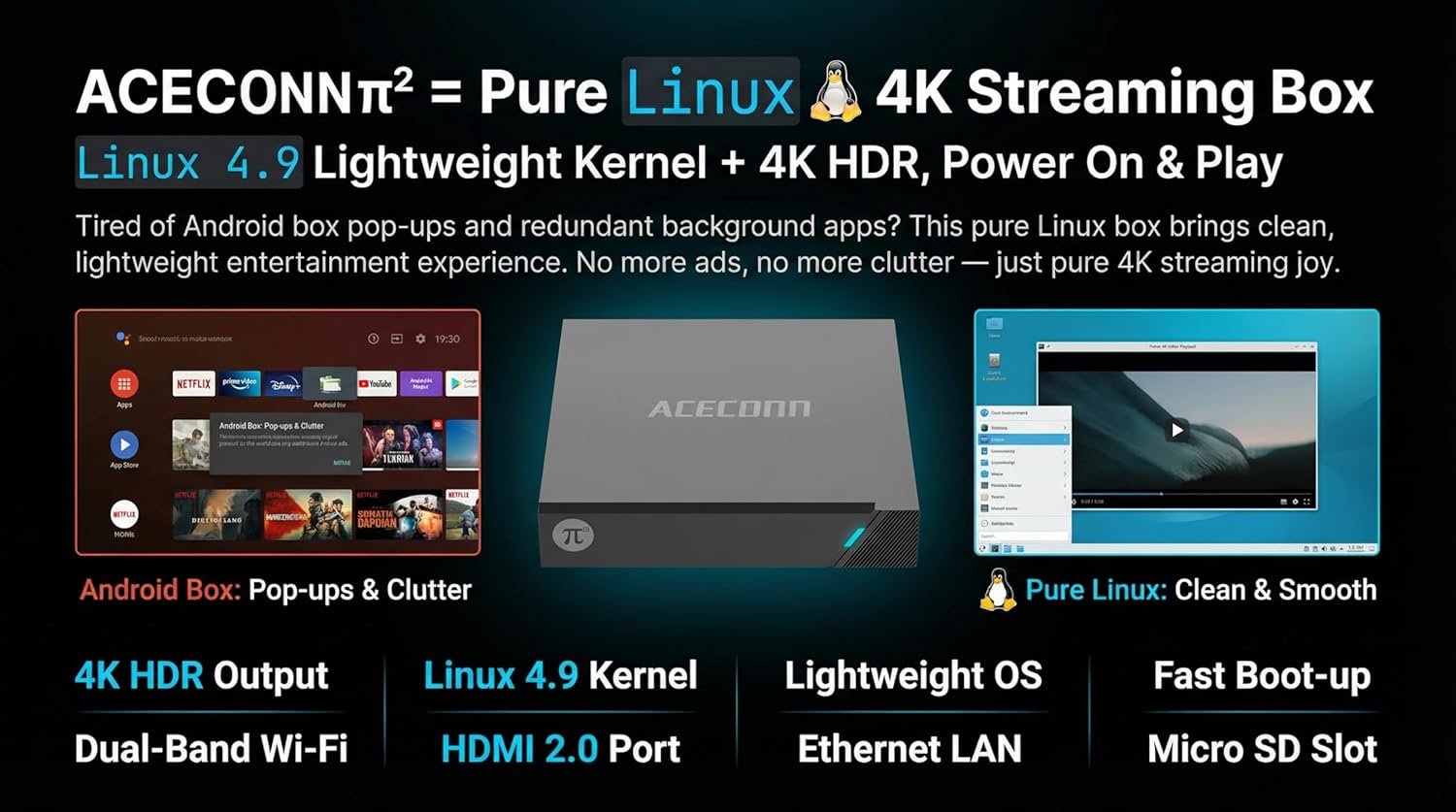
Figure 3.2: Linux OS advantages and connectivity options.

Figure 3.3: Performance and user experience benefits.
4. Орнотуу колдонмосу
Follow these steps for initial setup of your ACECONN Pi2 TV Box:
- Сыналгыга туташуу: Connect one end of the HDMI cable to the HDMI port on the TV Box and the other end to an HDMI input port on your television.
- Туташуу кубаты: Кубат адаптерин TV Box'тогу DC IN портуна сайыңыз, андан кийин адаптерди розеткага сайыңыз.
- Тармакка туташуу (милдеттүү эмес):
- Зымдуу туташуу: Роутериңизден Ethernet кабелин TV Box'тогу LAN портуна туташтырыңыз.
- Зымсыз туташуу: The device supports Dual-Band Wi-Fi. You will configure this in the settings after initial boot-up.
- Insert IR Extender (Optional): If the TV Box is out of direct line of sight for the remote, connect the IR Extender to the IR port on the TV Box and position the extender sensor where it can receive remote signals.
- Күйгүзүү: Түзмөк автоматтык түрдө күйүшү керек. Эгер күйбөсө, пульттагы күйгүзүү баскычын басыңыз.
- Киргизүүнү тандоо: On your TV, select the correct HDMI input source using your TV remote control.
- Баштапкы конфигурация: Follow the on-screen prompts to complete the initial setup, including language selection and network configuration.
5. Иштөө нускамалары
The ACECONN Pi2 features an intuitive Linux-based interface. Use the provided Remote Control Unit (RCU) to navigate.
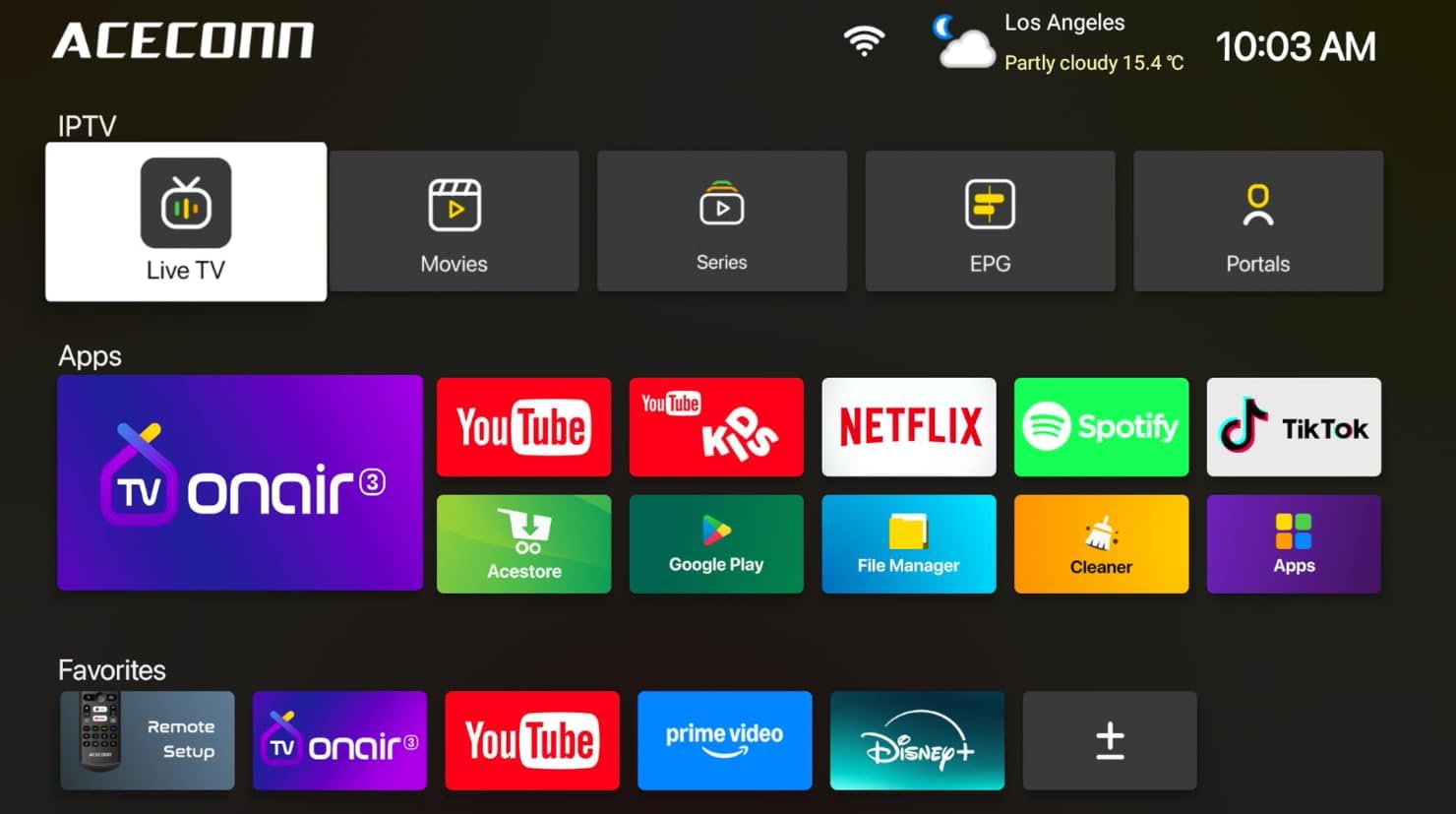
Figure 5.1: ACECONN Pi2 User Interface.
5.1 Алыстан башкаруу функциялары
Familiarize yourself with the buttons on your RCU for easy navigation and control.
- Кубат баскычы: Аппаратты күйгүзөт же өчүрөт.
- Чабыттоо баскычтары (өйдө/төмөн/сол/оң): Move cursor or selection.
- OK баскычы: Confirms selection or enters menu.
- Артка/Кайтаруу баскычы: Мурунку экранга же менюга кайтат.
- Үй баскычы: Негизги үй экранына кайтып келет.
- Үн баскычтары: Аудионун үнүн тууралайт.
- Меню баскычы: Контекстке сезгич менюларга кирет.
5.2 Медиа ойнотуу
The device supports 4K@60fps with HDR 10+ and universal format support for a superior visual experience.

Figure 5.2: 4K HDR and Universal Format Support.
You can enjoy media from various sources:
- Агымдуу колдонмолор: Access pre-installed or downloaded streaming services like Netflix, YouTube, Spotify, and TikTok.
- Жергиликтүү ойнотуу: Connect a USB hard drive or flash drive to play downloaded 4K content directly. The device supports various mainstream formats including MKV, MP4, and AVI.
- Personal Media Library: Utilize applications like Kodi (if installed) to organize and play your media collection.

Figure 5.3: Media consumption scenarios.
5.3 System Updates (OTA)
The ACECONN Pi2 supports Over-The-Air (OTA) updates to ensure your system stays current with the latest features and drivers. You can also update via USB.
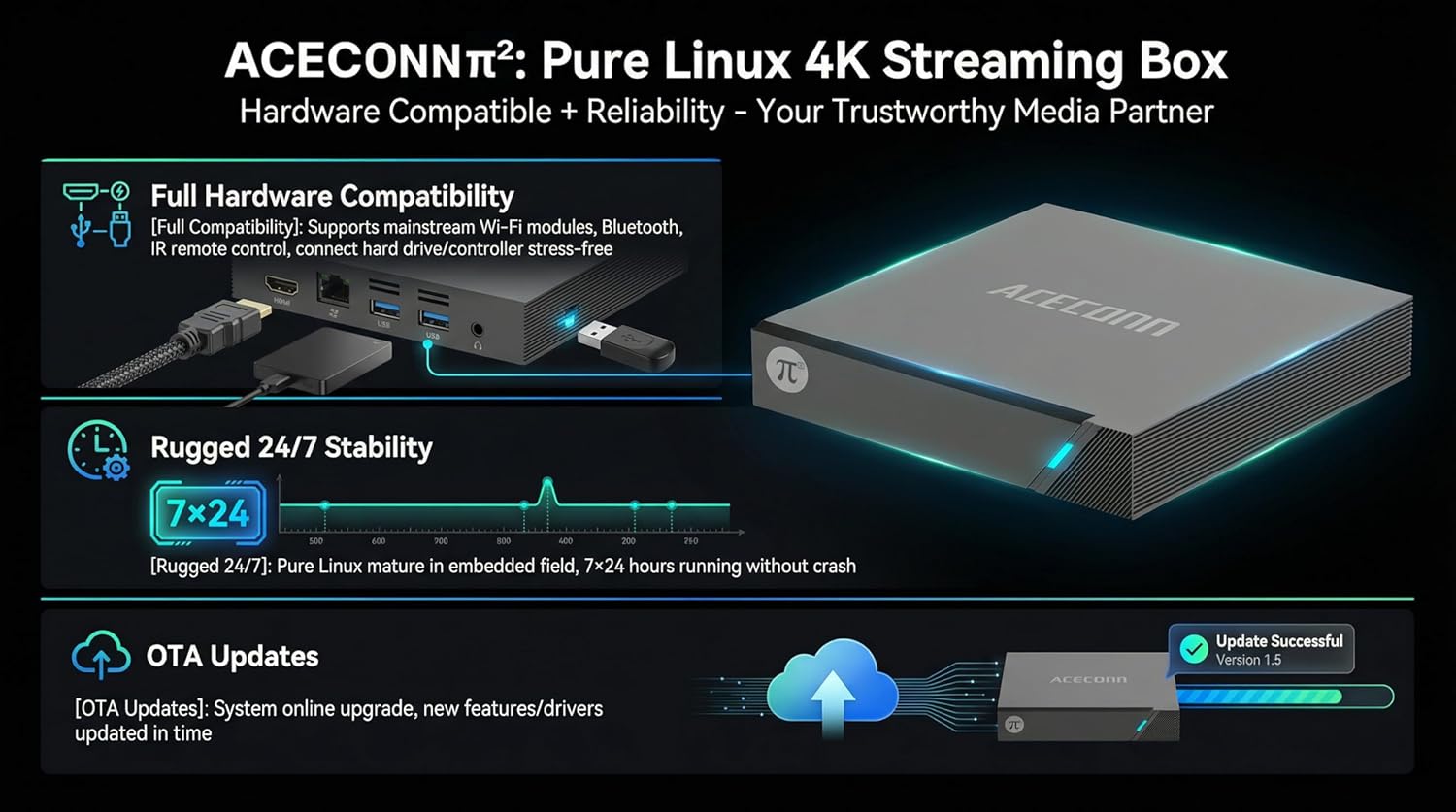
Figure 5.4: Hardware compatibility and OTA updates.
Жаңыртууларды текшерүү үчүн:
- Navigate to the 'Settings' menu on your device.
- Look for 'System Update' or 'About Device' options.
- Select 'Check for Updates' and follow the on-screen instructions. Ensure a stable internet connection during the update process.
6. Кыйынчылыктарды
If you encounter issues with your ACECONN Pi2, refer to the following common problems and solutions:
| Көйгөй | Мүмкүн себеп | Чечим |
|---|---|---|
| Күч жок | Кубат адаптери туташкан эмес; розеткада көйгөй бар. | Кубат адаптери түзмөккө жана иштеп жаткан розеткага бекем туташтырылганын текшериңиз. Башка розетканы колдонуп көрүңүз. |
| Телевизордо сүрөт жок | Туура эмес HDMI киргизүүсү тандалды; HDMI кабели бошоп калды. | Verify the TV is on the correct HDMI input. Check HDMI cable connections at both ends. Try a different HDMI cable or port. |
| Пульт иштебей жатат | Batteries low/dead; IR sensor blocked. | Replace batteries in the RCU. Ensure no obstructions between the remote and the TV Box (or IR extender). |
| Интернет байланышы жок | Wi-Fi disconnected; Ethernet cable loose; router issue. | Check Wi-Fi settings and reconnect. Ensure Ethernet cable is secure. Restart your router. |
| Video playback issues (stuttering, freezing) | Slow internet speed; corrupted media file; device overheating. | Check internet speed. Try playing a different media file. Ensure adequate ventilation around the device. |
7. Техникалык шарттар
| Өзгөчөлүк | Деталь |
|---|---|
| Бренд | ACECONN |
| Модель аты | Pi2 |
| Операция системасы | Linux 4.9 |
| Резолюция | 4K (3840 x 2160) @ 60fps, HDR 10+ |
| RAM эс тутуму | 1 ГБ DDR3 |
| Сактоо сыйымдуулугу | 8 ГБ |
| Байланыш технологиясы | Bluetooth, Ethernet, HDMI, USB, Wi-Fi (Dual-Band) |
| Туташтыргыч түрү | HDMI, Micro USB, USB |
| Колдоого алынган Интернет кызматтары | Browser, Netflix, Skype, TV ONAIR, YouTube |
| Controller Type | Колдонмо башкаруу, алыстан башкаруу |
| Шайкеш түзмөктөр | Телевидение |
| Элемент Салмагы | 0.5 килограмм |
| Элементтин өлчөмдөрү (L x W x Y) | 4.4" x 4.4" x 0.8" |
8. Техникалык тейлөө
To ensure the longevity and optimal performance of your ACECONN Pi2 TV Box, follow these maintenance guidelines:
- Тазалоо: Аппараттын сыртын тазалоо үчүн жумшак, кургак чүпүрөктү колдонуңуз. Суюк тазалагычтарды же абразивдүү материалдарды колдонбоңуз.
- Вентиляция: Ensure the device is placed in a well-ventilated area. Do not cover ventilation openings.
- Температура: Аппаратты экстремалдык температурага же тике күн нуруна кабылуудан сактаңыз.
- Өчүрүү: If the device will not be used for an extended period, disconnect it from the power supply.
9. Кепилдик жана колдоо
9.1 Кепилдик маалыматы
The ACECONN Pi2 TV Box comes with a 1 жылдык Өндүрүүчүнүн Кепилдиги. Кепилдик дооматтары үчүн сатып алганыңыздын далилин сактап коюңуз.
9.2 Кардарларды колдоо
For technical assistance, troubleshooting beyond this manual, or warranty inquiries, please contact ACECONN customer support through the retailer's platform or the official ACECONN webсайт.