
1. Киришүү
The ACECONN Pi2 Linux 4K HD Super Box TV Box is a versatile streaming device designed for high-definition media consumption. It operates on a Linux system, offering a customizable, stable, and secure platform for your entertainment needs. This device supports 4K UHD resolution and a wide array of video formats, ensuring a premium viewтажрыйбасы.
Негизги өзгөчөлүктөр төмөнкүлөрдү камтыйт:
- Linux system for high customization, stability, and security.
- Supports 4K UHD resolution and multiple video formats for high-definition quality.
- Compatible with various connection methods such as HDMI and RCA.
- Multiple USB ports for media playback and software updates.
- Supports network and USB dual upgrades for convenient software maintenance.

Image: The ACECONN Pi2 Linux 4K HD Super Box TV Box and its remote control.
2. Орнотуу колдонмосу
2.1 Пакеттин мазмуну
Баштоодон мурун, таңгактагы бардык буюмдардын бар экендигин текшериңиз:
- ACECONN Pi2 TV Box
- Алыстан башкаруу бирдиги (RCU)
- Power Adapter (US type)
- HDMI кабели
- IR Extender
- User Manual

Image: All components included in the ACECONN Pi2 package.
2.2 Аппаратты туташтыруу
- Кубат туташуу: Connect the provided power adapter to the DC IN port on the TV Box and then plug it into a power outlet.
- HDMI туташуу: Use the HDMI cable to connect the HDMI OUT port on the TV Box to an HDMI IN port on your television or display. Note the HDMI input number on your TV.
- Тармакка туташуу (милдеттүү эмес):
- Ethernet: For a wired connection, connect an Ethernet cable from your router to the LAN port on the TV Box.
- Wi-Fi: For a wireless connection, you will configure Wi-Fi settings after the initial power-on.
- USB түзмөктөрү (милдеттүү эмес): You can connect USB storage devices or other peripherals to the available USB ports.
2.3 Биринчи күйгүзүү
After connecting all necessary cables, turn on your television and select the correct HDMI input. The ACECONN Pi2 TV Box should power on automatically or can be powered on using the remote control. Follow any on-screen prompts for initial setup, such as language selection and network configuration.
3. Иштөө нускамалары
3.1 Колдонуучунун интерфейси бүттүview
Upon startup, you will see the main user interface, which provides access to various applications and settings. The interface is designed for easy navigation using the provided remote control.
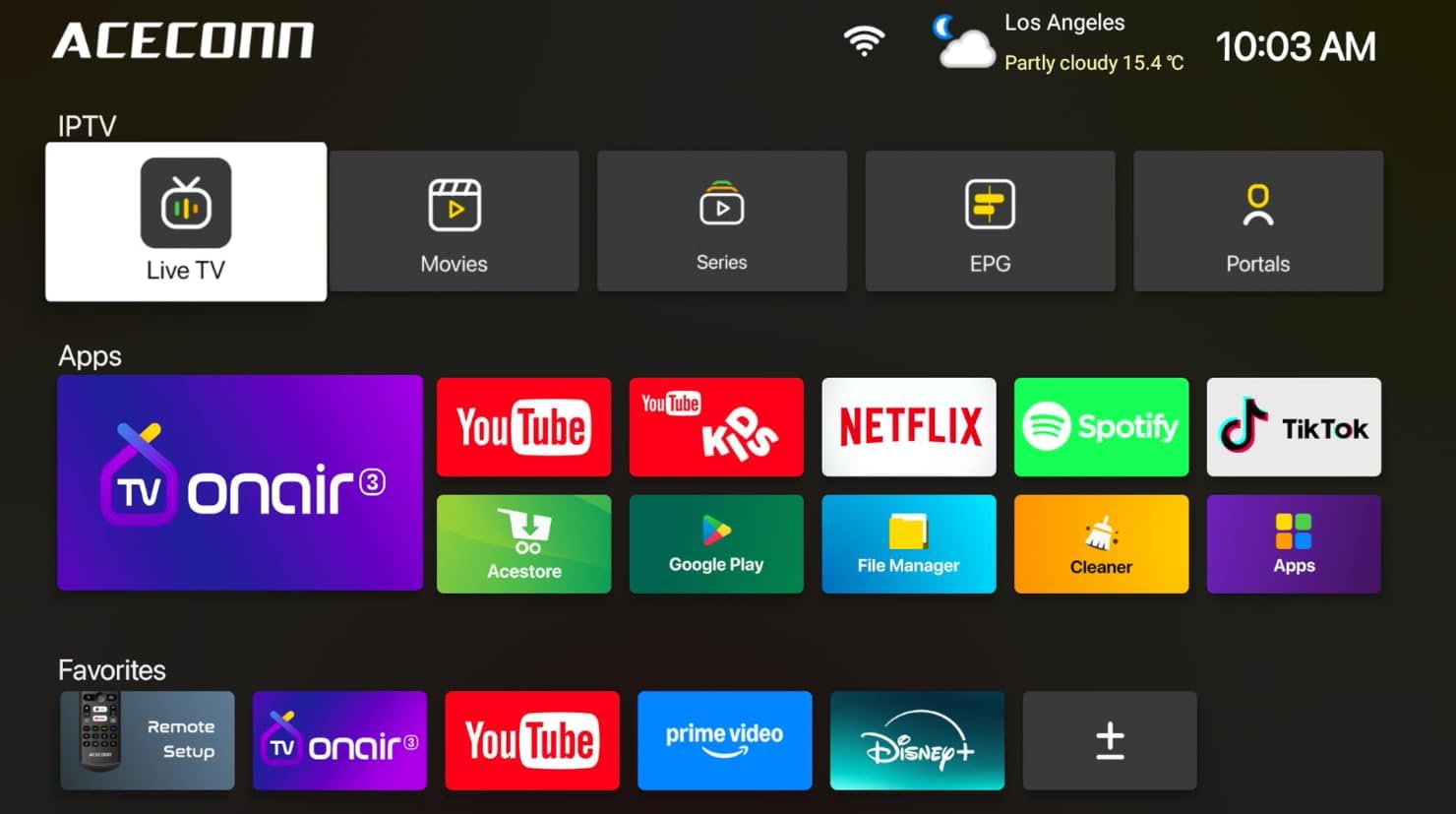
Image: Main user interface of the ACECONN Pi2, displaying various content categories and applications.
3.2 Navigation and Remote Control
Use the directional buttons on the remote control to navigate through menus and select items. The 'OK' button confirms selections, and the 'Back' button returns to the previous screen. Familiarize yourself with the remote's layout for optimal control.
3.3 Медиа ойнотуу
The Pi2 supports various media playback options:
- Агым: Access pre-installed or downloaded streaming applications for online content.
- Жергиликтүү ойнотуу: Connect a USB hard drive or flash drive to play downloaded 4K content directly. The device supports full format compatibility including MKV, MP4, and AVI.
- Personal Media Library: Utilize applications like Kodi to organize and play your media collection.

Image: The ACECONN Pi2 supports various media consumption scenarios, including family streaming, personal media organization, and local file ойнотуу.
3.4 Тармак орнотуулары
Тармакка туташуу үчүн:
- Navigate to the 'Settings' menu from the home screen.
- Select 'Network' or 'Wi-Fi' settings.
- For Wi-Fi, select your network from the list and enter the password. For Ethernet, ensure the cable is connected; the device should automatically connect.
3.5 Система орнотуулары
The 'Settings' menu allows you to customize various aspects of your device:
- Дисплей: Adjust resolution, screen scaling, and HDR settings. The device supports 4K@60fps with HDR 10+ for an enhanced visual experience.
- Аудио: Configure audio output options.
- Language & Input: Change the system language and keyboard settings.
- Ата-энелик көзөмөл: Utilize the built-in parental control features to manage content access.
- Жөнүндө: View device information, including the Linux 4.9 kernel version.

Image: The ACECONN Pi2 offers advanced 4K decoding, HDR 10+ dynamic color, and broad media format compatibility.
4. Техникалык тейлөө
4.1 Тазалоо
To maintain the device's appearance and performance, gently wipe the exterior with a soft, dry cloth. Avoid using liquid cleaners or abrasive materials.
4.2 Software Updates (OTA Updates)
The ACECONN Pi2 supports Over-The-Air (OTA) updates, as well as updates via USB. Regularly checking for and installing updates ensures you have the latest features, drivers, and security enhancements. This contributes to the device's rugged 24/7 stability.
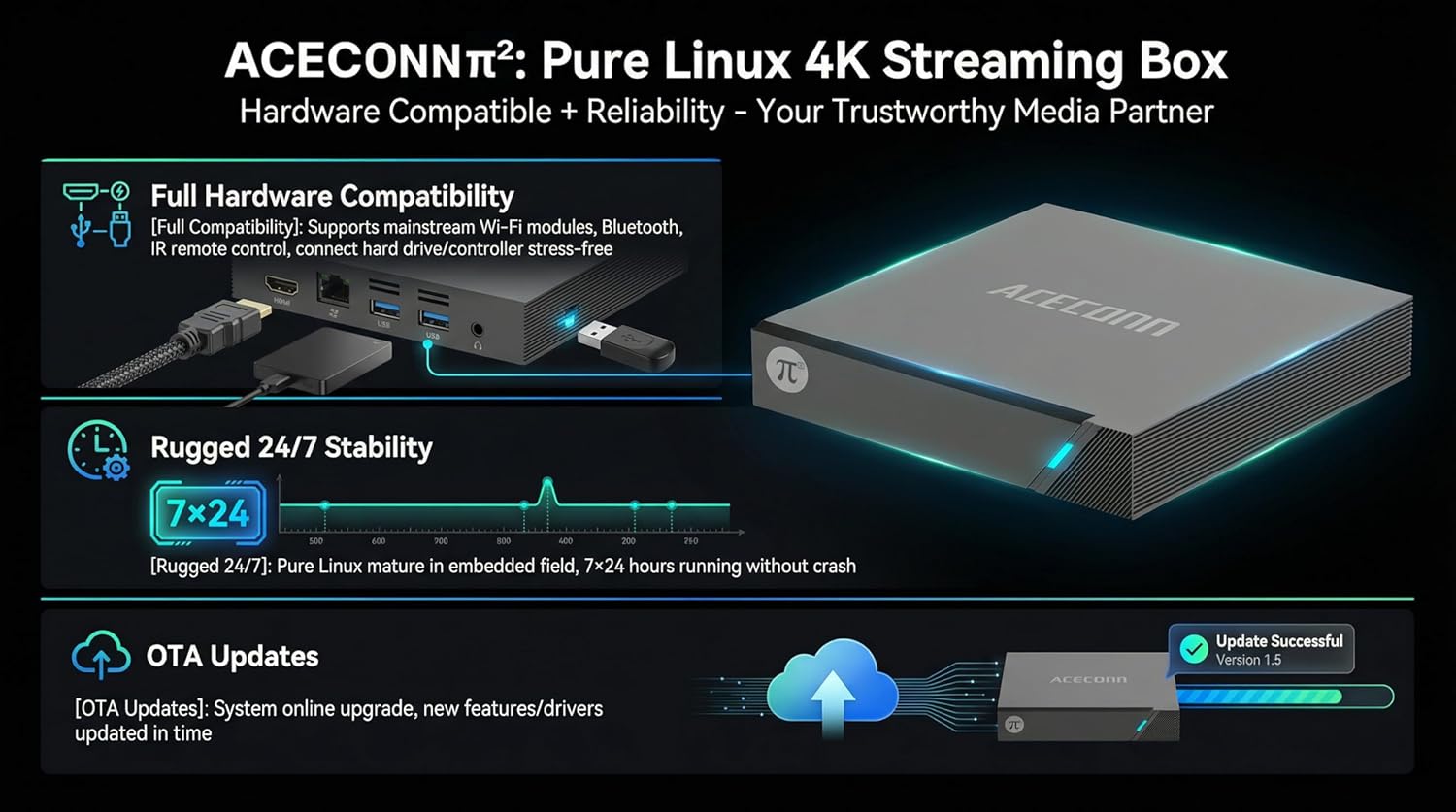
Image: The ACECONN Pi2 features full hardware compatibility, robust stability, and convenient OTA updates.
5. Кыйынчылыктарды
If you encounter issues with your ACECONN Pi2, refer to the following common problems and solutions:
- Кубат жок:
- Кубат адаптери аспапка жана иштеген электр розеткасына бекем туташып турганын текшериңиз.
- Башка электр розеткасын колдонуп көрүңүз.
- Сыналгыда сигнал жок:
- Verify the HDMI cable is firmly connected to both the TV Box and the TV.
- Сыналгыңыз туура HDMI киргизүү булагына коюлганын текшериңиз.
- Сыналгыңыздагы башка HDMI кабелин же HDMI портун колдонуп көрүңүз.
- Алыстан башкаруу жооп бербейт:
- Ensure the batteries in the remote control are correctly inserted and not depleted. Replace if necessary.
- Point the remote directly at the TV Box's IR receiver.
- Тармакка туташуу маселелери:
- For Wi-Fi, re-enter the password in network settings. Ensure your router is working correctly.
- For Ethernet, check the cable connection to both the TV Box and the router.
- Роутериңизди жана TV Box'ту өчүрүп-күйгүзүңүз.
- System Lag or Freezing:
- TV Boxту кайра иштетиңиз.
- Аппараттын жетиштүү вентиляциясы бар экенин текшериңиз.
- Бар болгон программалык камсыздоо жаңыртууларын текшерип, орнотуңуз.
6. Техникалык шарттар
| Өзгөчөлүк | Спецификация |
|---|---|
| Модель номери | Pi2 |
| Бренд | ACECONN |
| Продукциянын өлчөмдөрү | 11 x 11 x 2 см |
| Элемент Салмагы | 0.5 килограмм |
| Байланыш технологиясы | Bluetooth, Ethernet, HDMI, USB, Wi-Fi |
| Туташтыргыч түрү | HDMI |
| Резолюция | 4K |
| Video Output токтому | 3840 пиксел |
| Controller Type | Колдонмо башкаруу, алыстан башкаруу |
| Эстутум сактоо сыйымдуулугу | 8 ГБ |
| Өзгөчө өзгөчөлүк | Ата-энелик көзөмөл |
| Операция системасы | Linux 4.9 Kernel |
7. Кепилдик жана колдоо
7.1 Кепилдик маалыматы
This ACECONN Pi2 Linux 4K HD Super Box TV Box comes with a 1 жылдык Өндүрүүчүнүн Кепилдиги сатып алынган күндөн тартып. Кепилдик дооматтары үчүн сатып алганыңыздын далилин сактап коюңуз.
7.2 Кардарларды колдоо
For technical assistance or warranty inquiries, please contact the manufacturer:
- Өндүрүүчү: shenzhenshiniulinkejiyouxiangongsi
- Электрондук почта: zengkkoo@gmail.com