
Introduction
This manual provides essential instructions for the safe and efficient operation of your ASHATA 5 Inch E-Book Reader (Model ASHATA7sn5yg8thx). Please read this manual thoroughly before using the device and retain it for future reference.
Коопсуздук маалыматы
- Аппаратты экстремалдык температурага, түз күндүн нуруна же жогорку нымдуулукка дуушар кылбаңыз.
- Аппаратты түшүрүүдөн же катуу таасирлерден сактаныңыз.
- Зыяндын алдын алуу үчүн берилген заряддоо кабелин жана адаптерди гана колдонуңуз.
- Аппаратты суудан жана башка суюктуктардан алыс кармаңыз.
- Do not attempt to disassemble or repair the device yourself. Contact support for assistance.
Пакеттин мазмуну
Пакетте бардык буюмдар бар экенин текшериңиз:
- 1 x ASHATA E-Reader
- 1 х Наушник
- 1 x заряддоо кабели (Type-C)
- 1 x Writing Pad
- 1 x Capacitive Pen
- 1 х экран коргоочу
- 1 x коргоочу куту
- 1 х Колдонуучунун колдонмосу (бул документ)
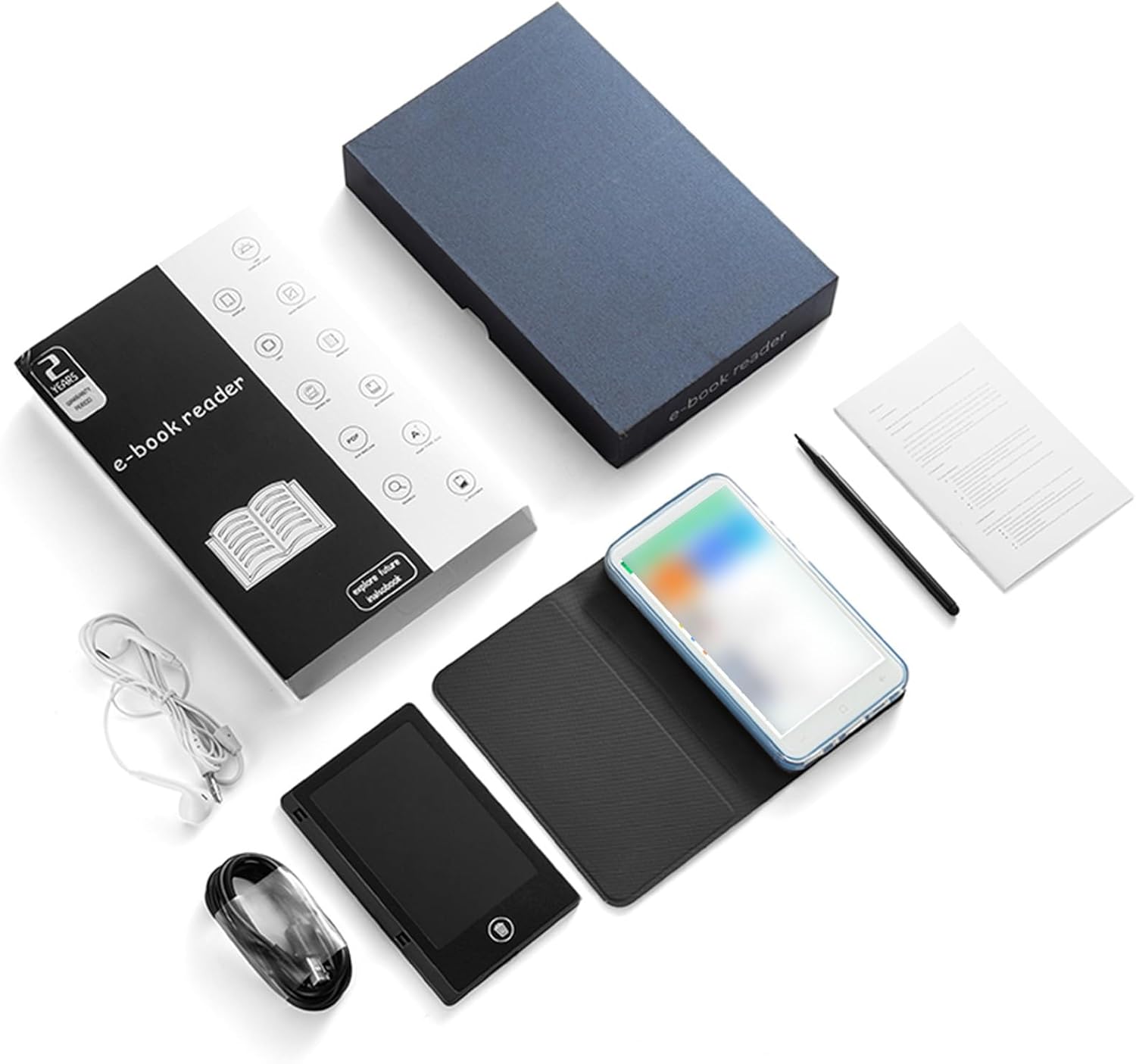
Image: All components included in the ASHATA E-Reader package.
Түзмөк бүттүview
The ASHATA E-Book Reader features a compact and lightweight design for comfortable handling and portability.

Сүрөт: Алдыңкы, арткы жана каптал views of the ASHATA E-Reader, highlighting its lightweight design and button/port layout.
- Дисплей: 5-inch, 480*854 touchscreen.
- Физикалык баскычтар: Volume +/-, Camera, Power.
- USB интерфейси: Кубаттоо жана маалыматтарды берүү үчүн Type-C порту.
- Гарнитура уячасы: 3.5 мм порт.
- Камера: 5M with flash.
Жайгашуу
- Баштапкы күйгүзүү: Аппаратты күйгүзүү үчүн кубат баскычын 1-3 секунд басып туруңуз.
- Тил тандоо: Once the device is on, navigate to the settings menu to select your preferred language.
- Заряддоо: Connect the provided Type-C charging cable to the device and a power source. Ensure the device is fully charged before first use.
- Экран коргоочу: Apply the included screen protector to prevent scratches.
- Коргоочу корпус: Place the device into the protective case for added durability and protection.
Иштөө нускамалары
Негизги операция
- Күйгүзүү/өчүрүү: Кубат баскычын 1-3 секунд басып, кармап туруңуз.
- Экранда навигация: Use the touchscreen to navigate menus and select options.
- Үндү көзөмөлдөө: Use the volume +/- buttons to adjust audio output.
Электрондук китептерди окуу
The device supports various e-book formats including PDF, EPUB, MOBI, TXT, and more. Its eye-guard screen technology mimics traditional ink on paper, reducing eye strain.
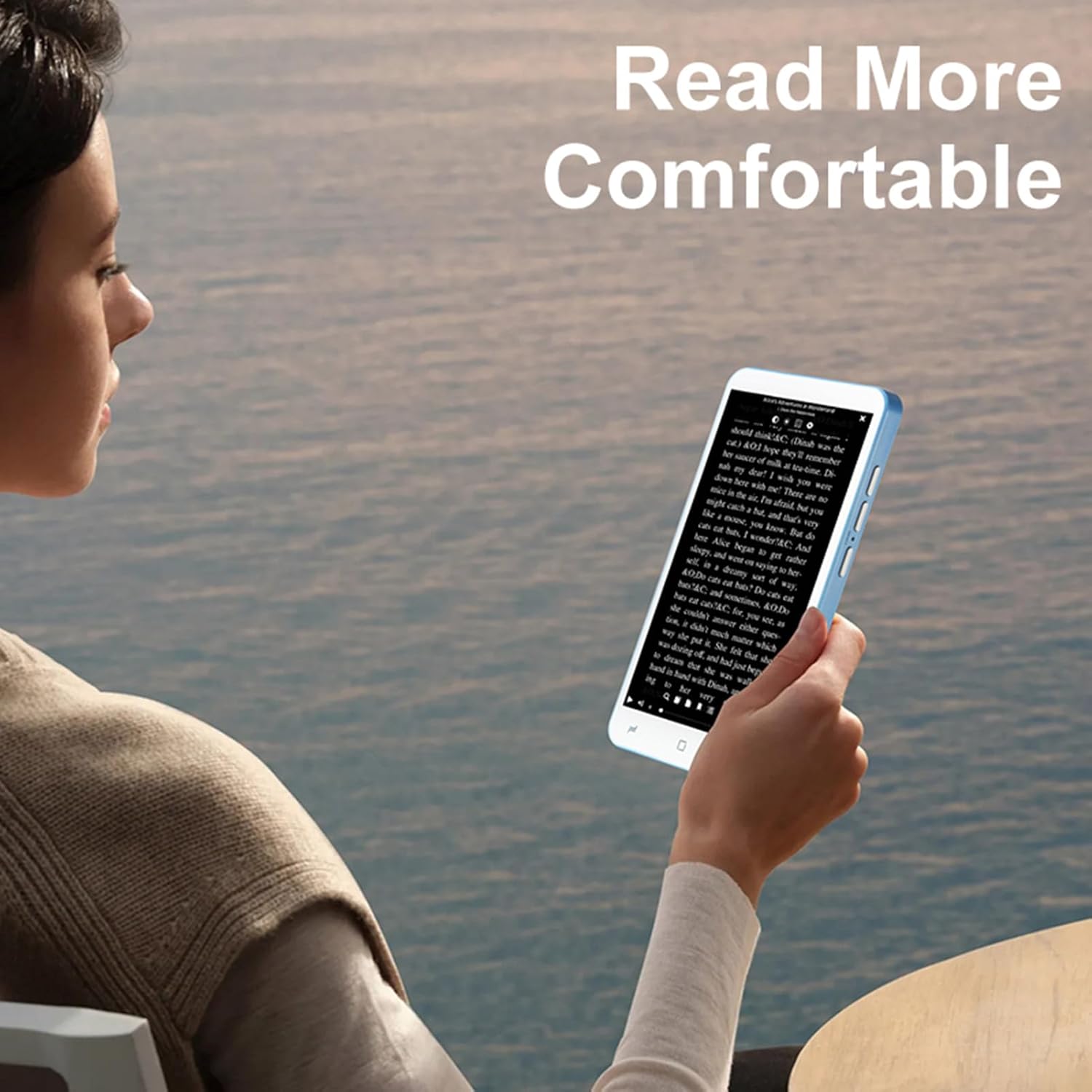
Image: A user holding the ASHATA E-Reader, demonstrating comfortable reading posture.
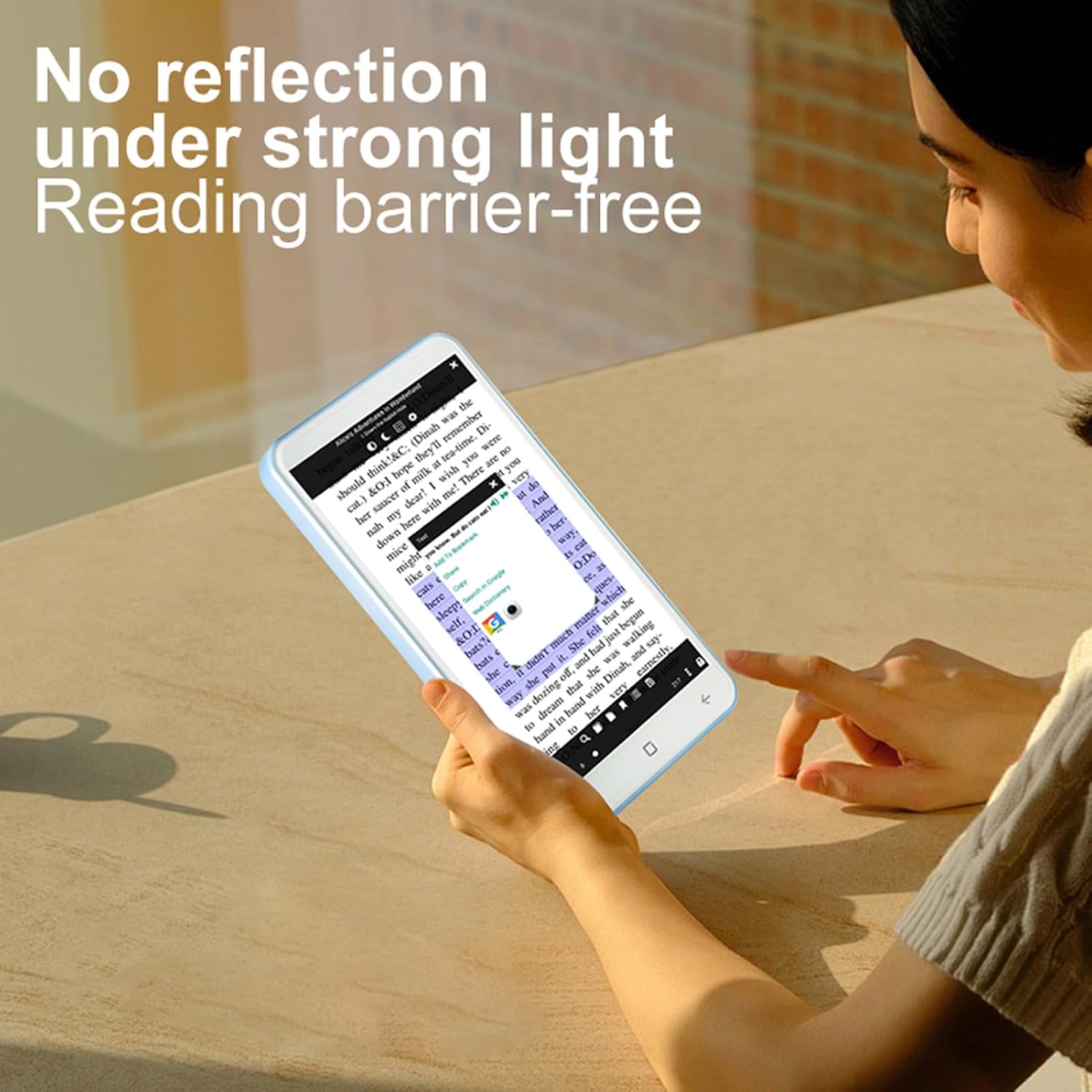
Image: The ASHATA E-Reader display showing text clearly visible even in bright conditions, demonstrating its non-reflective screen.
- Opening Books: Tap on an e-book file аны ачуу.
- Баракты айлантуу: Swipe left or right on the screen to turn pages.
- Текстти тууралоо: Access settings within the e-book reader application to adjust font size, style, and line spacing.
Using the Handwriting Tablet
The device comes with a dedicated writing pad and capacitive pen, allowing you to take notes or make annotations.

Image: The ASHATA E-Reader alongside its capacitive pen, highlighting the flat TFT screen and handwriting capabilities.
- Activating Writing Mode: Open the dedicated writing application or annotation feature within an e-book.
- Калемди колдонуу: Use the capacitive pen on the screen or the separate writing pad to write or draw.
Камеранын иштеши
The integrated 5MP camera with flash allows for capturing images.
- Камерага кирүү: Locate and tap the camera application icon.
- Сүрөткө тартуу: Press the dedicated camera button or the on-screen shutter button.
Байланыш
The device supports Wireless-Fidelity (Wi-Fi) and BT 4.0LE for internet access and connecting to other devices.
- Wi-Fi: Go to Settings > Wireless & Networks > Wi-Fi to connect to available networks.
- BT: Go to Settings > Connected Devices > BT to pair with BT headphones or other accessories.
Техникалык тейлөө
- Экранды тазалоо: Экранды акырын сүртүү үчүн жумшак, мамыксыз чүпүрөктү колдонуңуз. Абразивдүү тазалоочу каражаттарды же эриткичтерди колдонбоңуз.
- Батареяга кам көрүү: For optimal battery life, avoid fully discharging the device frequently. Charge the device regularly. The built-in 2500mAh battery provides extended usage.
- Программалык камсыздоо жаңыртуулары: Periodically check for software updates in the device settings to ensure optimal performance and new features.

Image: The ASHATA E-Reader in its protective case, illustrating the device's high-capacity battery for extended reading.
Проблемаларды чечүү
| Көйгөй | Мүмкүн чечим |
|---|---|
| Түзмөк күйбөй жатат. | Ensure the device is charged. Connect to a power source and try again. If unresponsive, perform a hard reset by holding the power button for 10-15 seconds. |
| Экран жооп бербей жатат. | Аппаратты кайра иштетиңиз. Эгер маселе чечилбесе, экрандын таза жана таштандылардан таза экенин текшериңиз. |
| Wi-Fi'га туташпай жатат. | Check if Wi-Fi is enabled in settings. Ensure the password is correct. Restart your router and the e-reader. |
| E-books are not opening. | Verify the e-book format is supported. Try opening a different e-book. Ensure the e-book reader application is up to date. |
Техникалык шарттар
| Өзгөчөлүк | Деталь |
|---|---|
| Элемент түрү | E-reader with Handwriting Board |
| ЖК спецификациясы | 5 дюймдук, 480*854 |
| Сенсордук экран | COF 6PIN |
| Камера | 5M with flash |
| Физикалык баскычтар | Volume +/-, Camera, Power |
| E-reader Battery | 2500 мАч (орнотулган) |
| Handwriting Board Battery | 25mAh |
| USB интерфейси | Type-C |
| Наушник | 3.5mm (L-R-G-M) |
| берилиштер Link | Wireless-Fidelity/BT 4.0LE |
| Аппараттык платформа | MT6580, Quad-core 1.3GHz, ARM Cortex-A7 |
| Эс | 1 ГБ оперативдүү эс тутум + 8 ГБ ички сактагыч |
| Сенсорлор | G-сенсор |
| FM радиосу | Колдоо |
| Баяндамачы | 2030 Single Magnetic Speaker |
| Микрофон | Колдоо |
| Тил | Бир нече тилди колдоо |
| Сүрөт форматын колдоо | JPG, JPEG, BMP, GIF, PNG |
| Үн форматын колдоо | MP3, MP2, AMR, APE, M4A, MIDI, OGG, WAV, FLAC, 3GP |
| Видео форматын колдоо | MPEG4-SP, H.264/AVC, H.263, 3GP, 3G2, MP4, MKV, AVI, WEBM |
| E-book Format Support | PDF, EPUB, EPUB3, MOBI, DjVu, FB2, DOC, DOCX, TXT, RTF, CBR, CBZ, HTML |
| Элементтин өлчөмү | 13x7x1cm / 5.12x2.76x0.39in |
| Элемент Салмагы | 114 г / 4.02 унция |
Кепилдик жана колдоо
The ASHATA E-Book Reader comes with a manufacturer warranty for 90 days from the date of purchase. This warranty covers defects in materials and workmanship under normal use.
For technical support, warranty claims, or further assistance, please contact ASHATA customer service through your retailer or the official ASHATA website. Please have your model number (ASHATA7sn5yg8thx) and proof of purchase ready.


