
1. Киришүү
This manual provides essential instructions for the safe and efficient operation of your TMY 4K Support Outdoor Smart Projector. Please read this manual thoroughly before using the projector and retain it for future reference. The projector offers native 1080P Full HD resolution, supporting 4K input, and features built-in Android TV for direct access to various applications. Its 270° rotatable design, electric focus, and auto keystone correction ensure flexible placement and optimal image quality.
2. Коопсуздук маалыматы
- l болгондо проектордун объективине тике карабаamp күйүк. Күчтүү жарык көзгө зыян келтириши мүмкүн.
- Проектордун айланасында жакшы желдетүүнү камсыз кылыңыз. Желдетүүчү тешиктерди жаппаңыз.
- Keep the projector away from water or other liquids to prevent electric shock.
- Проектор менен келген кубат адаптерин гана колдонуңуз.
- Проекторду туруксуз беттерге коюудан алыс болуңуз.
- Проекторду өз алдынча ачууга же оңдоого аракет кылбаңыз. Бардык тейлөө иштерин квалификациялуу адистерге тапшырыңыз.
- Keep the projector away from heat sources such as radiators, heat registers, stoves, or other apparatus that produce heat.
3. Пакеттин мазмуну
Пакетте бардык буюмдар бар экенин текшериңиз:
- TMY 4K Support Outdoor Smart Projector
- Кубаттуу адаптер
- Алыстан башкаруу
- User Manual
4. Продукт бүтүп калдыview
The TMY 4K Support Outdoor Smart Projector is a versatile device designed for various entertainment and presentation needs. It features a compact, rotatable body and delivers native 1080P Full HD visuals with support for 4K input, ensuring vibrant colors and sharp details.

Сүрөт: Алдыңкы бурч view of the TMY Smart Projector, showcasing its compact, modern design in white with a prominent dark lens. The image highlights the device's aesthetic and its rotating base.
Проектордун компоненттери жана туташтыруу порттору менен таанышып алыңыз.
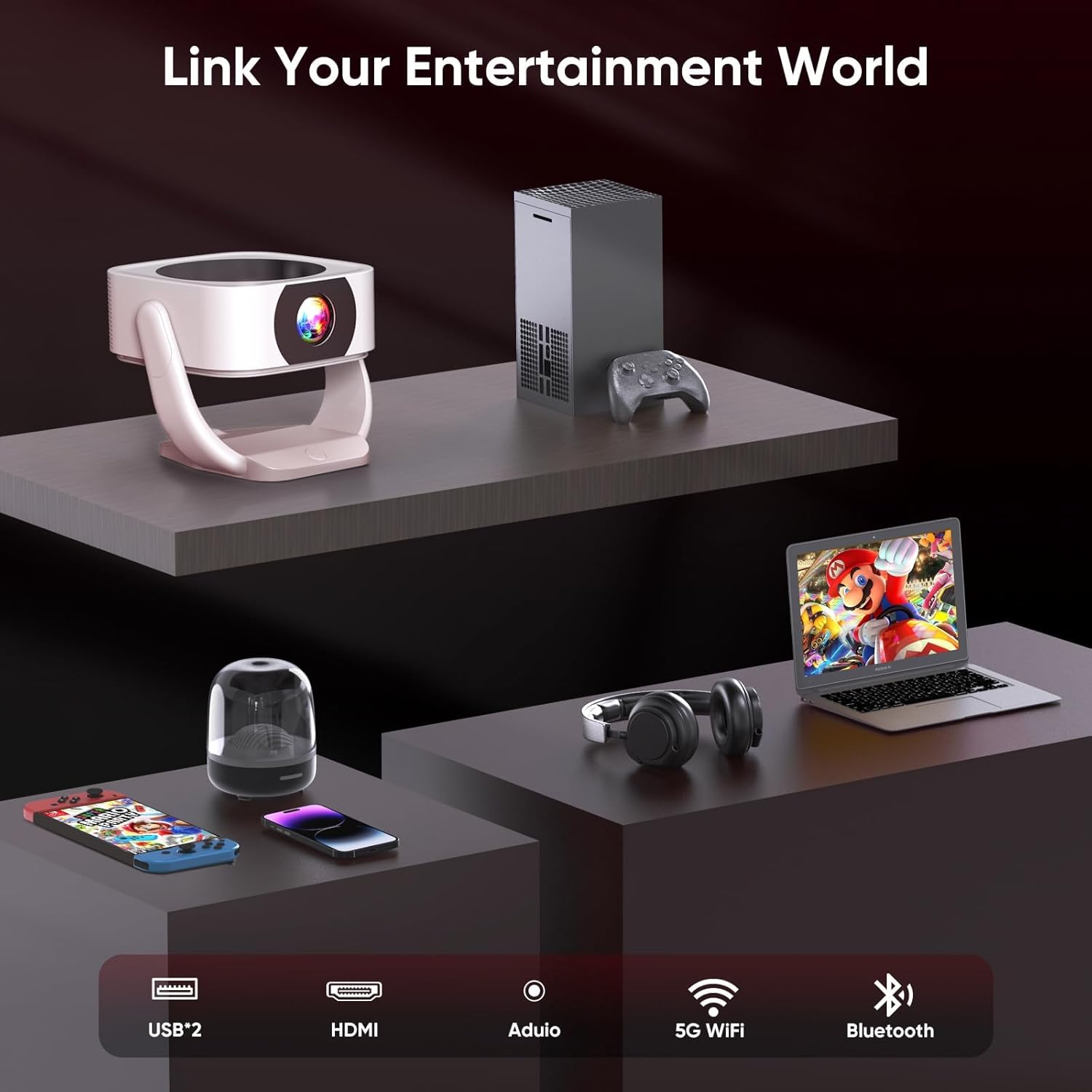
Сүрөт: Арткы view of the TMY Smart Projector showing its connectivity options. These include USB ports, an HDMI input, an audio output, and indicators for 5G WiFi and Bluetooth connectivity. This allows for a wide range of external device connections.

Сүрөт: A visual comparison demonstrating the projector's superior color reproduction. One side, labeled 'Ours', displays vibrant and rich colors, while the other side, labeled 'Others', shows muted and less dynamic hues, highlighting the projector's ability to 'Bring Colors to Life'.
5. Орнотуу
5.1 Орнотуу
The TMY Smart Projector's 270° rotatable design and adjustable stand allow for flexible placement. You can project onto walls, ceilings, or even outdoors. Position the projector at a distance between 1 meter (minimum) and 9.98 meters (maximum) from your desired projection surface to achieve the optimal screen size.

Сүрөт: Two TMY Smart Projectors demonstrating multi-angle projection. One projects onto a wall screen, and the other projects onto the ceiling, illustrating the device's flexibility for various viewорнотуулар.

Сүрөт: A TMY Smart Projector shown with its rotating base, highlighting its 270-degree rotatable design for versatile projection angles.
5.2 Кубат туташтыруу
Connect the provided power adapter to the projector's power input port, then plug the adapter into a standard electrical outlet.
5.3 Баштапкы күйгүзүү
Түзмөктү күйгүзүү үчүн проектордогу же пульттагы күйгүзүү баскычын басыңыз. Проектор күйүп, башкы экранды көрсөтөт.
5.4 Фокусту жана Keystone жөндөөсүн
The projector features remote electric focus and automatic keystone correction.
- Электр Фокус: Use the remote control to adjust the focus until the image appears sharp and clear.
- Автоматтык негизги ташты оңдоо: The projector will automatically correct distorted images (trapezoidal effect) to ensure a rectangular projection. Manual adjustments may be available in the settings menu if needed.

Сүрөт: A family enjoying a movie projected by the TMY Smart Projector. This image highlights the ease of achieving a brilliant image with E-focus and Auto Keystone correction, even when projecting from a casual position.
6. Иштөө нускамалары
6.1 Smart Features and Navigation
Your TMY Smart Projector comes with built-in Android TV, providing access to hundreds of applications directly from the device.
- Use the remote control's directional buttons to navigate through the Android TV interface.
- Select applications like YouTube, Netflix, Prime Video, etc., from the home screen to start streaming content.
- Access the app store to download and install additional applications.
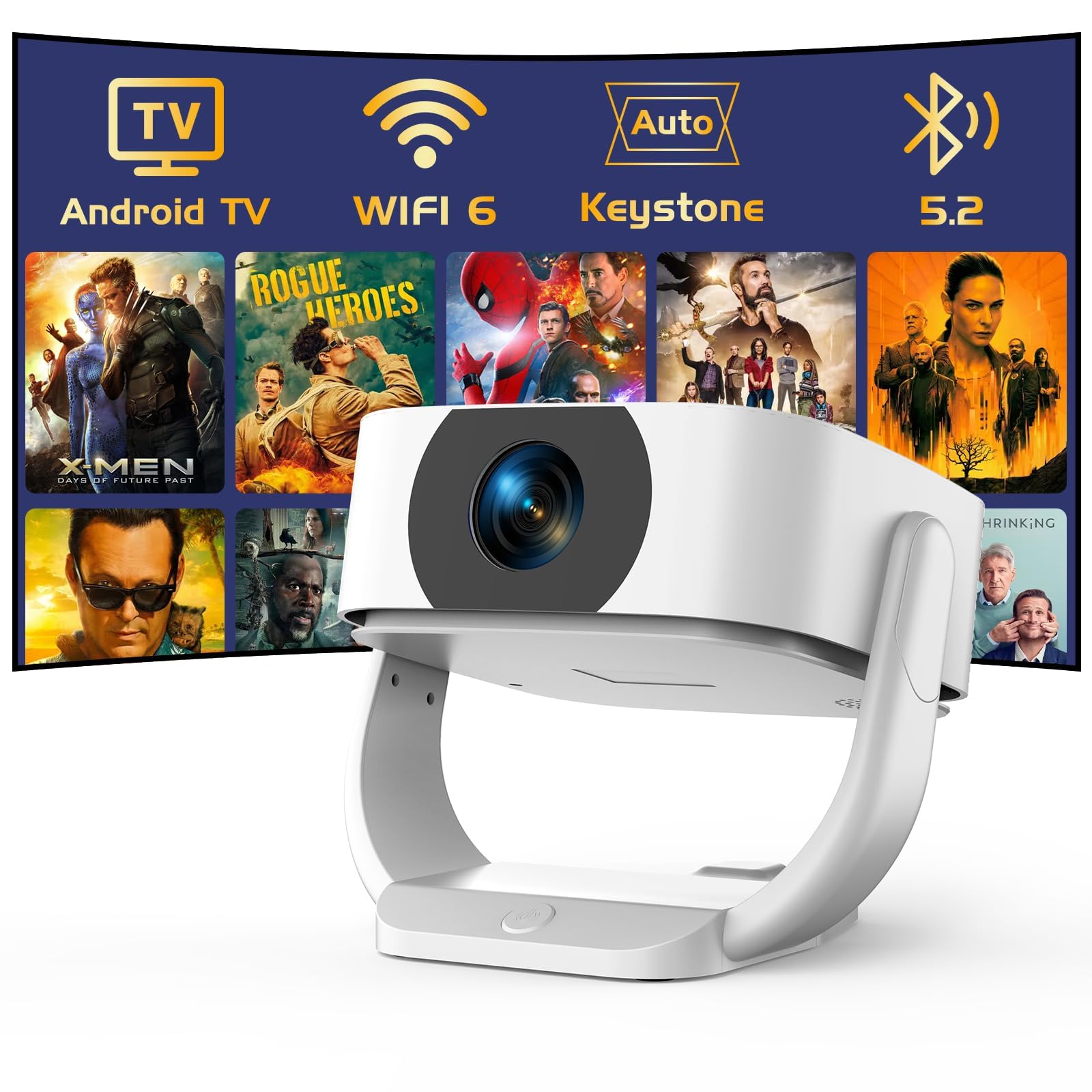
Сүрөт: The TMY Smart Projector's interface showing a wide array of built-in streaming applications, including HBO Max, YouTube, Netflix, and Prime Video, demonstrating its capability to provide endless entertainment without external devices.
6.2 WiFi туташуусу
Connect your projector to a wireless network for internet access and streaming.
- Go to the "Settings" menu on the home screen.
- Select "Network & Internet" or "WiFi Settings".
- WiFi күйгүзүп, тизмеден каалаган тармагыңызды тандаңыз.
- Суралган болсо, сырсөздү киргизип, туташыңыз.
6.3 Bluetooth байланышы
The projector supports two-way Bluetooth 5.2, allowing it to connect to external Bluetooth speakers or headphones, or function as a standalone Bluetooth speaker.
- Connecting to External Speakers:
- "Орнотуулар" > "Bluetooth" бөлүмүнө өтүңүз.
- Enable Bluetooth and search for devices.
- Select your Bluetooth speaker/headphone from the list to pair.
- Using as a Standalone Bluetooth Speaker:
Refer to the specific instructions in the projector's settings or a dedicated mode for activating its Bluetooth speaker function. This allows you to play audio from your smartphone or other devices through the projector's speakers.

Сүрөт: A visual representation of the projector's two-way Bluetooth 5.2 capabilities. It shows the projector connecting wirelessly to an external Bluetooth speaker and also receiving audio from a smartphone, demonstrating its versatility as both a source and a receiver for audio.
6.4 Экранды чагылдыруу
Mirror your smartphone (iOS/Android) screen to the projector wirelessly.
- Ensure both your smartphone and the projector are connected to the same WiFi network.
- On the projector, select the "Screen Mirroring" or "Cast" application.
- On your smartphone, activate the screen mirroring feature (e.g., "Smart View" on Android, "Screen Mirroring" on iOS Control Center).
- Select the projector from the list of available devices on your phone.
6.5 Тышкы түзмөктөрдү туташтыруу (HDMI, USB)
Connect devices such as laptops, gaming consoles, or USB drives.
- HDMI: Connect an HDMI cable from your external device to the HDMI port on the projector. Select the HDMI input source from the projector's input menu.
- USB: Insert a USB flash drive or external hard drive into the USB port. The projector's media player will typically detect the device, allowing you to browse and play media files.
6.6 Electric Zoom
Adjust the screen size without moving the projector using the electric zoom function, which allows for 50%-100% scaling.
- Access the "Picture Settings" or "Projection Settings" menu.
- Locate the "Zoom" or "Scaling" option.
- Процентти тууралаңызtage to reduce or enlarge the projected image as desired.

Сүрөт: A visual comparison demonstrating the TMY Smart Projector's ability to create a large 300-inch screen, significantly larger than a 75-inch TV. It also illustrates the 50% and 100% electric zoom capabilities, allowing users to adjust the screen size without physically moving the projector.
7. Техникалык тейлөө
- Линзаны тазалоо: Gently wipe the projector lens with a soft, lint-free cloth. For stubborn smudges, use a lens cleaning solution designed for optical surfaces.
- Тазалоо Casing: Use a soft, dry cloth to clean the projector's exterior. Do not use abrasive cleaners or solvents.
- Вентиляция: Аба агымынын туура болушун камсыз кылуу жана ысып кетүүнүн алдын алуу үчүн желдетүү тешиктерин мезгил-мезгили менен текшерип жана тазалап туруңуз.
- Сактагыч: Эгерде проектор көпкө колдонулбаса, аны салкын, кургак, чаңдан жана түз күн нурунан корголгон жерде сактаңыз.
8. Кыйынчылыктарды
| Көйгөй | Мүмкүн себеп | Чечим |
|---|---|---|
| Сүрөт көрсөтүлгөн жок | Power cable disconnected; Incorrect input source; Projector in standby mode. | Check power connection; Select correct input source (HDMI, USB, etc.); Press power button to wake up. |
| Сүрөт бүдөмүк | Фокус туураланган эмес; проектор экранга өтө жакын/алыс. | Use remote control for electric focus adjustment; Adjust projector distance. |
| Сүрөт бурмаланган (трапеция) | Проектор экранга перпендикуляр эмес. | Auto keystone correction should activate; Check manual keystone settings if available. |
| Үн жок | Үнү өтө төмөн; Үнсүз; Тышкы аудио түзмөк туташкан эмес/тандалган эмес. | Increase volume; Unmute; Check Bluetooth connection or external audio cable. |
| Пульт иштебей жатат | Batteries depleted; Obstruction between remote and projector. | Replace batteries; Remove obstructions; Ensure line of sight. |
9. Техникалык шарттар
- Бренд: TMY
- Модел: B0G63V4R3R
- Түпкү резолюция: 1080P Full HD (4K Support)
- Өзгөчөлүктөр: Built-In Wi-Fi 6, Built-in Android TV, Electric Focus, Auto Keystone Correction, 270° Rotatable Design, Two-way Bluetooth 5.2
- Аспект катышы: 16:9
- Жаңыртуу ылдамдыгы: 120 Гц
- Минималдуу ыргытуу аралыгы: 1 метр
- Максималдуу ыргытуу аралыгы: 9.98 метр
- Байланыш: HDMI, USB, Audio Out, WiFi 6, Bluetooth 5.2
- Күч: AC 100-240V, 50/60Hz (via power adapter)
- Өлчөмдөрү (посылка): 24.7 x 22.4 x 18.7 см
- Салмагы (посылка): 1.61 кг
- Келип чыккан өлкө: Кытай
10. Кепилдик жана колдоо
For warranty information and technical support, please refer to the warranty card included with your product or visit the official TMY webсайт.
Contact information for support is typically available on the manufacturer's webсайтында же продуктунун таңгагында.