
Introduction
This manual provides detailed instructions for the proper use and maintenance of your CAMMHD H4 1920P Body Camera. Please read this manual thoroughly before operating the device to ensure optimal performance and longevity. The CAMMHD H4 is designed for reliable audio and video recording in various professional and personal scenarios, featuring 1920P Full HD resolution, night vision, and a long-lasting battery.

Image: The CAMMHD H4 Body Camera, illustrating its compact design and 360-degree rotating clip for versatile attachment.
Кутуда эмне бар
Төмөндө тизмеленген нерселердин баары пакетиңизге камтылганын текшериңиз:
- 1* H4 Body Camera (with 64GB memory pre-installed)
- 1* 360° Rotating Long Clip
- 1* 360° Rotating Short Clip
- 1 * Заряддоочу
- 1 * USB кабели
- 1* Колдонуучунун колдонмосу

Image: All components included with the CAMMHD H4 Body Camera: the camera unit, long clip, short clip, USB cable, charger, and user manual.
Продукт бүттүview
The CAMMHD H4 Body Camera is a compact and robust recording device. It features a high-definition lens, infrared LEDs for night vision, and intuitive controls for easy operation. The device is designed for durability and versatility in various environments.

Image: The CAMMHD H4 Body Camera highlighting its one-touch start buttons for video and audio recording, emphasizing user-friendly operation.
Негизги өзгөчөлүктөрү:
- 1920P Full HD Video Resolution: Так жана деталдуу фоону тартатtage.
- 3000 мАч Батарея: Provides 8-10 hours of continuous recording at 1080P (night vision off, screen idle).
- Auto/Manual Night Vision: High-power infrared for clear recording in low light or darkness.
- 150° кең бурчтуу объектив: Кеңири талаа view.
- Цикл жаздыруу: Эң эски азык-түлүктөрдүн үстүнөн жазылатtagд сактагыч толгондо.
- Кыймылды аныктоо: Records when movement is detected.
- Сырсөздү коргоо: Secures recorded data.
- Time Stamp: Embeds date and time into recordings.
Жайгашуу
1. Аппаратты заряддоо
Before first use, fully charge the body camera. Connect the USB cable to the camera and then to the provided charger. Plug the charger into a standard wall outlet. The charging indicator light will show the charging status. A full charge typically takes about 4 hours.

Image: The CAMMHD H4 Body Camera emphasizing its 3000mAh battery, capable of 8 hours of continuous use.
2. Клипти бекитүү
Select either the long or short 360° rotating clip based on your preference. Attach the clip to the back of the camera by sliding it into the designated slot until it clicks securely into place. The clip allows for flexible mounting on clothing or gear.
3. Күйгүзүү / Өчүрүү
- Күйгүзүү: Экран жарыктанганга чейин Кубат баскычын бир нече секунд басып туруңуз.
- Өчүрүү: Түзмөк өчкөнгө чейин Кубат баскычын басып, кармап туруңуз.
Иштөө нускамалары
1. Видео жаздыруу
From standby mode, press the dedicated Video Record button once to start recording. The indicator light will flash, and a recording icon will appear on the screen. Press the button again to stop recording. Videos are saved automatically.
2. Аудио жазуу
From standby mode, press the dedicated Audio Record button once to start audio-only recording. An audio recording icon will appear. Press the button again to stop recording. Audio fileс автоматтык түрдө сакталат.
3. Сүрөткө тартуу
From standby mode, press the Photo button once to take a still image. The screen may briefly flash, indicating a photo has been captured.
4. Түнкү көрүнүш
The camera features automatic and manual night vision. In low-light conditions, the camera can automatically activate its infrared LEDs. You can also manually toggle night vision on or off via the menu settings or a dedicated button (refer to device interface for specific button). Ensure clear visibility in dark environments.
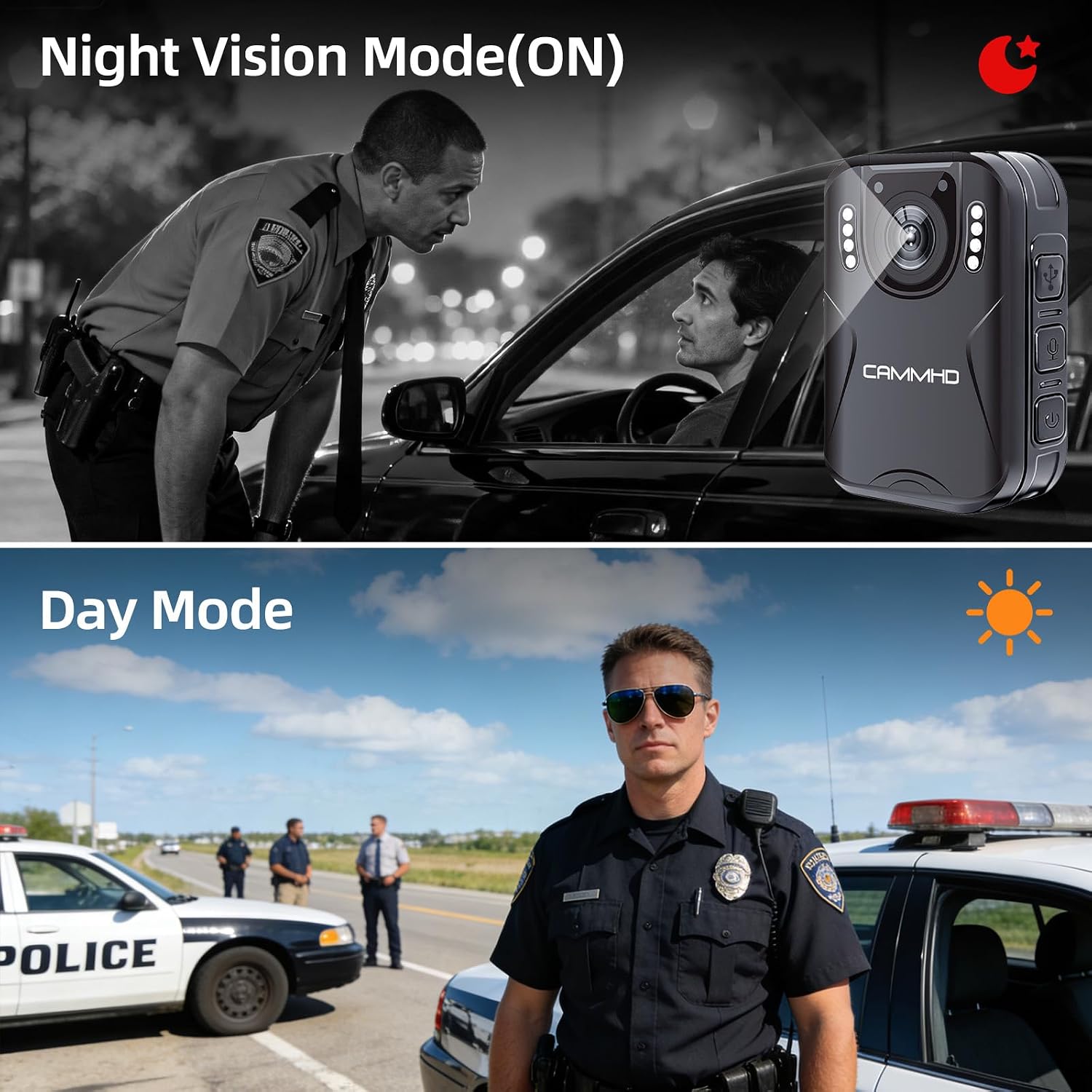
Image: Illustrates the difference between Night Vision Mode (ON) and Day Mode, showing clear visibility in dark conditions with the CAMMHD H4.
5. Loop жаздыруу
When enabled, loop recording allows the camera to continuously record. Once the memory card is full, the oldest files will be automatically overwritten by new recordings. This ensures continuous operation without manual deletion of old files.
6. Motion Detection
Activate motion detection in the camera settings. When enabled, the camera will automatically begin recording when it detects movement within its field of view and stop when motion ceases, conserving battery and storage space.
7. Password Protection and Time Stamp
The camera supports password protection to secure your recorded data. Access the settings menu to set up or change your password. The time stamp feature automatically embeds the date and time onto all recordings, providing crucial chronological evidence.
Техникалык тейлөө
- Тазалоо: Камера корпусун тазалоо үчүн жумшак, кургак чүпүрөктү колдонуңуз. Линза үчүн, чийилип калбашы үчүн, линзаны тазалоочу атайын чүпүрөктү жана эритмени колдонуңуз.
- Сактагыч: Камераны салкын, кургак жерде күндүн тике тийген нурунан жана экстремалдык температурадан алыс сактаңыз.
- Батареяга кам көрүү: Батареянын иштөө мөөнөтүн узартуу үчүн, батареянын тез-тез толук зарядын жоготуп алуудан алыс болуңуз. Батареянын иштөө мөөнөтүн сактоо үчүн, колдонулбаса да, камераны үзгүлтүксүз кубаттап туруңуз.
- Программалык камсыздоонун жаңыртуулары: Өндүрүүчүнү текшериңиз webоптималдуу иштешин жана жаңы мүмкүнчүлүктөрдү камсыз кылуу үчүн бардык жеткиликтүү микропрограммаларды жаңыртуу үчүн сайтка мезгил-мезгили менен.
Проблемаларды чечүү
| Көйгөй | Мүмкүн себеп | Чечим |
|---|---|---|
| Камера күйбөйт. | Батареянын аздыгы; аппараттын бузулушу. | Charge the camera for at least 4 hours. If still unresponsive, contact support. |
| Cannot record video/audio. | Memory card full; memory card error; incorrect mode. | Check available storage. Format the memory card (this will erase all data). Ensure you are in the correct recording mode. |
| Видеонун сапаты начар. | Dirty lens; low light conditions; incorrect resolution setting. | Линзаны тазалаңыз. Түнкү көрүүнү аз жарыкта иштетиңиз. Менюдан видеонун чечилиш жөндөөлөрүн текшериңиз. |
| Батарея бат эле түгөнөт. | Continuous recording; night vision active; screen always on. | Reduce continuous recording time. Turn off night vision when not needed. Set screen to idle or turn off display. |
Техникалык шарттар
| Бренд | CAMMHD |
| Модель аты | CAMMHD-H4 |
| Видео тартуунун резолюциясы | 1920p |
| Сүрөт сенсорунун чечилиши | 4 депутат |
| Viewбурч | 170 градус |
| Батарея сыйымдуулугу | 3000mAh |
| Үзгүлтүксүз жаздыруу убактысы | 8-10 hours (at 1080P, night vision off, screen idle) |
| Заряддоо убактысы | Болжол менен 4 саат |
| Байланыш технологиясы | USB |
| Сактагыч | 64GB (pre-installed Micro SD) |
| Элементтин өлчөмдөрү | 1.03 x 2.08 x 2.99 дюйм |
| Элемент Салмагы | 110 грамм |
| Түс | Кара |
Кепилдик жана колдоо
Өндүрүүчүнүн Кепилдиги
CAMMHD offers a warranty for its products. If there is any quality problem within 30 working days after purchase, you may apply for returning the goods. Please retain your proof of purchase for warranty claims.
Кардарларды колдоо
For technical assistance, troubleshooting, or warranty inquiries, please contact CAMMHD customer support. Refer to the product packaging or the official CAMMHD webакыркы байланыш маалыматы үчүн сайт.
Сиз да зыярат кылсаңыз болот CAMMHD Store on Amazon көбүрөөк продукт маалымат жана колдоо ресурстар үчүн.