
1. Продукт бүтүп калдыview
The Philips 55MLED610/94 is a 55-inch 4K Ultra HD QLED Smart QD-Mini LED Google TV. It features advanced display technology, smart connectivity, and integrated audio solutions for an enhanced viewтажрыйбасы.

Фронт view of the Philips 55MLED610/94 55-inch 4K QD-Mini LED Google TV.
Негизги өзгөчөлүктөрү:
- Дисплей: 4K QD-Mini LED Panel, Philips Halo Control Technology, Dolby Vision, Local Dimming, 120 Hz Motion Clarity HSR, HDR 10+, 178 Degree Wide Viewing Angle, MEMC, ALLM.
- Smart TV: Google TV operating system, 2GB RAM, 32GB ROM, Quad Core Processor, Dual band WIFI 5, Hands-Free Voice Control, Screen Mirroring, Google Assistant compatibility.
- Аудио: 36 Watts Output, Dolby Atmos, Dolby Audio.
- Байланыш: 3 HDMI Ports (including HDMI 2.1), 2 USB Ports, 1 LAN Port, 1 Antenna Input, 1 Satellite Input, 1 Digital Audio Out (Optical), 1 AV-IN, 1 Earphone port.
2. Орнотуу жана орнотуу
2.1 Пакеттен чыгаруу жана мазмуну
Carefully unpack the television and ensure all components are present.
- 1N TV Unit
- 2N Stand Bases
- 1N Quick Start Guide
- 1N Кепилдик картасы
- 1N алыстан башкаруу
- 2N AAA батарейкалары (алыстан башкаруу үчүн)
- 1N Электр кабели
- 4N Screws (for stand/mount)
- 1N AV Converting Cable

Illustration showing the TV unit and its included accessories for setup.
2.2 Стендди орнотуу же дубалга орнотуу
The television supports both table-top stand installation and wall mounting.
- Стол орнотуу: Attach the provided stand bases to the bottom of the TV unit using the included screws. Ensure the stand is stable on a flat surface.
- Дубалга орнотуу: For wall mounting, use a compatible VESA wall mount (not included) and follow the instructions provided with the wall mount. Refer to the TV's back panel for mounting points.

Арткы view of the television, highlighting the mounting points and various input/output ports.
2.3 Перифериялык түзүлүштөрдү туташтыруу
Connect your external devices such as set-top boxes, gaming consoles, and audio systems to the TV using the appropriate ports.
- HDMI: Use HDMI ports for high-definition video and audio from devices like Blu-ray players or gaming consoles. HDMI 2.1 supports advanced features.
- USB: Медиа ойнотуу же тышкы сактагыч үчүн USB дисктерди туташтырыңыз.
- LAN: Туруктуу зымдуу интернет байланышы үчүн.
- Антенна/Спутник: Телеберүү үчүн антеннаңызды же спутник тарелкаңызды туташтырыңыз.
- Санариптик аудио чыгышы (оптикалык): Тышкы үн системаларына туташуу үчүн.
- AV-IN: Композиттик видео жана стерео аудиону колдонгон эски түзмөктөр үчүн.
- Наушник: Жеке угуу үчүн.

Деталдаштырылган view of the television's input and output ports, including HDMI, USB, LAN, and audio connections.
3. Иштөө нускамалары
3.1 Баштапкы күйгүзүү жана Google TV орнотуу
After connecting the power cord, press the power button on the remote control or TV. Follow the on-screen instructions to complete the initial setup, including language selection, network connection (Wi-Fi or LAN), and Google account sign-in.

The Google TV interface, showing various streaming applications and content recommendations.
3.2 Алыстан башкаруу функциялары
The provided remote control uses both IR and Bluetooth technology. Insert the two AAA batteries as indicated.

The remote control for the Philips 55MLED610/94 TV, featuring dedicated buttons for streaming services and Google Assistant.
- Кубат баскычы: Телевизорду күйгүзөт же өчүрөт.
- Навигация аянтчасы: Менюда навигация жана тандоо үчүн.
- Google Жардамчы баскычы: Буйруктар жана издөөлөр үчүн үн менен башкарууну иштетет.
- Үн/канал баскычтары: Үндү тууралайт жана каналдарды өзгөртөт.
- Колдонмонун кыска баскычтары: Direct access to popular streaming services like Netflix and Prime Video.
3.3 Smart TV Features and Applications
The Google TV platform provides access to a wide range of applications and services.
- Алдын ала орнотулган колдонмолор: Access popular streaming services such as Prime Video, Netflix, Hotstar, Zee5, YouTube, Eros Now, Hungama, JioCinema, and SonyLiv.
- Google Жардамчысы: Use hands-free voice control to search for content, control smart home devices, and get information.
- Экранды чагылдыруу (Miracast): Мазмунду шайкеш келген мобилдик түзмөктөрдөн телевизордун экранына чыгарыңыз.
- Web Браузер: Интернетти түздөн-түз сыналгыдан карап чыгыңыз.
3.4 Дисплей жана аудио жөндөөлөрү
Оптимизациялоо үчүн сүрөт жана үн жөндөөлөрүн тууралаңыз viewугуу жана угуу тажрыйбасы.
- Сүрөт режимдери: Select from various picture modes (e.g., Standard, Vivid, Movie, Game) or customize settings like brightness, contrast, color, and sharpness.
- Dolby Vision жана HDR10+: The TV automatically detects and optimizes content for Dolby Vision and HDR10+ for enhanced dynamic range and color.
- Үн режимдери: Choose sound modes (e.g., Standard, Music, Movie) or adjust equalizer settings. Dolby Atmos provides immersive audio.
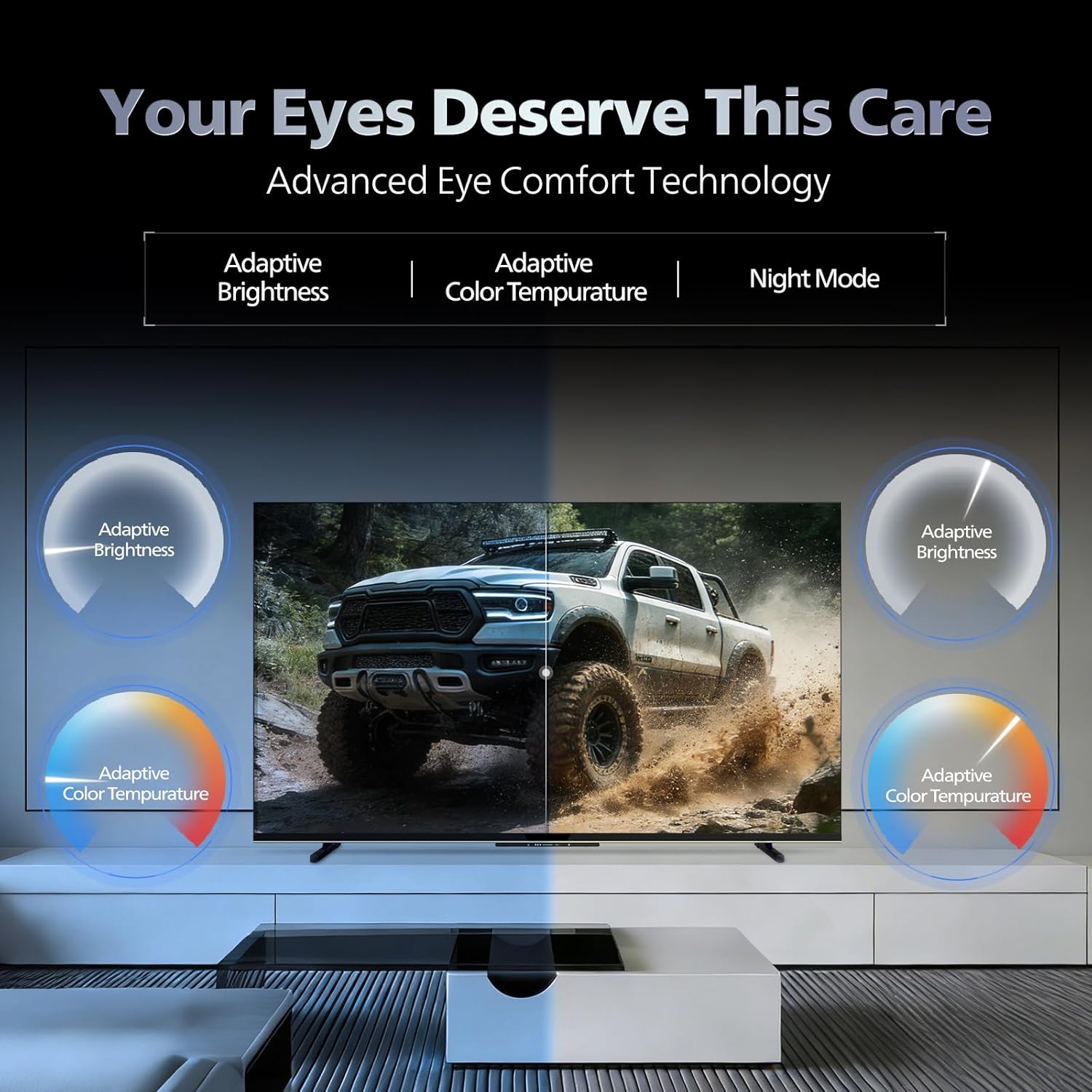
- Көздүн жайлуулугу технологиясы: Features like Adaptive Brightness, Adaptive Color Temperature, and Night Mode are available to reduce eye strain.

Visual representation of the TV's advanced eye comfort technology, including adaptive brightness and color temperature.

A visual demonstrating the immersive multi-dimensional audio experience provided by Dolby Atmos on the television.
4. Техникалык тейлөө
4.1 Телевизорду тазалоо
To clean the screen and cabinet, first unplug the power cord. Use a soft, lint-free cloth. For stubborn marks, lightly dampкездемени суу же жумшак, абразивдүү эмес экран тазалагыч менен сүртүңүз. Тазалоочу каражатты эч качан түз экранга чачпаңыз.
Маанилүү: The television is сууга чыдамдуу эмес. Avoid exposing it to liquids.
4.2 Программалык камсыздоо жаңыртуулары
Ensure your TV's software is up to date for optimal performance and security. The TV will typically prompt you for available updates. You can also manually check for updates in the settings menu.
5. Кыйынчылыктарды
If you encounter issues with your television, try the following basic troubleshooting steps before contacting support.
- Кубат жок: Ensure the power cord is securely plugged into both the TV and a working power outlet. Try a different outlet.
- Сүрөт/үн жок: Check all cable connections (HDMI, AV, Antenna). Ensure the correct input source is selected on the TV.
- Пульт иштебейт: Пульттагы батарейкаларды алмаштырыңыз. Пульт менен сыналгынын IR сенсорунун ортосунда эч кандай тоскоолдуктар жок экенин текшериңиз.
- Интернетке туташуу маселелери: Restart your Wi-Fi router. Check the TV's network settings and ensure it's connected to the correct network. Try a wired LAN connection if possible.
- Сүрөттүн сапаты маселелери: Сүрөт жөндөөлөрүн тууралаңыз (жарыктык, контраст, тактык). Мазмун булагы жогорку сапатта болушун камсыз кылуу.
The television displaying a fast-paced gaming scene, highlighting its 120Hz refresh rate and gaming optimization features.
6. Техникалык шарттар
| Өзгөчөлүк | Деталь |
|---|---|
| Модель номери | 55MLED610/94 |
| Screen Size | 55 дюйм (138 см) |
| Дисплей технологиясы | QD-Mini LED |
| Резолюция | 4K Ultra HD (3840 x 2160) |
| Жаңыртуу ылдамдыгы | 120 Hz HSR |
| HDR форматы колдоого алынат | HDR10+, Dolby Vision |
| Viewбурч | 178 градус |
| Үн чыгаруу | 36 Ватт |
| Аудио коддоо | Dolby Atmos, Dolby Audio |
| Операция системасы | Google TV |
| RAM | 2 ГБ |
| ROM | 32 ГБ |
| Байланыш | Wi-Fi (Dual band WIFI 5), Bluetooth 5.1, 3 HDMI (1x HDMI 2.1 eARC), 2 USB, 1 LAN, 1 Antenna, 1 Satellite, 1 Digital Audio Out (Optical), 1 AV-IN, 1 Earphone |
| Продукциянын өлчөмдөрү (D x W x Y) | 8D x 144.5W x 84H Сантиметр |
| Item Weight Without Stand | 9.4 килограмм |
| Энергияны керектөө | 130 Ватт |
| Энергия рейтинги | 3 Star |
| Жылдык энергия керектөө | Жылына 182 кВт |
| Камтылган компоненттер | TV Unit, Stand Bases, Quick Start Guide, Warranty Card, Remote, Batteries, Power cord, Screws, AV Converting Cable |

Dimensional drawing of the Philips 55MLED610/94 TV, showing height, width, and depth measurements.
7. Кепилдик жана колдоо
7.1 Кепилдик маалыматы
A 1-year warranty is provided by the manufacturer from the date of purchase. Warranty claims can be processed using your Amazon e-invoice.
The warranty covers manufacturing defects but does not cover spares.
7.2 Кардарларды колдоо
For assistance, contact the brand's toll-free number: 18004256396. Please provide the product's model name (55MLED610/94) and seller's details from your invoice. The service center will schedule a convenient service slot.
Өндүрүүчү: Radiant Appliances And Electronics Private Limited
Survey No. 111, 112, S-2 A 1, Ecity, Fabcity, Maheshwaram Mandal Raviryala Village, Ranga Reddy, Telangana- 501141
Импорттоочу: TPV Technology India Private Limited
Unit No. 307-308 3rd Floor, SEWA Corporate Park MG Road Gurugram Haryana 122002