
1. Киришүү
Welcome to the user manual for your new Bigme B7 Pro Android 14 Tablet. This guide provides essential information on setting up, operating, and maintaining your device to ensure optimal performance and user experience. Please read this manual thoroughly before using your tablet.
2. Продукт бүтүп калдыview
The Bigme B7 Pro is a 7-inch color E-Paper display tablet designed for reading, productivity, and communication. It features a powerful Dimensity 1080 octa-core processor, ample memory, and 4G global connectivity.
2.1 Негизги өзгөчөлүктөрү
- Жогорку аткаруу: Dimensity 1080 octa-core 2.6GHz CPU with 8GB RAM and 256GB internal storage.
- Color E-Paper Display: 7-inch eye-comfort color E-Ink screen.
- Дүйнөлүк байланыш: Supports worldwide 4G calling and data.
- Android 14 Open System: Allows installation of third-party applications.
- Borderless Handwriting: Enhanced note-taking experience with included stylus.
- Smart Call Tools: Call recording with real-time transcription and AI summarization.
- Узак мөөнөттүү батарея: Узак пайдалануу үчүн 3000mAh батарейка менен жабдылган.
2.2 Пакеттин мазмуну
- Bigme B7 Pro E-Paper Tablet
- Стилус
- Заряддоо кабели (USB-C)
- Quick Start Guide
3. Орнотуу
3.1 Алгачкы заряддоо
Before first use, fully charge your Bigme B7 Pro tablet. Connect the provided USB-C cable to the tablet's charging port and the other end to a compatible USB power adapter (not included) or a computer's USB port. The charging indicator will show the charging status.
3.2 Күйгүзүү/өчүрүү
- Күйгүзүү үчүн: Press and hold the Power button until the Bigme logo appears on the screen.
- Өчүрүү үчүн: Кубат параметрлеринин менюсу пайда болгонго чейин Кубат баскычын басып, кармап туруңуз. "Өчүрүү" дегенди тандап, ырастаңыз.
- Кайра баштоо үчүн: Кубат параметрлеринин менюсу пайда болгонго чейин Кубат баскычын басып, кармап туруңуз. "Кайра баштоону" тандап, ырастаңыз.
3.3 SIM Card Installation (for 4G Connectivity)
The Bigme B7 Pro supports 4G global connectivity. To use cellular data and calling features, you need to install a Nano-SIM card.
- Планшеттин капталындагы SIM карта салгычын табыңыз.
- SIM картаны чыгаруучу куралды (кошулмада жок) лотоктун жанындагы кичинекей тешикке салып, лоток чыгып кеткенче акырын басыңыз.
- Nano-SIM картаңызды алтын контакттары ылдый каратып, лотоктогу белгиленген уячага салыңыз.
- Лотокту планшетке ал чыкылдаган үн чыкканга чейин этияттык менен кайра салыңыз.
3.4 MicroSD Card Installation (for Storage Expansion)
Expand your tablet's storage up to 2TB using a MicroSD card (not included).
- Locate the MicroSD card slot, often combined with the SIM card tray.
- Insert the MicroSD card into the designated slot on the tray with the gold contacts facing down.
- Лотокту планшетке ал чыкылдаган үн чыкканга чейин этияттык менен кайра салыңыз.

Image: The Bigme B7 Pro supports up to 2TB MicroSD card for expanded storage.
4. Иштөө нускамалары
4.1 Негизги навигация (Android 14)
Your Bigme B7 Pro runs on the Android 14 operating system, offering a familiar and intuitive interface. Use touch gestures to navigate:
- таптаңыз: Бир нерсени тандаңыз же колдонмону ачыңыз.
- Серпүү: Scroll through screens, lists, or pages.
- Чымчып-кичирейтүү: Enlarge or reduce content.
- Узак басуу: Контексттик менюларга кириңиз же сүрөтчөлөрдү жылдырыңыз.

Image: The Bigme B7 Pro runs on an open Android 14 system, allowing for diverse app installations.
4.2 E-reading Experience
The 7-inch color E-Paper display provides a comfortable reading experience, reducing eye strain compared to traditional LCD screens. Use your preferred e-reading applications to access books, documents, and other content.
4.3 Borderless Handwriting with Stylus
The included stylus enables a natural and unrestrained note-taking experience. The borderless handwriting feature allows you to write freely across the screen without being restricted by margins.

Image: The capacitive pen provides a writing experience similar to a traditional pen on the Bigme B7 Pro.

Image: The tablet offers comprehensive note-taking tools including Wiki, Dictionary, and Translation.
4.4 4G Global Connectivity and Smart Call Tools
With 4G connectivity, your tablet functions as a communication device, allowing you to make and receive calls globally. The integrated smart call tools enhance your communication and productivity:
- Чалууну жаздыруу: Record important conversations.
- Real-time Transcription: Convert spoken words into text during calls.
- Жасалма интеллекттин кыскача баяндамасы: Automatically generate summaries of recorded calls.

Image: The Bigme B7 Pro supports global 4G connectivity for seamless communication.
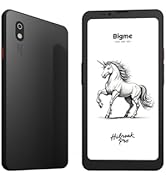
Image: Streamline communication with call recording to text, including live transcription and AI summary.
4.5 App Installation and Productivity
Leverage the open Android 14 system to install a wide range of third-party applications from the Google Play Store or other trusted sources. Enhance your productivity with features such as:
- External Bluetooth Keyboard Support: Connect a Bluetooth keyboard for efficient typing and document creation.
- 5MP арткы камера: Utilize the camera for voice calls, Optical Character Recognition (OCR) text recognition, and document scanning.

Image: Connects to an external Bluetooth keyboard for enhanced office efficiency.

Image: The 5MP rear camera supports voice calls, OCR text recognition, and document scanning.
5. Техникалык тейлөө
- Тазалоо: Планшеттин экранын жана корпусун тазалоо үчүн жумшак, түксүз чүпүрөктү колдонуңуз. Абразивдүү тазалагычтардан же эриткичтерден качыңыз.
- Батареяга кам көрүү: To prolong battery life, avoid extreme temperatures and do not let the battery fully discharge frequently. Charge the device regularly.
- Программалык камсыздоо жаңыртуулары: Regularly check for and install system updates to ensure your tablet has the latest features and security enhancements.
- Сактагычты башкаруу: Мезгил-мезгили менен ачык-айкын керексиз fileжана оптималдуу иштөөнү сактоо үчүн тиркемелер.
6. Кыйынчылыктарды
If you encounter issues with your Bigme B7 Pro, refer to the following common solutions:
- Түзмөк күйбөй жатат: Ensure the battery is charged. Connect the tablet to a charger for at least 30 minutes before attempting to power it on again.
- Жай аткаруу: Close unused applications, clear cache, or restart the device. Consider uninstalling rarely used apps or moving large files тышкы сактагычка.
- Байланыш көйгөйлөрү (Wi-Fi/4G): Check if Wi-Fi or 4G is enabled in settings. Restart your router for Wi-Fi issues. For 4G, ensure the SIM card is correctly inserted and your plan is active.
- Экран жооп бербейт: Күйгүзүү баскычын болжол менен 10-15 секунд басып туруу менен мажбурлап өчүрүп-күйгүзүңүз.
If problems persist, please contact Bigme customer support for further assistance.
7. Техникалык шарттар
| Өзгөчөлүк | Деталь |
|---|---|
| Модель аты | US-B7 Pro |
| Процессор | Dimensity 1080 Octa-core 2.6GHz |
| RAM | 8 ГБ |
| Ички сактагыч | 256 ГБ |
| Кеңейтүүчү сактагыч | MicroSD картасы аркылуу 2 ТБ чейин |
| Операция системасы | Android 14 |
| Screen Size | 7 дюйм |
| Дисплей түрү | Color E-Paper Display |
| Display Resolution | 4424 x 5880 пиксель |
| Байланыш | 4G Cellular, Wi-Fi, Bluetooth |
| Батарея сыйымдуулугу | 3000mAh |
| Батареянын иштөө мөөнөтү | Up to 9 Hours (usage dependent) |
| Арткы камера | 5MP (supports voice call, OCR, document scanning) |
| Продукциянын өлчөмдөрү | 5.46 x 6.17 x 0.23 дюйм |
| Элемент Салмагы | 6.2 унция |
| Камтылган компоненттер | E-Paper Tablet, Stylus |

Сүрөт: деталдуу view of the Dimensity 1080 processor and memory configuration.

Image: The 3000mAh battery combined with low-power E-Ink ensures long-lasting performance.

Сүрөт: Өтө арык кесипкөйfile (5.8mm, 215g) of the Bigme B7 Pro for portability.
8. Кепилдик жана колдоо
For warranty information, technical support, or service inquiries, please refer to the warranty card included with your product or visit the official Bigme website. You can also contact Bigme customer service through the contact details provided on their webсайт.
Онлайн ресурстар: Visit the Bigme Store on Amazon


