
1. Киришүү
The Bigme B7 Pro Color e-Reader is an advanced Android E-Ink tablet designed for an enhanced reading, note-taking, and multimedia experience. It features a 7-inch Kaleido 3 color e-ink display, an upgraded MediaTek Dimensity 1080 octa-core processor, 8GB RAM, and 256GB internal storage. This device supports 4G connectivity, borderless handwriting with a magnetic stylus, and operates on Android 14. This manual provides essential information for setting up, operating, maintaining, and troubleshooting your device.
2. Кутуда эмне бар
Upon unboxing your Bigme B7 Pro, please verify that all the following items are included:
- 1 x Bigme B7 Pro Color e-Reader Tablet
- 1 x Magnetic Handwriting Pen (Stylus)
- 1 x USB Type-C заряддоо кабели
- 1 х Колдонуучунун колдонмосу (бул документ)
- 1 x Giftbox

Figure 2.1: Contents of the Bigme B7 Pro package, including the e-reader, stylus, charging cable, and user manual.
3. Түзмөк бүттүview
Familiarize yourself with the physical components of your Bigme B7 Pro e-Reader.
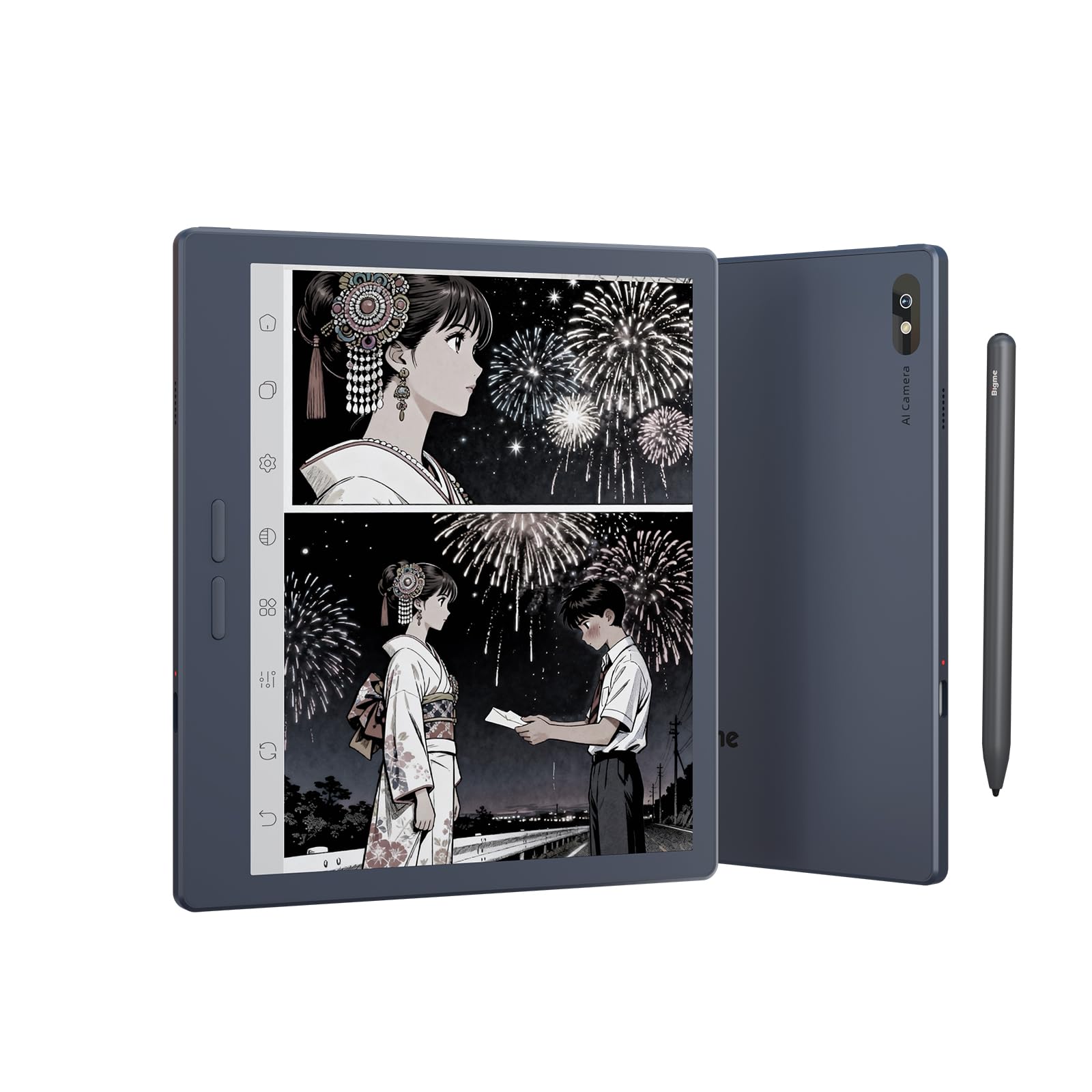
Сүрөт 3.1: Алдыңкы view of the Bigme B7 Pro Color e-Reader, showcasing анын 7 дюймдук дисплейи.

3.2-сүрөт: Арткы view of the Bigme B7 Pro Color e-Reader, highlighting the 5MP AI camera.
3.1. Физикалык баскычтар жана порттор
- Кубат баскычы: Located on the side, press and hold to power on/off or restart.
- USB-C порту: Заряддоо жана маалыматтарды өткөрүү үчүн.
- SIM карта слоту: For 4G connectivity (Nano SIM).
- Микро SD карта слоту: Сактоо көлөмүн 2 ТБ чейин кеңейтүү үчүн.
4. Баштапкы орнотуу
4.1. Аппаратты заряддоо
Before first use, fully charge your Bigme B7 Pro using the provided USB-C cable and a compatible power adapter. The charging indicator will show the charging status.
4.2. Күйгүзүү / Өчүрүү
- To power on: Press and hold the Power button until the Bigme logo appears.
- Өчүрүү үчүн: Кубат баскычын басып, кармап туруңуз, андан кийин параметрлерден "Өчүрүү" дегенди тандаңыз.
- Кайра күйгүзүү үчүн: Кубат баскычын басып, кармап туруңуз, андан кийин параметрлерден "Кайра баштоо" тандаңыз.
4.3. Баштапкы конфигурация
Follow the on-screen prompts to complete the initial setup, which typically includes:
- Тил тандоо: Өзүңүзгө жаккан тилди тандаңыз.
- Wi-Fi туташуусу: Connect to a Wi-Fi network to access online features and updates.
- Google аккаунту: Google Play Дүкөнүнө жана башка кызматтарга кирүү үчүн Google аккаунтуңуз менен кириңиз.
- SIM картаны киргизүү (милдеттүү эмес): If using 4G connectivity, insert a Nano SIM card into the designated slot.
5. Иштөө нускамалары
5.1. Display and Refresh Rate
The Bigme B7 Pro features a 7-inch 300PPI E-ink Kaleido 3 color display, offering a paper-like reading experience with zero blue light and flicker-free technology. It supports an ultra-fast refresh rate (up to 43FPS) for smoother video and animation playback.

Figure 5.1: The device displaying video content, illustrating its ultra-fast refresh rate for smooth playback.
The device also includes a 36-level adjustable dual front light mode, allowing comfortable reading in various lighting conditions, day or night.
5.2. Навигация жана колдонуучу интерфейси
Navigate the device using its responsive touchscreen. The Android 14 operating system provides a familiar interface.
5.3. Reading eBooks
Open your preferred e-book application to access your library. The device supports multiple reading formats. Adjust font size, contrast, and other display settings for optimal reading comfort.
5.4. Note-Taking and Stylus Functionality
The included magnetic stylus enables precise note-taking, document annotation, and creative tasks. The device supports borderless handwriting, allowing you to write freely across the screen without restrictions.

Figure 5.2: The e-reader screen showing freehand drawing and notes created with the stylus, illustrating borderless handwriting.
5.5. App Usage and Connectivity
Running on Android 14, the Bigme B7 Pro allows access to the Google Play Store for downloading various third-party applications.
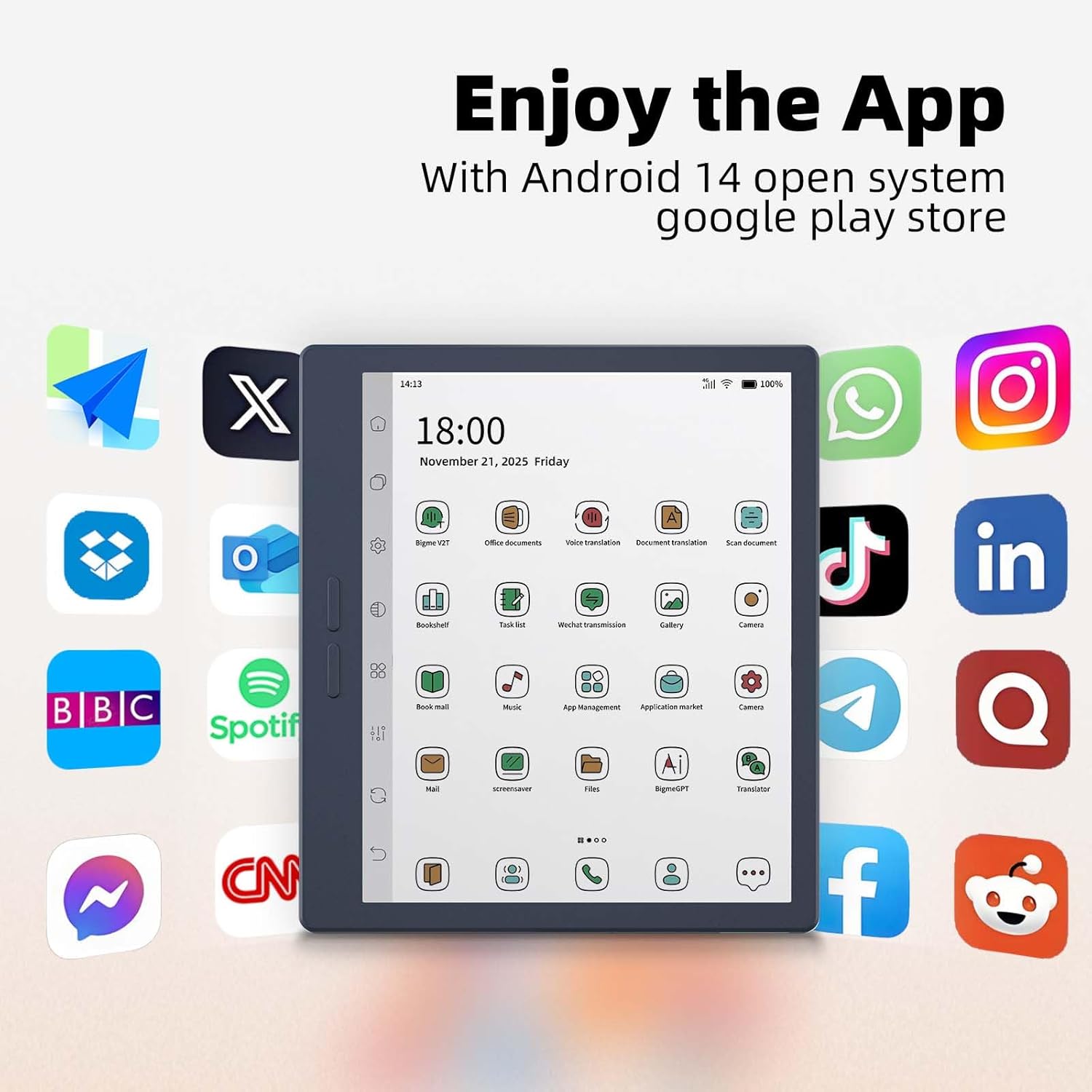
Figure 5.3: The e-reader's home screen showing a grid of popular Android application icons, indicating broad app compatibility.
The device supports Wi-Fi and Bluetooth for wireless connections. Additionally, its 4G global all-network support (Nano SIM) ensures you remain connected even without Wi-Fi.

Figure 5.4: A person using the Bigme B7 Pro for a call, demonstrating its 4G global connectivity feature.
5.6. Өркүндөтүлгөн функциялар
- 5MP арткы камера: Supports video conferencing, OCR text recognition, and document scanning.
- AI өзгөчөлүктөрү: Includes call recording to text, intelligent audiobook organization, multi-AI GPT summarization, voice translation, and Q&A.
- Hi-Fi үн сапаты: Enhances audio experiences.
Figure 5.5: The e-reader showcasing its multifunction usage, including video conferencing, OCR text recognition, and document scanning capabilities.
5.7. Аткаруу жана сактоо
Equipped with a MediaTek Dimensity 1080 Octa-core processor (2.6GHz), 8GB RAM, and 256GB internal storage, the device ensures smooth performance. Storage can be expanded up to 2TB via a Micro SD card (not included).

Figure 5.6: Diagram illustrating the Bigme B7 Pro's upgraded MediaTek Dimensity 1080 octa-core CPU, 8GB RAM, and 256GB ROM for enhanced performance.
6. Техникалык тейлөө
6.1. Аспапты тазалоо
- Экранды жана корпусту акырын сүртүү үчүн жумшак, мамыксыз чүпүрөктү колдонуңуз.
- Катуу химиялык заттарды, абразивдүү тазалагычтарды же ашыкча нымдуулукту колдонуудан алыс болуңуз.
6.2. Батареяга кам көрүү
- Аппаратты үзгүлтүксүз заряддаңыз, бирок аны узак убакытка толук зарядсыз калтырбаңыз.
- Аппаратты экстремалдуу температурага дуушар кылбаңыз.
6.3. Программалык камсыздоону жаңыртуу
Periodically check for and install software updates to ensure optimal performance and access to new features. Updates can usually be found in the device's settings menu.
6.4. Сактагычты башкаруу
Regularly manage your device's storage by deleting unnecessary files or applications. Utilize the Micro SD card slot for additional storage if needed.
7. Кыйынчылыктарды
7.1. Түзмөк күйбөй жатат
- Ensure the device is sufficiently charged. Connect it to a power source for at least 30 minutes.
- Күйгүзүү баскычын 10-15 секунд басып туруу менен мажбурлап өчүрүп-күйгүзүүнү аткарыңыз.
7.2. Экран жооп бербейт
- Аппаратты кайра иштетиңиз.
- Экран таза жана таштандылардан таза экенин текшериңиз.
7.3. Wi-Fi туташуу маселелери
- Toggle Wi-Fi off and on in the settings.
- Wi-Fi роутериңизди өчүрүп күйгүзүңүз.
- Тармакты унутуп, кайра туташыңыз.
7.4. Тиркемелердин иштебей калышы же токтоп калышы
- Тиркемени жаап, кайра ачыңыз.
- Clear the app's cache and data in device settings.
- Uninstall and reinstall the application.
- Аппараттын программалык камсыздоосу жаңыртылганын текшериңиз.
7.5. Заводдук абалга кайтаруу
Эгер көйгөйлөр чечилбесе, аларды баштапкы абалга кайтаруу чечиши мүмкүн. Эскертүү: This will erase all data on your device. Back up important files before proceeding. Navigate to Settings > System > Reset options > Erase all data (factory reset).
8. Техникалык шарттар
| Бренд | Bigme |
| Модель аты | B7 Pro |
| Дисплей технологиясы | Color E-Ink Kaleido 3 display |
| Screen Size | 7 дюйм |
| Резолюция | 300 PPI |
| Процессор | MediaTek Dimensity 1080 Octa-core (2.6GHz) |
| Эстутум (RAM) | 8 ГБ |
| Сактагыч (ROM) | 256 ГБ |
| Кеңейтүүчү сактагыч | Up to 2TB via Micro SD card (not included) |
| Операция системасы | Android 14 |
| Байланыш технологиясы | Bluetooth, Wi-Fi, 4G (Nano SIM) |
| Камера | 5-megapixel Rear Camera |
| Адам-интерфейс киргизүү | Touchscreen, Stylus |
| Түс | Көк1 |
| Продукциянын өлчөмдөрү (L x W x Th) | 6.13"L x 5.32"W x 0.21"Mh |
| Элемент Салмагы | 175 грамм |
| Камтылган компоненттер | Color e-reader Tablet, Smart stylus, Charging cable, User manual, Giftbox |
9. Кепилдик жана колдоо
9.1. Продукцияга кепилдик
The Bigme B7 Pro Color e-Reader comes with a 1 жылдык өндүрүүчүнүн кепилдиги сатып алынган күндөн тартып. Бул кепилдик нормалдуу колдонуудагы материалдардагы жана жасалгадагы кемчиликтерди камтыйт. Кепилдик дооматтары үчүн сатып алганыңыздын далилин сактап коюңуз.
9.2. Кардарларды колдоо кызматы
Should you encounter any questions, issues, or require assistance with your Bigme B7 Pro, please contact our customer service team. We are committed to providing friendly and helpful support to resolve any problems you may experience. Refer to the contact information provided with your purchase or on the official Bigme webколдоо каналдары үчүн сайт.