
Medicube PMEUS26070R00
Medicube AGE-R Booster Pro Mini Plus Device User Manual
Model: PMEUS26070R00
1. Киришүү
Thank you for choosing the Medicube AGE-R Booster Pro Mini Plus. This advanced facial device is designed to enhance your skincare routine with its innovative technology. This manual provides essential information for safe and effective use of your device.
This manual pertains to the Booster Pro Mini Plus main unit only. Before initial use, please read these instructions thoroughly. For first-time users, it is highly recommended to watch official instructional videos to familiarize yourself with the operation and procedures.
The device features a slim, ergonomic design for comfortable handling, allowing for convenient skincare anytime, anywhere. When using the device for the first time, begin with intensity level 1 and gradually increase the level as your skin adapts.
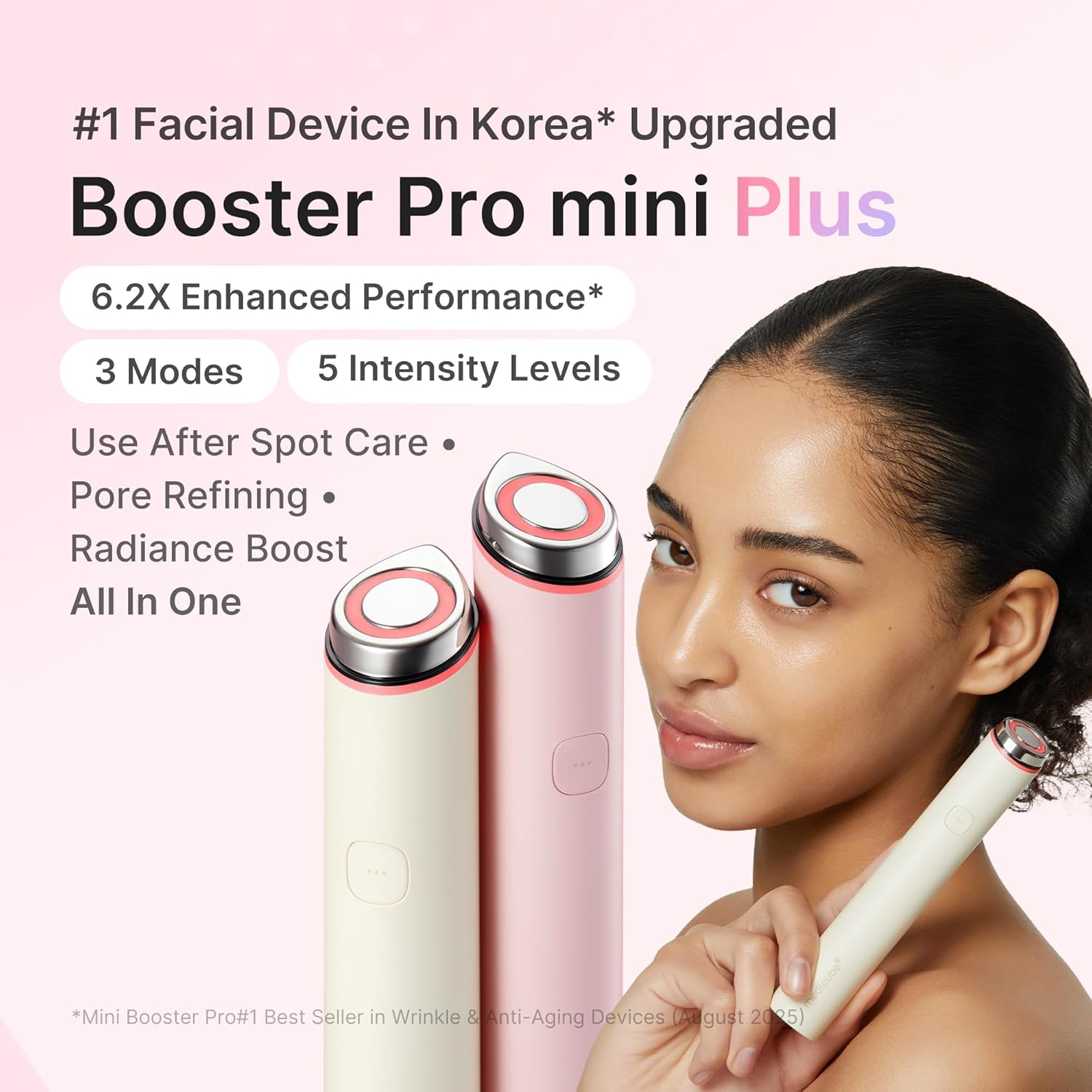
Image: The Medicube AGE-R Booster Pro Mini Plus highlighting its key features and compact design.
2. Эмнелер камтылган
Your Medicube AGE-R Booster Pro Mini Plus package includes:
- Mini Booster Pro Plus Device (Beige)
- User Manual
Note: A charging cable or power adapter is not included with this product. Please use a compatible USB Type-C cable and adapter for charging.

Image: Contents of the Medicube AGE-R Booster Pro Mini Plus package, emphasizing that charging accessories are sold separately.
3. Орнотуу
3.1 Аппаратты заряддоо
Before first use, fully charge your device. To charge, use a USB Type-C cable with an input voltage of DC 5V and a maximum of 2A.

Image: Illustration of the USB Type-C charging port on the device.
3.2 Колдонмону жүктөп алуу жана Bluetooth туташуусу
For enhanced control and features, download the official Medicube AGE-R App. The app allows for detailed settings, including volume control and usage history tracking.
- Смартфонуңузда Bluetooth иштетилгенин текшериңиз.
- Long-press the power button on your Booster Pro Mini Plus for approximately 2 seconds to turn it on.
- Follow the on-screen prompts in the AGE-R app to pair your device.

Image: The AGE-R app interface on a smartphone, demonstrating connectivity and control features.
4. Иштөө нускамалары
4.1 Basic Usage Steps
For optimal results, follow these daily steps:
- Териге кам көрүү: Apply your preferred skincare products (serum, cream, etc.) to your face.
- Режим жана интенсивдүүлүктү тандоо: Turn on the device and select your desired mode and intensity level.
- Glide Gently: Gently glide the device over your skin.
Caution: Avoid using the device on the Adam's apple or recently treated areas of the skin.

Image: Visual guide for the 5-minute daily skincare routine using the device.
4.2 Сунушталган колдонуу
- Узактыгы: Бир сессияга 5-10 мүнөт.
- Жыштыгы: 1-3 times per day.
4.3 Power, Level, and Mode Selection
- Күйгүзүү: Long-press the power button to turn on the device. The Red mode will activate automatically.
- Деңгээлин тандаңыз: Short-press the power button once to cycle through the 5 intensity levels.
- Режимди тандоо: Quickly press the power button twice to switch between the available modes.

Image: Instructions for power, level, and mode selection using the device button.
4.4 Device Modes
The Booster Pro Mini Plus offers three distinct modes, each designed for specific skincare benefits:
- Кызыл режим: Ideal for use after spot care and for soothing the skin. This mode helps active ingredients penetrate the stratum corneum, enhancing skin transparency and promoting an even tone.
- Көк режим: Focuses on pore and texture refining. Recommended for troubled or sensitive skin, it supports skin barrier care and helps regulate sebum production.
- Purple Mode: Provides a bouncy radiance boost. This mode aids in better absorption of skincare products compared to manual application, delivering deep moisture and a radiant glow.
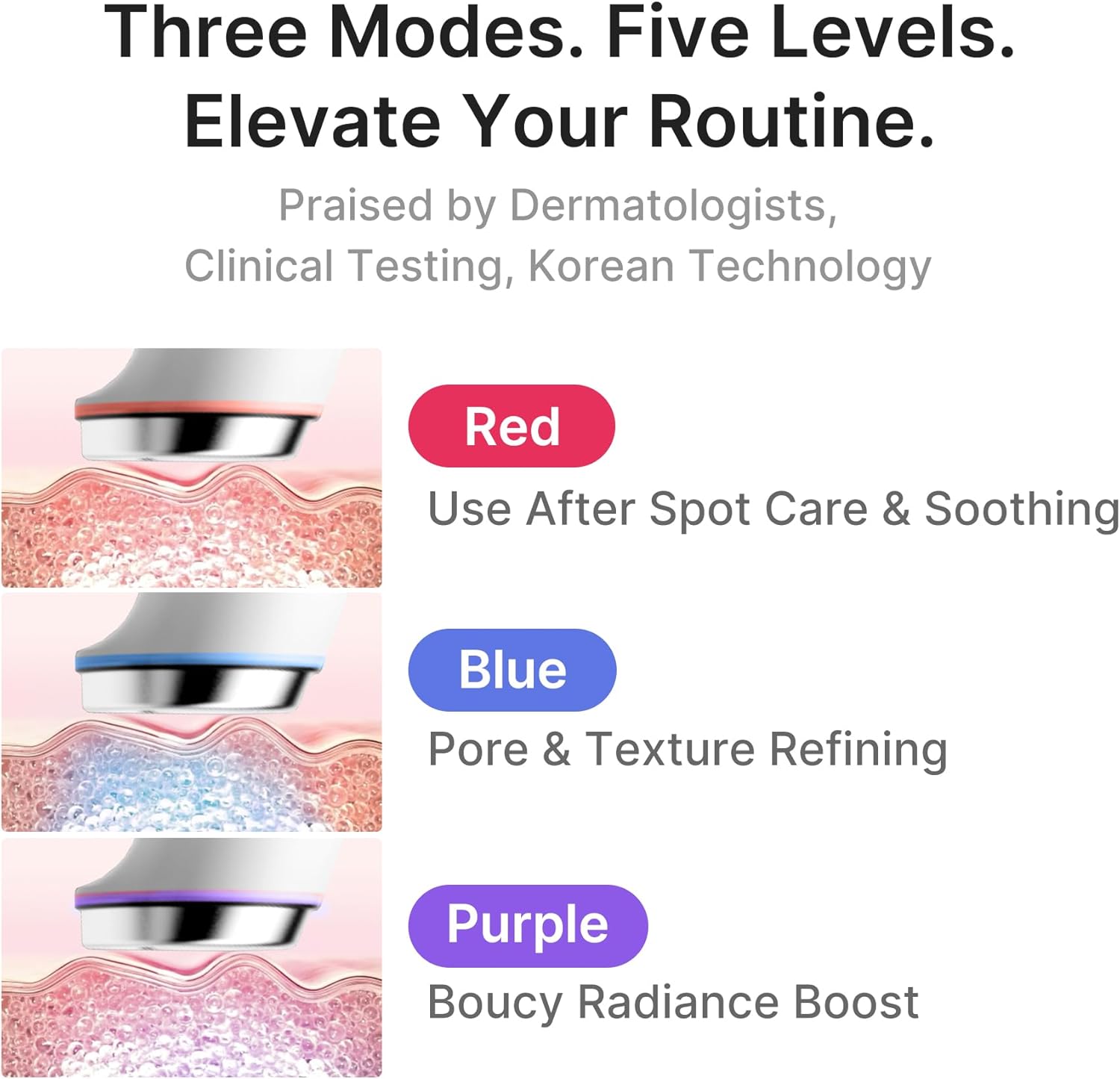
Image: Detailed explanation of the three operational modes and their effects on the skin.
4.5 Smart Features (via AGE-R App)
Connect your device to the AGE-R app for advanced control and monitoring:
- 5-Level Intensity Control: Adjust intensity precisely.
- User Mode Customization: Personalize your treatment routines.
- Track History / Control Sessions: Monitor your usage and manage sessions.
- Батарея мониторинги: Keep track of your device's battery life.
- Алыстан башкаруу: Conveniently control the device from your smartphone.
- Automatic Report: The app uploads your usage history (contact time with skin over 20 seconds) to help you make care a habit.
- Beauty Cloud: Review changes in your skin after 8 weeks of use.

Сүрөт: бүттүview of the smart features available through the AGE-R mobile application.
5. Техникалык тейлөө
5.1 Аппаратты тазалоо
To ensure hygiene and prolong the life of your device:
- After each use, gently wipe the device head with a soft, dry cloth.
- Абразивдүү тазалагычтарды, спиртти же катуу химиялык заттарды колдонбоңуз, алар аппаратка зыян келтириши мүмкүн.
- Сактоодон мурун аппарат толугу менен кургагандыгын текшериңиз.
5.2 Сактоо
Аппаратты салкын, кургак жерде, тике күн нурунан жана экстремалдык температурадан алыс сактаңыз.
6. Кыйынчылыктарды
Бул жерде сиз кабылышы мүмкүн болгон жалпы маселелерди чечүү жолдору бар:
- Q: How do I switch modes?
- A: When you turn on the device, Red mode starts automatically. To switch between modes, quickly press the power button twice.
- Q: The device does not turn on.
- A: The device may not operate normally due to insufficient charge. Please ensure the battery is fully charged before attempting to use it again. Also, depending on the usage situation or method, operation may be slow. Always follow the instructions in this manual. If the problem persists, please contact Medicube customer service for assistance.

Image: Common troubleshooting questions and their solutions.
7. Техникалык шарттар
| Өзгөчөлүк | Деталь |
|---|---|
| Модель номери | PMEUS26070R00 |
| Бренд | Medicube |
| Өндүрүүчү | АПР |
| Түс | Беж |
| Заряддоо | USB Type-C (DC 5V / Max 2A) |
| Пакеттин өлчөмдөрү | 21.4 x 8 x 4.2 см |
| Салмагы | 130 г |
| Режимдер | 3 (Red, Blue, Purple) |
| Интенсивдүүлүк деңгээли | 5 |
| Байланыш | Bluetooth (for app control) |
7.1 Comparison with Booster Pro Mini
The Booster Pro Mini Plus is an upgraded model compared to the Booster Pro Mini, offering enhanced expandability and operability. Key differences include:
- Акылдуу туташтыргыч: The Mini Plus features a smart connector at the bottom, allowing compatibility with Booster vibration cleanser heads and V-roller heads for diverse applications.
- Жаңы өзгөчөлүктөр: The Mini Plus includes pulse mode and Bluetooth functionality, supporting daily skincare with advanced features.

Image: Feature comparison between Booster Pro Mini and Booster Pro Mini Plus.
8. Кепилдик жана колдоо
8.1 Кардарларды колдоо
For any questions, concerns, or technical support regarding your Medicube AGE-R Booster Pro Mini Plus, please contact Medicube customer service. Refer to the product packaging or the official Medicube webбайланыш маалыматы үчүн сайт.
8.2 Кепилдик маалыматы
Specific warranty details are typically provided with your purchase documentation or on the official Medicube webсайт. Кепилдик дооматтары үчүн сатып алганыңыздын далилин сактап коюңуз.
Ask a question about this manual
Ask about setup, troubleshooting, compatibility, parts, safety, or missing instructions. Manuals+ will review the question and use this page’s manual context to help answer it.