
Introduction
Thank you for choosing the Stealth Cam QS24 Trail Camera. This manual provides essential information for setting up, operating, and maintaining your camera to ensure optimal performance. The QS24 is designed for reliable outdoor monitoring, capturing high-resolution images and video with its advanced features.
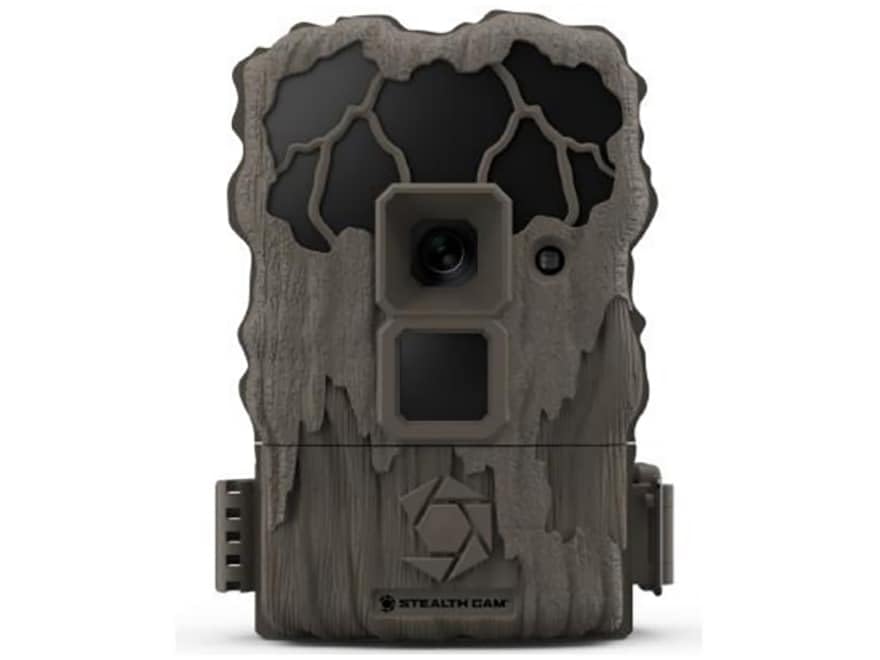
This image shows the compact design of the Stealth Cam QS24 trail camera, suitable for discreet outdoor placement.
Жайгашуу
1. Батареяны орнотуу
- Open the battery compartment latch, typically located on the side or bottom of the camera.
- Бөлүмдүн ичинде көрсөтүлгөндөй, туура полярдуулукту (+/-) камсыз кылып, керектүү сандагы AA батарейкаларын (кошулмага кирбейт) салыңыз.
- Close the battery compartment securely to maintain the camera's weather resistance.
2. SD картаны орнотуу
- SD карта уячасын, адатта, батарея бөлүмүнүн жанында же капталында табыңыз.
- Insert a formatted SD card (up to 32GB, not included) with the metal contacts facing the camera. Push until it clicks into place.
- Чыгаруу үчүн, картаны сыртка чыкканга чейин кайра түртүңүз.
3. Камераны орнотуу
The QS24 is designed for tree mounting. Use the included strap or a compatible mounting accessory.
- Select a sturdy tree or post at the desired height, typically 3-6 feet off the ground.
- Thread the mounting strap through the designated slots on the back of the camera.
- Securely fasten the camera to the tree, ensuring it is stable and pointed towards the desired detection area.
- Adjust the camera angle as needed to optimize the field of view.
Иштөө нускамалары
1. Күйгүзүү / Өчүрүү
- To power on, slide the power switch to the 'ON' position. The camera will perform a self-check.
- Өчүрүү үчүн, кубат которгучун "OFF" абалына жылдырыңыз.
2. Setting Up Basic Functions
Access the camera's menu via the internal display and control buttons to configure settings.
- Режим тандоо: Choose between Photo (24MP), Video (720p at 30 FPS), or Photo+Video modes.
- Ишти кечиктирүү: Set the delay between detections. The QS24 features an ultra-fast 0.8-second trigger speed.
- аныктоо диапазону: The camera has an 80-foot LoGlo infrared detection range. Adjust sensitivity if available in settings.
- Дата жана убакыт: Set the current date and time for accurate stamping on images and videos.
- Ай фазасы: The camera automatically records moon phase data with each capture.
3. Retrieving Images and Videos
- Камераны өчүрүңүз.
- Remove the SD card from its slot.
- Insert the SD card into a compatible card reader connected to a computer or other viewаппарат.
- кирүү files on the SD card to view or transfer your captured media.
An official video from Stealth Cam showcasing the features and applications of their trail cameras, including the QS24 model.
Техникалык тейлөө
1. Тазалоо
- Gently wipe the camera lens and IR array with a soft, lint-free cloth to remove dirt, dust, or moisture.
- Камера корпусун жарнама менен тазалаңызamp кездеме. Катуу химиялык заттардан же абразивдүү материалдардан алыс болуңуз.
- Ensure all seals and gaskets are free of debris to maintain weather resistance.
2. Батареяга кам көрүү
- Check battery levels regularly, especially before long deployments.
- Replace all batteries at the same time with new, high-quality batteries. Do not mix old and new batteries or different battery types.
- Remove batteries if the camera will be stored for an extended period to prevent leakage.
3. Сактоо
- Камераны салкын, кургак жерде күндүн тике тийген нурунан жана экстремалдык температурадан алыс сактаңыз.
- Камераны сактоодон мурун таза жана кургак экенин текшериңиз.
Проблемаларды чечүү
- Камера күйбөй жатат:
- Check battery installation and ensure correct polarity.
- Replace with fresh batteries.
- Ensure the power switch is firmly in the 'ON' position. - Эч кандай сүрөт/видео тартылган жок:
- Verify the SD card is properly inserted and formatted.
- Check if the SD card is full; delete or replace if necessary.
- Ensure the camera is in an active mode (Photo, Video, or Photo+Video).
- Adjust camera placement to ensure subjects pass within the detection zone. - Сүрөттүн/видеонун сапаты начар:
- Clean the camera lens and IR array.
- Ensure there are no obstructions in front of the lens or IR sensors.
- Check battery levels; low batteries can affect performance. - Жалган триггерлер:
- Reduce the camera's sensitivity setting if available.
- Avoid placing the camera where moving branches or tall grass might trigger it.
- Ensure the camera is not facing direct sunlight or heat sources that could cause false detections.
Техникалык шарттар
| Модель номери | STC-QS24 |
| Сүрөттүн чечилиши | 24 мегапиксел |
| Video Resolution | 720p HD at 30 FPS |
| Триггер ылдамдыгы | 0.8 секунд |
| Тактоо диапазону | 80 ft (LoGlo Infrared) |
| IR диапазону | 80 фут |
| Power Source | Battery Powered (AA batteries, not included) |
| Байланыш | Зымсыз, Bluetooth |
| Ички/тышкы колдонуу | Сыртта |
| Тоо түрү | Tree Mount |
| Элементтин өлчөмдөрү | 13 x 2.6 x 6 дюйм |
| Түс | Тан |
| UPC | 198954003410 |
Кепилдик жана колдоо
For detailed warranty information, please refer to the documentation included with your product or visit the official Stealth Cam webсайт. Кепилдиктин шарттары, адатта, сатып алынган күндөн тартып белгилүү бир мезгил ичинде өндүрүш кемчиликтерин камтыйт.
For technical support, troubleshooting assistance, or to inquire about replacement parts, please contact Stealth Cam customer service directly. Contact information can usually be found on the manufacturer's webсайтында же продуктунун таңгагында.