
1. Продукт бүтүп калдыview
The FORNORM Large Digital Wall Clock is a versatile LED clock designed for various environments, including living rooms, bedrooms, offices, and gyms. It features a high-definition LED display that shows time, date, day of the week, temperature, and humidity simultaneously. This clock is designed for clear readability from a distance and offers multiple functionalities to enhance daily routines.

Image 1.1: The FORNORM Large Digital Wall Clock with its comprehensive display.
Негизги өзгөчөлүктөрү:
- Чоң LED дисплей: High-definition screen measuring 16.2 × 10.3 cm for easy readability.
- Көп функциялуу дисплей: Shows time, date, day of the week, temperature, and humidity.
- Кош ойготкучтар: Set two independent alarms with a high-volume buzzer and snooze function.
- 5 жарыктык деңгээли: Adjustable display brightness, including an option to turn off the display completely.
- Өчүрүү эстутуму: Retains time settings during power outages with 3 AAA carbon batteries (not included).
- Ар тараптуу жайгаштыруу: Includes a detachable stand for desktop use and can be wall-mounted.
- Температура бирдиктери: Цельсий (°C) менен Фаренгейттин (°F) ортосунда оңой которулуңуз.
- Артка саноо таймери: Integrated timer function for various activities.
2. Пакеттин мазмуну
- Electronic Clock ×1
- USB кабели × 1
- Пайдалануу боюнча колдонмо × 1
3. Техникалык шарттар
| Өзгөчөлүк | Деталь |
|---|---|
| Бренд | ФОРНОРМ |
| Модель номери | 4801620 |
| Материал | ABS пластик |
| Түс | Кара |
| Дисплей түрү | Digital LED |
| Продукциянын өлчөмдөрү | 15W x 35H centimetres (approx. 13.78 x 5.91 x 1.18 inches) |
| Power Source | Электр зымы (USB кабели камтылган) |
| Эс тутумдун батареясы | 3 AAA Carbon Batteries (not included) |
| Монтаж түрү | Wall Mount or Desktop Stand |
| Өзгөчөлүктөр | Alarm, Temperature, Humidity, Date, Brightness Dimmer, Countdown Timer |
4. Орнотуу
4.1 Алгачкы кубаттуулук
- Connect the provided USB cable to the clock and plug it into a suitable power adapter (not included). The display will light up.
- For power-off memory function, insert 3 AAA carbon batteries (not included) into the battery compartment on the back of the clock. This ensures time settings are retained during power interruptions.
4.2 Жайгаштыруу параметрлери
The clock can be placed on a desktop using its detachable stand or mounted on a wall.
- Иш тактада жайгаштыруу: Extend the detachable stand located on the back of the clock to prop it up on any flat surface.
- Дубалга орнотуу: Use the two keyhole slots on the back of the clock. Measure the distance between the slots and mark the corresponding positions on your wall. Insert screws (not included) into the wall, leaving a small portion exposed, then hang the clock securely.
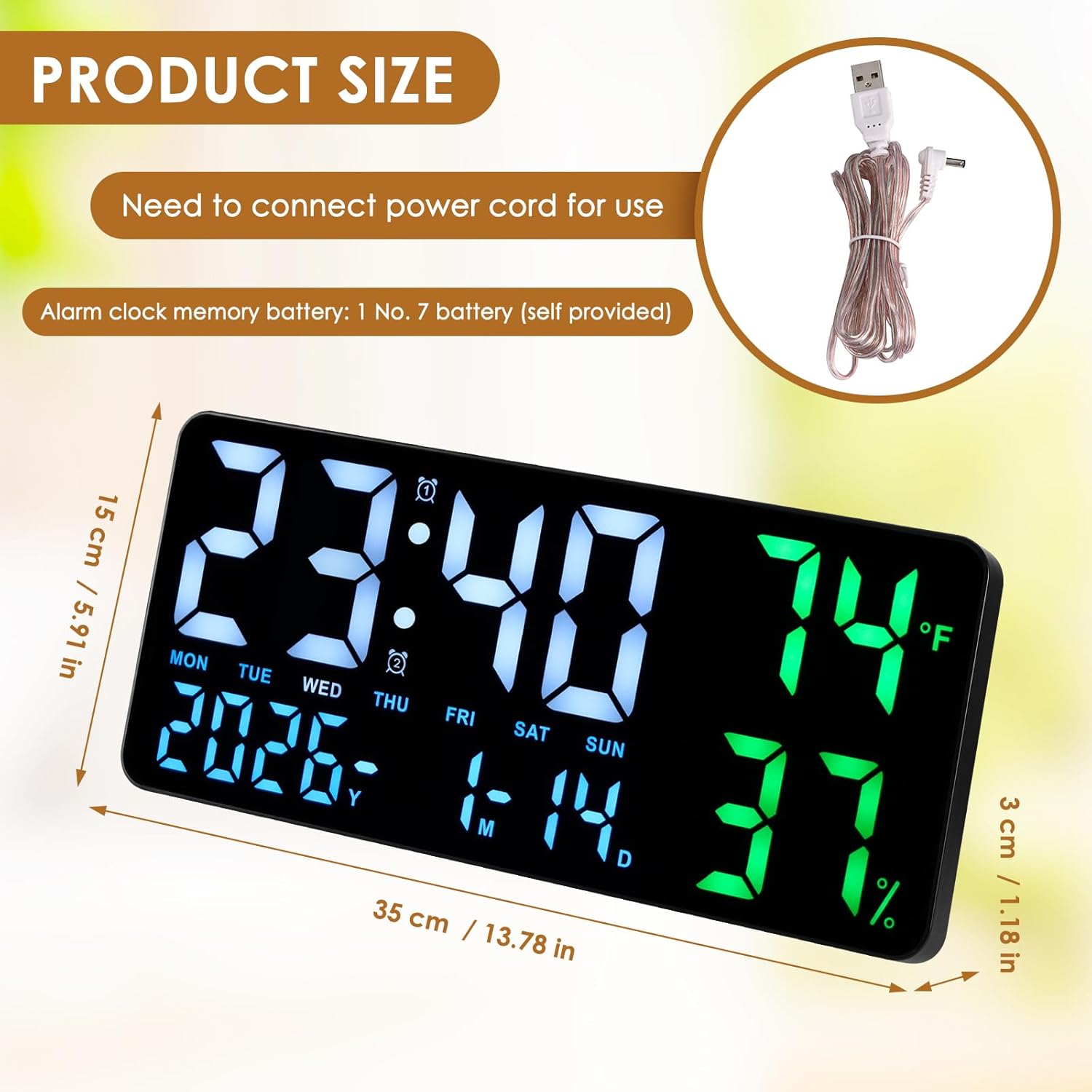
Image 4.1: The clock can be used on a desktop with its stand or mounted on a wall.
4.3 Bluetooth Pairing (for automatic time synchronization)
The clock supports Bluetooth for automatic time synchronization with your smartphone. This feature ensures accurate time display without manual adjustments.
- Смартфонуңузда Bluetooth иштетилгенин текшериңиз.
- Смартфонуңуздан жеткиликтүү Bluetooth түзмөктөрүн издеңиз.
- Select "LED CLOCK" from the list of devices to pair.
- Once paired, the clock's time and date will automatically synchronize with your phone.
Video 4.1: Demonstration of Bluetooth pairing and time synchronization with a smartphone.
5. Иштөө нускамалары
The clock can be operated using the buttons on the top edge or via the included remote control.
5.1 Убакытты жана датаны кол менен орнотуу
If not using Bluetooth synchronization, you can manually set the time and date:
- Press the "TIME SET" button on the top of the clock.
- Use the "+" and "-" buttons to adjust the hour, then press "TIME SET" again to confirm and move to minutes.
- Мүнөт, жыл, ай жана күн үчүн кайталаңыз.
5.2 Сигнал орнотуу
The clock supports dual alarms.
- Press the "ALARM SET" button.
- Use the "+" and "-" buttons to set the desired alarm time (hour and minute).
- Press "ALARM SET" again to confirm.
- To activate/deactivate an alarm, press the "ALARM ON/OFF" button. An alarm icon will appear/disappear on the display.
- When an alarm sounds, press the "SNOOZE" button to temporarily silence it.
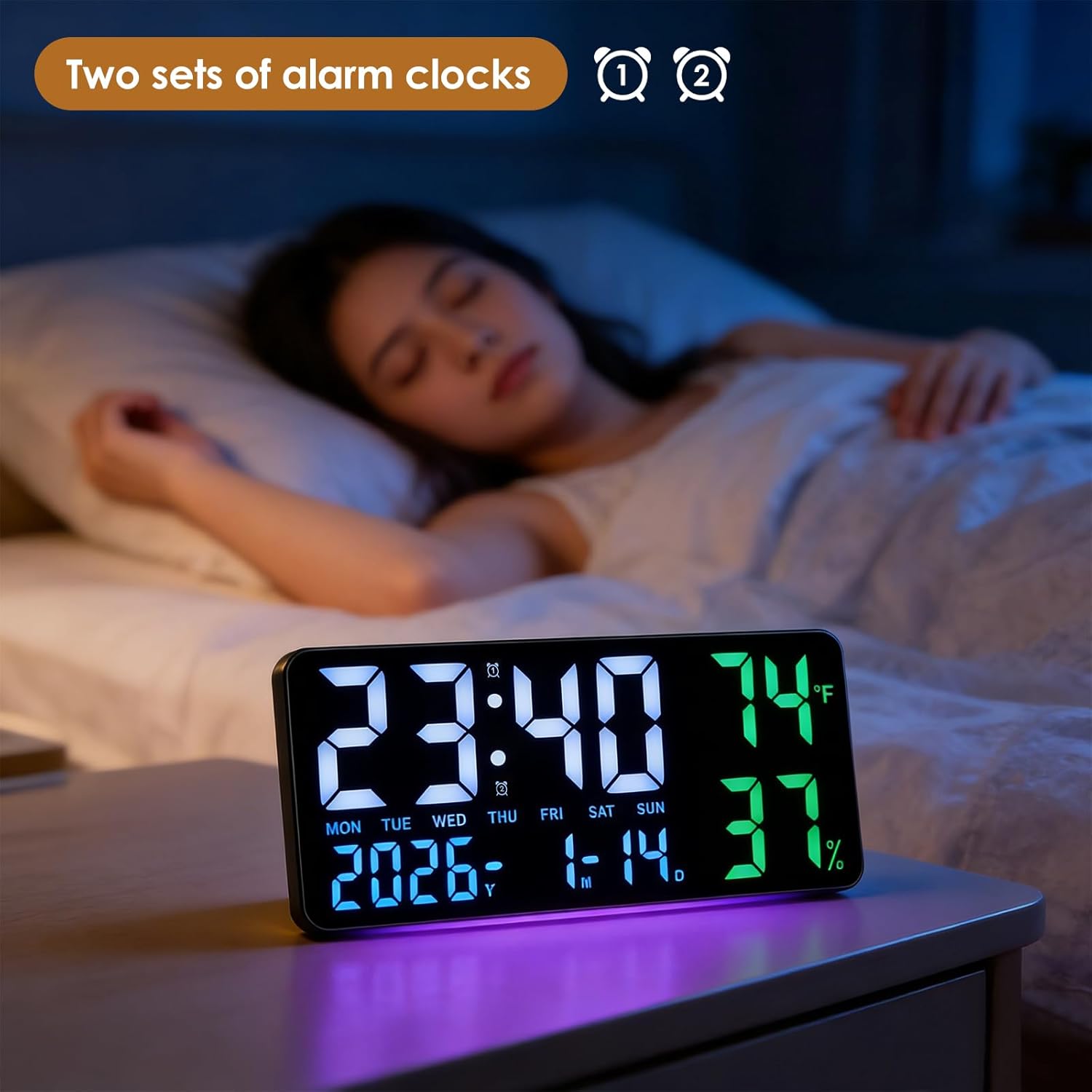
Image 5.1: The clock displaying time with dual alarm indicators.
5.3 Температура бирдигин тандоо
Цельсий (°C) менен Фаренгейттин (°F) ортосунда которулуу үчүн:
- Short press the "°C/°F" button on the top of the clock or on the remote control.
5.4 Жарыктыкты жөндөө
The clock offers 5 levels of brightness and an automatic dimming sensor.
- Press the brightness button (often represented by a light bulb icon) on the remote control to cycle through the 5 brightness levels.
- The automatic dimming sensor adjusts brightness based on ambient light conditions.
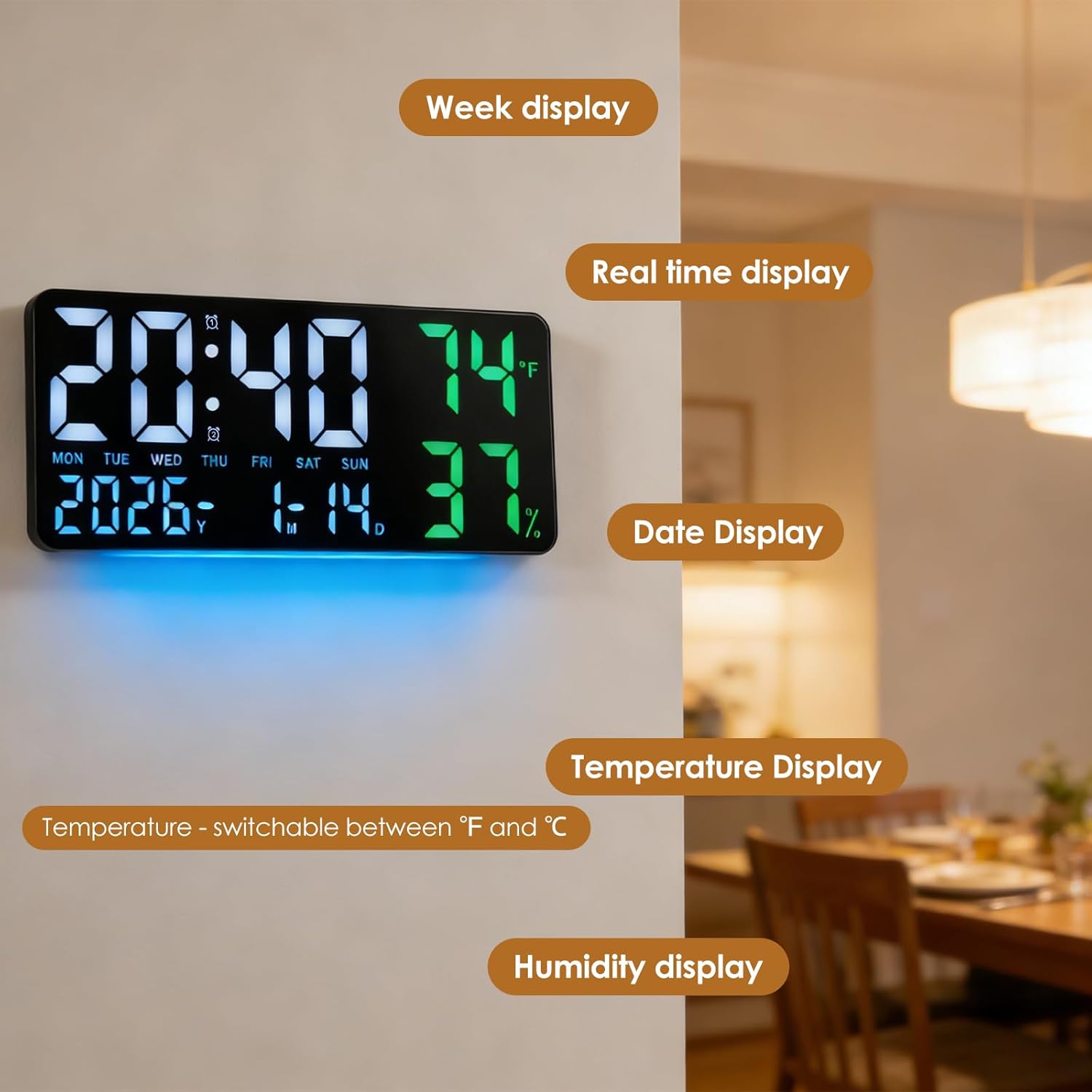
Image 5.2: Visual representation of the 5-speed brightness adjustment.
5.5 Артка эсептөө таймери
The clock includes a countdown timer function.
- Press the "TIMER" button on the remote control.
- Use the "HR", "MIN", "SEC" buttons and the "+" and "-" buttons to set the desired countdown duration.
- Press "TIMER ST/SP" to start or pause the countdown.
- Press "TIMER RESET" to clear the timer.

Image 5.3: The clock in timer mode, controlled by the remote.
5.6 12/24 Hour Mode
To switch between 12-hour and 24-hour time formats:
- Press the "12/24" button on the top of the clock or on the remote control.
5.7 Жайкы убакыт (DST)
The clock features an automatic DST adjustment.
- Press the "AUTO DST" button on the top of the clock or on the remote control to enable or disable this feature. When enabled, the clock will automatically adjust for daylight saving changes.
Video 5.1: Demonstration of remote control functions, including time setting and DST adjustment.
6. Техникалык тейлөө
6.1 Тазалоо
Саатты тазалоо үчүн, дисплейди акырын сүртүп,asing with a soft, dry cloth. Avoid using abrasive cleaners or solvents that may damage the surface.
6.2 Батареяны алмаштыруу
If the power-off memory function is not working, replace the 3 AAA carbon batteries in the battery compartment on the back of the clock.
7. Кыйынчылыктарды
- Дисплей бош: Ensure the USB cable is securely connected to a power source. Check if the power adapter is working.
- Убакыт туура эмес: If not using Bluetooth, manually set the time and date. If using Bluetooth, ensure the clock is paired with your smartphone and Bluetooth is active.
- Сигнал чыкпай жатат: Verify that the alarm is activated (alarm icon visible) and the volume is not set to zero.
- Пульт иштебей жатат: Check the batteries in the remote control. Ensure there are no obstructions between the remote and the clock.
8. Кепилдик жана колдоо
For warranty information or technical support, please refer to the contact details provided with your purchase or visit the FORNORM official webсайт. Бардык кепилдик дооматтар үчүн сатып алуу дүмүрчөгүңүздү сактаңыз.