
Introduction
The DEWENWILS Matter Pool Pump Timer is a Matter-certified smart timer designed for controlling high-power outdoor appliances such as pool pumps, water heaters, fountains, and lighting. This heavy-duty timer switch supports up to 40 Amps and 2HP at 120V. It requires a Matter-compatible hub to function with smart home platforms like Apple HomeKit, Amazon Alexa, Google Home, and SmartThings. The device features simplified wiring, app and voice control capabilities, and a durable, weather-resistant metal enclosure suitable for outdoor installations.
This manual provides detailed instructions for the safe installation, setup, and operation of your DEWENWILS Matter Pool Pump Timer.
Коопсуздук маалыматы
- Кесиптик орнотуу сунушталат: Electrical wiring should be performed by a qualified electrician in accordance with all local and national electrical codes.
- Электр энергиясын өчүрүү: Always disconnect power at the circuit breaker before installing, servicing, or removing the device. Failure to do so may result in serious injury or death.
- Тtage Шайкештик: Таймердин үнүн текшериңизtage rating (120VAC) matches your electrical system.
- Жүктөө жөндөмдүүлүгү: Do not exceed the maximum load rating of 40A and 2HP. Overloading can cause damage to the device and create a fire hazard.
- Сыртта колдонуу: The metal enclosure is weather-resistant, but ensure all conduit connections are properly sealed to maintain its integrity against moisture and dust.
- Негиздөө: The device must be properly grounded to prevent electrical shock.
Продукт бүттүview
The DEWENWILS Matter Pool Pump Timer is housed in a robust metal enclosure designed for outdoor use. It integrates smart control capabilities with heavy-duty power management.

Сүрөт: Ички view of the DEWENWILS Matter Pool Pump Timer, highlighting key components such as the Wi-Fi antenna, power indicator, terminal blocks, and knockouts.
Негизги өзгөчөлүктөрү:
- Заттардын шайкештиги: Works with Apple HomeKit, Amazon Alexa, Google Home, and SmartThings via a Matter-certified hub.
- Heavy-Duty Power: 40га чейин колдойт Amps and 2HP for 120V single-phase equipment.
- Жөнөкөйлөштүрүлгөн зымдар: Designed for straightforward installation without traditional jumpers.
- Колдонмо жана үн менен башкаруу: Manage devices remotely and set schedules using compatible smart home apps or voice commands.
- Туруктуу корпус: ETL certified, flame-retardant, weather-resistant metal enclosure (IP44 rated) for reliable outdoor operation from -40°F to 140°F.

Сүрөт: The DEWENWILS Matter Pool Pump Timer mounted on an exterior wall, connected to a pool pump, illustrating its high-power capabilities and outdoor suitability.
Орнотуу & Орнотуу
Installation involves both physical wiring and smart home integration. It is recommended that a qualified electrician handles the wiring.
1. Электр зымдары боюнча нускамалар:
The timer features a streamlined wiring system. Refer to the diagrams below for connecting one or two 120VAC loads.
- Биринчи коопсуздук: Before beginning any wiring, ensure the main power supply to the circuit is turned OFF at the breaker.
- Монтаждоо: Securely mount the timer box in the desired outdoor location, ensuring it is easily accessible for future maintenance.
- Түтүк байланыштары: Use appropriate conduit and fittings to protect wiring entering and exiting the enclosure. Seal all openings to maintain weather resistance.

Сүрөт: Wiring diagram illustrating how to connect a single 120VAC load to the timer.

Сүрөт: Wiring diagram illustrating how to connect two separate 120VAC loads for simultaneous control by the timer.
2. Smart Home Integration (Matter Pairing):
The DEWENWILS Matter Pool Pump Timer requires a Matter-compatible hub to connect to your smart home ecosystem. Supported hubs include Apple HomePod, Amazon Echo Dot (3rd Gen and later), Google Nest devices, and SmartThings Hubs.

Сүрөт: Visual representation of Matter compatibility, showing various smart home platforms and the requirement for a Matter-compatible hub.
- Matter Hub Requirement: Ensure you have a Matter-certified hub set up and connected to your 2.4GHz Wi-Fi network. The timer only supports 2.4GHz Wi-Fi.
- Колдонмонун версиялары: Update your smart home app (Apple Home, Alexa, Google Home, SmartThings) to the latest version for optimal compatibility.
- Жупташтыруу процесси:
- Power on the DEWENWILS Matter Pool Pump Timer after completing the wiring.
- Open your preferred Matter-compatible smart home app (e.g., Apple Home, Alexa app).
- Select the option to add a new device or accessory.
- Scan the Matter QR code located on the timer or in the included documentation.
- Жупташтыруу процессин аяктоо үчүн колдонмодогу экрандагы көрсөтмөлөрдү аткарыңыз.

Сүрөт: A smartphone scanning a Matter QR code for easy device setup, demonstrating the simplified pairing process.
Орнотуу видео көрсөтмөсү:
Видео: A detailed guide on setting up the smart pool pump timer, covering the installation and pairing process.
Операция
Once installed and paired, you can control your DEWENWILS Matter Pool Pump Timer using your smart home app or voice commands.
1. Колдонмону башкаруу:
Use your Matter-compatible smart home app (Apple Home, Alexa, Google Home, SmartThings) to manage the timer. You can turn connected devices on/off remotely, create custom schedules, and monitor status.

Сүрөт: A user controlling an outdoor device remotely via a smartphone app, demonstrating the convenience of app-based control.
2. Үн менен башкаруу:
Integrate the timer with your voice assistant (Alexa, Siri, Google Assistant) for hands-free control. Simply use voice commands to turn devices on or off.

Сүрөт: Individuals interacting with a smart speaker to control outdoor lights, illustrating the voice control feature.
3. Пландаштыруу:
Set automated schedules for your connected devices. This allows for automatic on/off management based on your preferences, enhancing convenience and energy efficiency.

Сүрөт: A smartphone displaying a routine schedule for a device, demonstrating the timer's scheduling capabilities.
Техникалык тейлөө
The DEWENWILS Matter Pool Pump Timer is designed for durability and minimal maintenance. However, regular checks can ensure optimal performance and longevity.
- Мезгилдүү текшерүү: Annually inspect the enclosure for any signs of damage, corrosion, or loose connections. Ensure the lid is securely latched.
- Тазалоо: Clean the exterior of the timer with a damp cloth as needed. Do not use abrasive cleaners or immerse the unit in water.
- Программалык камсыздоонун жаңыртуулары: Keep your Matter hub and smart home apps updated to ensure the best performance and compatibility with the timer.
- Курчап турган чөйрөнү коргоо: While weather-resistant, avoid direct, prolonged exposure to extreme conditions if possible, to extend the product's lifespan.
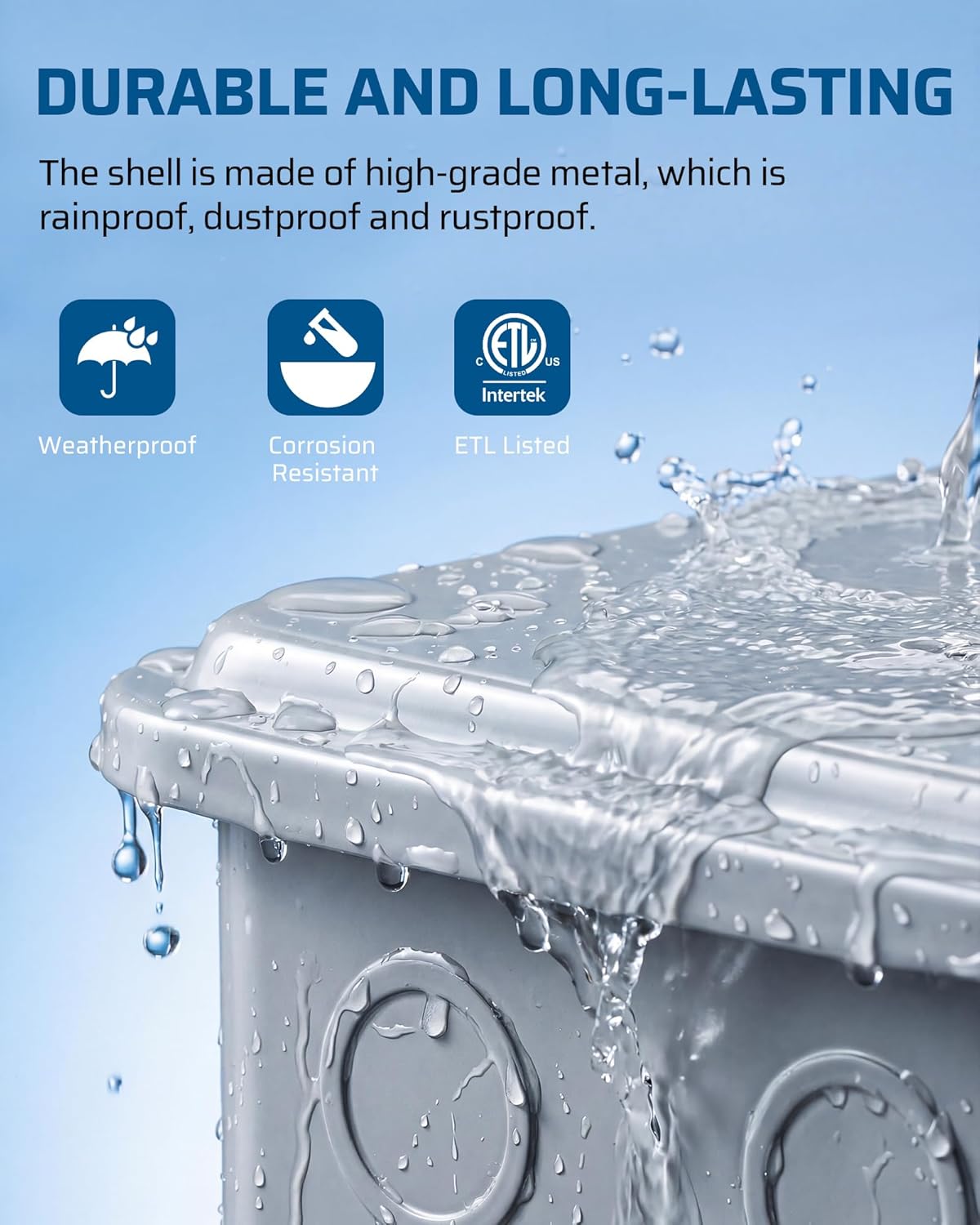
Сүрөт: The DEWENWILS timer being splashed with water, emphasizing its weatherproof and durable construction.
Проблемаларды чечүү
If you encounter issues with your DEWENWILS Matter Pool Pump Timer, refer to the following common troubleshooting steps:
| Көйгөй | Мүмкүн себеп | Чечим |
|---|---|---|
| Түзмөк күйбөй жатат | Электр энергиясы жок; зымдары бош; түзмөк бузук. | Check circuit breaker. Verify all wiring connections are secure. If issues persist, contact support. |
| Cannot pair with Matter hub/app | Incorrect Wi-Fi band; outdated app/hub firmware; hub too far; incorrect pairing steps. | Ensure your phone and hub are on a 2.4GHz Wi-Fi network. Update smart home app and hub firmware. Move hub closer to the timer. Re-attempt pairing by scanning the QR code. |
| Device frequently disconnects | Wi-Fi сигналынын начардыгы; тармактык тоскоолдук. | Ensure the timer is within range of your 2.4GHz Wi-Fi router/hub. Reduce interference from other devices. Consider a Wi-Fi extender if necessary. |
| Schedules not activating | Incorrect schedule settings; device offline. | Verify schedule settings in your smart home app. Check if the device is connected and online. |
| Үн башкаруу иштебейт | Incorrect device name; voice assistant not linked. | Ensure the device name is recognized by your voice assistant. Confirm your smart home account is linked to the voice assistant. |
Техникалык шарттар
| Өзгөчөлүк | Спецификация |
|---|---|
| Модель номери | PTW07 |
| Киргизүү көлөмүtage | 120VAC |
| Максималдуу ток | 40A |
| Максималдуу ат күчү | 2HP |
| Материал | Металл корпус |
| Продукциянын өлчөмдөрү (D x W x Y) | 9.36" x 4.21" x 7.77" |
| Зымсыз байланыш | 2.4GHz Wi-Fi (Matter-certified) |
| Smart Home шайкештиги | Apple HomeKit, Amazon Alexa, Google Home, SmartThings (Matter Hub Required) |
| Иштөө температурасы | -40°F – 140°F (-40°C – 60°C) |
| Сертификаттар | ETL тизмеленген |
Кепилдик жана колдоо
DEWENWILS products are designed for reliability and performance. For warranty information, technical support, or service inquiries, please refer to the contact information provided with your purchase or visit the official DEWENWILS webсайт.
Байланыш маалыматы: Please refer to the packaging or the DEWENWILS official website for the most up-to-date customer support details.