
1. Киришүү
The ASHATA Hands-Free USB Wired 1D/2D Barcode Scanner is a high-performance desktop scanning platform designed for efficient and accurate barcode reading. It features advanced decoding technology, soft LED illumination, and multiple feedback methods for an enhanced user experience. Its robust design ensures durability in various environments.
This scanner is capable of reading both 1D and 2D/QR barcodes from labels, paper, and digital displays, including damaged or distorted codes. Its omnidirectional design allows for hands-free operation, making it ideal for supermarkets, retail stores, warehouses, and POS systems.
2. Пакеттин мазмуну
- 1 x ASHATA Barcode Scanning Platform
- 1 x User Manual
3. Орнотуу
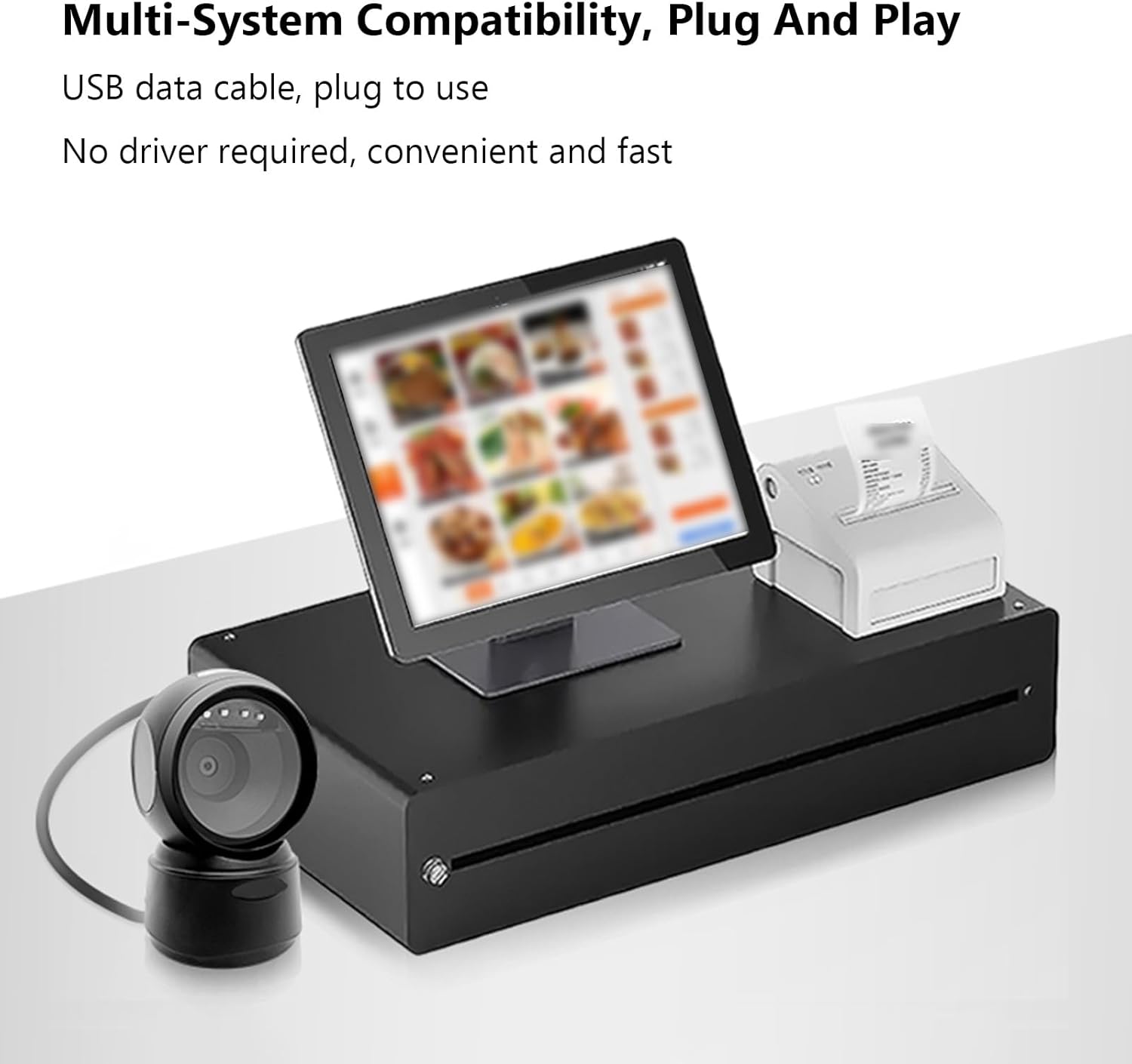
The ASHATA Barcode Scanner is designed for simple plug-and-play operation, requiring no additional driver installation.
- Сканерди таңгактан чыгаруу: Carefully remove the barcode scanning platform and user manual from the packaging.
- Түзмөккө туташуу: Insert the USB data cable from the barcode scanner into an available USB port on your computer or POS system.
- Системаны таануу: Иштөө системасы автоматтык түрдө керектүү драйверлерди таап, орнотот. Бул процесс бир нече мүнөткө созулушу мүмкүн.
- Жайгашкан жери: Place the scanner on a stable, flat surface. The anti-slip base ensures stability during operation.
4. Иштөө нускамалары
The scanner offers hands-free, omnidirectional scanning for various barcode types.
4.1 Штрихкоддорду сканерлөө
Simply present the barcode to the scanner's window. The scanner will automatically detect and decode the barcode. A buzzer sound and LED indicator lights will provide feedback upon successful scanning.

4.2 Intelligent Sensing
The scanner features an intelligent sensing mode:
- Автоматтык уйку режими: Upon inactivity, the scanner enters an automatic sleep mode to conserve power.
- Акылдуу ойготуу: The scanner automatically wakes up and becomes active when a barcode is presented for scanning.

4.3 Колдонулуучу сценарийлер
This scanner is suitable for a wide range of applications, including:
- Супермаркеттер
- Соода борборлору
- Cosmetic Stores
- Retail Industry
- Банктар
- Складдар
- Bookstores
- POS системалары

5. Техникалык тейлөө
To ensure optimal performance and longevity of your ASHATA Barcode Scanner, follow these maintenance guidelines:
- Тазалоо: Gently wipe the scanner's window and exterior with a soft, dry, lint-free cloth. Avoid using abrasive cleaners, solvents, or excessive moisture, as these can damage the device.
- Колдонуу: Although the scanner has a sturdy ABS structure and is IP42 rated, capable of withstanding drops from heights up to 1.5 meters, handle it with care to prevent unnecessary impact.
- Сактагыч: Сканерди колдонбогондо күн тийбеген жана экстремалдуу температурадан алыс, салкын, кургак жерде сактаңыз.
- Кабельге кам көрүү: Ички зыян келтирбөө үчүн USB кабелин өтө ийип же бурап албаңыз.
6. Кыйынчылыктарды
If you encounter issues with your ASHATA Barcode Scanner, please refer to the following common troubleshooting steps:
- Сканер жооп бербей жатат:
- USB кабелинин сканерге да, хост түзмөгүнө да бекем туташтырылганын текшериңиз.
- Try connecting the scanner to a different USB port on your device.
- Restart your computer or POS system.
- Unable to Read Barcodes:
- Штрих-код таза, бузулбаган жана даана көрүнүп турушун камсыз кылыңыз.
- Verify that the barcode is within the scanner's reading depth of field.
- Check if the scanner's window is clean and free from obstructions.
- Confirm that the barcode type is supported by the scanner (refer to Specifications).
- No Feedback (Buzzer/LED):
- If the scanner is in sleep mode, present a barcode to wake it up.
- Ensure the scanner is properly connected and powered.
Бул кадамдар маселени чечпесе, кошумча жардам алуу үчүн кардарларды тейлөө кызматына кайрылыңыз.
7. Техникалык шарттар
| Элемент түрү | 1D/2D Barcode Scanner Platform |
| Жарык булагы түрү | 625nm LED Supplementary Light |
| Скандоо принциби | Сүрөт CMOS |
| Trigger Mode | Induction Mode / Continuous Mode / Instruction Mode |
| Scanning Angle | Tilt Angle 65°, Rotate Angle 360°, Skew Angle 75° |
| Сканерлөөнүн тактыгы | > 4.5мил |
| Reading Depth of Field | 5mil (Code39): 2cm-13cm UPC-13mil: 2cm-28cm 20mil (Code39): 2cm-35cm 20mil QR Code: 2cm-24cm |
| Кабелдин узундугу | 1.5 м / 4.92 фут |
| Продукт өлчөмү | 13.6 x 8.3 x 8 cm / 5.35 x 3.27 x 3.15 in |
| Продукт Салмагы | 224 г / 7.9 унция |
| Байланыш | USB, RS232 |
| Туруктуу | IP42 rated, withstands drops up to 1.5 meters |
| Supported Decoding Capabilities | QRCode, PDF417, MaxiCode, Aztec, DataMatrix(ECC200), Micro QR, Hanxin Code, Micro PDF417, EAN13, EAN8, UPC-A, UPC-E, Code128, Code39, Code93, CodaBar, Interleaved 2 of 5, Industrial 25, Codel1MSIPlessey, Standard 2 of 5, Plessey, ChinaPost 25, etc. |
8. Кепилдик жана колдоо
For warranty information or technical support, please refer to the documentation included with your purchase or contact ASHATA customer service through your retailer. Keep your purchase receipt for warranty claims.