
1. Киришүү
Thank you for choosing the GOBOULT Tenet TWS Earbuds. This manual provides essential information for setting up, operating, and maintaining your earbuds to ensure optimal performance and longevity. The Tenet earbuds feature Bluetooth 5.4 connectivity, 13mm dynamic drivers, Quad Mic Environmental Noise Cancellation (ENC), and support for the Amp App for personalized audio.
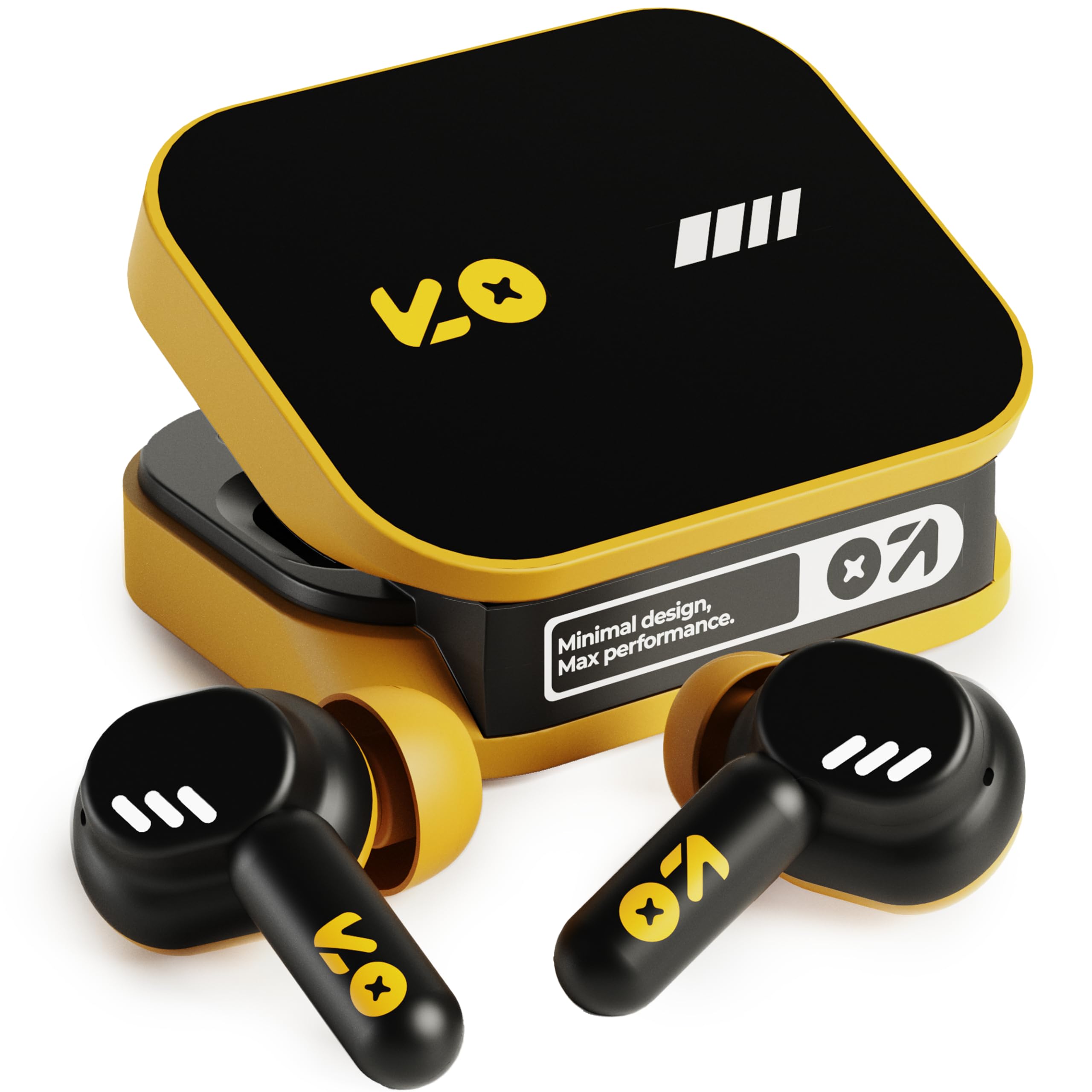
Image: The GOBOULT Tenet TWS Earbuds in Solar Yellow, shown with their charging case.
2. Пакеттин мазмуну
Төмөнкү нерселердин баары пакетиңизге камтылганын текшериңиз:
- GOBOULT Tenet TWS Earbuds (Left and Right)
- Заряддоо кутусу
- USB Type-C кубаттоочу кабель
- Кулак жаздыктары (ар кандай өлчөмдөгү)
- Колдонуучунун Колдонмосу (бул документ)
- Кепилдик картасы
3. Орнотуу
3.1. Кулакчындарды жана кутуну кубаттоо
Before first use, fully charge the earbuds and the charging case. The case provides extended battery life for the earbuds.
- Эки кулакчынды тең кубаттоочу кутуга салып, алардын туура орнотулганын текшериңиз.
- Берилген USB Type-C кубаттоо кабелин корпустагы кубаттоо портуна жана шайкеш келген USB кубат булагына (мисалы, дубал адаптери, компьютердин USB порту) туташтырыңыз.
- The indicator light on the charging case will show the charging status. Refer to the LED indicator guide in the operating section for details.
- Толук заряддоо кубаттоочу куту менен жалпысынан 75 саатка чейин ойноо убактысын камсыз кылат. Тез 10 мүнөттүк кубаттоо 120 мүнөткө чейин ойноо убактысын камсыздай алат.

Image: The GOBOULT Tenet earbuds in their open charging case, illustrating the USB-C charging port and battery life.
3.2. Кулакчындарды орнотуу
Proper fit is crucial for sound quality and comfort. The earbuds feature a 'Vacuum Lock Earshell' design for a secure fit.
- Select the ear cushions that best fit your ears. Different sizes are provided.
- Кулакчындарды кулак каналыңызга акырын киргизиңиз.
- Twist slightly to ensure a snug and comfortable seal. This helps optimize audio performance and noise isolation.

Image: A diagram illustrating the 'Vacuum Lock Earshell' design and how the earbud sits securely in the ear.
4. Иштөө нускамалары
4.1. Күйгүзүү/өчүрүү
- Күйгүзүү: Заряддоо кутучасын ачсаңыз, кулакчындар автоматтык түрдө күйөт.
- Өчүрүү: Кулакчындарды кайра заряддоо кутусуна салып, капкагын жабыңыз. Алар автоматтык түрдө өчүп, кубаттай башташат.
4.2. Bluetooth Жупташтыруу
The GOBOULT Tenet earbuds use Bluetooth 5.4 for stable and efficient connection.
- Кулакчындардын кубатталганын жана кубаттоочу кутучанын ичинде экенин текшериңиз.
- Open the charging case. The earbuds will enter pairing mode, indicated by flashing LED lights.
- Түзмөгүңүздө (смартфон, планшет, ноутбук) Bluetooth иштетиңиз.
- Издөө available Bluetooth devices and select "GOBOULT Tenet" from the list.
- Туташтырылгандан кийин, кулакчындын индикатор жарыгы күйүп-өчүүнү токтотот.
4.3. Кош түзмөк байланышы
The earbuds support dual device pairing, allowing seamless switching between two connected devices.
- Pair the earbuds with your first device (e.g., smartphone) as described above.
- Кулакчындарды биринчи түзмөктүн Bluetooth жөндөөлөрүнөн ажыратыңыз (ажыратпаңыз).
- Pair the earbuds with your second device (e.g., laptop).
- Кулакчындарды Bluetooth жөндөөлөрүнөн биринчи түзмөккө кайра туташтырыңыз. Эми кулакчындар эки түзмөккө тең туташты.
- To switch between devices, simply pause audio on one device and play on the other.

Image: The GOBOULT Tenet earbuds and charging case positioned between a smartphone and a laptop, demonstrating dual device connectivity.
4.4. Башкаруу элементтерине тийүү
The earbuds feature intuitive touch controls for music playback, call management, and voice assistant activation.
| Функция | Акция |
|---|---|
| Ойнотуу/Тыныгуу | Кулакчындарды бир жолу таптаңыз |
| Кийинки трек | Оң кулакчынды эки жолу таптаңыз |
| Мурунку трек | Сол кулакчынды эки жолу таптаңыз |
| Чалууга жооп берүү/аяктоо | Кулакчындарды бир жолу таптаңыз |
| Чакырууну четке кагуу | Кулакчындардын бирин дагы көпкө басыңыз |
| Үн жардамчысын иштетүү (Siri/Google Жардамчы) | Кулакчындарды үч жолу таптаңыз |

Image: An illustration detailing the touch controls for music and calls, along with information on intelligent AI assistance and IPX5 water resistance.
4.5. колдонуу Amp Колдонмо
Personalize your listening experience with the dedicated Amp Колдонмо.
- жүктөп алуу "Amp App" from your device's app store.
- Connect your GOBOULT Tenet earbuds to your device via Bluetooth.
- ачыңыз Amp App. It will automatically detect your earbuds.
- Within the app, you can customize EQ settings (e.g., Rock, Jazz, Natural, Bass), rename your earbuds, and access tailored widgets.

Image: The GOBOULT Amp App interface displayed on a smartphone, showing custom EQ modes and other personalization options for the earbuds.
4.6. Call Management (Quad Mic ENC)
The Quad Mic Environmental Noise Cancellation (ENC) ensures clear calls by reducing background noise.
- Use the touch controls (Section 4.4) to answer, end, or reject calls.
- The four integrated microphones work to isolate your voice from ambient sounds, providing clear communication even in noisy environments.
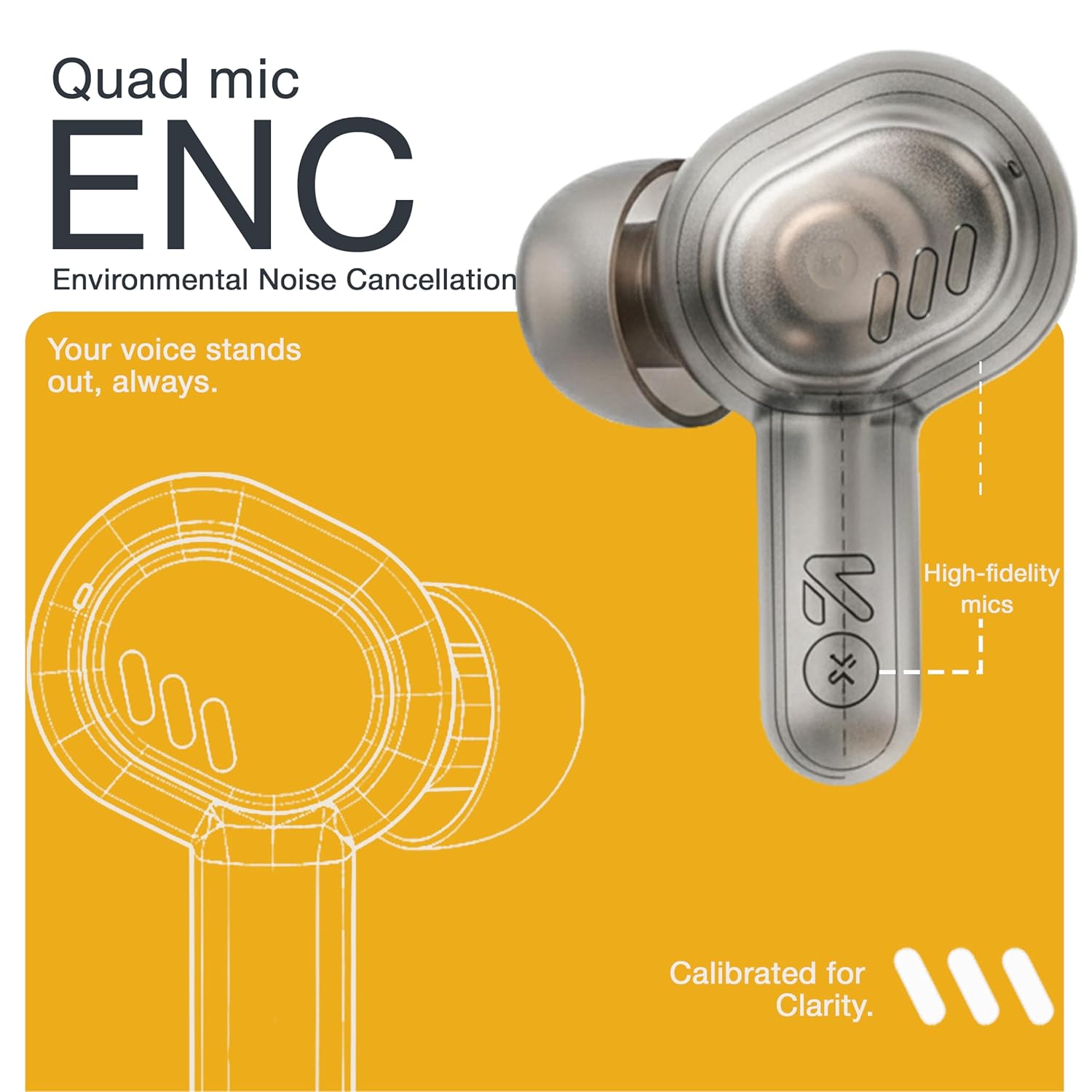
Image: A detailed diagram highlighting the Quad Mic ENC system within the earbud, designed for clear voice transmission.
4.7. Audio Performance (13mm Drivers)
The GOBOULT Tenet earbuds are equipped with 13mm dynamic drivers for a rich audio experience.
- Experience deep bass, clear vocals, and balanced audio across various music genres.
- Үн профессионалын тууралаңызfile further using the Amp App's equalizer settings.

Сүрөт: жарылган view diagram of the earbud, showcasing the 13mm dynamic driver responsible for audio output.
4.8. Сууга туруктуулук
The earbuds are IPX5 water resistant, making them suitable for workouts and light splashes.
- IPX5 rating means the earbuds can resist a sustained, low-pressure water jet spray.
- Do not submerge the earbuds in water or expose them to heavy rain.
- Кубаттоочу корпус сууга туруштук бере албайт.
5. Техникалык тейлөө
5.1. Тазалоо
- Кулакчындарды жана заряддоо кутусун жумшак, кургак, түксүз чүпүрөк менен дайыма тазалап туруңуз.
- Зарыл болсо, кулак жаздыкчаларын алып салып, жумшак самын жана суу менен тазалаңыз, кайра орнотуудан мурун толугу менен кургаганын текшериңиз.
- Абразивдүү тазалагычтарды, спиртти же химиялык эриткичтерди колдонбоңуз.
- Кулакчындардагы жана кутудагы кубаттоо контакттары таза жана калдыктары жок экенин текшериңиз.
5.2. Сактоо
- Колдонулбаганда, кулакчындарды коргоо жана кубаттоо үчүн кубаттоочу кутучага сактаңыз.
- Аппаратты салкын, кургак жерде, экстремалдык температурадан жана тике күн нурунан алыс сактаңыз.
5.3. Батареяга кам көрүү
- Батареянын иштөө мөөнөтүн узартуу үчүн, кулакчындарды жана кутучаны тез-тезден толугу менен зарядсыздандырбаңыз.
- Charge the device regularly, even if not in frequent use, to prevent deep discharge.
6. Кыйынчылыктарды
| Көйгөй | Мүмкүн чечим |
|---|---|
| Кулакчындар жупташкан жок |
|
| Бир кулактын үнү чыкпайт |
|
| Заряддоо маселелери |
|
| Көлөмү төмөн же үн сапаты начар |
|
| Үн жардамчысы жооп бербей жатат |
|
7. Техникалык шарттар
| Өзгөчөлүк | Деталь |
|---|---|
| Бренд | GOBOULT |
| Модель аты | Tenet (Airbass) |
| Модель номери | Airbas кулакчындары |
| Кулак жайгаштыруу | Кулакта |
| Noise Control | Environmental Noise Cancellation (ENC), Sound Isolation |
| Bluetooth версиясы | 5.4 |
| Bluetooth диапазону | 10 метрге чейин |
| Аудио драйверинин өлчөмү | 13 миллиметр |
| Жыштык диапазону | 20 Гц - 20 000 Гц |
| Сезимталдуулук | 105 дБ |
| Battery Average Life (with case) | 75 саатка чейин |
| Тез заряддоо | 120 мүнөт ойноо убактысы үчүн 10 мүнөт кубаттоо |
| Заряддоо порту | USB Type-C |
| Сууга туруктуулук деңгээли | IPX5 (Кулакчындар гана) |
| Controller Type | Touch, Google Assistant, Siri |
| Шайкеш түзмөктөр | Desktops, Gaming Consoles, Laptops, Smart Watch, Tablets |
| Элемент Салмагы | 54.5 Grams (Case + Earbuds) |
| Келип чыккан өлкө | Кытай |
8. Кепилдик жана колдоо
8.1. Кепилдик маалыматы
The GOBOULT Tenet TWS Earbuds come with a 1-Year Manufacturer's Warranty from the date of purchase. This warranty covers manufacturing defects.
- Кепилдик дооматтары үчүн сатып алуунун далили катары сатып алуу дүмүрчөгүңүздү сактап коюңуз.
- Кепилдик туура эмес колдонуудан, кырсыктардан, уруксатсыз өзгөртүүлөрдөн же кадимки эскирүүдөн келип чыккан зыянды камтыбайт.
8.2. Кардарларды колдоо кызматы
For any queries, technical assistance, or warranty claims, please contact GOBOULT customer support.
- Өндүрүүчү: Exotic Mile Private Limited, B-67 Wazirpur Industrial Area, New Delhi 110052
- Импорттоочу: Exotic Mile Pvt. Ltd., B67 Wazirpur Industrial Area, New Delhi 110052
- Refer to the contact information provided on your warranty card or the official GOBOULT webэң заманбап колдоо каналдары үчүн сайт.