
1. Киришүү
This manual provides detailed instructions for the installation, operation, and maintenance of your Rosewill VNG 650W ATX 3.1 Power Supply. Please read this manual thoroughly before installation and keep it for future reference. The Rosewill VNG 650W is an 80+ Gold Certified, non-modular power supply compatible with ATX 3.0 & 3.1 standards, featuring a 450W PCIe 5.1 12V-2x6 connector for modern graphics cards.
2. Коопсуздук маалыматы
- Кубат булагын орнотуудан, алып салуудан же тазалоодон мурун ар дайым кубат шнурун розеткадан сууруп алыңыз.
- Электр менен камсыздоо блогун ачпаңыз. Жогорку томtages ичинде бар жана колдонуучу тейлей турган бөлүктөр жок. Аппаратты ачуу кепилдикти жокко чыгарат.
- Ensure the power supply is installed in a well-ventilated area, away from heat sources, direct sunlight, and moisture.
- Use only the cables provided with your power supply. Using third-party cables may cause damage to your system and void the warranty.
- Connect the power supply to a grounded power outlet.
- Do not force connectors. Ensure proper orientation before plugging in any cables.
3. Пакеттин мазмуну
Сиздин пакетте бардык компоненттер бар экенин текшериңиз:
- Rosewill VNG 650W Power Supply Unit
- AC Power Cord
- Монтаждоо бурамалар
- User Manual
- Cable Ties (for cable management)

Figure 3.1: Rosewill VNG 650W Power Supply with its bundled, non-modular cables.
4. Орнотуу жана орнотуу
Follow these steps to install your Rosewill VNG 650W Power Supply:
- Системаңызды даярдаңыз: Ensure your computer case is open and accessible. Disconnect all power from your existing power supply and remove it if necessary.
- Кубат менен жабдууну орнотуу: Carefully slide the Rosewill VNG 650W into the power supply bay of your computer case. Secure it with the provided mounting screws.
- Энелик платанын кубаттуулугун туташтыруу: 24-пиндүү ATX энелик платасынын кубат кабелин энелик платаңызга туташтырыңыз.
- CPU кубатын туташтыруу: 4+4 пиндүү CPU кубат кабелин (кабелдерин) энелик платага туташтырыңыз.
- Графикалык картанын кубатын туташтыруу: For modern graphics cards, use the dedicated PCIe 5.1 12V-2x6 connector. For older or less demanding cards, use the 6+2 pin PCIe connectors. Ensure all necessary power connectors for your graphics card(s) are securely attached.
- Перифериялык түзүлүштөрдү туташтыруу: Connect SATA power cables to your storage drives (HDDs/SSDs) and Molex connectors to any other peripherals requiring them.
- Кабелдик башкаруу: Organize the non-modular cables using the included cable ties to improve airflow and aesthetics within your case.
- AC кубатына туташтыруу: Once all internal connections are made, connect the AC power cord to the power supply and then to a grounded wall outlet.
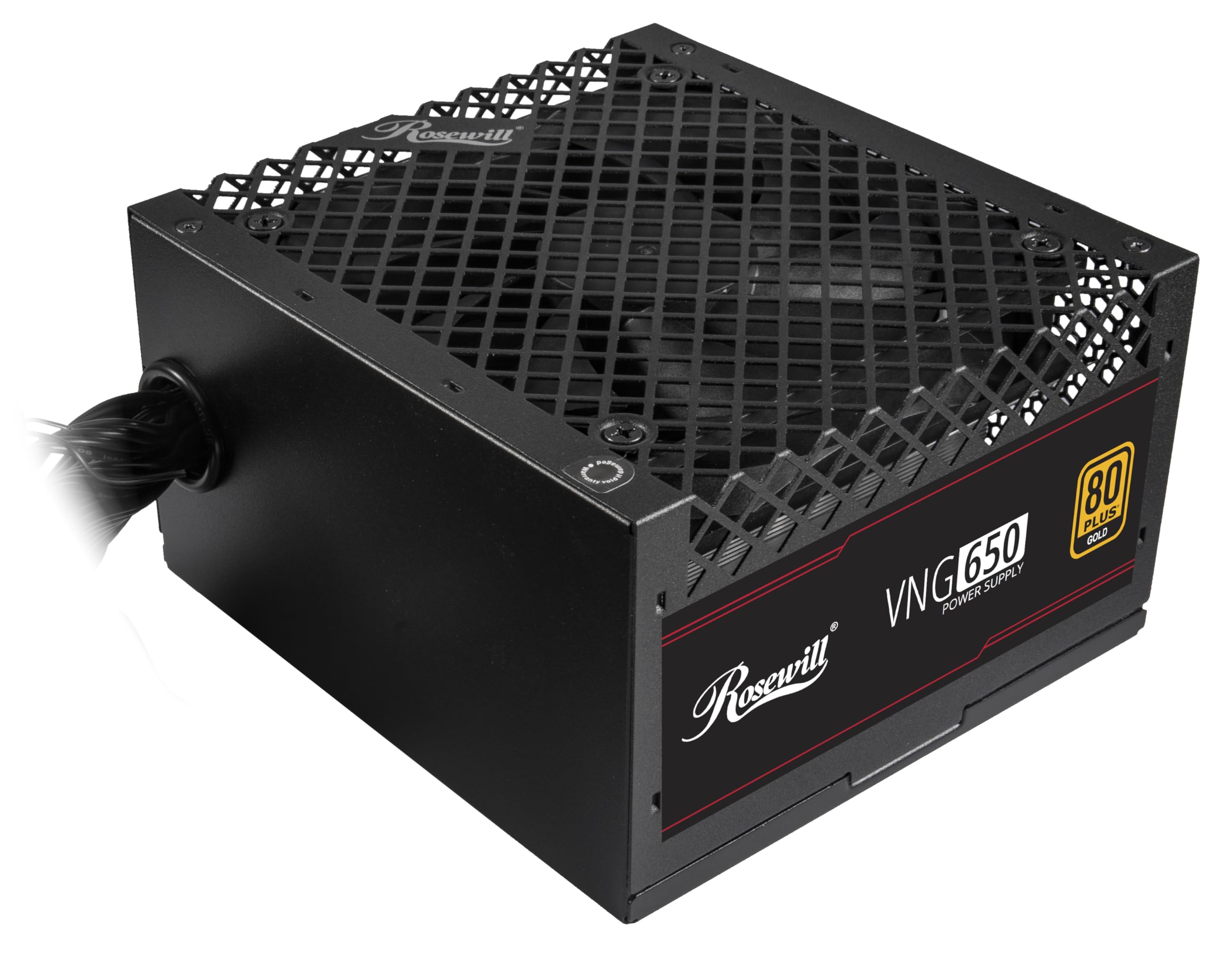
Figure 4.1: Rosewill VNG 650W Power Supply overview.

Figure 4.2: Rear panel with power switch and AC input.

Figure 4.3: Available Power Supply Connectors.
5. Иштөө нускамалары
Once installed, the Rosewill VNG 650W Power Supply operates automatically. Its 80 PLUS Gold certification ensures high efficiency, converting more AC power into usable DC power and reducing wasted heat. The low-noise design helps maintain a quiet computing environment. The power supply is designed to handle power excursions up to 235% and GPU power excursions up to 300%, providing stable power delivery for demanding components.

5.1-сүрөт: Жогорку view showing the cooling fan.
6. Техникалык тейлөө
To ensure optimal performance and longevity of your Rosewill VNG 650W Power Supply:
- Аны таза кармаңыз: Periodically clean the exterior of the power supply and the fan grill with a soft, dry cloth. Use compressed air to gently remove dust from the fan and internal components, ensuring the system is powered off and unplugged before cleaning.
- Туура аба агымын камсыз кылуу: Make sure there is adequate space around the power supply for proper ventilation. Avoid blocking the intake or exhaust vents.
- Байланыштарды текшерүү: Occasionally check that all power cables are securely connected to the power supply and your components.
7. Кыйынчылыктарды
If you encounter issues with your Rosewill VNG 650W Power Supply, refer to the following common troubleshooting steps:
- Кубат жок:
- Ensure the AC power cord is securely plugged into both the power supply and a working wall outlet.
- Кубат булагынын арткы жагындагы кубат которгучу "ON" абалында экенин текшериңиз.
- Verify all internal power connections (24-pin, CPU, PCIe) are firmly seated.
- Дубалдагы розеткада кубат бар экенин ырастоо үчүн башка аспап менен сынап көрүңүз.
- Системанын туруксуздугу/бузуулар:
- Тутумуңуздун кубаттуулук талаптары PSUнун 650 Вт кубаттуулугунан ашпасын текшериңиз.
- Check for loose power connections to components.
- Компоненттердин ысып кетпеши үчүн системанын температурасына көз салыңыз.
- адаттан тыш ызы-чуу:
- A slight fan noise is normal during operation. If the noise is excessive or unusual, ensure the fan is not obstructed by dust or cables.
- Эгер ызы-чуу кайталана берсе, кардарларды колдоо бөлүмүнө кайрылыңыз.
If these steps do not resolve your issue, please refer to the Support section.
8. Техникалык шарттар

Figure 8.1: Electrical Specifications Label.
| Өзгөчөлүк | Description |
|---|---|
| Модель аты | VNG650 |
| Бренд | Роузвилл |
| Шайкеш түзмөктөр | Персоналдык компьютер |
| Туташтыргыч түрү | ATX |
| Чыгуу Wattage | 650 Ватт |
| Форма фактору | Mini ITX |
| Муздатуу ыкмасы | Аба |
| Элементтин өлчөмдөрү (L x W x Y) | 5.9 x 5.51 x 3.38 дюйм |
| Элемент Салмагы | 2.8 фунт |
| Энергия менен жабдуунун дизайны | Модулдук эмес |
| Максималдуу киргизүү көлөмүtage | 240 вольт (AC) |
| Минималдуу киргизүү көлөмүtage | 240 вольт (AC) |
| System Bus Connector Type | ATX |
| UPC | 840951136676 |
| Mfr Part Number | VNG650 |
9. Кепилдик маалыматы
The Rosewill VNG 650W Power Supply comes with a 5 жылдык Өндүрүүчүнүн Кепилдиги. Please retain your proof of purchase for warranty claims. For detailed terms and conditions, refer to the official Rosewill webсайтка же кардарларды колдоо менен байланышыңыз.
10. Колдоо
For technical assistance, warranty claims, or further inquiries, please visit the official Rosewill website or contact their customer support team. You can often find FAQs and additional resources online.
Роузвиллдин расмий өкүлү Webсайт: www.rosewill.com