
1. Киришүү
This manual provides detailed instructions for the Donner DEK-630 61-Key Electronic Keyboard. Please read this manual thoroughly before using the instrument to ensure proper operation and to maximize your musical experience. The DEK-630 is designed for beginners and music enthusiasts, featuring lighted keys, various tones and rhythms, and learning modes to support your musical journey.

Image 1.1: The Donner DEK-630 61-Key Electronic Keyboard Set, including the keyboard, Z-stand, and bench.
2. Кутуда эмне бар
Пакетте бардык компоненттер бар экенин текшериңиз:
- Donner DEK-630 Electric Keyboard
- Z-shaped Stand
- Пианино отургучу
- Музыкалык эс алуу
- Эскертме стикерлери
- Кубаттуу адаптер
- Көрсөтмө (бул документ)
3. Орнотуу
3.1 Assembling the Z-shaped Stand
- Unfold the main frame of the Z-stand.
- Attach the horizontal support bars to the vertical frames using the provided screws and knobs. Ensure they are securely tightened.
- Adjust the height of the stand to your preferred playing position using the adjustment knobs.
Video 3.1: Official Donner Music video demonstrating the assembly of the DEK-630 keyboard stand.
3.2 Пианино отургучун чогултуу
- Unfold the legs of the piano bench.
- Ensure all locking mechanisms are engaged for stability.
3.3 Placing the Keyboard and Music Rest
- Carefully place the DEK-630 keyboard onto the assembled Z-stand. Ensure it is stable and centered.
- Музыканын калган бөлүгүн клавиатуранын жогорку панелиндеги атайын уячаларга салыңыз.

Image 3.1: The Donner DEK-630 keyboard fully set up with the Z-stand and piano bench.
3.4 Кубат туташтыруу
- Connect the provided power adapter to the DC 12V input jack (8) on the rear panel of the keyboard.
- Кубат адаптерин стандарттуу электр розеткасына сайыңыз.

Image 3.2: Close-up of the DEK-630's rear panel, highlighting the power adapter input and other connectivity options.
4. Иштөө нускамалары
4.1 Күйгүзүү/өчүрүү
басыңыз КҮЧ button located on the control panel to turn the keyboard on or off. The LCD display will illuminate upon power-on.
4.2 ЖК дисплей аштыview
The LCD display provides visual feedback on the current tone, rhythm, tempo, and learning mode status. Use the navigation buttons to browse through options.

Image 4.1: The DEK-630's LCD display, showing active settings for tones, rhythms, and learning modes.
4.3 Tone Selection (300 Tones)
To select a tone:
- басыңыз ООН баскычы.
- Сандык тактаны же колдонуңуз +/- buttons to select from 300 available tones. The selected tone number and name will appear on the LCD.
4.4 Rhythm Selection (256 Rhythms)
To select a rhythm:
- басыңыз РИТМ баскычы.
- Сандык тактаны же колдонуңуз +/- buttons to select from 256 available rhythms.
- Басыңыз START/STOP ритмди ойнотууну баштоо же токтотуу үчүн.
4.5 Demo Songs (40 Songs)
The keyboard includes 40 demo songs for listening and practice.
- басыңыз DEMO ЫР баскычы.
- колдонуу +/- buttons to cycle through the demo songs.
- Басыңыз ОЙНОО to start the selected demo song.
4.6 Learning Modes
The DEK-630 offers built-in learning modes to assist beginners, including lighted keys, auto-chord, and metronome functions.
- Жарык ачкычтар: Keys illuminate to guide you during learning exercises.
- Автоаккорд: Automatically plays chords based on single key presses, simplifying accompaniment.
- Метроном: Provides a steady beat to help develop rhythm and timing. Activate by pressing the МЕТРОНОМ баскычы.

Image 4.2: A user's hands playing the DEK-630, demonstrating the lighted key feature for learning.
4.7 Жазуу жана ойнотуу
Сиздин аткарууну жазуу үчүн:
- басыңыз REC button. The REC indicator will light up.
- Өзүңүз каалаган обонду ойноңуз.
- Басыңыз ОЙНОО to stop recording and listen to your recorded performance.
4.8 Dual Keyboard / Split Functions
- Dual Keyboard: Allows two different voices to be layered and played simultaneously.
- Бөлүү функциясы: Divides the keyboard into two sections, each with its own tone, allowing two different instruments to be played at once. Refer to the full manual for detailed activation steps.
4.9 Үндү башкаруу
жардамы менен башкы үнүн тууралаңыз МАСТЕР ТОМУ knob or buttons on the control panel.
4.10 Байланыш параметрлери
The DEK-630 offers various ports for expanded functionality:
- Sustain Pedal Jack (1): Connect an optional sustain pedal for expressive playing.
- MIDI Port (2): Connect to computers or other MIDI devices for music production and learning software.
- USB порту (3): For USB MIDI connectivity.
- Audio Input Line (4): Connect external audio sources (e.g., MP3 player) to play along.
- Output (L/R) (5): Тышкы туташуу amplifiers or mixing consoles.
- Mic Jack (6): Үн коштоосу үчүн микрофонду туташтырыңыз.
- Кулакчын уячасы (7): Connect headphones for private practice. Headphones need to be purchased separately.
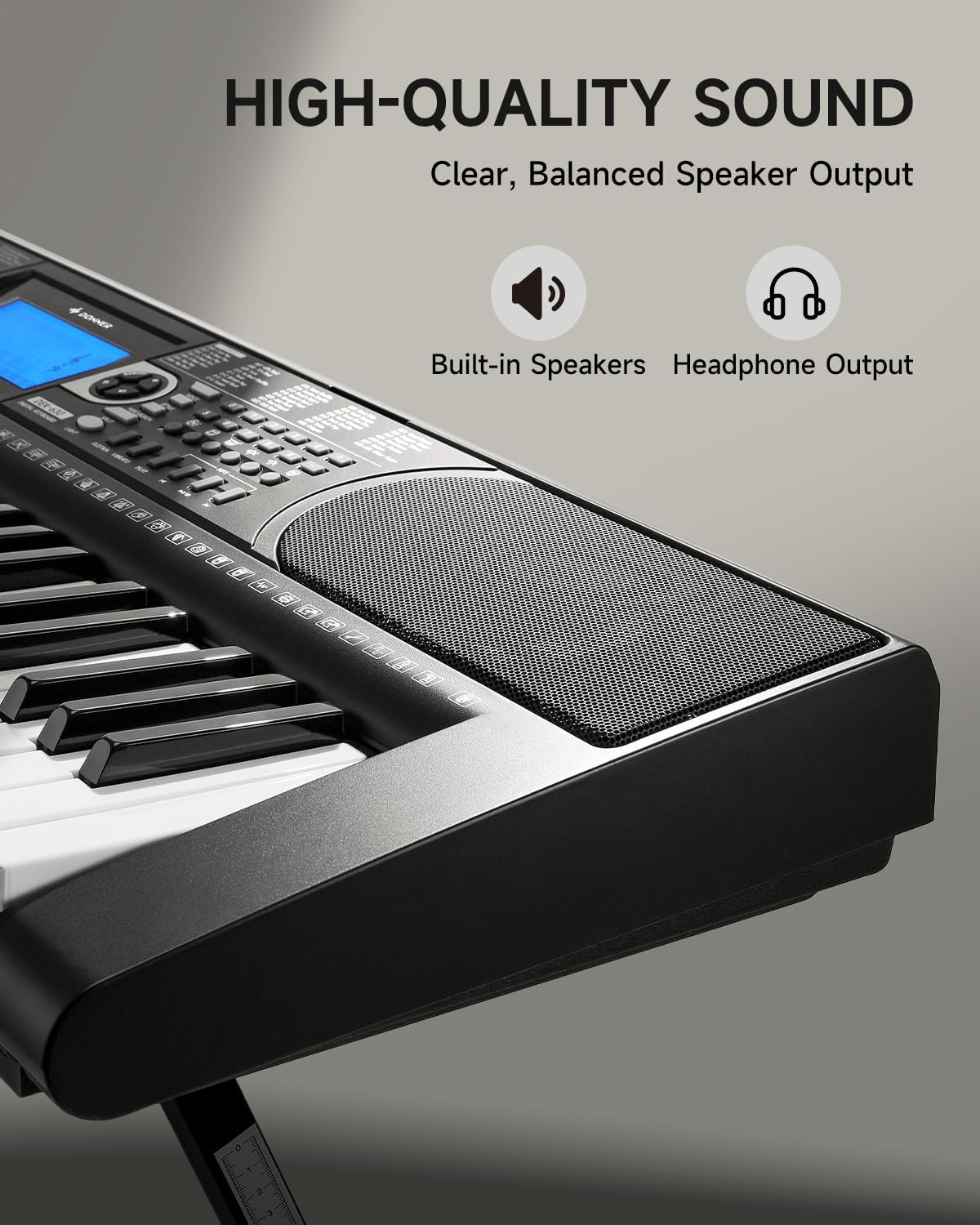
Image 4.3: The DEK-630's built-in speaker and headphone output for versatile sound options.
5. Техникалык тейлөө
5.1 Тазалоо
- Wipe the keyboard and stand with a soft, dry cloth.
- өжөр кир үчүн, бир аз d колдонууamp чүпүрөк, анан кылдат кургатуу.
- Абразивдүү тазалоочу каражаттарды, эриткичтерди же момдорду колдонуудан алыс болуңуз, анткени алар жасалгасына зыян келтириши мүмкүн.
5.2 Сактоо
- Клавиатураны күн нурунан жана экстремалдык температурадан алыс, салкын, кургак жерде сактаңыз.
- If storing for an extended period, disconnect the power adapter.
6. Кыйынчылыктарды
| Көйгөй | Мүмкүн себеп | Чечим |
|---|---|---|
| Үн жок |
|
|
| Ачкычтар жооп бербейт |
|
|
| ЖК дисплей бош |
|
|
7. Техникалык шарттар
- Модел: ДЕК-630
- Ачкычтардын саны: 61
- Обондор: 300
- Ритмдер: 256
- Демо ырлар: 40
- Өзгөчөлүктөр: Built-In Speaker, Lighted Keys, Portable, LCD Display, Learning Modes (Auto-Chord, Metronome)
- Байланыш: USB MIDI, Audio Input, Output (L/R), Mic Jack, Headphone Jack, Sustain Pedal Jack
- Күч: DC 12V кубат адаптери
- Dimensions (Keyboard without stand): 37.80 x 11.81 x 3.54 дюйм (96 x 30 x 9 см)
- Камтылган компоненттер: Electric Keyboard, Z-shaped Stand, Piano Bench, Music Rest, Note Stickers
8. Кепилдик жана колдоо
8.1 Кепилдик маалыматы
The Donner DEK-630 Electronic Keyboard comes with a 2 жылдык кепилдик from the date of purchase. This warranty covers manufacturing defects and malfunctions under normal use. Please retain your proof of purchase for warranty claims. The warranty does not cover damage caused by misuse, accidents, unauthorized modifications, or normal wear and tear.
8.2 Кардарларды колдоо
For technical assistance, troubleshooting, or warranty inquiries, please contact Donner customer support. Visit the official Donner webбайланыш маалыматы жана кошумча ресурстар үчүн сайт.
Donner Official Webсайт: www.donnerdeal.com