
1. Киришүү
Thank you for choosing the ASHATA Car Model 1:25 Scale 3-in-1 Wireless Charging Station. This innovative device combines a stylish car model design with advanced wireless charging technology, allowing you to simultaneously charge your smartphone, earphone, and smartwatch. This manual provides essential information for safe and efficient use of your new charging station.
2. Пакеттин мазмуну
Сураныч, пакетте төмөнкү нерселерди текшериңиз:
- 1 x ASHATA Car Model Wireless Charging Station
- 1 x USB кабели
- 1 х Колдонуучунун колдонмосу (бул документ)

Image: The ASHATA Car Model Wireless Charging Station shown next to its included USB cable.
3. Продукциянын өзгөчөлүктөрү
- Кеңири шайкештик: Compatible with various smartphones (e.g., iOS 12-17 series, S20-S25 series, Note 10-20), earphones (e.g., Buds 2 Pro), and smartwatches.
- Advanced 3-in-1 Charger: Simultaneously charges your smartphone, earphone, and smartwatch. Includes 3 additional wired charging ports for versatility.
- Auto Rotating Convenience: Supports phone cases up to 0.6 inches thick. Features an automatic rotating mechanism for easy phone placement and viewing during charging.
- Elegant дизайн: Realistic car model aesthetic seamlessly integrates into various environments like homes, offices, and lounges.
- Өркүндөтүлгөн коопсуздук: Ашыкча ток, ашыкча агымга каршы камтылган коргооtage, overheating, short circuits, and foreign object detection ensure safe and reliable charging.
- Айланадагы жарык: Integrated ambient lighting for enhanced aesthetics and functionality.
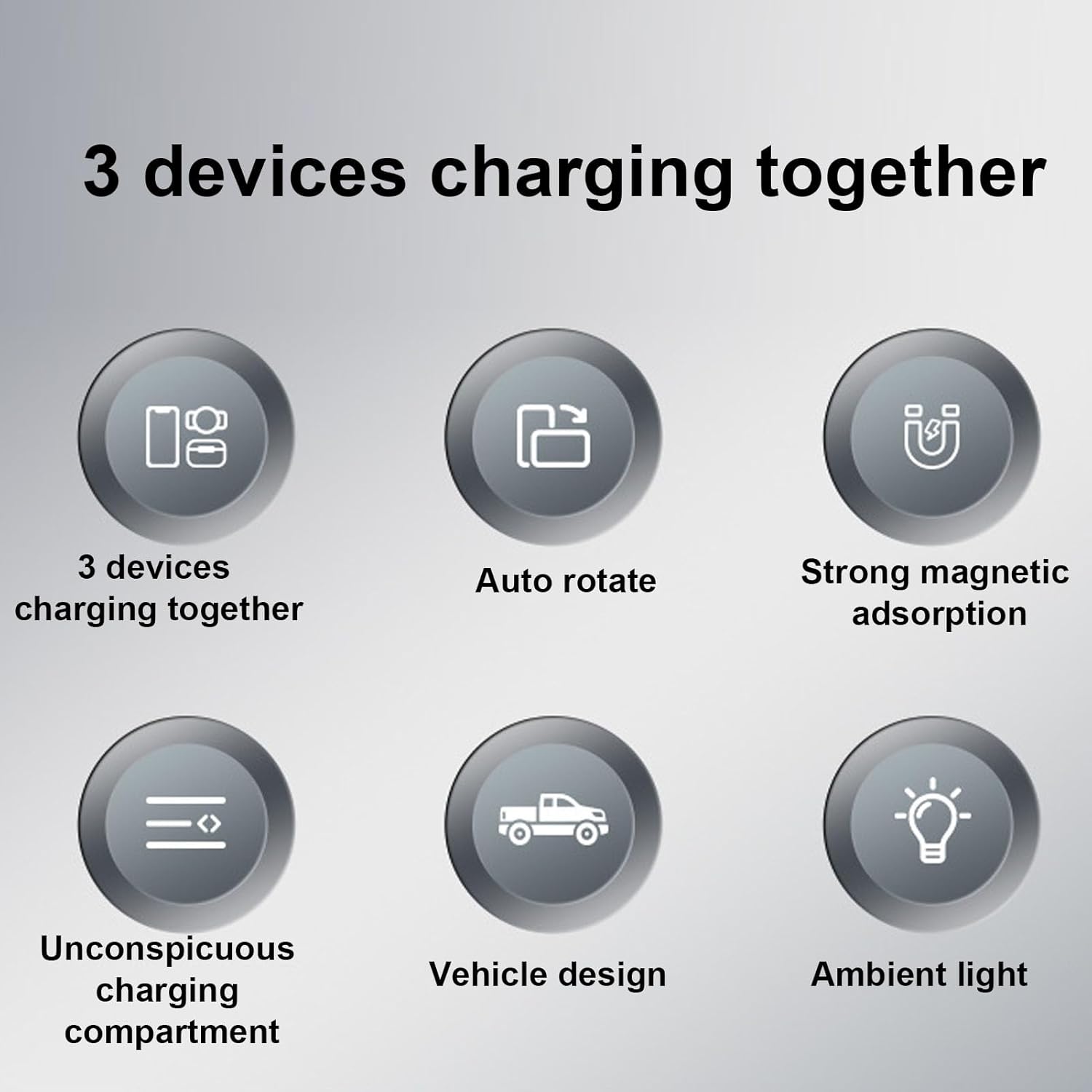
Image: Visual representation of the charging station's six main features, including multi-device charging, auto-rotation, magnetic adsorption, hidden charging, vehicle design, and ambient light.
4. Техникалык шарттар
| Параметр | Нарк |
|---|---|
| Элемент түрү | Car Model Wireless Charging Station |
| Материал | ABS+PC |
| Smartphone Output | 5W, 7.5W, 10W, 15W |
| Earphone Compartment Output | 5W |
| Smartwatch Output | 2.5 Вт |
| Туташтыргыч түрү | USB 2.0 |
| Киргизүү көлөмүtage | 10 вольт |
| Output Current | 2 Amps |
| Output Voltage | 1 вольт |
| Түс | Боз |
| Модель номери | ASHATA83l2oc1w5d-11 |
5. Орнотуу
- Заряддагычты таңгактан чыгаруу: Carefully remove the charging station and USB cable from its packaging.
- Туташуу кубаты: Connect the provided USB cable to the charging port on the ASHATA Car Model Charging Station. Plug the other end of the USB cable into a compatible USB power adapter (not included) or a powered USB port.
- Жайгашкан жери: Place the charging station on a stable, flat surface away from direct sunlight, heat sources, and liquids.
- Күйгүзүү: Once connected to power, the ambient light may illuminate, indicating the device is ready for use.
6. Иштөө нускамалары
6.1 Charging a Smartphone
- Заряддоо станциясы күйгүзүлгөнүн текшериңиз.
- Place your wireless-charging-compatible smartphone onto the designated charging area on the car model's roof. The phone can be placed horizontally or vertically.
- The charging station features an auto-rotating mechanism. You can tap the side of the car model to rotate the phone into a preferred viewing angle (e.g., for video calls or watching videos).
- A charging indicator on your phone will confirm that charging has begun.

Image: A smartphone and wireless earphones are shown charging simultaneously on the car model charging station, highlighting the electric rotation and ambient light features.

Image: A hand demonstrates the 90-degree rotation feature of the charging platform by tapping the side of the car model, allowing for adjustable phone viewing.
6.2 Наушниктерди заряддоо
- Locate the earphone charging compartment, typically at the rear of the car model.
- Place your wireless-charging-compatible earphone case into the compartment.
- Ensure the earphone case is properly seated for charging to begin.
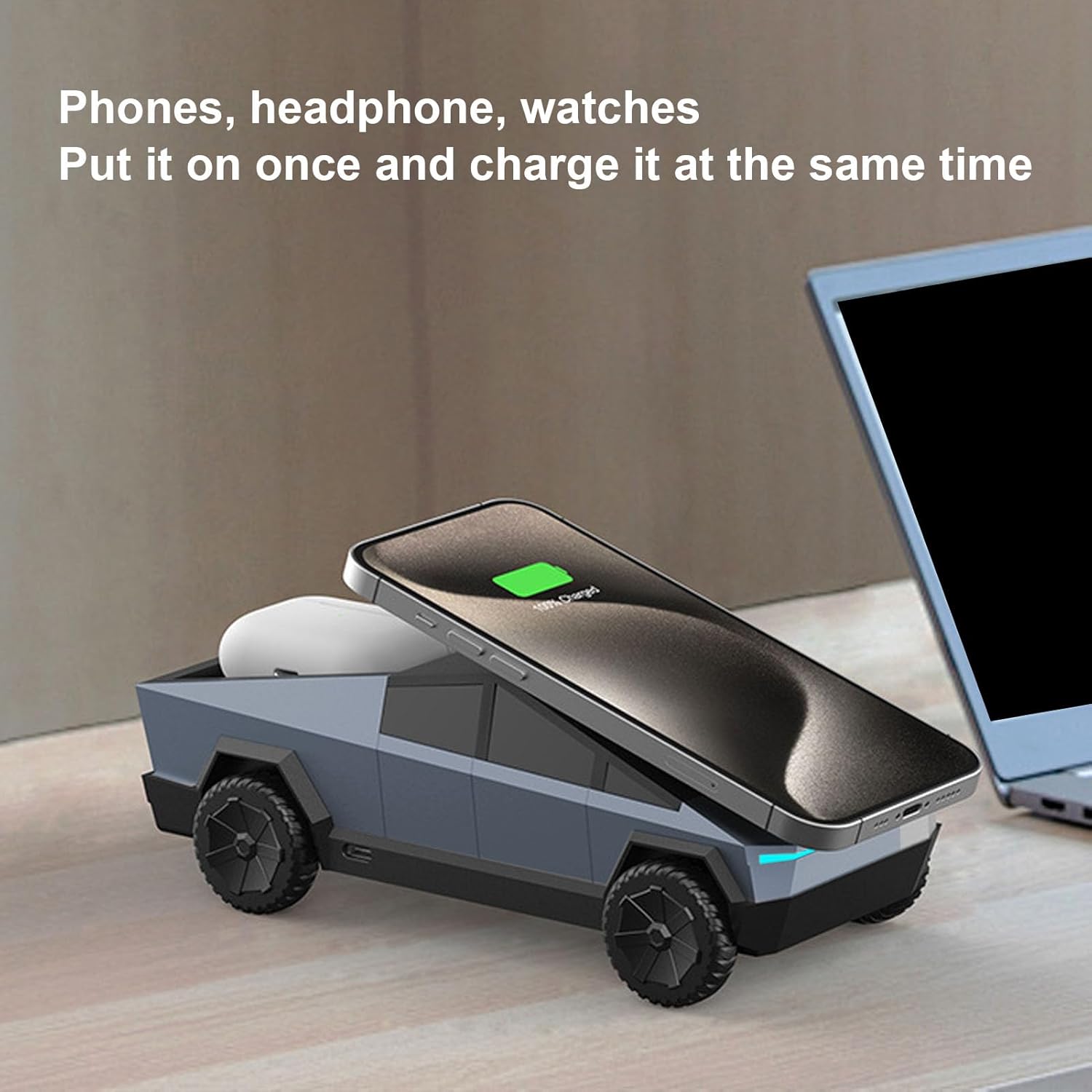
Image: A smartphone and wireless earphones are shown charging on the car model station, positioned on a desk next to a laptop, illustrating simultaneous charging.
6.3 Charging a Smartwatch
- Identify the smartwatch charging area, usually a small magnetic pad on the side or rear of the car model.
- Place your smartwatch onto the magnetic charging pad. The magnetic attraction will help secure the watch in place.
- Confirm that your smartwatch indicates it is charging.

Image: The charging station is shown with a smartphone, earphone case, and smartwatch, demonstrating the strong magnetic attraction for secure placement and simultaneous charging of all three devices.
6.4 Using Wired Charging Ports
The charging station includes additional wired charging ports for devices that do not support wireless charging or for simultaneous charging of more devices. Locate these ports on the side or rear of the car model and connect your device using a compatible USB cable (not included).
7. Техникалык тейлөө
- Тазалоо: Тазалоодон мурун кубаттагычты электр тармагынан сууруп коюңуз. Бетин жумшак, кургак чүпүрөк менен сүртүңүз. Абразивдүү тазалоочу каражаттарды же эриткичтерди колдонбоңуз.
- Сактагыч: When not in use for extended periods, store the charging station in a cool, dry place.
- Суюктуктардан алыс болуңуз: Бузулуп калбаш үчүн аппаратты суудан жана башка суюктуктардан алыс кармаңыз.
- Этияттык менен мамиле кылуу: Аппаратты түшүрүүдөн же катуу таасирлерден сактаныңыз.
8. Кыйынчылыктарды
| Көйгөй | Мүмкүн себеп | Чечим |
|---|---|---|
| Түзмөк зымсыз кубатталбай жатат. |
|
|
| Заряддоо жай. |
|
|
| Ambient light not working. |
|
|
9. Кепилдик жана колдоо
This ASHATA product comes with a manufacturer warranty for 90 days from the date of purchase. Please retain your proof of purchase for warranty claims.
For technical support or warranty inquiries, please contact ASHATA customer service through your retailer or the official ASHATA webсайт.
Note: The warranty does not cover damage caused by misuse, accident, unauthorized modification, or improper installation.