
FLEX FC3401-Z 120V Corded Brushless Gear-Driven Orbital Polisher
Instruction Manual
1. Маанилүү коопсуздук нускамалары
Бул электр куралы менен берилген бардык коопсуздук эскертүүлөрүн, нускамаларды, иллюстрацияларды жана спецификацияларды окуңуз. Төмөндө саналып өткөн бардык көрсөтмөлөрдү аткарбоо электр тогуна, өрткө жана/же олуттуу жаракатка алып келиши мүмкүн.
- Жумуш аймагынын коопсуздугу: Жумуш аймагын таза жана жакшы жарыктандырыңыз. Башаламан же караңгы жерлер кырсыкка чакырат.
- Электр коопсуздугу: Электр шайманынын сайгычтары розеткага дал келиши керек. Эч качан сайгычты эч кандай жол менен өзгөртпөңүз. Электр шаймандарын жамгырга же нымдуу шарттарга тийгизбеңиз.
- Жеке коопсуздук: Stay alert, watch what you are doing, and use common sense when operating a power tool. Always wear eye protection.
- Электр куралын колдонуу жана сактоо: Электр аспапты күчтөп албаңыз. Колдонмоңуз үчүн туура электр шайманын колдонуңуз. Кандайдыр бир тууралоолорду жасоодон, аксессуарларды алмаштыруудан же электр шаймандарын сактоодон мурда вилканы кубат булагынан ажыратыңыз.
- Кызмат: Электр шайманыңызды квалификациялуу оңдоочуга бирдей алмаштыруучу бөлүктөрдү гана колдонуңуз.
2. Продукт бүтүп калдыview
The FLEX FC3401-Z is a 120V corded brushless gear-driven orbital polisher designed for car detailing. It features constant speed technology, an 11-speed control dial, and an ergonomic grip for precise control.
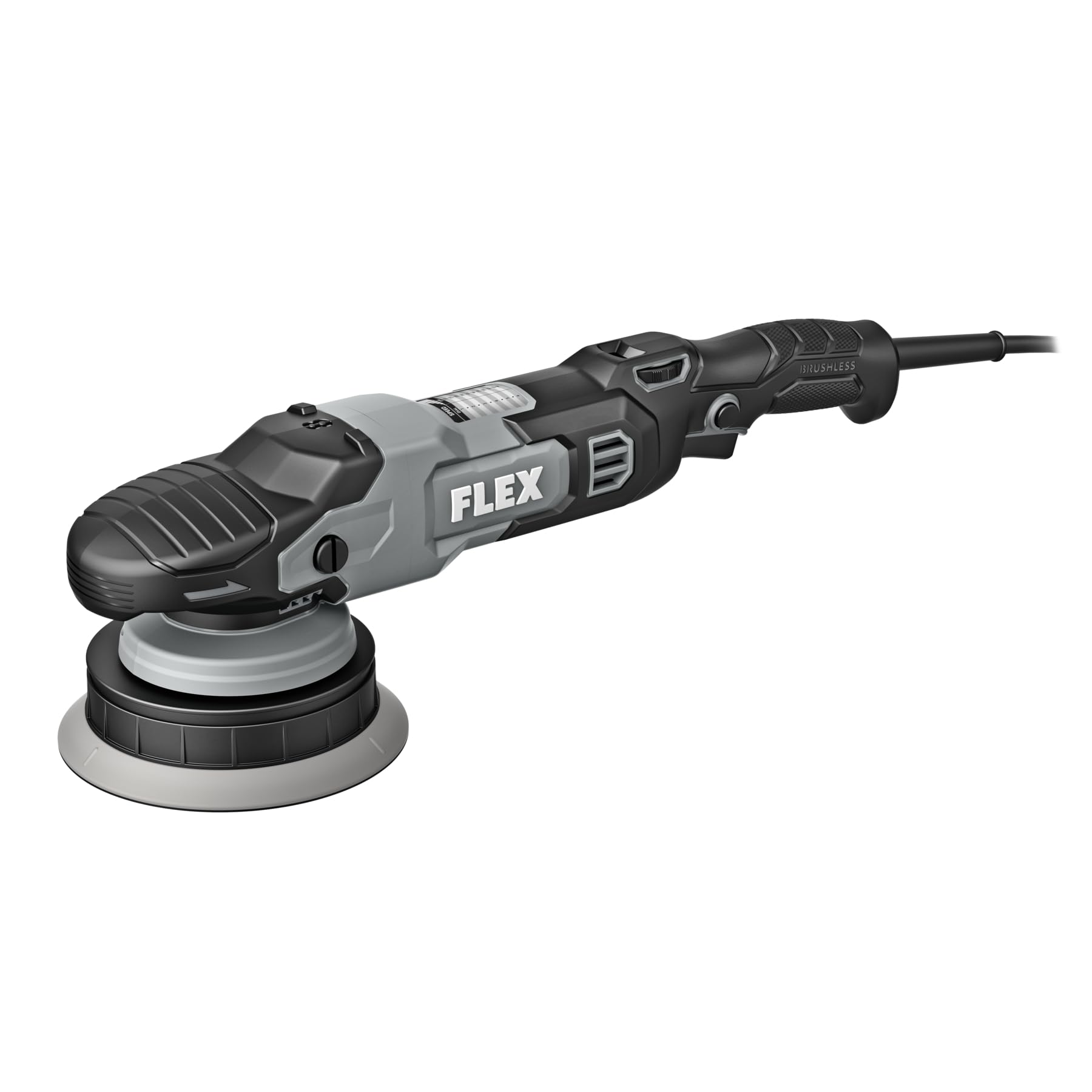
Figure 1: FLEX FC3401-Z Orbital Polisher. This image shows the complete polisher unit with its ergonomic handle and speed control dial.
Компоненттер камтылган:
- FLEX FC3401-Z Polisher Unit
- 5-inch Backing Plate
- 6-inch Backing Plate
3. Орнотуу
Before operating the polisher, ensure it is properly assembled and all safety precautions are observed.
- Select Backing Plate: Choose either the 5-inch or 6-inch backing plate based on the pad size and the area you intend to polish.
- Арткы пластинканы тиркөө: Align the backing plate with the polisher's spindle. Securely screw the backing plate onto the spindle until it is hand-tight. Do not overtighten.
- Жылтыраткычты бекитүү: Press the desired polishing pad firmly onto the hook-and-loop surface of the backing plate. Ensure the pad is centered.
- Кубат туташуу: Plug the polisher's cord into a standard 120V electrical outlet. Ensure the power switch is in the "OFF" position before plugging in.
Figure 2: Backing Plate Attachment. This image illustrates how to securely attach a backing plate to the polisher's spindle.
4. Иштөө нускамалары
Follow these steps for effective and safe operation of your FLEX orbital polisher.
- Бетти даярдоо: Ensure the vehicle surface is clean, dry, and free of contaminants before polishing.
- Кошулманы/Жылтырды колдонуңуз: Жылтыраткычтын бир аз өлчөмүн же момду түз эле жылтыраткыч төшөккө же жумушчу бетке сүйкөңүз.
- Полишерди баштоо: Place the pad flat on the work surface before turning the tool on. Use the 11-speed control dial to select the desired speed. Start at a lower speed and gradually increase as needed. The variable speed trigger allows for fine-tuning.
- Жылтыратуу техникасы: Move the polisher in a consistent, overlapping pattern. Apply light, even pressure. Avoid tilting the polisher, which can cause uneven results or damage.
- Монитор температурасы: Periodically check the temperature of the work surface and the polisher. If either becomes excessively hot, stop and allow them to cool.
- Бүтүрүү: Once the desired result is achieved, turn off the polisher before lifting it from the surface.
Ылдамдыкты башкаруу терүү:
The polisher features an 11-speed control dial. Refer to the table below for general speed recommendations:
| Терүүнү жөндөө | Колдонмо |
|---|---|
| 1-3 | Waxing, Glazing, Finishing |
| 4-7 | Light Polishing, Swirl Removal |
| 8-11 | Heavy Compounding, Scratch Removal |
Note: These are general guidelines. Always test on an inconspicuous area first.
5. Техникалык тейлөө
Regular maintenance ensures optimal performance and extends the life of your polisher.
- Тазалоо: After each use, disconnect the polisher from power. Remove the polishing pad and clean it according to its manufacturer's instructions. Wipe down the polisher body with a clean, damp кездеме. Катуу химиялык заттарды же абразивдүү тазалагычтарды колдонбоңуз.
- Тактачаны текшерүү: Regularly inspect backing plates and polishing pads for wear or damage. Replace worn pads to maintain effective polishing.
- Шнур текшерүү: Электр шнурунун кесилиши, эскири же бузулушу бар экенин текшериңиз. Эгерде шнур бузулса, аспапты колдонбоңуз.
- Сактагыч: Store the polisher in a clean, dry place, out of reach of children. Avoid storing in direct sunlight or extreme temperatures.
6. Кыйынчылыктарды
Жалпы маселелерди чечүү үчүн бул бөлүмдү караңыз.
| Көйгөй | Мүмкүн себеп | Чечим |
|---|---|---|
| Полишер күйбөйт. | No power supply; faulty cord/plug; internal fault. | Check power outlet and cord. Ensure plug is fully inserted. If problem persists, contact customer support. |
| Ашыкча титирөө же ызы-чуу. | Loose backing plate; unbalanced pad; internal issue. | Ensure backing plate is securely tightened. Check pad for even attachment and wear. If issue continues, discontinue use and seek service. |
| Начар жылтыратуу натыйжалары. | Incorrect pad/compound; worn pad; improper technique. | Verify pad and compound are suitable for the task. Replace worn pads. Review туура техника боюнча иштөө боюнча көрсөтмөлөр. |
7. Техникалык шарттар
| Өзгөчөлүк | Деталь |
|---|---|
| Модель номери | FC3401-Z |
| Тtage | 120 вольт |
| Мотор түрү | Brushless |
| Макс RPM | 700 RPM |
| Max OPM | 8,700 OPM |
| Ылдамдыкты көзөмөлдөө | 11-speed dial with variable speed trigger |
| Included Backing Plates | 5 дюймдук жана 6 дюймдук |
| Продукциянын өлчөмдөрү (D x W x Y) | 16.5" x 3.9" x 5" |
| Power Source | Электр зымдары |
8. Кепилдик жана колдоо
This FLEX polisher is protected by a one-year limited warranty when registered.
- Кепилдик каттоо: To activate your one-year limited warranty, register your product at registermyflex.com.
- Кардарларды колдоо: For technical assistance, service, or warranty claims, please refer to the contact information provided on the FLEX official webсайт же сатып алуу документтери.