
1. Киришүү
This manual provides detailed instructions for the safe and proper installation, operation, and maintenance of your LOKLNEYK Universal TV Bracket, Model liangwei 90. This low-profile wall mount is designed for most 14-60 inch flat or curved TVs with a maximum VESA compatibility of 200x200mm and a maximum load capacity of 40kg.
Please read this manual thoroughly before installation and retain it for future reference. Ensure all components are present and undamaged before proceeding.
2. Коопсуздук маалыматы
ЭСКЕРТҮҮ: Improper installation may result in serious personal injury or damage to your TV and property. If you do not understand these instructions or have doubts about the safety of the installation, please contact a qualified installer.
- Жүк көтөрүмдүүлүгү 40 кг (88 фунт) болгон максималдуу көрсөткүчтөн ашпаңыз.
- Ensure the wall structure can safely support the combined weight of the mount and your TV.
- Always use a stud finder to locate wall studs for secure mounting. If mounting to concrete or brick, use appropriate anchors (not always included).
- Орнотуу учурунда тиешелүү коопсуздук шаймандарын, анын ичинде көздү коргоону кийиңиз.
- Орнотуу учурунда балдарды жана үй жаныбарларын алыс кармаңыз.
- Бурамаларды өтө катуу тартпаңыз, анткени бул зыян келтириши мүмкүн.
- Бул продукт ички колдонуу үчүн гана арналган.
3. Продукттун спецификациялары
| Продукт түрү | TV Mount Accessories |
| Экрандын өлчөмүнүн шайкештиги | 14-60 inches (Flat/Curved TVs) |
| VESA шайкештиги | Max VESA 200x200mm |
| Жүктүн максималдуу салмагы | 40 кг (88 фунт) |
| Тууралоо | Fixed with 0-15° tilting angle |
| Орнотуу түрү | Дубалга орнотуу |
| Материал | Муздак прокатталган болот |
| Элемент Салмагы | 1.76 унция (0.05 кг) |
| Модель номери | liangwei 90 |
Note: The product is designed for a low-profile installation, keeping your TV close to the wall.
4. Пакеттин мазмуну
Please verify that all parts are included before installation. If any parts are missing or damaged, do not proceed with installation and contact customer support.
- Дубал плитасы (1)
- TV кронштейн колдору (2)
- Mounting Hardware (Screws, Washers, Spacers, Wall Anchors - specific quantities may vary)
- Bubble Level (1) (Often included for installation)

Figure 1: Mount Dimensions and VESA Compatibility. This image illustrates the overall dimensions of the mount (440mm width, 417mm height) and indicates compatibility for 26-60 inch TVs. While the image shows VESA up to 400x400mm, please adhere to the product specification of Max VESA 200x200mm.
5. Орнотуу жана орнотуу
Follow these steps carefully to install your LOKLNEYK Universal TV Bracket.
5.1 Талап кылынган куралдар (кошумча эмес)
- Карандаш
- Бургулоо
- Филлипс баш бурагычы
- Шпилька издегич (жыгач шпилька дубалдары үчүн)
- Өлчөө лентасы
- Level (a small bubble level is often included)
5.2 Телевизордун кронштейндерин телевизорго бекитүү
- Экрандын бузулуп калышына жол бербөө үчүн, телевизоруңуздун бетин ылдый каратып жумшак, таза бетке этияттык менен коюңуз.
- Сыналгыңыздын артындагы VESA орнотуу тешиктерин аныктаңыз.
- Select the appropriate screws, washers, and spacers from the provided hardware that fit your TV's mounting holes. Ensure the screws are long enough to securely fasten the brackets but not so long that they damage internal components.
- Attach the two vertical TV bracket arms to the back of your TV using the selected hardware. Ensure the hooks on the bracket arms are facing upwards and the arms are centered and level. Do not overtighten.
5.3 Дубал плитасын орнотуу
- Determine the desired height for your TV. Mark the center of where you want the TV to be.
- Hold the wall plate against the wall at the desired height and use a level to ensure it is perfectly horizontal. Mark the drilling locations through the holes on the wall plate.
- Жыгачтан жасалган дубалдар үчүн: Use a stud finder to locate the center of two adjacent wood studs. Drill pilot holes at the marked locations. Secure the wall plate to the studs using the provided wood screws and washers.
- Бетон/кыш дубалдар үчүн: Drill pilot holes at the marked locations. Insert the plastic wall anchors into the drilled holes. Secure the wall plate using the provided concrete screws and washers.
- Verify the wall plate is securely fastened and level before proceeding.

Figure 2: Wall Plate Installation. This image shows the main wall plate securely mounted to a wall, ready for the TV to be attached.

Figure 3: Mount Construction Detail. This image emphasizes the cold-rolled steel material, indicating durability, and shows a built-in bubble level for accurate installation.
5.4 Телевизорду илип коюу
- With assistance, carefully lift the TV with the attached bracket arms.
- Hook the TV bracket arms onto the top edge of the wall plate.
- Gently lower the TV until the bracket arms fully engage with the wall plate.
- Secure the TV to the wall plate using the safety screws or locking mechanisms located at the bottom of the TV bracket arms. This prevents accidental dislodging.
- Check that the TV is level and securely mounted.
6. Операция
The LOKLNEYK Universal TV Bracket is a low-profile wall mount designed for a fixed position with a slight tilting capability.
- Туруктуу позиция: Once installed, your TV will be held securely in a fixed position close to the wall, optimizing space.
- Ийилген бурч: This mount allows for a 0-15° tilting adjustment. To adjust the tilt, loosen the tilt adjustment screws on the side of the TV bracket arms, set the desired angle, and then securely tighten the screws. This feature helps reduce glare and provides a comfortable viewing experience from various positions.
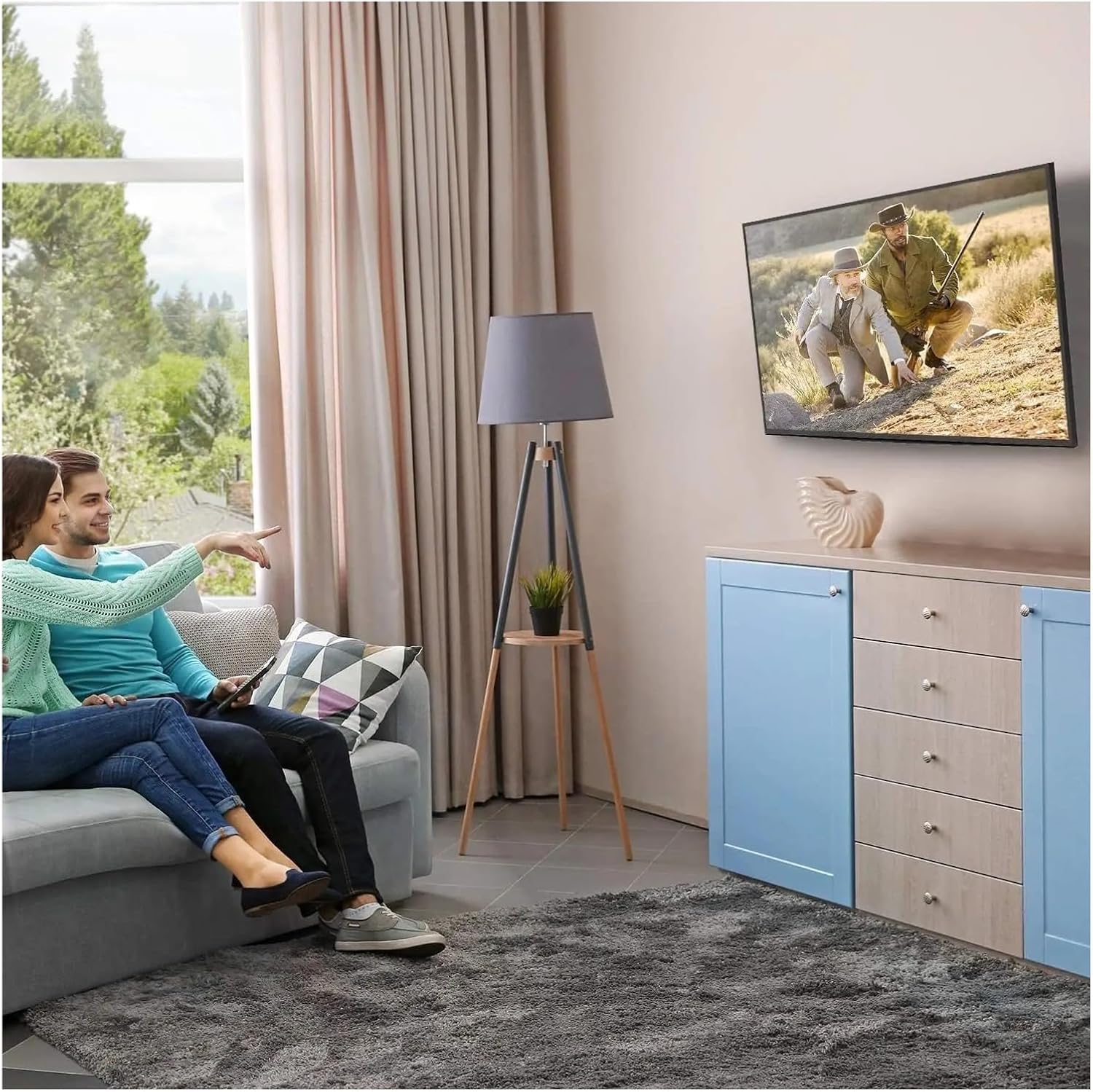
4-сүрөт: Оптималдуу Viewing Experience. This image demonstrates the TV mounted on the wall, providing an enhanced viewing experience and saving space.
7. Техникалык тейлөө
Regular maintenance ensures the longevity and safety of your TV mount.
- Тазалоо: Dust the mount periodically with a soft, dry cloth. Avoid abrasive cleaners or solvents.
- Байланыштарды текшерүү: Annually, or if you notice any instability, check all screws and bolts to ensure they are securely tightened. Do not overtighten.
- Зыянды текшерүү: Periodically inspect the mount for any signs of wear, corrosion, or damage. If any damage is found, contact customer support for replacement parts or advice.
8. Кыйынчылыктарды
Орнотуу учурунда же андан кийин көйгөйлөргө туш болсоңуз, төмөнкү жалпы көйгөйлөрдү жана чечимдерди караңыз.
| Көйгөй | Мүмкүн себеп | Чечим |
|---|---|---|
| Телевизор тегиз эмес | Дубал плитасы орнотуу учурунда түз эмес. | Remove TV, adjust wall plate to be level, re-mount TV. Use a level during installation. |
| Телевизор туруксуз сезилет | Screws not fully tightened; incorrect wall anchors used; wall structure insufficient. | Ensure all screws are tightened. Verify wall type and use correct anchors. Consult a professional if wall structure is questionable. Do not exceed weight capacity. |
| Cannot attach TV bracket arms to TV | Туура эмес VESA үлгүсү; туура эмес бурамалар колдонулган. | Verify your TV's VESA pattern matches the mount's compatibility (max 200x200mm). Ensure correct screw diameter and length are used for your TV. |
| TV does not tilt | Tilt adjustment screws are too tight. | Loosen the tilt adjustment screws slightly, adjust the angle, then re-tighten. |
9. Кепилдик жана колдоо
For warranty information or technical support, please refer to the documentation included with your purchase or contact LOKLNEYK customer service directly. Please have your model number (liangwei 90) and purchase details ready when contacting support.
Manufacturer: LOKLNEYK
Биринчи жеткиликтүү датасы: 2026-жылдын 10-январы