
1. Маанилүү коопсуздук нускамалары
Please read these safety instructions carefully before installing or operating your FSP FlexGURU Pro 650W power supply. Failure to follow these instructions may result in electric shock, fire, or damage to the product and connected components.
- Электр коркунучу: Электр менен камсыздоо блогун ачпаңыз. Жогорку томtagТүзмөктүн розеткадан суурулган учурда да ичинде бөлүктөрү бар. Ичинде колдонуучу тейлей турган тетиктер жок.
- Вентиляция: Ensure adequate airflow around the power supply. Do not block ventilation openings. Overheating can lead to performance degradation or failure.
- Нымдуулук: Keep the power supply away from water, humidity, and liquids. Do not operate in damp же нымдуу шарттар.
- Кубат булагы: Кубат булагын туура вольттогу жерге туташтырылган электр розеткасына гана туташтырыңызtage and frequency as specified on the unit's label.
- Орнотуу: Install the power supply in a well-ventilated computer chassis. Ensure all cables are properly connected and secured.
- Колдонуу: Handle the power supply with care. Avoid dropping or subjecting it to strong impacts.
- Балдар: Электр менен камсыздоону жана анын компоненттерин балдар жетпеген жерде сактаңыз.
2. Продукт бүтүп калдыview
The FSP FlexGURU Pro 650W is a high-efficiency Flex ATX power supply designed for compact systems requiring stable and reliable power. It complies with the latest ATX 3.1 and Flex ATX V2.1 standards, offering robust performance for current and future high-end hardware. With 80 PLUS Platinum certification, it ensures up to 92% efficiency, reducing power loss and heat generation.

Image: The FSP FlexGURU Pro 650W power supply, illustrating its compact dimensions of 5.90 inches (L) x 3.20 inches (W) x 1.59 inches (H).
3. Негизги өзгөчөлүктөрү
- New-Gen ATX 3.1 & Flex ATX V2.1 Compliance: Fully compliant with both the latest ATX 3.1 and Flex ATX V2.1 regulations, ensuring exceptional system stability and peak performance when paired with current and future high-end hardware in compact chassis.
- 80 PLUS Платина эффективдүүлүгү: Achieves the prestigious 80 PLUS Platinum standard, delivering up to 92% efficiency to significantly reduce power loss and energy costs. This high-efficiency design minimizes heat generation, allowing for ultra-quiet operation and extending the lifespan of your components.
- Optimized Low-Noise Performance: Equipped with a 40mm ball-bearing fan, smart fan control, and unique shielding design to significantly lower acoustic noise and deliver a consistent, near-silent computing experience.
- High Compatibility & Versatile Installation: Includes a universal fix bracket, allowing this 650W model to easily integrate and transform into reliable 1U IPC (Industrial PC), Networking, or Surveillance power supplies.
- Premium Japanese Electrolytic Capacitors: The FlexGURU PRO series utilizes main Japanese electrolytic capacitors to ensure exceptionally stable outputs, maximum longevity, and long-term reliability under continuous operation.
- Complete Protection for Diverse Applications: Designed and tested to the highest standards, featuring full protections (UVP, OVP, SCP, OPP, OTP, SIP, NLO). Ideal for specialized solutions like Edge Computing, NAS, HTPC, POS terminals, and Industrial PC builds.
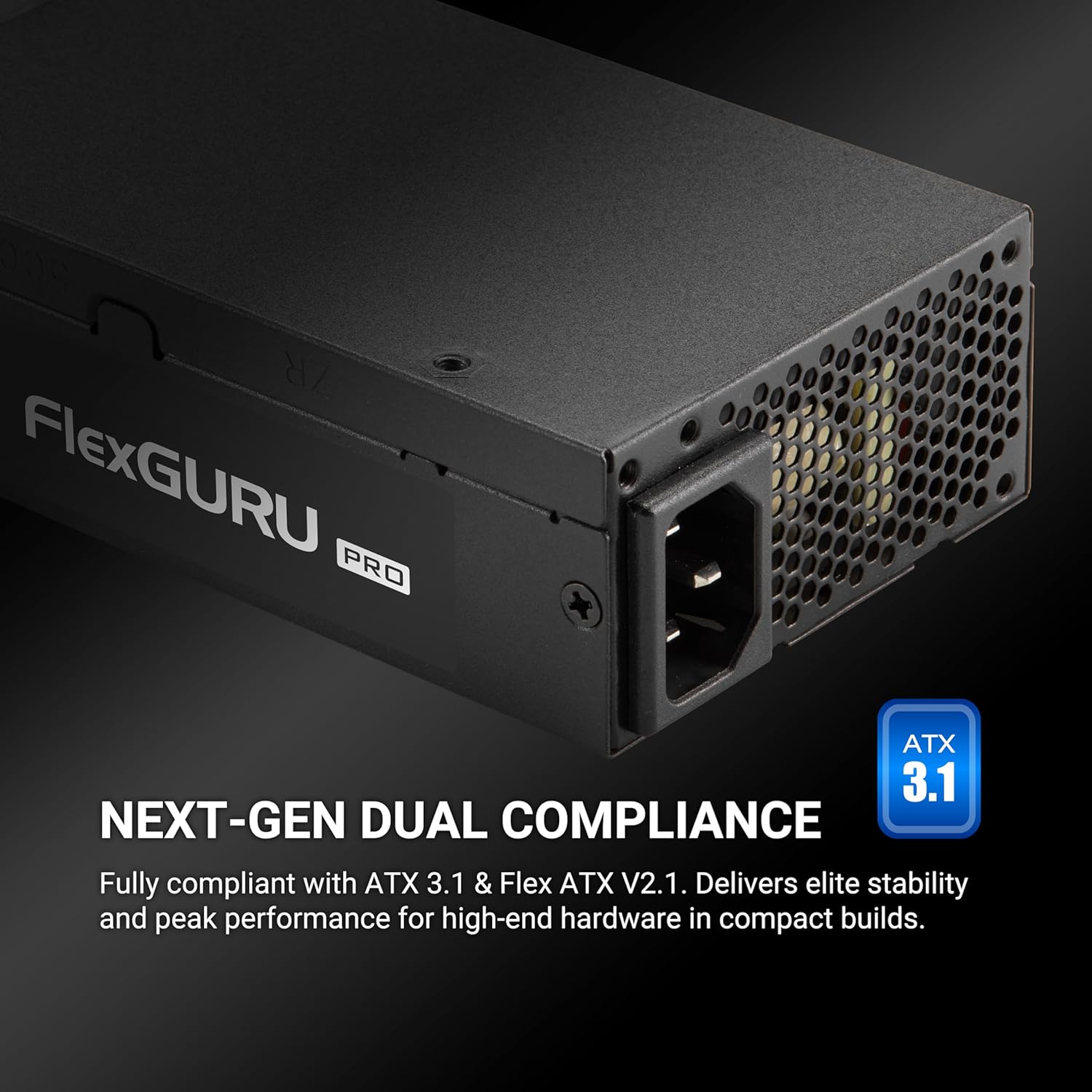
Image: The FSP FlexGURU Pro power supply highlighting its ATX 3.1 and Flex ATX V2.1 dual compliance for modern systems.

Image: A graph illustrating the 92% typical efficiency conversion of the FlexGURU Pro 650W power supply at various load levels for both 115V and 230V inputs.

Сүрөт: жакын план view of a Japanese electrolytic capacitor, emphasizing the quality components used in the FlexGURU Pro series for stable outputs and reliability.
4. Пакеттин мазмуну
Пакетиңизде бардык буюмдар бар экенин текшериңиз:
- FSP FlexGURU Pro 650W Power Supply Unit
- AC Power Cord
- Modular Cable Set (if applicable, this model is non-modular but includes various fixed cables)
- 1U Universal Fix Bracket
- Монтаждоо бурамалар
- Колдонуучунун Колдонмосу (бул документ)

Image: A diagram showing the types and quantities of all black round cables included with the power supply: 1x MB 20+4 PIN, 2x CPU 8 PIN / 4+4 PIN, 2x PCIe 6+2 PIN, 2x 2 SATA, and 1x 2 MOLEX / FLOPPY.
5. Орнотуу боюнча колдонмо
5.1 Алдын ала орнотуу текшерүү тизмеси
- Компьютер тутумуңуз толугу менен өчүрүлгөнүн жана розеткадан ажыратылганын текшериңиз.
- Discharge any residual power by pressing the power button on your PC for a few seconds.
- Gather necessary tools: screwdriver, zip ties (optional for cable management).
5.2 Электр жабдыгын орнотуу
The FSP FlexGURU Pro 650W can be installed in standard Flex ATX chassis or adapted for 1U IPC applications using the included bracket.
- Carefully remove your old power supply (if applicable).
- Position the FSP FlexGURU Pro 650W into the power supply bay of your chassis.
- Secure the power supply using the provided mounting screws. For 1U IPC applications, attach the universal fix bracket to the power supply first, then mount it into the 1U chassis.

Image: The FlexGURU Pro power supply shown with the 1U bracket attached, demonstrating its adaptability for 1U IPC power supply applications.
5.3 Туташтыруучу кабельдер
Connect the power supply cables to the corresponding components in your system. Refer to your motherboard and component manuals for specific connection points.
- 20+4 Pin Main Power Connector: Connect to the motherboard.
- CPU 8 Pin / 4+4 Pin Connector: Connect to the CPU power input on the motherboard.
- PCIe 6+2 Pin Connector: Connect to graphics cards or other PCIe devices requiring auxiliary power.
- SATA Power Connectors: Connect to SATA hard drives, SSDs, and optical drives.
- MOLEX / Floppy Connectors: Connect to older peripherals or case fans.
Ensure all connections are firm and secure. Improper connections can cause system instability or damage.
6. Операция
After installation, ensure all components are correctly connected and the power supply is securely mounted.
- AC кубат шнурун кубат булагына, андан кийин жерге туташтырылган розеткага туташтырыңыз.
- Кубат булагынын артындагы кубат которгучун 'ON' (I) абалына которуңуз.
- Системаны баштоо үчүн компьютериңиздин корпусундагы кубат баскычын басыңыз.
The power supply's 40mm ball-bearing fan will operate automatically, controlled by smart fan technology to maintain optimal temperature and minimize noise.
7. Техникалык тейлөө жана кам көрүү
To ensure the longevity and optimal performance of your FSP FlexGURU Pro 650W power supply, follow these maintenance guidelines:
- Тазалоо: Periodically clean the exterior of the power supply and its fan grille to prevent dust buildup. Use compressed air to gently clear dust from the fan and vents. Ensure the power supply is unplugged before cleaning.
- Курчап турган чөйрө: Электр менен камсыздоону таза, кургак жана жакшы желдетилген чөйрөдө иштетиңиз. Ашыкча температурадан алыс болуңуз.
- Кабелдик башкаруу: Кабелдердин тыкан жайгаштырылганын жана корпустун ичиндеги аба айлануусуна тоскоол болбогонун текшериңиз.
- Текшерүү: Occasionally inspect power cables for any signs of damage or fraying. Replace damaged cables immediately.
8. Кыйынчылыктарды
Эгер сиз кубат менен камсыз кылууда көйгөйлөргө туш болсоңуз, төмөнкү жалпы көйгөйлөрдү чечүү кадамдарын караңыз:
- Кубат жок:
- AC кубат шнурунун кубат булагына жана розеткага бекем туташкандыгын текшериңиз.
- Кубат булагынын арткы жагындагы кубат которгучу "ON" (I) абалында экенин текшериңиз.
- Розетканын иштеп жатканын башка түзмөктү сайып текшериңиз.
- Check all internal power connections (20+4 pin, CPU, PCIe) to ensure they are firmly seated.
- Системанын туруксуздугу/Кокус өчүрүүлөр:
- Wt электр менен камсыздоону камсыз кылыңызtage тутумуңуздун бардык компоненттери үчүн жетиштүү.
- Check for proper ventilation within the chassis to prevent overheating.
- Verify that all power cables are correctly connected and not loose.
- Мүмкүн болсо, көйгөйдү аныктоо үчүн кубат булагын башка компоненттер менен же башка системада сынап көрүңүз.
- Катуу желдеткичтин үнү:
- Ensure the power supply fan grille is free from dust and obstructions.
- Verify that the system is not under excessive load, causing the fan to spin faster.
- Ensure adequate case airflow to prevent the PSU from drawing in hot air.
If the problem persists after attempting these steps, please contact FSP customer support for further assistance.
9. Техникалык шарттар
Detailed specifications for the FSP FlexGURU Pro 650W Power Supply (FSP650-50FUB):
| Өзгөчөлүк | Спецификация |
|---|---|
| Модел | FSP650-50FUB |
| Бренд | FSP |
| Форма фактору | Flex ATX |
| Чыгуу Wattage | 650 Вт |
| Натыйжалуулуктун сертификациясы | 80 PLUS Platinum (Up to 92%) |
| Шайкештик | ATX 3.1, Flex ATX V2.1 |
| Муздатуу ыкмасы | Аба (40 мм шар подшипниктүү желдеткич) |
| Элементтин өлчөмдөрү (L x W x Y) | 5.91 x 1.59 x 3.21 дюйм |
| Элемент Салмагы | 2.18 фунт |
| Энергия менен жабдуунун дизайны | Модулдук эмес |
| Киргизүү көлөмүtage | 100-240 вольт (AC) |
| Киргизүү жыштыгы | 50-60 Гц |
| Коргоо | UVP, OVP, SCP, OPP, OTP, SIP, NLO |
| Конденсаторлор | Japanese Electrolytic Capacitors |
| Кепилдик | 5 жыл |

Image: A table detailing the AC Input and DC Output specifications for the FlexGURU Pro 650W, including Max Output Current and Max Combined Power for +3.3V, +5V, +12V, +5Vsb, and -12V rails, with a total power of 650W.
10. Ар тараптуу колдонмолор
The FSP FlexGURU Pro 650W power supply is designed for a wide range of applications due to its compact size, high efficiency, and robust protections:
- Industrial PC (IPC) builds
- Point of Sale (POS) terminals
- Network communication devices
- Surveillance systems
- Edge Computing solutions
- Home Theater Personal Computers (HTPC)
- Network Attached Storage (NAS) servers
- Gaming & Creator PCs (in compact chassis)

Image: Icons depicting versatile industrial applications for the FlexGURU Pro series, including Industrial PC, Point of Sale System, Network communication, Surveillance, Edge Computer, Home Theater Personal Computer, NAS Server, and Gaming & Creator PC.
11. Кепилдик жана колдоо
The FSP FlexGURU Pro 650W Power Supply (FSP650-50FUB) comes with a 5 жылдык кепилдик сатып алынган күндөн тартып. Бул кепилдик нормалдуу колдонуудагы материалдардагы жана жасалгадагы кемчиликтерди камтыйт.
For warranty claims, technical support, or any product-related inquiries, please contact FSP customer service through their official website or the retailer where the product was purchased. Please have your proof of purchase and product model number (FSP650-50FUB) ready when contacting support.
Онлайн ресурстар: For additional information, FAQs, and driver downloads, please visit the official FSP webсайт: www.fspgroupusa.com