
1. Киришүү
This manual provides essential information for the safe and efficient operation of your PXNQMTJM UD10048 8000W/48V Industrial Frequency Photovoltaic Inverter. This integrated off-grid solar inverter and controller is designed to convert DC power from solar panels and batteries into stable AC power for various applications. Please read this manual thoroughly before installation and use, and retain it for future reference.
2. Коопсуздук нускамалары
Adhering to these safety guidelines is crucial to prevent personal injury and damage to the inverter or connected equipment.
- Электр коркунучу: Бул аппарат жогорку вольт менен иштейтtages and currents. Installation and maintenance should only be performed by qualified personnel.
- Кубатты өчүрүү: Always disconnect all power sources (solar, battery, AC input) before performing any wiring or maintenance.
- Туура Жерге салуу: Инвертордун жергиликтүү электрдик коддорго ылайык туура жерге туташтырылганын текшериңиз.
- Вентиляция: Ашыкча ысып кетпеши үчүн инверторду жакшы желдетилген жерге орнотуңуз. Желдетүүчү тешиктерди жаппаңыз.
- Курчап турган чөйрө: Avoid installing the inverter in direct sunlight, near flammable materials, or in areas with excessive dust, moisture, or corrosive gases.
- Батареянын коопсуздугу: Connect batteries with correct polarity. Wear protective eyewear and gloves when working with batteries.
- Ашыкча жүктөн коргоо: Инвертордун номиналдык чыгуу кубаттуулугунан ашпаңыз.
3. Продукт бүтүп калдыview
The PXNQMTJM UD10048 is an industrial frequency off-grid inverter designed for robust performance in solar power systems. It integrates an inverter and a charge controller, providing a comprehensive solution for converting solar energy into usable AC power and managing battery charging.
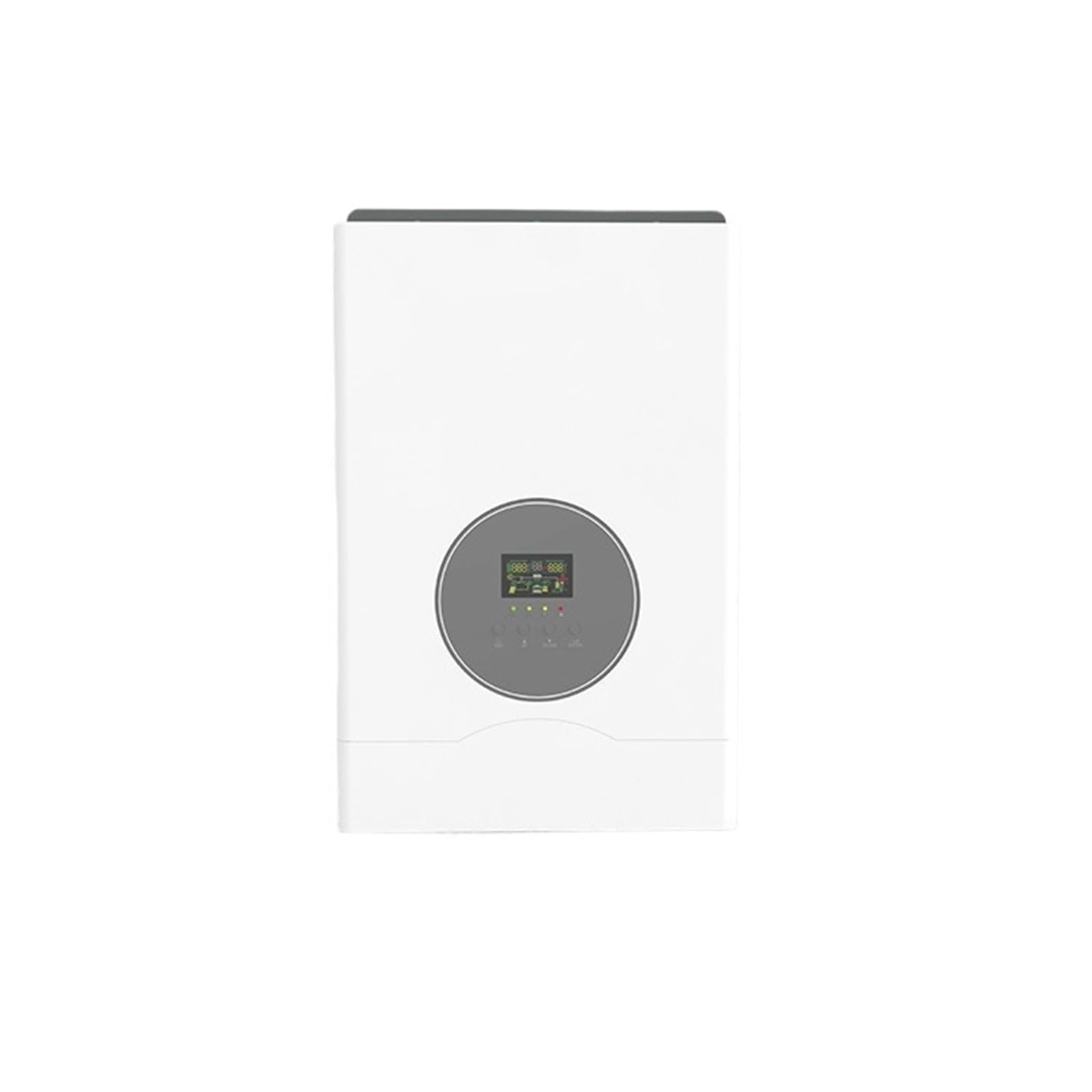
This image shows the front panel of the PXNQMTJM UD10048 inverter, featuring a central circular display unit and ventilation grilles on the side. The display provides real-time operational status and system parameters.
Негизги өзгөчөлүктөрү:
- Integrated inverter and solar charge controller.
- Industrial frequency design for stable output.
- Off-grid operation for independent power supply.
- Supports 8000W continuous output power.
- 48V DC кириш томtage.
- 110V/220V AC output voltage (model dependent).
4. Орнотуу
Proper installation is critical for the inverter's performance and safety. It is highly recommended that installation be performed by a certified electrician or solar professional.
4.1. Инверторду монтаждоо
- Choose a suitable location that is dry, well-ventilated, and protected from direct sunlight, rain, and dust.
- Ensure there is sufficient clearance around the inverter for proper airflow (at least 20 cm on all sides).
- Mount the inverter vertically on a sturdy wall using appropriate fasteners.
4.2. Зымдарды туташтыруу
Кандайдыр бир туташтырууларды жасоодон мурун, бардык кубат булактары ажыратылганын текшериңиз.
- Батарея туташуу: Connect the battery bank (48V) to the inverter's DC input terminals. Ensure correct polarity (+ to + and - to -). Use appropriately sized cables and fuses.
- Күн панелинин туташуу: Connect the solar panel array to the inverter's PV input terminals. Verify that the solar array's voltage жана ток күчтөрү инвертордун мүнөздөмөлөрүнө туура келет.
- AC чыгаруу туташуусу: Connect your AC loads or distribution panel to the inverter's AC output terminals. Ensure proper grounding.
- Негиздөө: Инвертордун шассисинин жерге туташтыруучу терминалын ишенимдүү жерге туташтыргычка туташтырыңыз.
5. Иштөө
Once all connections are securely made and verified, you can proceed with powering on the inverter.
5.1. Күйгүзүү
- Ensure all circuit breakers for AC output are in the OFF position.
- Connect the battery bank. The inverter may power on automatically or require a button press.
- Connect the solar panels. The inverter will begin charging the batteries if conditions allow.
- Turn on the AC output circuit breakers to power your loads.
5.2. Дисплей жана Орнотуулар
The front panel display provides real-time information about the system status, including battery voltage, solar input, AC output, and error codes. Refer to the detailed display section in the full manual for specific icon meanings and navigation instructions. Use the buttons below the display to navigate menus and adjust settings as needed.
6. Техникалык тейлөө
Үзгүлтүксүз тейлөө сиздин инверторуңуздун узак иштөөсүн жана оптималдуу иштешин камсыздайт.
- Тазалоо: Periodically clean the inverter's exterior and ventilation openings to remove dust and debris. Use a dry, soft cloth. Do not use liquids.
- Байланыштары: Annually check all electrical connections for tightness and corrosion. Loose connections can cause overheating and damage.
- Вентиляция: Ensure the area around the inverter remains clear and well-ventilated.
- Батареянын ден соолугу: Монитор батареянын көлөмүtage and performance regularly. Follow the battery manufacturer's maintenance guidelines.
7. Кыйынчылыктарды
This section outlines common issues and potential solutions. For complex problems, contact technical support.
| Көйгөй | Мүмкүн себеп | Чечим |
|---|---|---|
| Инвертор күйбөй жатат | Батарея туташуусу жок же батареянын деңгээли төмөнtage | Check battery connections and ensure battery voltage is above the minimum operating level. |
| AC чыгышы жок | AC output breaker off, overload, or fault | Check AC output breaker. Reduce load. Check display for error codes. |
| Low solar charging | Shaded panels, dirty panels, or incorrect PV wiring | Inspect solar panels for shading or dirt. Verify PV wiring and voltage. |
| Ашыкча жүктөм жөнүндө эскертүү | Connected loads exceed inverter capacity | Reduce the total power consumption of connected devices. |
8. Техникалык шарттар
- Модел: UD10048
- Бренд: PXNQMTJM
- Номиналдуу кубаттуулугу: 8000 Вт
- DC Input Voltage: 48V
- AC Output Voltage: 110V/220V (depending on model configuration)
- Кубат булагы: Батарея менен иштейт
- ASIN: B0GHDG4126
9. Кепилдик жана колдоо
For warranty information, please refer to the specific warranty card included with your product or contact the manufacturer directly. Technical support can be reached through the vendor or manufacturer's official contact channels for assistance with installation, operation, or troubleshooting beyond the scope of this manual.