1. Киришүү
Welcome to the Generic A15 Pro Max Camera Drone user manual. This guide provides essential information for operating and maintaining your drone safely and effectively. Please read this manual thoroughly before your first flight to ensure proper setup and operation.
1.1 Коопсуздук эрежелери
- Дронду ар дайым ачык жерлерде, адамдардан, жаныбарлардан жана тоскоолдуктардан алыс иштетиңиз.
- Аэропортторго, чектелген аба мейкиндигине же сезимтал объекттерге жакын учпаңыз.
- Ensure batteries are fully charged and securely installed before each flight.
- Perform pre-flight checks, including propeller inspection and calibration.
- Дрон менен ар дайым визуалдык сызыкты сактаңыз.
- Катуу шамалда, жамгырда же башка жагымсыз аба ырайында учуудан алыс болуңуз.
- Дрондорду иштетүүгө байланыштуу бардык жергиликтүү эрежелерди жана мыйзамдарды сактаңыз.
2. Пакеттин мазмуну
Пакетиңизде бардык буюмдар бар экенин текшериңиз:
- Дрон
- Remote Control With Screen
- 3 Батареялар
- 4 Drone Blades (Propellers)
- Заряддоо кабели
- Screwdriver
- Сактоочу баштык
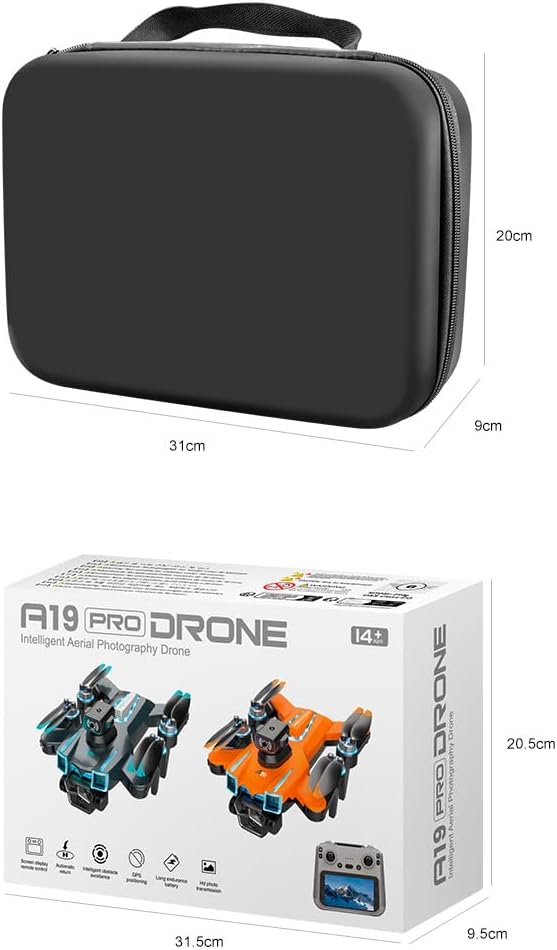
Image: All components included in the package, along with the storage bag and retail box.
3. Продукт бүтүп калдыview
3.1 Дрондун компоненттери
The A15 Pro Max drone features a compact, foldable design with a robust brushless motor system for stable flight. It is equipped with an 8K ESC dual camera, GPS module, and intelligent obstacle avoidance sensors. Colorful LED marquee lights enhance visibility during operation.
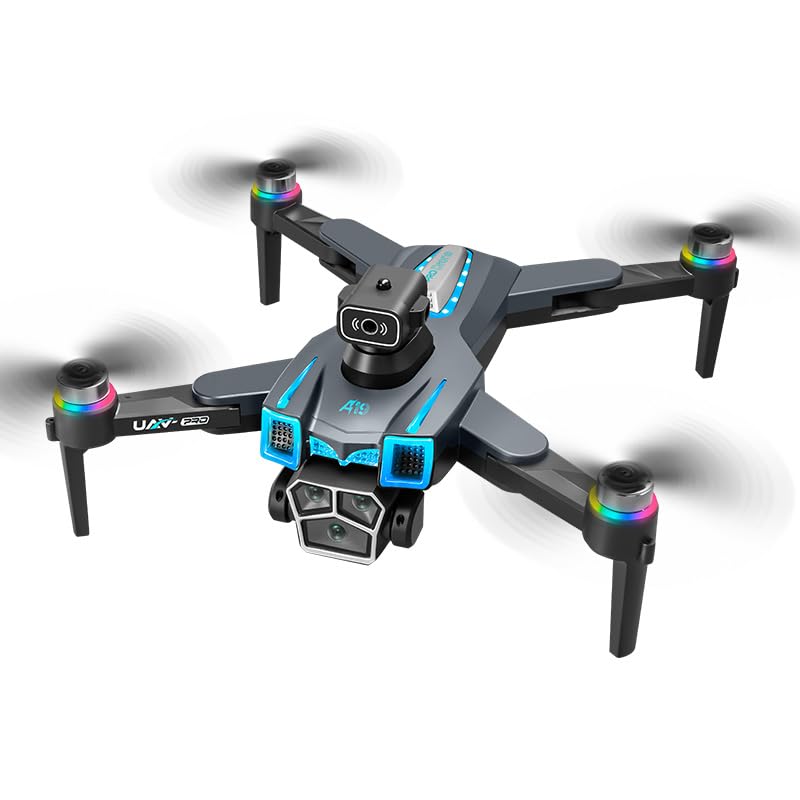
Сүрөт: бүттүview of the A15 Pro Max drone and its remote control, highlighting key features.
3.2 Алыстан башкаруунун компоненттери
The 5G remote control features a built-in 5.9-inch HD screen, eliminating the need for a separate mobile device. It provides real-time FPV viewing and intuitive control sticks for precise maneuvering. Buttons for various functions like GPS return, photo/video capture, and speed modes are clearly labeled.

Image: User holding the remote control with integrated screen, showing the drone in flight.
4. Орнотуу
4.1 Батареяны орнотуу жана заряддоо
- Батареяларды заряддоо: Connect the charging cable to each drone battery and a suitable USB power adapter (not included). Charge until the indicator light turns solid green.
- Дрондун батареясын орнотуу: Open the battery compartment on the drone, insert a charged battery, and close the compartment securely.
- Charge Remote Control: Connect the charging cable to the remote control's charging port and a USB power adapter.
4.2 Дронду даярдоо
- Unfold Drone Arms: Gently unfold all four arms of the drone until they click into place.
- Пропеллерлерди текшерүү: Ensure all propellers are securely attached and free from damage. Replace any damaged propellers using the provided screwdriver.
- Дронду күйгүзүү: Индикатор жарыктары күйгүчө дрондун кубат баскычын басып, кармап туруңуз.
4.3 Алыстан башкарууну жупташтыруу
- Пульт күйгүзүү: Press and hold the power button on the remote control until the screen turns on.
- Жупташтыруу процесси: The drone and remote control should automatically attempt to pair. Wait for the drone's indicator lights to stop flashing rapidly and become solid, indicating a successful connection.
- Calibrate Gyroscope: Follow the on-screen instructions or refer to the quick start guide for gyroscope calibration, typically involving specific stick movements.
- GPS Signal Acquisition: Place the drone in an open outdoor area. Wait for the GPS icon on the remote control screen to indicate a sufficient number of satellites have been acquired (usually 7 or more).
5. Иштөө
5.1 Учууну башкаруунун негизги каражаттары
Familiarize yourself with the remote control sticks:
- Сол таякча (дроссель/жаңгак): Up/Down controls altitude; Left/Right controls rotation (yaw).
- Оң таякча (Тепкич/Толгоо): Up/Down controls forward/backward movement (pitch); Left/Right controls left/right movement (roll).
Use the one-key takeoff/landing button for automated ascent and descent. Practice hovering and gentle movements in a safe, open environment before attempting more complex maneuvers.
5.2 Акылдуу учуу функциялары
GPS жайгашуу
The integrated GPS module provides stable hovering, precise positioning, and enables advanced features like GPS Return to Home. Ensure a strong GPS signal before takeoff for optimal performance of these features.
Акылдуу тоскоолдуктардан качуу
The drone is equipped with four-way perception obstacle avoidance sensors that detect surrounding obstacles in real-time, helping to prevent collisions. This feature enhances flight safety, especially for beginners.
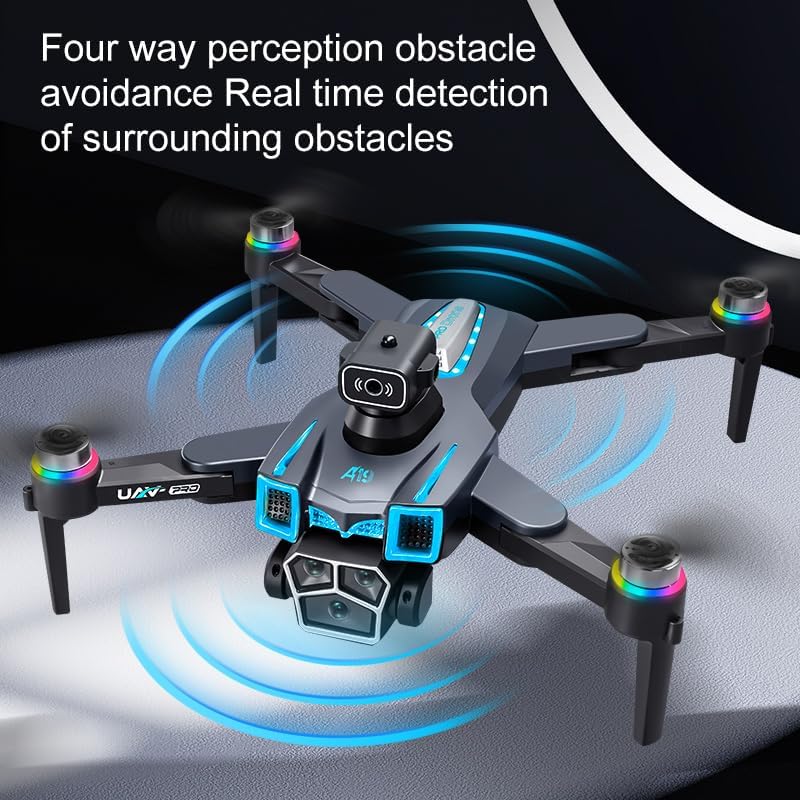
Image: Drone demonstrating its four-way obstacle avoidance capability.
Оптикалык агымдын жайгашуусу
For indoor flights or when GPS signal is weak, optical flow positioning assists in maintaining stable hovering by analyzing ground patterns. This provides additional stability and control.
One-Key Roll Function
Execute aerial stunts with the one-key roll function. Refer to the remote control diagram for the specific button to activate this feature.
5.3 Камеранын иштеши
The drone features an 8K ESC dual camera setup with electronic adjustment. Use the dedicated buttons on the remote control to:
- Сүрөттөрдү тартуу: Press the photo button to take still images.
- Видеолорду жаздыруу: Press the video button to start/stop recording.
- Камеранын бурчун тууралоо: Use the gimbal control wheel/button to electronically adjust the camera's vertical angle during flight.

Image: Detail of the drone's electric dual cameras and their adjustable features.
6. Техникалык тейлөө
6.1 Тазалоо
Regularly clean your drone and remote control. Use a soft, dry cloth to wipe down surfaces. Avoid using harsh chemicals or solvents. Ensure no dust or debris accumulates in the motor areas or camera lens.
6.2 Сактоо
When not in use, store the drone and its accessories in the provided storage bag in a cool, dry place, away from direct sunlight. Remove batteries from the drone and remote control if storing for extended periods.
6.3 Пропеллерди алмаштыруу
If a propeller is damaged, replace it immediately. Use the provided screwdriver to carefully remove the damaged propeller and install a new one, ensuring it is securely fastened. Match the propeller type (A or B) to the corresponding motor arm.
7. Кыйынчылыктарды
| Көйгөй | Чечим |
|---|---|
| Дрон күйбөйт. | Батарея толук заряддалганын жана туура орнотулганын текшериңиз. Кубат баскычын бир нече секунд басып туруңуз. |
| Remote control does not connect to drone. | Ensure both drone and remote are powered on. Restart both devices. Ensure they are within range and there is no strong interference. |
| Учуу учурунда учкучсуз учат. | Perform gyroscope calibration. Ensure flight is in an area with minimal wind. Check for damaged propellers. |
| Poor image/video quality or no signal. | Ensure drone and remote are within 5G transmission range. Check for obstructions. Ensure camera lens is clean. |
| GPS features not working. | Ensure drone is in an open outdoor area with a clear view of the sky. Wait for the GPS icon on the remote to show sufficient satellite acquisition. |
8. Техникалык шарттар
| Өзгөчөлүк | Деталь |
|---|---|
| Бренд | Жалпы |
| Модель аты | A15 Pro Max |
| Өзгөчөлүктөр | 8K ESC Dual Camera, Brushless Motor, GPS Positioning, Intelligent Obstacle Avoidance, Optical Flow Hovering |
| Видео тартуунун резолюциясы | 1080p, 4K, 8K |
| Натыйжалуу дагы эле чечим | 10 депутат |
| Байланыш технологиясы | 5G, Wi-Fi |
| Skill Level | Beginner |
| Элемент Салмагы | 1.5 фунт |
| Батарея сыйымдуулугу | 3000 мАч (ар бир батарейка үчүн) |
| Алыстан башкаруу технологиясы | 5G Wireless Transmission with Integrated HD Screen Display |
| Материал | Electronic Components, Metal Alloy, Plastic |
| Элементтин өлчөмдөрү (L x W x Y) | 7.87"L x 7.87"W x 2.5"H (folded dimensions may vary) |
9. Кепилдик жана колдоо
This product comes with a standard manufacturer's warranty. For specific warranty details, please refer to the documentation included with your purchase or contact the retailer. For technical support, troubleshooting assistance, or spare parts, please reach out to the customer service provided by your point of purchase.


