
1. Продукт бүтүп калдыview
The Edifier W280NB Pro are neckband wireless headphones designed for immersive audio experiences with advanced features. They offer hybrid active noise cancellation, Hi-Res Audio support with LDAC, and a durable, comfortable design suitable for various activities.

Image: Edifier W280NB Pro headphones with key features highlighted.
Негизги өзгөчөлүктөрү:
- Deep Hybrid Active Noise Cancellation: Up to -45dB noise reduction with 4 selectable modes (High ANC, Medium ANC, Ambient Aware, Wind Reduction).
- Studio-Quality Hi-Res Audio: 10mm dynamic drivers with titanium-coated composite diaphragms, supporting LDAC codec and Hi-Res Audio Wireless certification (20Hz-40KHz frequency response).
- Long-Lasting Battery & Fast Charging: Up to 23 hours of playback (ANC off), 14 hours (ANC on). 15 minutes of charging provides 5 hours of playtime. Full charge in 1.5 hours.
- Туруктуу Bluetooth 5.4 туташуусу: Ensures stable transmission, low power consumption, and multipoint connection for seamless device switching.
- All-Day Comfort & Secure Fit: Lightweight, flexible neckband with skin-friendly material and multiple sizes of ear wings for a secure fit. Magnetic earbuds for tangle-free storage.
- Durable & Clear Calls: IP55 dust and water resistance. Built-in AI noise-canceling microphones for clear communication in noisy environments.
2. Орнотуу колдонмосу
2.1 Пакеттин мазмуну
Колдонуудан мурун, пакетте бардык буюмдар бар экенин текшериңиз:
- Edifier W280NB Pro Neckband Wireless Headphones
- USB-C заряддоо кабели
- Multiple sizes of ear tips and ear wings
- Колдонуучунун Колдонмосу (бул документ)
2.2 Наушниктерди заряддоо
Charge the headphones fully before first use to ensure optimal battery performance.
- Connect the provided USB-C charging cable to the charging port on the neckband.
- Кабелдин экинчи учун USB кубат адаптерине (кошумча эмес) же компьютердин USB портуна туташтырыңыз.
- The indicator light will show charging status (refer to the LED indicator section for details).
- A full charge takes approximately 1.5 hours. A 15-minute quick charge provides approximately 5 hours of playback.

Image: Visual representation of battery life (23 hours ANC off, 14 hours ANC on) and fast charging (15 mins = 5 hours).
2.3 Fitting the Headphones
Proper fit is crucial for comfort, sound quality, and effective noise cancellation.
- Select the ear tips and ear wings that best fit your ears. Experiment with different sizes for the most secure and comfortable seal.
- Place the neckband around your neck.
- Insert the earbuds into your ear canals and adjust the ear wings to sit snugly in your outer ear for stability.

Image: Diagram showing various ear tip and ear wing sizes for a secure and comfortable fit.
2.4 Bluetooth жупташтыруу
Pair your Edifier W280NB Pro headphones with your device via Bluetooth.
- Наушниктердин заряддалганын жана өчүрүлгөнүн текшериңиз.
- Press and hold the multi-function button (usually the power button) until the indicator light flashes rapidly (e.g., blue and red alternately), indicating pairing mode.
- Түзмөгүңүздө (смартфон, планшет, ноутбук) Bluetooth иштетиңиз жана жеткиликтүү түзмөктөрдү издеңиз.
- Select "Edifier W280NB Pro" from the list of found devices.
- Туташтырылгандан кийин, индикатор жарыгы, адатта, туруктуу көк жарыкты көрсөтөт же жай күйөт.
Көп чекиттүү туташуу:
The W280NB Pro supports multipoint connection, allowing you to connect to two Bluetooth devices simultaneously.
- Наушниктерди жогоруда айтылгандай биринчи аппарат менен жупташтырыңыз.
- Биринчи түзмөктө Bluetooth'ду өчүрүңүз.
- Кулакчындарды кайра жупташтыруу режимине салып, экинчи түзмөк менен жупташтырыңыз.
- Re-enable Bluetooth on the first device. The headphones should now be connected to both devices, allowing seamless switching.

Image: Illustration of Bluetooth 5.4 technology for stable transmission and multipoint connection.
3. Иштөө нускамалары
3.1 Күйгүзүү/өчүрүү
- Күйгүзүү: Press and hold the multi-function button for approximately 3 seconds until the indicator light illuminates.
- Өчүрүү: Press and hold the multi-function button for approximately 5 seconds until the indicator light turns off.
3.2 Башкаруу баскычтары
The Edifier W280NB Pro features intuitive button controls on the neckband for easy management of music, calls, and noise cancellation modes.

Image: Diagram illustrating the functions of each button on the neckband for calls, music playback, and mode switching.
| Акция | Функция |
|---|---|
| Multi-function Button (Power) | Press and hold 3s: Power On Press and hold 5s: Power Off Press and hold (pairing mode): Enter Bluetooth pairing Single press (during call): Answer/End Call Double press (during call): Reject Call |
| Үнүн жогорулатуу (+) | Single press: Increase Volume Press and hold: Next Track |
| Үнүн азайтуу (-) | Single press: Decrease Volume Press and hold: Previous Track |
| Ойнотуу/тындыруу баскычы | Single press: Play/Pause Music |
| ANC режиминин баскычы | Single press: Cycle through ANC modes (High ANC, Medium ANC, Ambient Aware, Wind Reduction, ANC Off) |
3.3 Активдүү ызы-чууну жокко чыгаруу (ANC) режимдери
The W280NB Pro offers four distinct noise cancellation modes to adapt to your environment.

Image: Visual guide to the four ANC modes and their typical use cases.
- Жогорку ANC: Provides maximum noise reduction, ideal for very noisy environments like airplanes or subways.
- Орточо ANC: Offers a balanced level of noise cancellation, suitable for offices or cafes.
- Айлана-чөйрөнү коргоо: Allows you to hear your surroundings while still enjoying your audio, useful for urban environments or when needing to be aware of announcements.
- Шамалды азайтуу: Ачык иш-чаралар учурунда шамалдын үнүн азайтуу үчүн атайын иштелип чыккан.
3.4 Чалууларды кабыл алуу жана кабыл алуу
The headphones feature AI noise-canceling microphones for clear call quality.
- Чакырууга жооп берүү: Көп функциялуу баскычты бир жолу басуу.
- Чакырууну аяктоо: Көп функциялуу баскычты бир жолу басуу.
- Чакырууну четке кагуу: Көп функциялуу баскычты эки жолу басыңыз.

Image: A person using the headphones for a call, highlighting the AI-enhanced clear call feature.
3.5 Edifier Connect колдонмосу
For advanced settings and customization, download the Edifier Connect app from your device's app store. The app allows you to:
- Түзмөгүңүздүн атын өзгөртүңүз.
- Personalize ANC levels.
- Fine-tune audio with preset EQs or custom EQs.
- Жоголгон наушниктерди табыңыз.
4. Техникалык тейлөө
4.1 Тазалоо
The W280NB Pro headphones are IP55 rated for dust and water resistance, but proper cleaning helps maintain their condition.
- Моюнга тагылуучу боону жана кулакчындарды жумшак, кургак, мамыксыз чүпүрөк менен сүртүңүз.
- For ear tips, gently remove them and clean with a damp зарыл болсо, чүпүрөк жана жумшак самын колдонуңуз. Кайра орнотуудан мурун алардын толугу менен кургак экенин текшериңиз.
- Avoid using harsh chemicals, abrasive materials, or submerging the headphones in water.
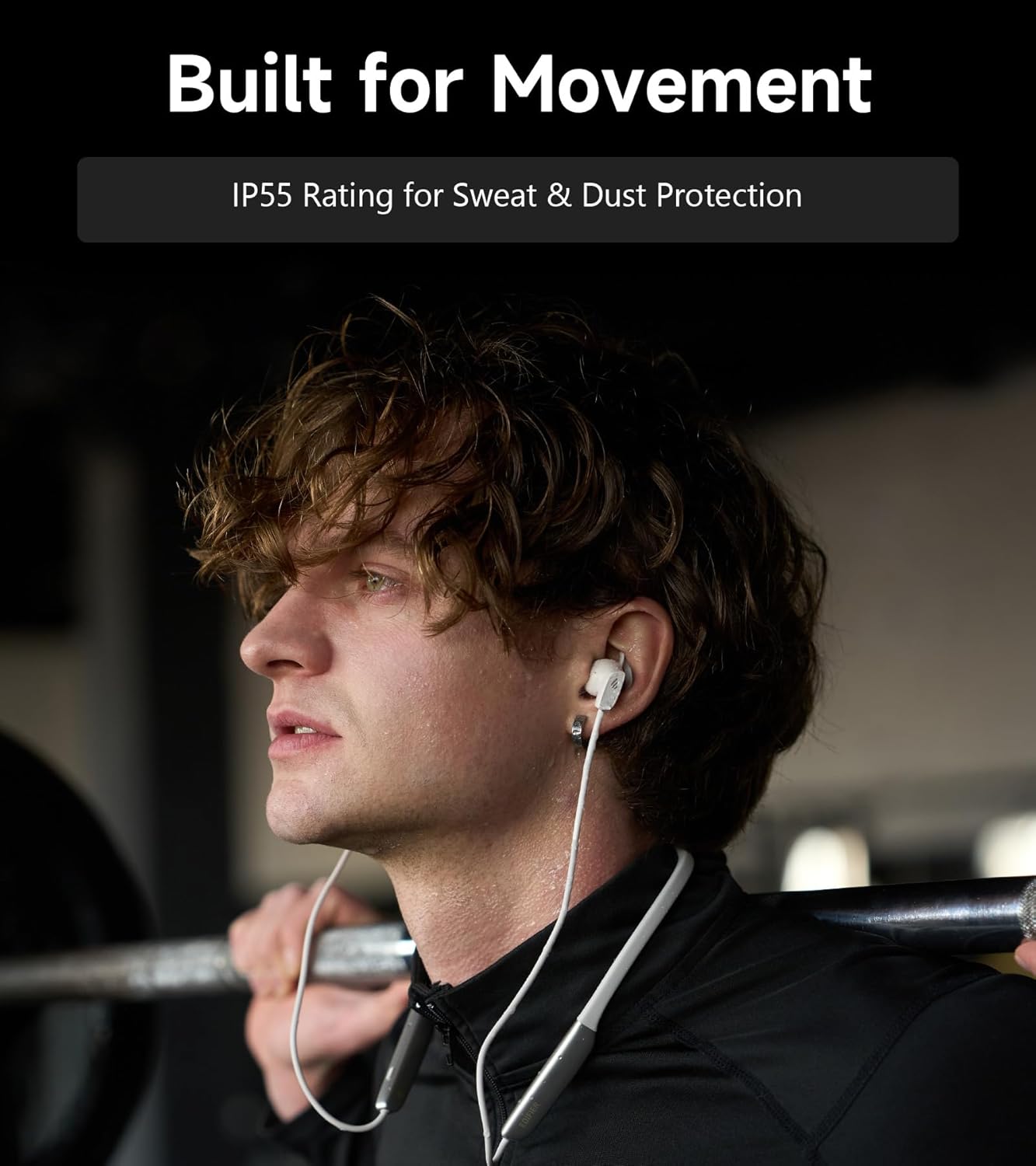
Image: A person wearing the headphones during a workout, illustrating the IP55 sweat and dust protection.
4.2 Сактоо
When not in use, store your headphones properly to prevent damage.
- The earbuds are magnetic, allowing them to snap together for tangle-free storage around your neck or in a bag.
- Күн нурунан жана экстремалдык температурадан алыс салкын, кургак жерде сактаңыз.
4.3 Батареяга кам көрүү
- Батареяны бат-баттан толук кубаттап калуудан алыс болуңуз.
- Батареянын ден соолугун сактоо үчүн, узак убакыт бою колдонулбаса дагы, гарнитураны үзгүлтүксүз заряддаңыз.
5. Кыйынчылыктарды
If you encounter issues with your Edifier W280NB Pro headphones, refer to the following common problems and solutions.
| Көйгөй | Мүмкүн себеп | Чечим |
|---|---|---|
| Кулакчындар күйбөйт. | Батарея аз. | Наушниктерди толук заряддаңыз. |
| Түзмөк менен жупташтыруу мүмкүн эмес. | Headphones not in pairing mode. Bluetooth disabled on device. Түзмөк кулакчындардан өтө алыс. | Ensure headphones are in pairing mode (flashing indicator). Түзмөгүңүздө Bluetooth'ду иштетиңиз. Move device closer to headphones (within 10 meters). Try resetting the headphones (refer to manual for specific reset procedure if available, or power cycle). |
| Үн жок же үнү төмөн. | Volume too low on headphones or device. Кулакчындар туташкан эмес. Түзмөктө туура эмес аудио чыгаруу тандалды. | Increase volume on both headphones and device. Ensure headphones are successfully paired and connected. Check your device's audio settings to ensure output is set to Edifier W280NB Pro. |
| Үн сапаты начар. | Bluetooth байланышы начар. Кулактын учунун туура эмес отурушу. Аудио булагынын сапаты. | Туташкан түзмөккө жакыныраак жылыңыз. Ensure ear tips provide a secure seal. Башка аудио булагын байкап көрүңүз же file. |
| Активдүү ызы-чууну жокко чыгаруу натыйжалуу эмес. | Кулактын учунун туура эмес отурушу. Incorrect ANC mode selected. Extreme noise conditions. | Ensure ear tips provide a secure seal. Cycle through ANC modes to select the most appropriate one. ANC works best for low-frequency, constant noise. |
| Чалуу учурунда микрофон иштебейт. | Headphones not selected as input device. Түзмөктө микрофондун үнү өчүрүлгөн. | Check your device's call settings to ensure Edifier W280NB Pro is selected for microphone input. Ensure microphone is not muted on your device. |
6. Техникалык шарттар
Detailed technical specifications for the Edifier W280NB Pro Neckband Wireless Headphones.
| Өзгөчөлүк | Деталь |
|---|---|
| Бренд | Edifier |
| Модель аты | W280NB Pro |
| Түс | Кара |
| Кулак жайгаштыруу | Кулакта |
| Форма фактору | Моюн боосу |
| Импеданс | 24 Ом |
| Noise Control | Активдүү ызы-чууну жокко чыгаруу |
| Жыштык диапазону | 20Гц-40КГц |
| Аудио драйвер түрү | Dynamic Driver (10mm with Titanium-Coated Diaphragm) |
| Байланыш технологиясы | Зымсыз (Bluetooth) |
| Bluetooth версиясы | 5.4 |
| Bluetooth диапазону | 10 метр (33 фут) |
| Battery Average Life (Playback) | 23 саат (ANC өчүрүлгөн), 14 саат (ANC күйүк) |
| Батареяны заряддоо убактысы | 1.5 саат |
| Сууга туруктуулук деңгээли | IP55 (Dust & Waterproof) |
| Шайкеш түзмөктөр | Smartphones, Tablets, Laptops, Smart Speakers |
| Материал | Silicone (Enclosure) |
| UPC | 628430220005 |
7. Кепилдик маалыматы
The Edifier W280NB Pro Neckband Wireless Headphones come with a 1 жылдык Өндүрүүчүнүн Кепилдиги.
This warranty covers defects in materials and workmanship under normal use. It does not cover damage caused by misuse, accidents, unauthorized modifications, or normal wear and tear. Please retain your proof of purchase for warranty claims.
8. Кардарларды колдоо кызматы
For further assistance, technical support, or warranty inquiries, please contact Edifier customer service.
- Webсайт: Расмий Edifier'ге барыңыз webКөп берилүүчү суроолор, колдоо ресурстары жана байланыш маалыматы үчүн сайт.
- Электрондук почта/Телефон: Refer to the Edifier website or your product packaging for specific contact details in your region.