
Introduction
This manual provides detailed instructions for the AGPTEK U6PL 32GB MP3 Player. Please read this manual thoroughly before using the device to ensure proper operation and to maximize its features. Keep this manual for future reference.
Продукт бүттүview
The AGPTEK U6PL is a versatile 32GB MP3 player featuring a 2.8-inch sensitive touchscreen, Bluetooth 5.3, and a built-in speaker. It supports various audio formats, FM radio, recording, e-book reading, and includes a pedometer function.
Негизги өзгөчөлүктөрү
- Сактагыч: 32 ГБ ички эстутум.
- Дисплей: 2.8-inch sensitive color touchscreen.
- Байланыш: Bluetooth 5.3 with auto-reconnection.
- Аудионун сапаты: Hi-Fi Lossless sound support (MP3, FLAC, APE).
- Интегралдык спикер: Кулакчынсыз аудио ойнотуу үчүн.
- Көп функциялуу: FM Radio, Voice Recording, E-book reader, Pedometer, Video Playback.
- Батареянын иштөө мөөнөтү: 500mAh battery, providing up to 60 hours of earphone playback or 23 hours of Bluetooth playback.

Image: The AGPTEK U6PL MP3 Player displaying its 2.8-inch sensitive touchscreen interface, shown alongside a pair of over-ear headphones. This highlights the device's display and audio capabilities.

Image: The AGPTEK U6PL MP3 Player's screen displaying a grid of application icons, including Music, FM Radio, Record, Bluetooth, Folder, E-Book, Tools, and Setting. This illustrates the device's multifunctional design for learning and leisure.
Жайгашуу
1. Аппаратты заряддоо
Before first use, fully charge the MP3 player. Connect the device to a power source using the provided USB cable. The charging indicator will show the charging status. A full charge takes approximately 2.5 hours.

Image: The AGPTEK U6PL MP3 Player connected to a charging cable, with icons indicating 2.5 hours for a full charge, 60 hours of earphone play, and 23 hours of Bluetooth play. This illustrates the device's battery capacity and charging time.
2. Күйгүзүү/өчүрүү
- Күйгүзүү үчүн: Экран жарык кылганга чейин кубат баскычын басып, кармап туруңуз.
- Өчүрүү үчүн: Экранда өчүрүү опциясы пайда болгонго чейин кубат баскычын басып, кармап туруңуз, андан соң ырастаңыз.
3. өткөрүп берүү Files
Connect the MP3 player to your computer using the USB cable. The device will appear as a removable disk. Drag and drop your music, video, or e-book fileойноткучтагы тиешелүү папкаларга салыңыз.
Иштөө нускамалары
1. Музыканы ойнотуу
From the main menu, tap the "Music" icon. You can browse music by artist, album, genre, or all songs. Tap a song to begin playback. Use the touchscreen controls for play/pause, skip tracks, and volume adjustment.

Image: A graphic emphasizing "Hi-Fi Lossless Sound" with music notes and icons for MP3, FLAC, and APE formats. This highlights the player's capability to deliver high-fidelity audio.

Image: Three individuals sitting outdoors under a canopy, smiling and listening to music, with the AGPTEK U6PL MP3 Player visible. This illustrates the device's built-in speaker feature for shared listening experiences.
2. Bluetooth байланышы
Bluetooth кулакчындарды же динамиктерди туташтыруу үчүн:
- Go to "Settings" and select "Bluetooth".
- Bluetooth'ту "күйгүзүңүз".
- The player will search for available devices. Select your device from the list to pair.
- The AGPTEK U6PL supports Bluetooth 5.3 with auto-reconnection, meaning it will automatically connect to previously paired devices when in range.
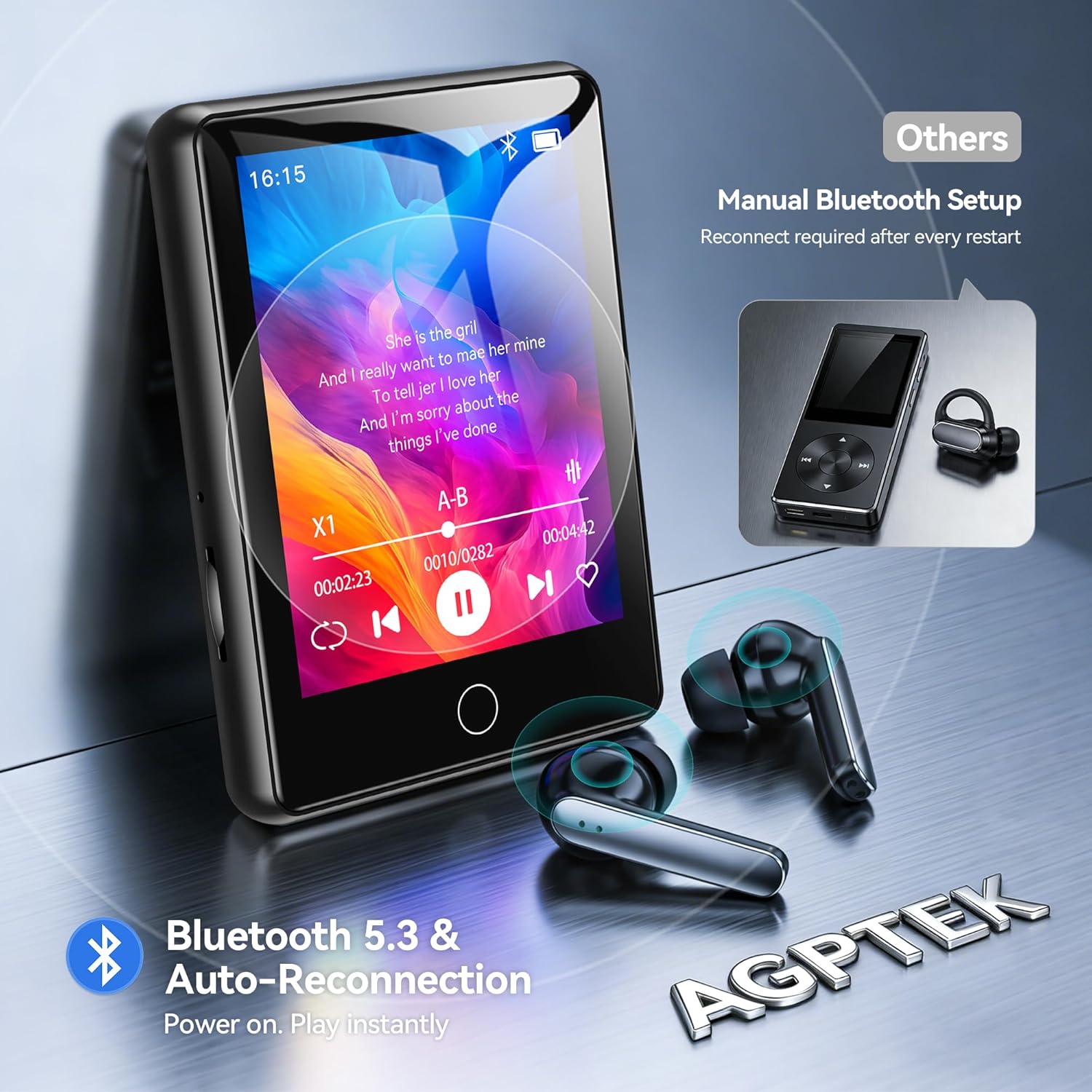
Image: The AGPTEK U6PL MP3 Player displaying a music playback screen, with Bluetooth earbuds shown wirelessly connected. The image highlights Bluetooth 5.3 and auto-reconnection capabilities.
3. FM радиосу
Plug in wired headphones (they act as an antenna). From the main menu, tap "FM Radio". You can auto-scan for stations or manually tune. Save your favorite stations for quick access.
4. Жаздыруу
Tap the "Record" icon to access the voice recorder. Tap the record button to start and stop recording. Recordings are saved in the device's memory.
5. Электрондук китеп окугуч
Transfer compatible e-book files (e.g., TXT format) to the "E-Book" folder on the player. Tap the "E-Book" icon to open and read your files.
6. жөө
Activate the pedometer function from the main menu. The device will track your steps. Ensure the player is carried securely for accurate readings.
7. Видеону ойнотуу
Шайкеш келген видеону өткөрүү files to the "Video" folder. Tap the "Video" icon to browse and play your videos on the 2.8-inch screen.
8. Quick Song Search
To quickly find a song, navigate to your music list and use the search function. Enter keywords from the song filename (letters and numbers only) to filter the list.

Image: The AGPTEK U6PL MP3 Player showing its quick song search interface with an on-screen keyboard and a list of filtered songs. A note indicates that only letters and numbers are supported for search keywords.

Image: A collage of four images demonstrating the AGPTEK U6PL's diverse functions: FM Radio, Recording, E-book reading, and Pedometer. This highlights its utility for study, commuting, and leisure.
Техникалык тейлөө
- Тазалоо: Түзмөктү тазалоо үчүн жумшак, кургак чүпүрөктү колдонуңуз. Суюк тазалоочу каражаттарды же абразивдүү материалдарды колдонбоңуз.
- Сактагыч: Ойноткучту салкын, кургак жерде, күн нуру түз тийбеген жана өтө жогорку температурадан алыс сактаңыз.
- Батареяга кам көрүү: Батареянын иштөө мөөнөтүн узартуу үчүн, бат-баттан батарейканы толук зарядсыздандырбаңыз. Аппаратты узак убакыт бою колдонбосо дагы, үзгүлтүксүз заряддаңыз.
- Суу каршылык: Бул аппарат суу өткөрбөйт. Суунун же жогорку нымдуулуктун таасиринен алыс болуңуз.
Проблемаларды чечүү
| Көйгөй | Чечим |
|---|---|
| Түзмөк күйбөйт. | Ensure the device is fully charged. If the battery is completely drained, it may take a few minutes of charging before it can power on. |
| Bluetooth түзмөгүнө туташа албай жатат. | Ensure Bluetooth is enabled on both the MP3 player and the target device. Make sure the target device is in pairing mode and within range. Try restarting both devices. |
| Наушниктен үн чыкпайт. | Check if headphones are properly plugged in (for wired) or paired (for Bluetooth). Verify volume settings on the player. Test with different headphones if possible. |
| Files not appearing on the player. | камсыз кылуу files are transferred to the correct folders and are in compatible formats. Disconnect and reconnect the player to the computer. |
Техникалык шарттар
| Бренд | AGPTEK |
| Модель номери | U6PL |
| Эстутум сактоо сыйымдуулугу | 32 ГБ |
| Screen Size | 2.8 дюйм |
| Байланыш | Bluetooth 5.3 |
| Батарея сыйымдуулугу | 500 мАч |
| Камтылган компоненттер | 1 x 32GB MP3 Bluetooth 5.3 Player, USB Cable |
Кепилдик жана колдоо
For warranty information and technical support, please refer to the documentation included with your purchase or visit the official AGPTEK webсайт. Кепилдик дооматтар үчүн сатып алганыңыздын далилин сактаңыз.