
Introduction
Thank you for choosing the OneOdio Focus A1Pro Wireless On-Ear Headphones. This manual provides detailed instructions for setting up, operating, maintaining, and troubleshooting your new headphones. Please read this manual thoroughly before use to ensure optimal performance and longevity of your device.
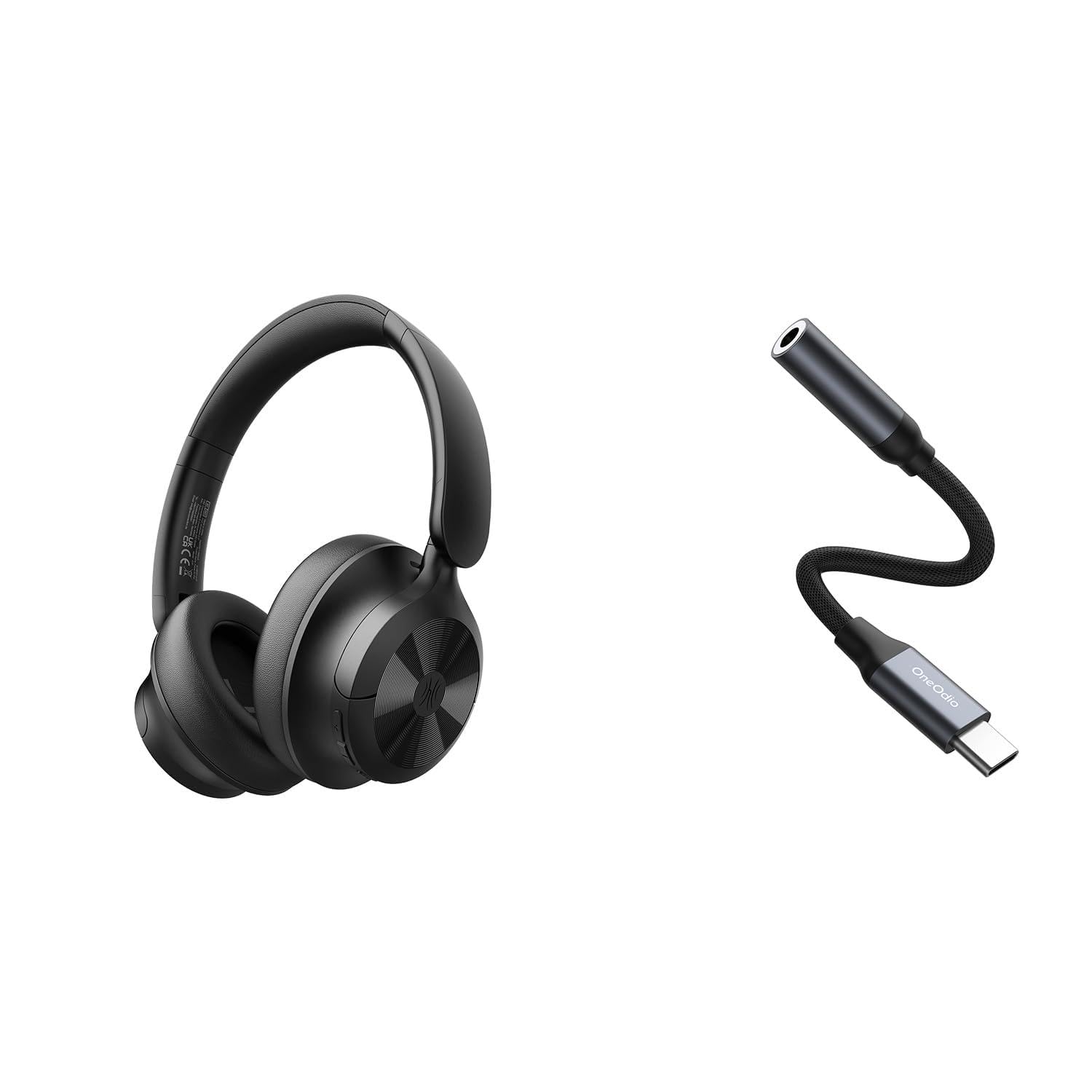
Image: OneOdio Focus A1Pro Wireless On-Ear Headphones. This image displays the headphones in their typical on-ear design, showcasing кулакчындарды жана баш орогучту.
Пакеттин мазмуну
Сураныч, пакетте төмөнкү нерселерди текшериңиз:
- OneOdio Focus A1Pro Wireless On-Ear Headphones
- USB-C дан 3.5 мм аудио адаптерге
- USB-C заряддоо кабели
- Ташуу баштыгы
- Колдонуучунун Колдонмосу (бул документ)
Жайгашуу
1. Наушниктерди заряддоо
Before first use, fully charge the headphones. Connect the USB-C charging cable to the charging port on the headphones and the other end to a USB power source (e.g., computer USB port, wall adapter). The LED indicator will show charging status and turn off or change color when fully charged.

Image: Close-up of the USB-C charging port on the OneOdio Focus A1Pro headphones, with a charging cable connected.
2. Күйгүзүү / Өчүрүү
- Күйгүзүү үчүн: Press and hold the Multi-function button for approximately 3 seconds until the LED indicator flashes blue.
- Өчүрүү үчүн: Press and hold the Multi-function button for approximately 3 seconds until the LED indicator flashes red and then turns off.
3. Bluetooth Жупташтыруу
- Наушниктердин өчүрүлгөнүн текшериңиз.
- Press and hold the Multi-function button for 5-7 seconds until the LED indicator flashes red and blue alternately. This indicates pairing mode.
- Түзмөгүңүздө (смартфон, планшет, компьютер) Bluetooth иштетип, жеткиликтүү түзмөктөрдү издеңиз.
- Select "OneOdio A1Pro" from the list of found devices.
- Туташтырылгандан кийин, LED индикатору акырындык менен көк болуп жанат.
- Эгер сырсөз талап кылынса, "0000" киргизиңиз.
Кулакчындар күйгүзүлгөндө автоматтык түрдө акыркы жупташтырылган түзмөккө кайра туташуу аракетин көрүшөт.
4. Wired Connection (using USB-C to 3.5mm Audio Adapter)
For a wired connection, use the provided USB-C to 3.5mm audio adapter. This allows you to connect the headphones to devices with a standard 3.5mm audio jack.
- Plug the USB-C end of the adapter into the USB-C port on the headphones.
- Plug the 3.5mm end of the adapter into the 3.5mm audio jack of your audio source device.
- Ensure the headphones are powered off for wired mode to function correctly and conserve battery.

Image: The OneOdio Focus A1Pro headphones connected to an audio source via the USB-C to 3.5mm audio adapter.
Иштөө нускамалары
Controls Overview
The headphones feature intuitive controls located on the earcup. Familiarize yourself with these buttons for seamless operation.

Image: Diagram showing the location and function of control buttons on the OneOdio Focus A1Pro headphones, including volume, multi-function, and ANC buttons.
Музыканы ойнотуу
- Ойнотуу/тындыруу: Көп функциялуу баскычты бир жолу басыңыз.
- Кийинки трек: Үнүн жогорулатуу баскычын 2 секунд басып туруңуз.
- Мурунку трек: Үндү азайтуу баскычын 2 секунд басып туруңуз.
- Көлөмү: Үндү жогорулатуу баскычын кыскача басыңыз.
- Үнүн азайтуу: Үндү азайтуу баскычын кыскача басыңыз.
Чалууларды иштетүү
- Чалууга жооп берүү/аяктоо: Көп функциялуу баскычты бир жолу басыңыз.
- Чакырууну четке кагуу: Көп функциялуу баскычты 2 секунд басып туруңуз.
- Акыркы номерди кайра терүү: Көп функциялуу баскычты эки жолу басыңыз.
Активдүү Шумду Жоюу (ANC)
The Focus A1Pro headphones feature Active Noise Cancellation to reduce ambient noise.
- ANC иштетүү: Press the ANC button once. The ANC indicator light will turn green.
- ANC өчүрүү: Press the ANC button once again. The ANC indicator light will turn off.
Наушник тагынуу
Adjust the headband to fit comfortably over your head. The earcups should fully cover your ears for optimal sound quality and noise cancellation. The earcups are typically marked 'L' for left and 'R' for right.
Техникалык тейлөө
Тазалоо
- Наушниктерди жумшак, кургак, түксүз чүпүрөк менен сүртүңүз.
- Абразивдүү тазалагычтарды, спиртти же химиялык эриткичтерди колдонбоңуз.
- Ар кандай тешиктерге ным кирүүдөн сактаңыз.
- The earpads can be gently wiped with a slightly damp cloth and mild soap solution, then dried thoroughly.
Сактагыч
When not in use, store the headphones in the provided carrying pouch to protect them from dust and scratches. Store in a cool, dry place away from extreme temperatures.
Батареяга кам көрүү
- Батареяны бат-баттан толук кубаттап калуудан алыс болуңуз.
- Батареянын ден соолугун сактоо үчүн, узак убакыт бою колдонулбаса дагы, гарнитураны үзгүлтүксүз заряддаңыз.
- Do not expose the headphones to high temperatures, as this can degrade battery performance.
Проблемаларды чечүү
Күч жок
- Наушниктердин толук заряддалганын текшериңиз.
- Press and hold the Multi-function button for 3 seconds to power on.
Үн жок
- Bluetooth:
- Ensure the headphones are paired and connected to your device.
- Check the volume level on both the headphones and your device.
- Кулакчындарды ажыратып, кайра жупташтырып көрүңүз.
- текст:
- Ensure the USB-C to 3.5mm adapter is securely connected to both the headphones and the audio source.
- Verify the audio source is playing and its volume is up.
- Test with a different audio cable or device if possible.
Bluetooth туташуу маселелери
- Ensure the headphones are in pairing mode (red and blue flashing LED).
- Наушниктерди түзмөгүңүзгө жакыныраак жылдырыңыз.
- Clear the Bluetooth list on your device and try pairing again.
- Башка зымсыз аппараттардын кийлигишүүсүн болтурбаңыз.
Наушниктерди баштапкы абалга келтирүү
If you experience persistent issues, you can try resetting the headphones to their factory settings. (Note: Specific reset procedures vary by model. A common method is to press and hold the Multi-function and Volume Down buttons simultaneously for 5-10 seconds while powered on, or connect to power while holding a button. Refer to the manufacturer's official support for exact steps if this general method does not work.)
Техникалык шарттар
| Модель аты | Focus A1Pro |
| Bluetooth версиясы | 5.0 (Estimated, common for modern headphones) |
| Айдоочунун диаметри | 40мм (Болжолдуу) |
| Frequency Response | 20Hz - 20kHz (Типтүү) |
| Батарея сыйымдуулугу | 500mAh (Болжолдуу) |
| Заряддоо убактысы | Болжол менен 2-3 саат |
| Ойнотуу убактысы | 30 саатка чейин (Varies with volume and ANC usage) |
| Салмагы | Approx. 250g (Болжолдуу) |
Note: Specifications are subject to change without notice. Actual performance may vary.
Кепилдик жана колдоо
Кепилдик маалымат
OneOdio products are covered by a limited warranty from the date of purchase. This warranty covers manufacturing defects in materials and workmanship. It does not cover damage caused by misuse, accidents, unauthorized modifications, or normal wear and tear. Please retain your proof of purchase for warranty claims.
Кардарларды колдоо
For technical support, warranty inquiries, or other assistance, please contact OneOdio customer service through their official webсайтка же продуктуну сатып алган сатуучуга.
Официалдуу Webсайт: www.oneodio.com
Электрондук почта колдоо: support@oneodio.com