
Introduction
Thank you for choosing the OneOdio Studio Max 1 Wireless DJ Headphone and USB-C to 3.5 mm Adapter. This manual provides essential information for the proper setup, operation, and maintenance of your device. Please read it thoroughly before use and retain it for future reference.
Пакеттин мазмуну
Төмөндө тизмеленген нерселердин баары пакетиңизде бар экенин текшериңиз:
- OneOdio Studio Max 1 Wireless DJ Headphone
- USB-C to 3.5 mm Audio Adapter
- USB-C заряддоо кабели
- 3.5 мм аудио кабели
- Колдонуучунун Колдонмосу (бул документ)
- Көтөрүп жүрүүчү баштык (эгер бар болсо)
Продукт бүттүview
Familiarize yourself with the components of your OneOdio Studio Max 1 headphones and the USB-C adapter.
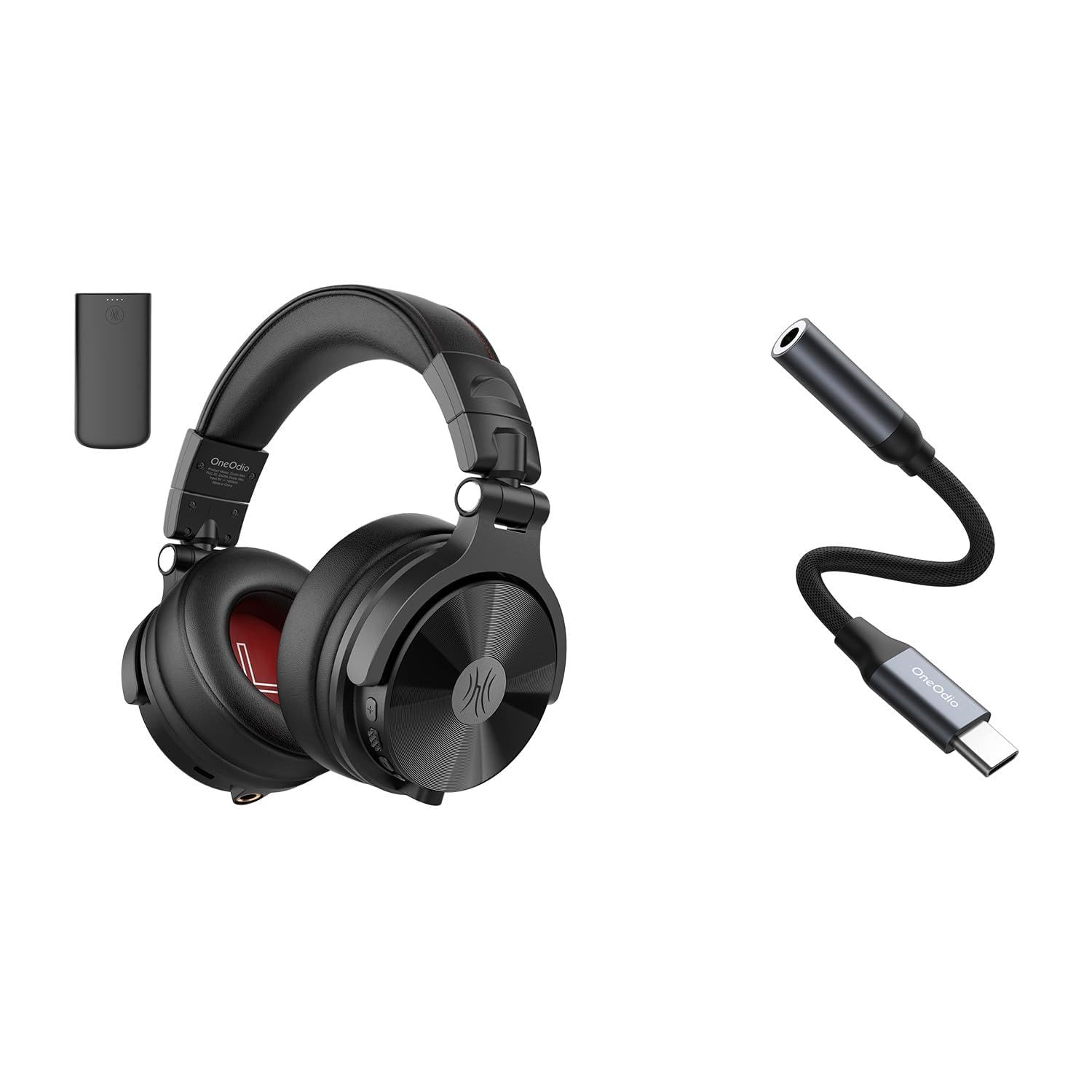
1-сүрөт: OneOdio Studio Max 1 Wireless DJ Headphone and USB-C to 3.5 mm Adapter. This image displays the headphones in their folded state alongside the USB-C to 3.5 mm adapter and included cables, providing a general view буюмдун жана анын аксессуарларынын.
Наушник компоненттери
- Кубат баскычы: On/Off, Play/Pause, Call Answer/End
- Үнүн жогорулатуу баскычы: Increase volume, Next track (long press)
- Үнүн төмөндөтүү баскычы: Decrease volume, Previous track (long press)
- USB-C заряддоо порту: For charging the headphones
- 3.5 mm Audio Input: Зымдуу туташуу үчүн
- Микрофон: Үнсүз чалуулар үчүн
- LED көрсөткүчү: Displays power, pairing, and charging status
USB-C to 3.5 mm Adapter Components
- USB-C туташтыргычы: Connects to your device
- 3.5 мм аудио уячасы: Connects to headphones or other audio devices
- DAC чип: Provides high-resolution audio conversion
Жайгашуу
Наушниктерди заряддоо
Баштапкы колдонуудан мурун, кулакчындарды толук кубаттаңыз.
- USB-C заряддоо кабелин гарнитурадагы USB-C кубаттоо портуна туташтырыңыз.
- Кабелдин экинчи учун USB кубат булагына туташтырыңыз (мисалы, компьютердин USB порту, дубал адаптери).
- The LED indicator will glow red during charging and turn off when fully charged.
2-сүрөт: Illustrates the USB-C charging port on the headphones. For charging, locate this port, typically on one of the earcups, and connect the provided USB-C cable.
Bluetooth жупташтыруу (Зымсыз режим)
- Наушниктердин өчүрүлгөнүн текшериңиз.
- Press and hold the Power Button for approximately 5-7 seconds until the LED indicator flashes blue and red alternately. This indicates pairing mode.
- Аудио түзмөгүңүздө (смартфон, планшет, компьютер) Bluetooth'ду күйгүзүп, жеткиликтүү түзмөктөрдү издеңиз.
- Select "OneOdio Studio Max 1" from the list of found devices.
- Жупташкандан кийин LED индикатору жай көк түстө күйөт.
Wired Connection (3.5 mm Audio Cable)
For a wired connection, you can use the included 3.5 mm audio cable.
- Connect one end of the 3.5 mm audio cable to the 3.5 mm audio input on the headphones.
- Connect the other end of the 3.5 mm audio cable to the 3.5 mm audio output on your device.
- Наушник автоматтык түрдө зымдуу режимге өтөт.
Using the USB-C to 3.5 mm Adapter
This adapter allows you to connect 3.5 mm audio devices to USB-C ports that lack a dedicated audio jack.
- Connect the USB-C end of the adapter to the USB-C port on your audio source device (e.g., smartphone, laptop).
- Connect your 3.5 mm headphones or other audio device to the 3.5 mm audio jack on the adapter.
- Ensure your device's audio output is set to the USB-C audio accessory if prompted.
3-сүрөт: Depicts the USB-C to 3.5 mm adapter. To use, insert the USB-C connector into your device and plug your 3.5 mm audio cable into the adapter's audio jack.
Иштөө нускамалары
Күйгүзүү/өчүрүү
- Күйгүзүү: Press and hold the Power Button for 2-3 seconds until the LED indicator flashes blue.
- Өчүрүү: Press and hold the Power Button for 3-4 seconds until the LED indicator flashes red and then turns off.
Музыка ойнотуу (Зымсыз режим)
- Ойнотуу/тындыруу: Кубат баскычын кыска басыңыз.
- Көлөмү: Үндү жогорулатуу (+) баскычын кыска басыңыз.
- Үнүн азайтуу: Үндү азайтуу (-) баскычын кыска басыңыз.
- Кийинки трек: Үндү жогорулатуу (+) баскычын көпкө басыңыз.
- Мурунку трек: Үндү азайтуу (-) баскычын көпкө басыңыз.
Чалууларды башкаруу (Зымсыз режим)
- Чалууга жооп берүү/аяктоо: Кубат баскычын кыска басыңыз.
- Чакырууну четке кагуу: Кубат баскычын көпкө басыңыз.
- Акыркы номерди кайра терүү: Кубат баскычын эки жолу басыңыз.
LDAC/LC3 Codec Support
The OneOdio Studio Max 1 supports LDAC and LC3 codecs for high-resolution wireless audio transmission. Ensure your source device also supports these codecs and that they are enabled in your device's Bluetooth settings for optimal audio quality.
Техникалык тейлөө жана кам көрүү
- Clean the headphones and adapter with a soft, dry cloth. Do not use abrasive cleaners or solvents.
- Түзмөктөрдү өтө жогорку температурага, нымдуулукка же түз күн нуруна дуушар кылбаңыз.
- Store the headphones in the included carrying pouch when not in use to protect them from dust and scratches.
- Do not attempt to disassemble or modify the headphones or adapter, as this will void the warranty.
- Keep away from water and liquids. If exposed, power off immediately and allow to dry completely before use.
Проблемаларды чечүү
| Көйгөй | Мүмкүн себеп | Чечим |
|---|---|---|
| Кулакчындар күйбөйт. | Батарея аз. | Наушниктерди толук заряддаңыз. |
| Bluetooth аркылуу жупташтыруу мүмкүн эмес. | Кулакчындар жупташтыруу режиминде эмес; түзмөктө Bluetooth өчүрүлгөн; түзмөктөн өтө алыс. | Ensure headphones are in pairing mode (flashing red/blue). Enable Bluetooth on your device. Move headphones closer to the device (within 10 meters). |
| Зымсыз режимде үн жок. | Үн өтө төмөн; кулакчындар туташкан эмес; туура эмес аудио чыгаруу тандалды. | Наушниктердин жана түзмөктүн үнүн жогорулатуу. Наушниктерди кайра жуптаңыз. Түзмөктүн аудио чыгаруу жөндөөлөрүн текшериңиз. |
| Зымдуу режимде үн жок. | Cable not fully inserted; faulty cable; incorrect audio output selected. | Ensure 3.5 mm cable is fully inserted into both devices. Try a different 3.5 mm cable. Check device's audio output settings. |
| USB-C adapter not working. | Adapter not fully inserted; device incompatible; incorrect audio output selected. | Ensure adapter is fully inserted into the USB-C port. Verify your device supports USB-C audio output. Check device's audio output settings. |
Техникалык шарттар
- Модел: OneOdio Studio Max 1
- Айдоочунун диаметри: 50 мм
- Жыштык жообу: 20 Hz - 40 kHz (Hi-Res Audio certified)
- Импеданс: 32 Ом
- Сезимталдуулук: 110 дБ ± 3 дБ
- Bluetooth версиясы: 5.2
- Bluetooth диапазону: 10 метрге чейин (33 фут)
- Колдоого алынган кодектер: LDAC, LC3, SBC, AAC
- USB-C Adapter Sampлинг чен: 24-bit/96kHz HiFi audio
Кепилдик жана колдоо
OneOdio products come with a standard manufacturer's warranty. For detailed warranty information, please refer to the warranty card included in your package or visit the official OneOdio website. For technical support, troubleshooting assistance, or warranty claims, please contact OneOdio customer service through their official channels.
Официалдуу Webсайт: www.oneodio.com
Электрондук почта колдоо: support@oneodio.com