
1. Киришүү
This manual provides instructions for the proper use and maintenance of your EUQQ Translation Earbuds Model YYK. These earbuds are designed to facilitate communication across language barriers through real-time translation, in addition to offering standard audio functions.
2. Продукт бүтүп калдыview
The EUQQ Translation Earbuds Model YYK feature advanced Bluetooth 5.4 technology for stable connections and lower power consumption. They offer 2-way instant voice translation in up to 144 languages, 4-mic noise cancelling for clear audio, and a total playtime of up to 40 hours with the charging case.
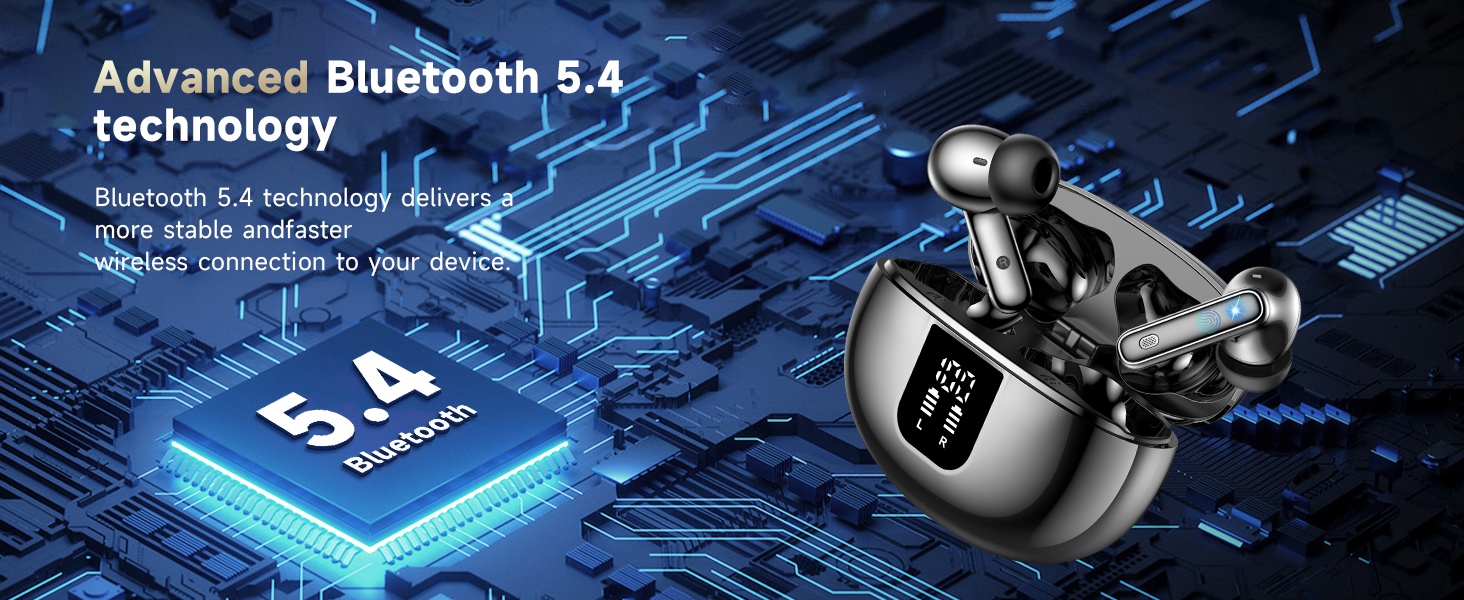
Image: Earbuds illustrating Bluetooth 5.4 technology benefits, including increased connection range, stable connection, and transfer speed.
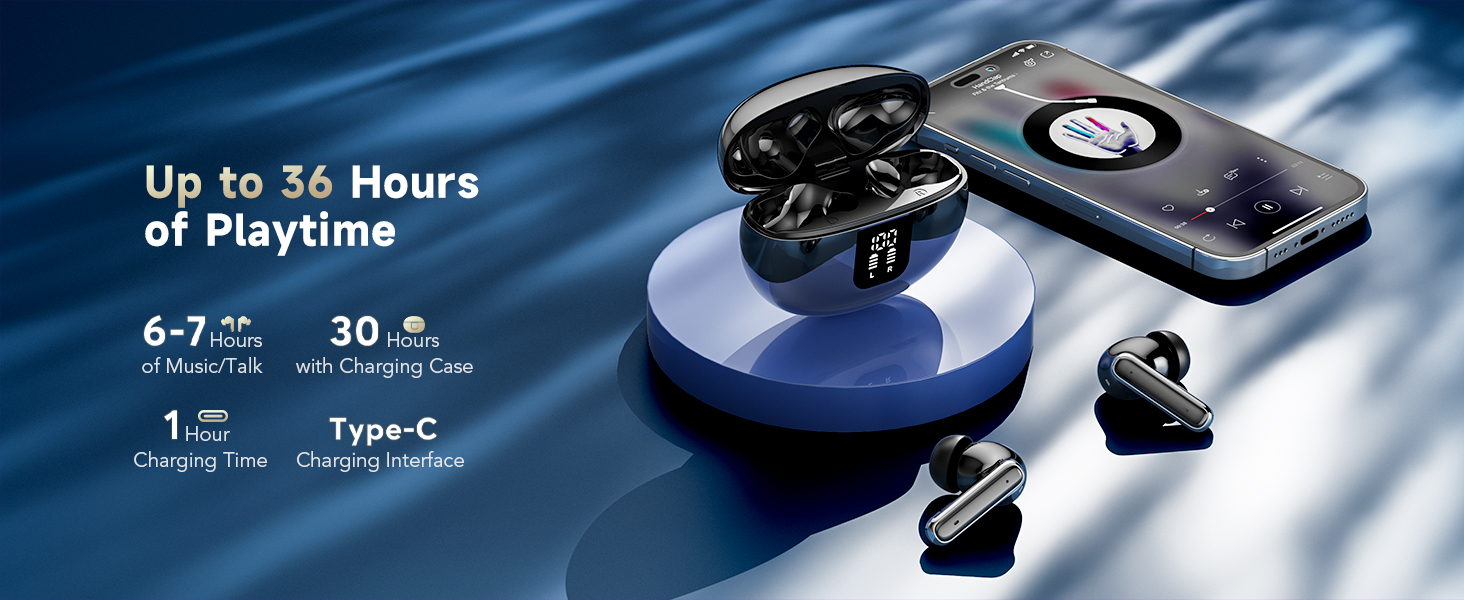
Image: Earbuds and charging case displaying up to 36 hours of playtime, 6-7 hours per charge, 1 hour charging time, and Type-C interface.
3. Орнотуу
3.1 Алгачкы заряддоо
Before first use, fully charge the earbuds and the charging case. Connect the provided USB-C cable to the charging case and a power source. The indicator lights on the case will show charging status.
3.2 Колдонмону орнотуу жана туташуу
To utilize the translation features, you must download and connect to the companion application.
- Download the "BitDynamic" app from your device's app store (e.g., App Store for iOS, Google Play Store for Android).
- Телефонуңузда Bluetooth иштетилгенин текшериңиз.
- Open the "BitDynamic" app and grant necessary permissions (e.g., Bluetooth, microphone, network access).
- The app should automatically detect the earbuds. Select your earbuds (e.g., "Q10 AI") and confirm connection.

Image: Visual guide showing the four steps to connect the earbuds to the "BitDynamic" application, including app download, Bluetooth activation, app permissions, and device selection.
3.3 Bluetooth Pairing (Standard Audio)
For standard audio use without translation features, you can pair the earbuds directly via your device's Bluetooth settings:
- Кубаттоочу кутучаны ачыңыз. Кулакчындар жупташтыруу режимине өтөт.
- Түзмөгүңүздө Bluetooth жөндөөлөрүнө өтүп, жеткиликтүү түзмөктөрдү издеңиз.
- Select "EUQQ YYK" (or similar name) from the list to connect.
4. Иштөө нускамалары
4.1 Сенсордук башкаруу
Кулакчындарда түрдүү функцияларды башкаруу үчүн сенсордук аймактар бар:
- Click MFB button: Pause/Play audio.
- Double-click left/right MFB buttons: Next/Previous track (function may vary by app).
- Long press MFB button: Кирүүчү чалууну четке кагуу.
- Click MFB button: Answer/End a call.
- Press and hold right MFB button for 2 seconds: Activate voice assistant (e.g., Siri).
- Press and hold left MFB button for 2 seconds: Switch to ANC mode.
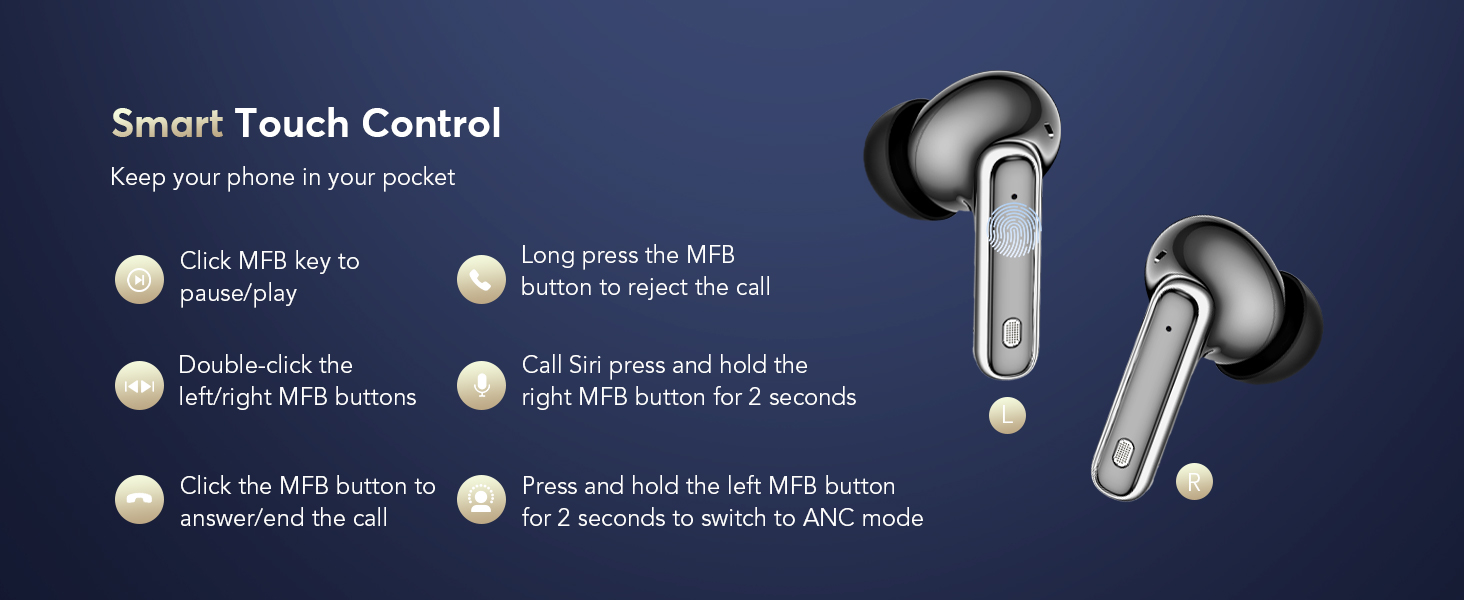
Image: Diagram illustrating the touch control functions on the left and right earbuds.
4.2 Ызы-чууну башкаруу режимдери
The earbuds offer three modes for different listening environments:
- Активдүү ызы-чууну жокко чыгаруу (ANC) режими: Иммерсивдүү аудио үчүн айланадагы ызы-чууну азайтат.
- Кадимки режим: Standard audio experience without noise cancellation or transparency.
- Ачыктык режими: Аудио угуп жатканда айланаңызды угууга мүмкүнчүлүк берет.
To switch between modes, long press the touch button on the left earbud. You will hear an audio prompt indicating the current mode (ANC on/off/Transparency Mode).
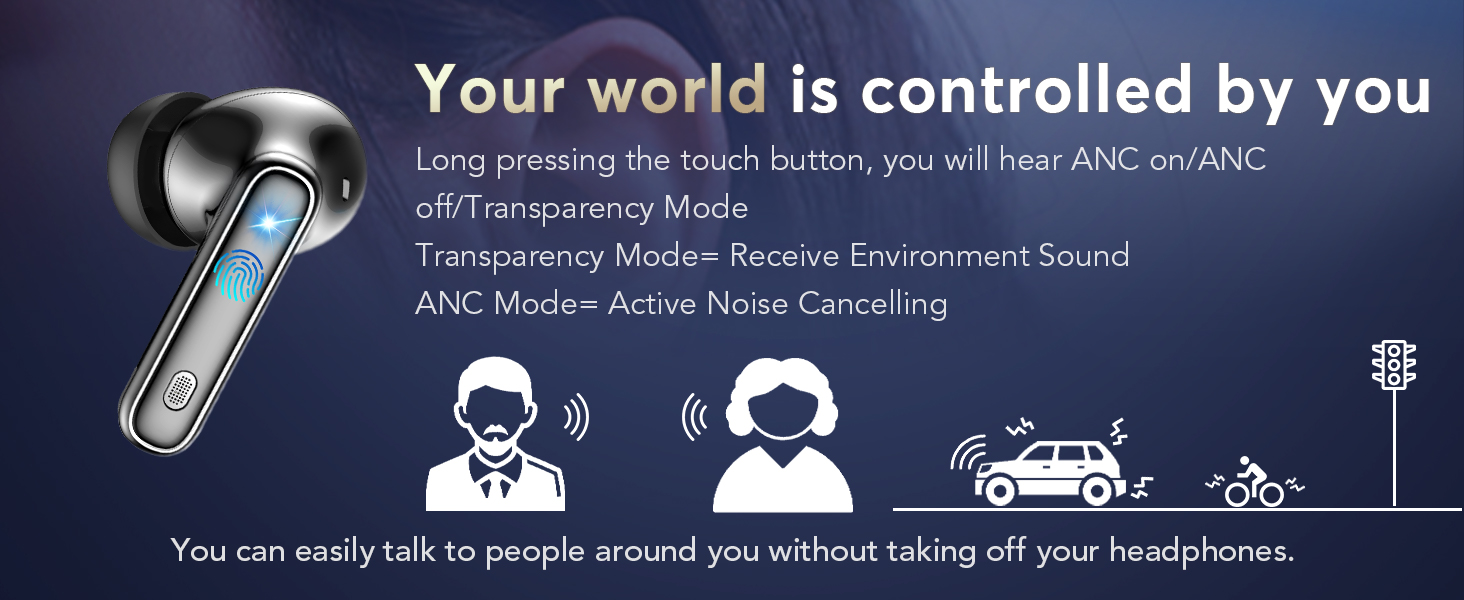
Image: Illustration of the earbud's ability to switch between Active Noise Cancellation, Normal, and Transparency modes.
4.3 Translation Modes (via BitDynamic App)
The BitDynamic app provides several translation modes:
- Face-to-Face Translation (Earphones + Mobile Phone): For two-way conversations. One person speaks into the phone, and the translation is heard through the earbuds. The other person hears the translation from the phone's speaker. This mode is switchable.
- Free Speech Mode: For in-depth one-on-one conversations. Each participant wears an earbud and speaks naturally. The app processes and translates the conversation in real-time.
- Динамик режими: For directions or ordering food. You wear the earbuds and speak; the translated results are played through your phone's speaker.
- Тийүү режими: For fluent conversations where each person wears an earbud. Touch your earbud before speaking, and the other person will hear the translation in their earbud.
- Синхрондук котормо: For international conferences. Set the target language, click "Start," and the app provides real-time voice translation.
- Audio and Video Call Translation: Online calls with real-time translation. Set up the dialogue language, share the call link, and the call will be translated once participants join.
- Real-Time Text Translation: The app provides various translation modes, including photo translation and audio transcription.
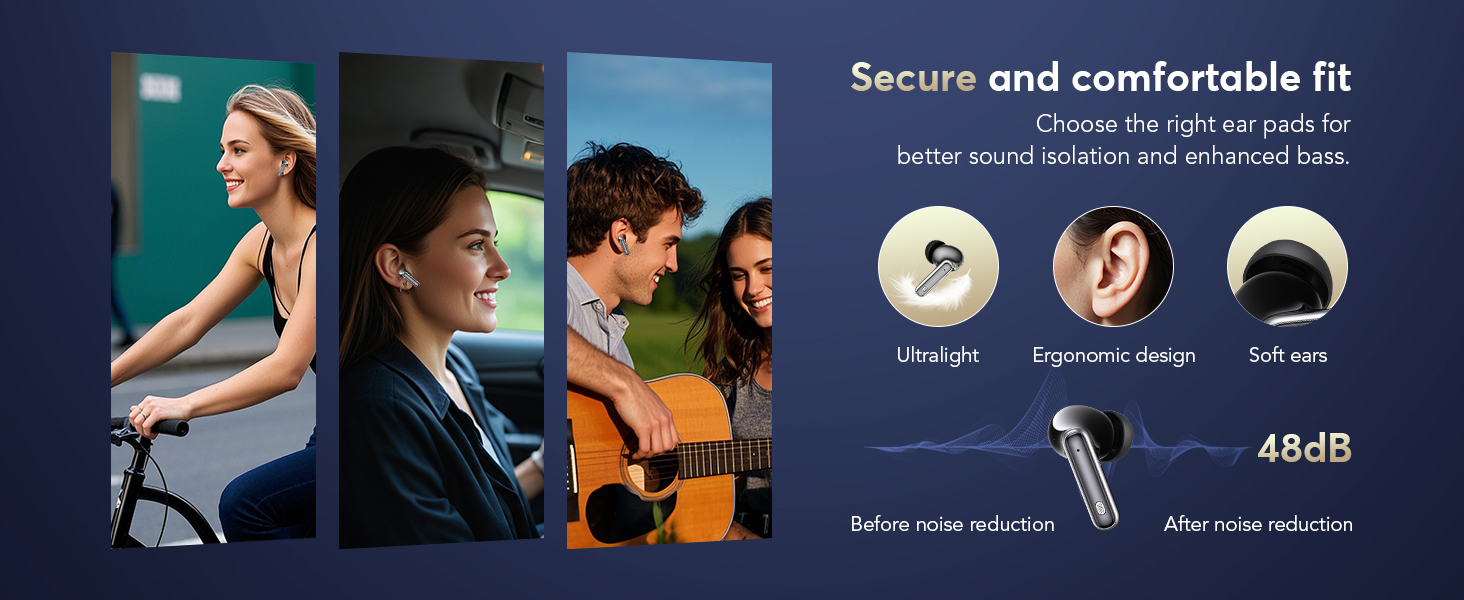
Image: Screenshot of the app interface demonstrating Face-to-Face Translation mode, where one person uses earbuds and the other uses the phone.
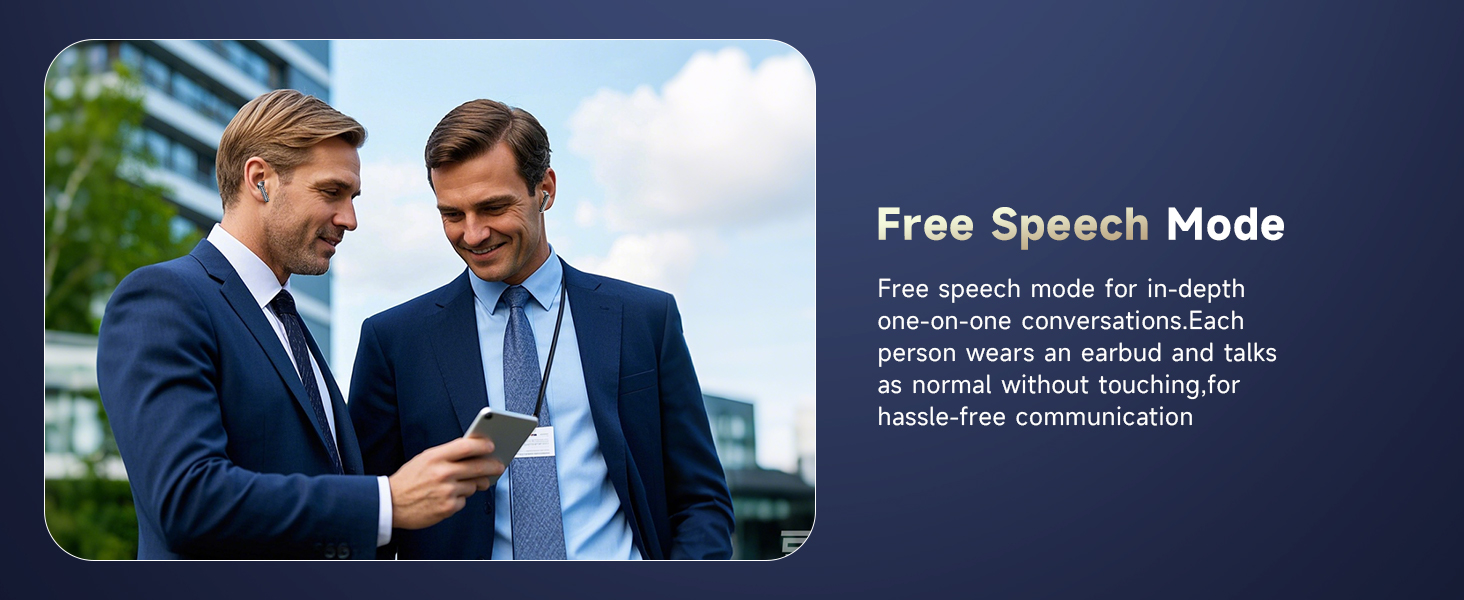
Image: Two individuals engaged in conversation, both wearing earbuds, illustrating the Free Speech Mode.
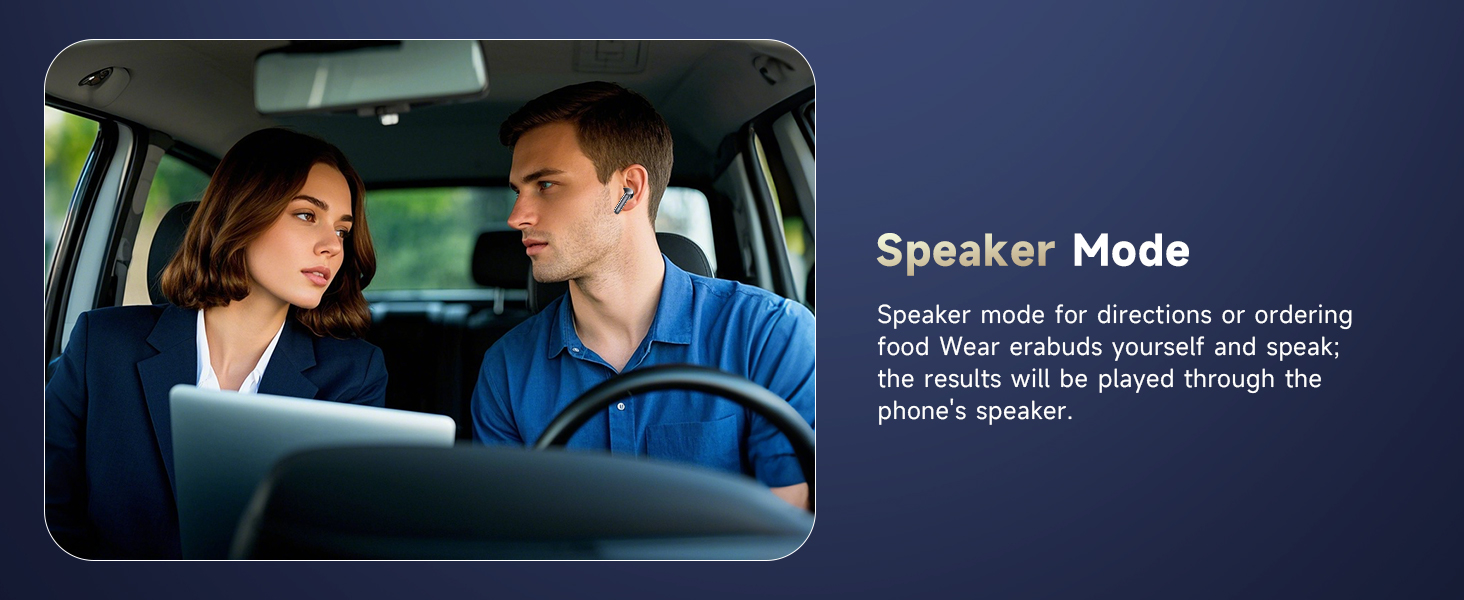
Image: A man wearing an earbud in a car, demonstrating Speaker Mode where translations are broadcast through the phone.
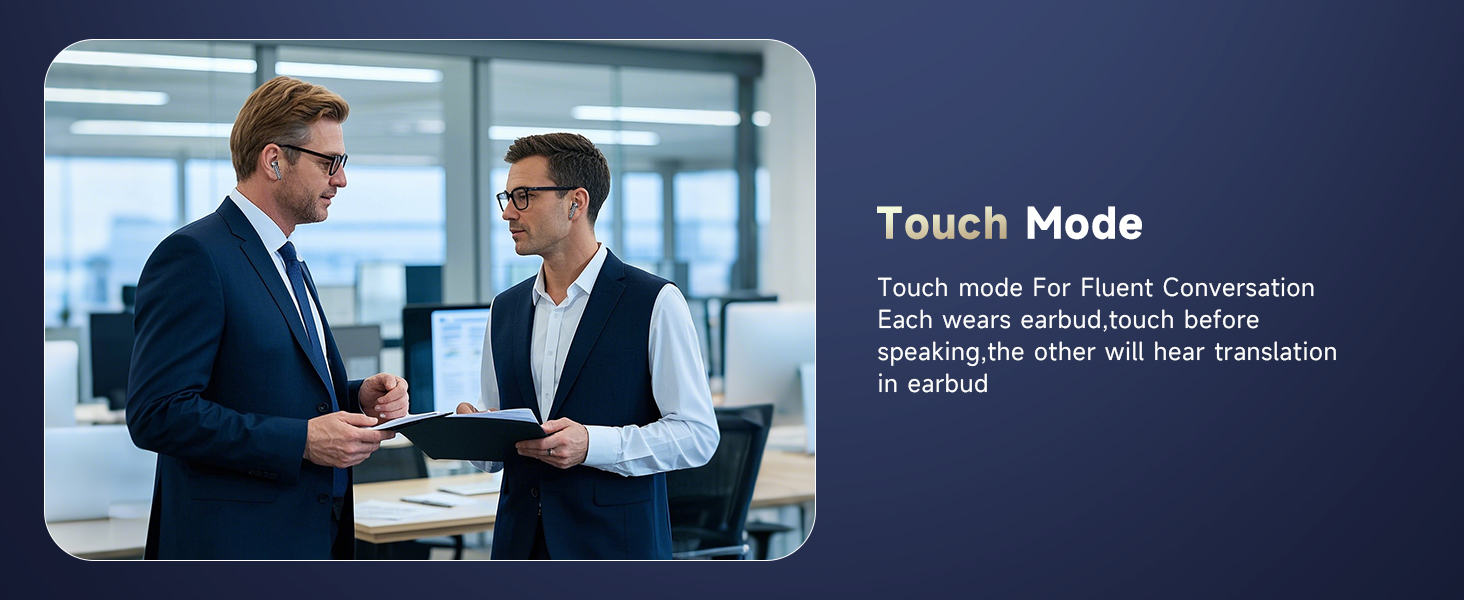
Image: Two men in a professional setting, both wearing earbuds, illustrating the Touch Mode for fluent conversation.
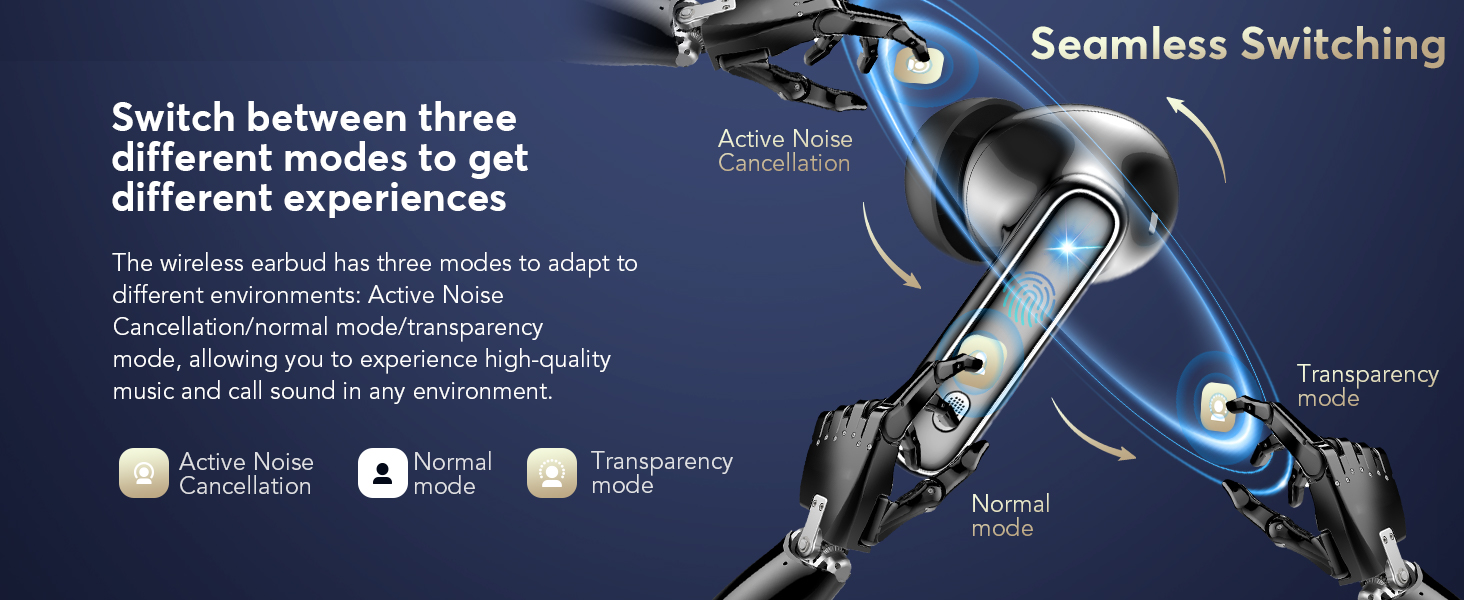
Image: Screenshot of the app showing simultaneous interpretation, translating spoken text between two languages.
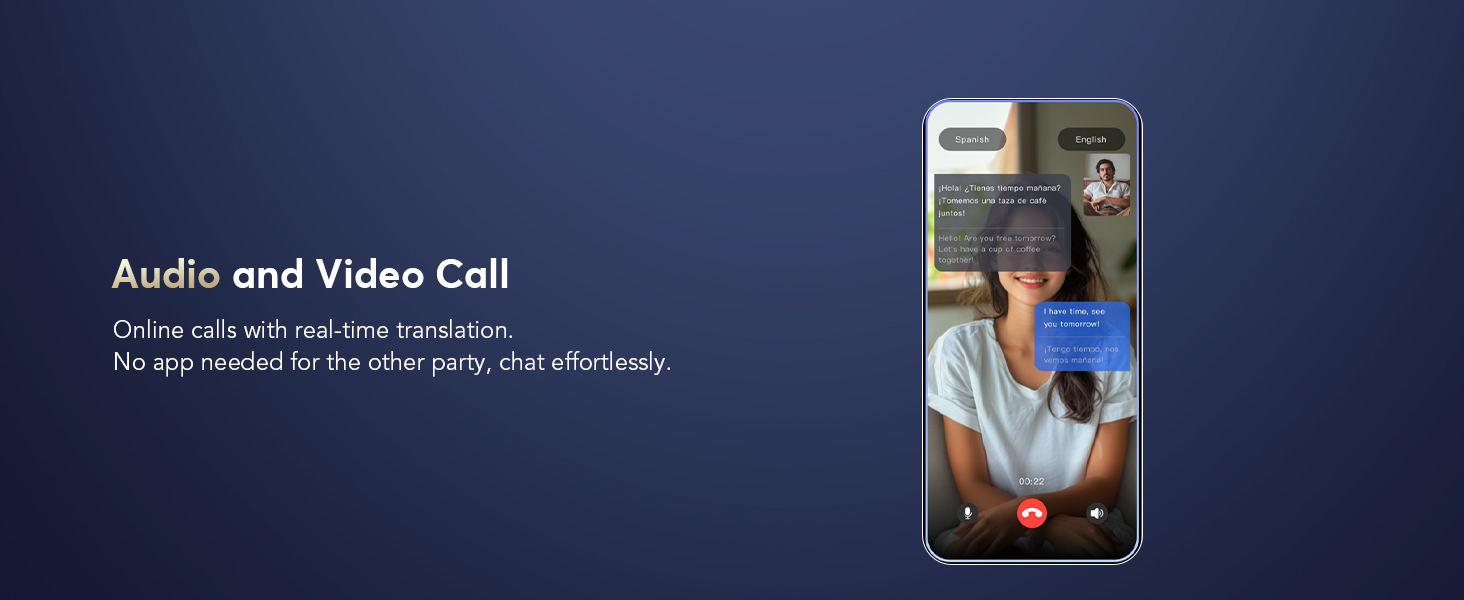
Image: Screenshot of the app demonstrating real-time translation during an audio or video call.

Image: Screenshot of the app showing real-time text translation from spoken input.
4.4 Колдонмонун кошумча функциялары
- AI Voice Smart Dialogue: Use real-time voice interaction to ask AI questions within the app.
- AI Meeting Assistant: Record, transcribe, summarize, and generate mind maps from meetings.
- Түз эфирде жаздыруу: Convert recordings to text for meeting notes or personal reference.
- Find Earphones: If your earbuds are misplaced, use this feature in the app to make them emit a sound or show their last known location on a map.
- Уйкуга жардам: Features built-in white noise sounds (e.g., rain, ocean waves) to assist with sleep.

Image: Screenshots of the app demonstrating AI Voice Smart Dialogue with different AI models.

Image: Screenshots of the app showing the AI Meeting Assistant features, including recording, transcription, and mind mapping.

Image: Screenshot of the app displaying the Live Recording feature, converting spoken audio to text.

Image: Screenshot of the app showing the 'Find Earphones' feature with options to play sound or navigate to the location on a map.

Image: Screenshot of the app displaying the Sleep Aid feature with various white noise options.
5. Техникалык тейлөө
5.1 Тазалоо
Оптималдуу иштешин жана гигиенаны камсыз кылуу үчүн кулакчындарыңызды жана кубаттоочу кутучаңызды үзгүлтүксүз тазалап туруңуз.
- Use a soft, dry, lint-free cloth to wipe the exterior of the earbuds and charging case.
- Кулактын учтары үчүн, аларды акырын алып салыңыз жана зарыл болсо, жумшак самын эритмеси менен тазалаңыз, андан кийин кайра орнотуудан мурун жакшылап чайкап, кургатыңыз.
- Кулакчындардын жана кутучанын ичиндеги кубаттоочу контакттарды кургак кебез менен кылдаттык менен тазалаңыз.
- Абразивдүү материалдарды, эриткичтерди же катуу химиялык заттарды колдонуудан алыс болуңуз.
5.2 Заряддоо
To maintain battery health, charge the earbuds and case regularly. A quick 10-minute charge provides approximately 2 hours of use. The total battery life with the charging case is up to 40 hours.
5.3 Secure and Comfortable Fit
Choosing the correct ear tip size is crucial for sound isolation and comfort. Experiment with different sizes to find the best fit for your ears.

Image: Illustration highlighting the secure and comfortable fit of the earbuds, with options for ultralight, ergonomic design, and soft ear tips.
6. Кыйынчылыктарды
If you encounter issues with your EUQQ Translation Earbuds, refer to the following common solutions:
- Кулакчындар телефонго туташпай жатат:
- Кулакчындардын кубатталганын текшериңиз.
- Телефонуңуздун Bluetooth'ун өчүрүп, күйгүзүңүз.
- Телефонуңуздун Bluetooth жөндөөлөрүнөн түзмөктү унутуп, кайра жупташтырыңыз.
- Телефонуңузду өчүрүп күйгүзүңүз.
- Котормо иштебей жатат же туура эмес:
- Ensure the "BitDynamic" app is open and connected to the earbuds.
- Check your internet connection, as cloud-based translation requires it.
- Колдонмодо туура баштапкы жана максаттуу тилдер тандалганын текшериңиз.
- Таза жана орточо темпте сүйлө.
- Колдонмону эң акыркы версияга жаңыртыңыз.
- Аудио сапаты начар:
- Кулакчындардын таза жана калдыктары жок экенин текшериңиз.
- Check for a secure fit with the correct ear tip size.
- Ensure your device is within Bluetooth range (up to 15 meters).
- Заряддоо маселелери:
- Заряддоо кабели жана адаптер туура иштеп жатканын текшериңиз.
- Кулакчындардагы жана корпустагы заряддоо контакттарын тазалаңыз.
- Кулакчындардын кубаттоо кутучасына туура орнотулгандыгын текшериңиз.
Эгер көйгөйлөр чечилбесе, кардарларды колдоо кызматына кайрылыңыз.
7. Техникалык шарттар
| Өзгөчөлүк | Деталь |
|---|---|
| Бренд | EUQQ |
| Модель номери | YYK |
| Түс | Кара |
| Кулак жайгаштыруу | Кулакта |
| Форма фактору | Кулакта |
| Байланыш технологиясы | Зымсыз |
| Зымсыз технология | Bluetooth |
| Bluetooth версиясы | 5.4 |
| Bluetooth диапазону | 15 метр |
| Noise Control | Активдүү ызы-чууну жокко чыгаруу |
| Башкаруу түрү | Touch Control |
| Сууга туруктуулук деңгээли | Суу өткөрбөйт |
| Батареянын иштөө мөөнөтү (бардыгы куту менен) | 40 саатка чейин |
| Заряддоо интерфейси | Type-C |
| Шайкеш түзмөктөр | iPhone 17, iPhone 17 Air, iPhone 17 Pro, iPhone 17 Pro Max, IPhone 16, IPhone 16 Plus, iPhone16 Pro, iPhone16 Pro Max, IPhone 15, iPhone15 Pro, iPhone15 Pro Max, IPhone 14, iPhone14 Pro, iPhone14 Pro max, IPhone13, iPhone13Pro, IPhone12, iPhone12Pro, iPhone12 Pro max, iPhone11, iPhone11Pro, iPhone11Pro max, iPhone XS Max, iPhone XS, iPhone XR, iPhone X, iPhone 8, 8 plus, iPhone 7, 7 plus, Apple Watch, iPad Pro, iPad Air 2, iPad Air, iPad mini 4, iPad mini 2; Samsung Galaxy S8 & S8+, Samsung Galaxy S6 edge, Samsung Galaxy S6, Samsung Galaxy Note5, Note 4, Note 3; Moto X, Moto G, Moto E, DROID Turbo 2, DROID Maxx 2, SONY Xperia X Performance, Xperia X, Xperia XA, Xperia Z5, Xperia Z5 Compact, Xperia C4, Xperia M4 Aqua, Xperia Z3, Xperia Z4 Tablet, Xperia Z3 Tablet Compact, Xperia Z2 Tablet; Xiaomi 6, Xiaomi 5s, Xiaomi 5, Huawei mate9, Huawei mate8, Huawei P10, Huawei P8, OnePlus one, LG, Huawei mate30, Huawei mate40. Compatible with almost all Bluetooth devices. |
8. Кепилдик жана колдоо
8.1 Кепилдик маалыматы
Your EUQQ Translation Earbuds Model YYK are protected by a 365-day, no-questions-asked warranty. This includes a full year of hassle-free after-sales support. If the product has quality defects, it will be replaced or a full refund will be provided.

Image: Graphic indicating hassle-free after-sales service and a 365-day warranty.
8.2 Кардарларды колдоо
For any inquiries, issues, or assistance, please contact the EUQQ Customer Service Team directly. Our dedicated team is available to provide support and resolve any concerns you may have.

Image: Graphic promoting 24-hour online customer service for product support.