
1. Киришүү
This manual provides essential information for the proper setup, operation, and maintenance of your RUIZHI 4K Micro HDMI to USB-C Cable. This cable is designed for high-quality, unidirectional signal transfer from a Micro HDMI source device to a USB-C display, supporting Ultra HD 4K resolution at 60Hz with an 18Gbps bandwidth.

Figure 1: RUIZHI 4K Micro HDMI to USB-C Cable (3FT) with Micro HDMI and USB-C connectors.
Негизги өзгөчөлүктөрү:
- Ultra HD 4K@60Hz Transmission: Supports crystal-clear 4K Ultra HD video at 60Hz with an 18Gbps bandwidth.
- Бир багыттуу сигналдарды өткөрүү: Specifically engineered for signal transfer from a Micro HDMI source to a USB-C display.
- Туруктуу курулуш: Features double-braided nylon, gold-plated contacts, and reinforced aluminum housing for longevity.
- Plug-and-Play: No additional drivers or software required for operation.
2. Орнотуу нускамалары
Follow these steps to correctly connect your RUIZHI 4K Micro HDMI to USB-C Cable:
- Туташтыргычтарды аныктоо: Locate the Micro HDMI connector (smaller, trapezoidal) and the USB-C connector (reversible, oval-shaped) on the cable. The Micro HDMI end is labeled "Source" and the USB-C end is labeled "Display".
- Баштапкы түзмөккө туташуу: Insert the Micro HDMI end of the cable into the Micro HDMI port of your source device (e.g., camera, tablet, laptop with Micro HDMI output).
- Дисплей түзмөгүнө туташуу: Insert the USB-C end of the cable into the USB-C input port of your display device (e.g., monitor, TV, projector with USB-C input).
- Түзмөктөрдү күйгүзүү: Булак түзмөгүңүз жана дисплей түзмөгүңүз күйгүзүлгөнүн текшериңиз.
- Киргизүүнү тандоо: On your display device, select the correct USB-C input source if it does not automatically detect the signal.
Маанилүү шайкештик эскертүүсү: This cable supports signal transfer ГАНА from Micro HDMI (source) to USB-C (display). It КОЛДОЙБОЙТ USB-C to Micro HDMI operation or charging functions. Attempting to connect in the reverse direction will not transmit a signal.

Figure 2: Illustration of the unidirectional signal flow from a Micro HDMI source to a USB-C display.
3. Иштөө нускамалары
Once connected, the cable facilitates various display configurations:
3.1. Mirroring Your Display
To duplicate your source device's screen onto the connected USB-C display:
- Ensure the cable is securely connected as per the Setup Instructions.
- Access your source device's display settings.
- Select the "Mirror Display" or "Duplicate" option.
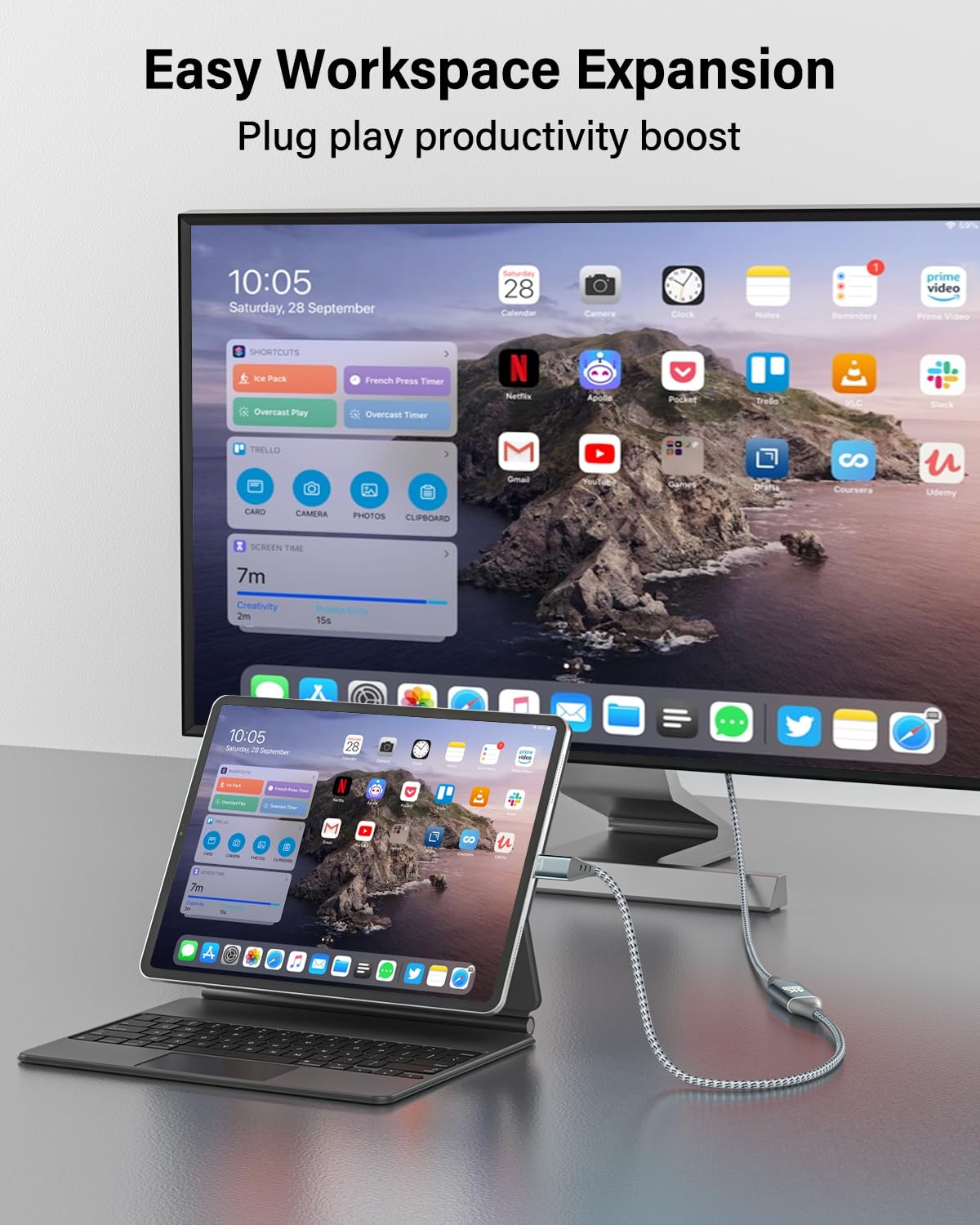
Figure 3: An iPad Pro connected to an external monitor, demonstrating screen mirroring for enhanced productivity.
3.2. Extending Your Display
To use the connected USB-C display as an extension of your source device's screen:
- Кабелдин бекем туташтырылганын текшериңиз.
- Access your source device's display settings.
- Select the "Extend Display" option.
3.3. Аудио берүү
The cable transmits both video and audio signals. Audio will typically be routed through the USB-C display. You may need to adjust audio output settings on your source device if sound is not automatically detected by the display.
Video 1: An official RUIZHI video demonstrating the features and usage of the 4K Micro HDMI to USB-C Cable.
4. Техникалык тейлөө
To ensure the longevity and optimal performance of your cable:
- Тазалоо: Gently wipe the cable and connectors with a dry, soft cloth. Avoid using liquid cleaners or abrasive materials.
- Сактагыч: Кабельди күн нурунан жана экстремалдык температурадан алыс салкын, кургак жерде сактаңыз. Кабелдин ички бузулушуна жол бербөө үчүн, аны курч бурчта катуу ороп же ийүүдөн качыңыз.
- Колдонуу: Кабельди сайганда же сууруп алганда ар дайым туташтыргычтын корпусун кармаңыз. Кабельдин өзүнөн тартпаңыз.

Figure 4: The durable nylon braided exterior of the cable, designed for resistance against wear and tear.
5. Кыйынчылыктарды
Эгер көйгөйлөргө туш болсоңуз, төмөнкү жалпы көйгөйлөрдү жана чечимдерди караңыз:
| Көйгөй | Мүмкүн себеп | Чечим |
|---|---|---|
| Дисплейде видео сигнал жок. |
|
|
| Жыпылыктап же туруксуз видео. |
|
|
| Аудио чыгышы жок. |
|
|
| Cable does not charge devices. | This cable is not designed for charging. | This cable is for video and audio transmission only and does not support power delivery. |
6. Техникалык шарттар
| Өзгөчөлүк | Деталь |
|---|---|
| Бренд | РУИЗИ |
| Модел | MI-C-3FT |
| Туташтыргыч түрү | Micro HDMI (Source), USB Type-C (Display) |
| Кабель түрү | Micro HDMI to USB-C |
| Маалыматтарды өткөрүү ылдамдыгы | Секундасына 18 Гигабит (Гбит/сек) |
| Резолюцияны колдоо | 4K @ 60 Гц чейин |
| Connector Gender | Эркектен эркекке |
| Кабелдин узундугу | 3.0 Фут (болжол менен 0.91 метр) |
| Сырткы материал | Nylon Braided, Aluminum Alloy Shell |
| Элемент Салмагы | 1.97 унция (болжол менен 55.85 грамм) |
| Өзгөчө өзгөчөлүк | High Speed, Unidirectional |

Figure 5: High-speed data transmission capabilities of the RUIZHI Micro HDMI to USB-C cable.
7. Кепилдик маалыматы
Specific warranty details for the RUIZHI 4K Micro HDMI to USB-C Cable are subject to the terms and conditions provided by the manufacturer or retailer at the time of purchase. Please refer to your purchase documentation or the official RUIZHI webэң так жана актуалдуу кепилдик маалыматы үчүн сайт.
Typically, product warranties cover defects in materials and workmanship under normal use. Damage resulting from misuse, accidents, or unauthorized modifications is generally not covered.
8. Кардарларды колдоо кызматы
For technical assistance, troubleshooting beyond this manual, or warranty claims, please contact RUIZHI customer support through one of the following methods:
- Онлайн: Visit the official RUIZHI webколдоо ресурстары, көп берилүүчү суроолор жана байланыш формалары үчүн сайт.
- Чекене сатуучу: Жардам алуу үчүн продуктуну сатып алган сатуучуга кайрылыңыз.
- Amazon продукт бети: Refer to the product detail page on Amazon for seller contact information.
When contacting support, please have your product model (MI-C-3FT) and purchase information readily available.