
Introduction
Thank you for choosing the ROCAM CR1031DAB Portable Radio. This device offers a versatile listening experience with DAB/DAB+, FM radio, Bluetooth 5.0 connectivity, and TF card playback. It features a 2.4-inch color display, dual alarm clocks, multiple EQ modes, and a long-lasting 3000 mAh rechargeable battery. This manual provides detailed instructions for setup, operation, maintenance, and troubleshooting to ensure optimal performance.
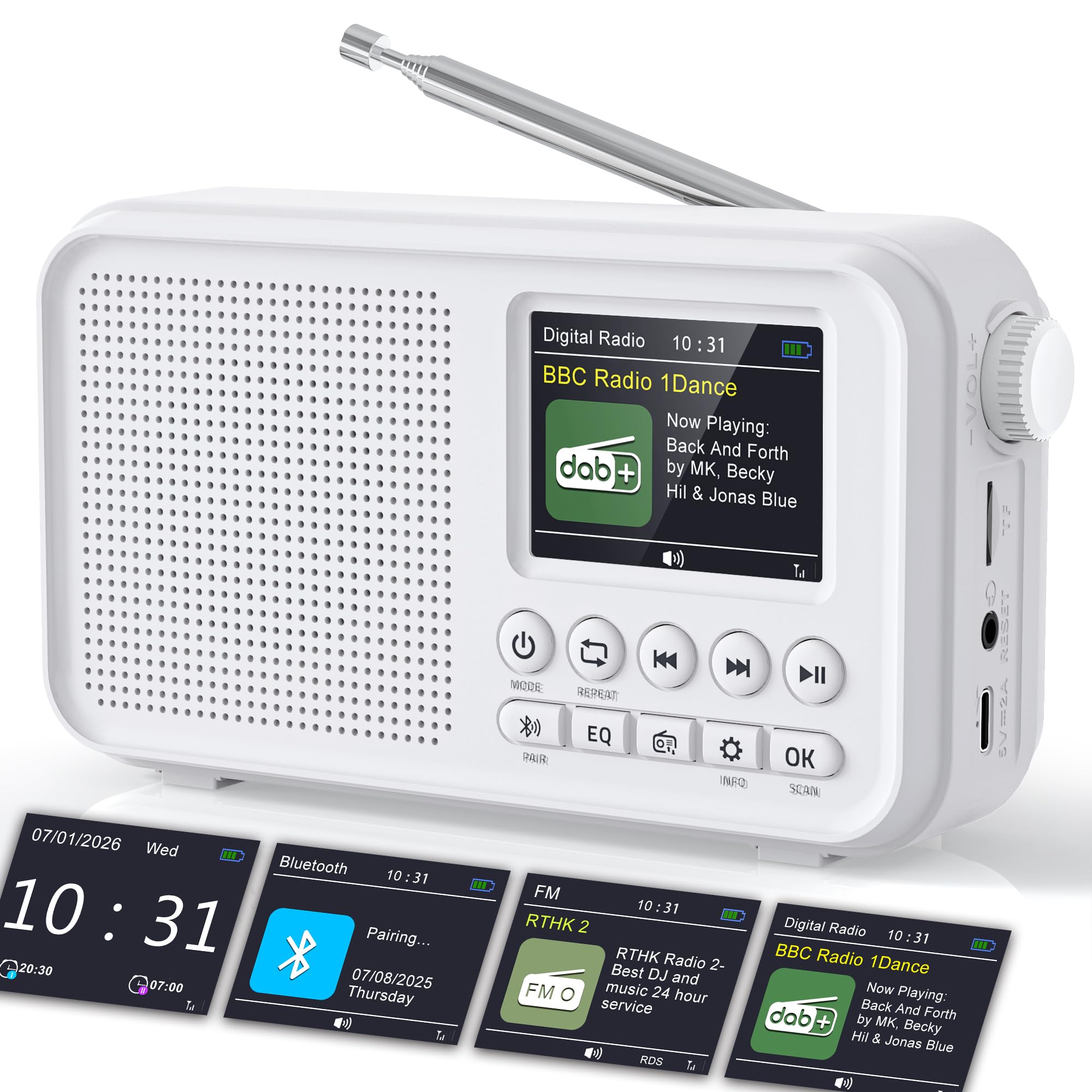
Image: The ROCAM CR1031DAB portable radio, showcasing its compact design, 2.4-inch color display, and key controls. Dimensions are indicated as approximately 6.65 inches wide, 3.62 inches high, and 1.85 inches deep.
Коопсуздук маалыматы
- Аппаратты иштетүүдөн мурун бардык нускамаларды окуп чыгыңыз.
- Аппаратты жамгырдын, нымдуулуктун же экстремалдык температуранын таасиринде калтырбаңыз.
- Аппаратты жылуулук булактарынын жанына же тике күн нуруна коюудан алыс болуңуз.
- Аппаратты ажыратпаңыз же өзгөртпөңүз. Бардык тейлөөлөрдү квалификациялуу кызматкерлерге тапшырыңыз.
- Use only the provided USB-C charging cable and power adapter.
- Аппаратты күчтүү магнит талаасынан алыс кармаңыз.
Пакеттин мазмуну
- ROCAM CR1031DAB Portable Radio
- USB-C заряддоо кабели
- Кубаттуу адаптер
- Колдонуучунун Колдонмосу (бул документ)
Продукт бүттүview
Радионун компоненттери жана башкаруу элементтери менен таанышып алыңыз.

Сүрөт: An overview of the ROCAM CR1031DAB radio highlighting its key features including the high-sensitivity anti-interference antenna, high-performance DSP chip, high-quality diaphragm and large magnetic circuit, seamless Bluetooth 5.0 connectivity, 3000mAh rechargeable battery, 80 preset stations, headphone jack, TF card port, and Type-C port.
Башкаруу каражаттары жана порттор
- Кубат баскычы: Радиону күйгүзөт/өчөт.
- Режим баскычы: Switches between DAB, FM, Bluetooth, and TF card modes.
- Үн баскычы: Аудионун үнүн тууралайт.
- Tuning/Navigation Buttons: Used for scanning stations, navigating menus, and track selection.
- EQ баскычы: Эквалайзер алдын ала орнотуулары аркылуу айланышат.
- OK баскычы: Тандоолорду ырастайт.
- Ойготкуч баскычы: Ойготкуч жөндөөлөргө жетет.
- Маалымат баскычы: Displays station information.
- Тип-C Port: Аппаратты заряддоо үчүн.
- TF карта уячасы: For inserting a TF (microSD) card for audio playback.
- Гарнитура уячасы: Жеке угуу үчүн.
- Телескопиялык антенна: Радио сигналын жакшыраак кабыл алуу үчүн.
Жайгашуу
1. Баштапкы заряддоо
Before first use, fully charge the radio. Connect the provided USB-C cable to the radio's Type-C port and the other end to the power adapter. Plug the adapter into a wall outlet. The charging indicator on the display will show the charging status. A full charge takes approximately 3-4 hours.
2. Антеннаны тууралоо
Extend the telescopic antenna fully for optimal DAB/DAB+ and FM radio reception. Adjust its position to achieve the clearest signal.

Image: The ROCAM CR1031DAB radio with its telescopic antenna extended, illustrating its high-sensitivity anti-interference capabilities. It shows DAB/DAB+ frequency range (174.928 - 239.200 MHz) and FM frequency range (87.5 - 108.00 MHz), with a DAB receiving range of within 20KM of signal.
3. Күйгүзүү/өчүрүү
басып, кармап туруңуз Күч радиону күйгүзүү же өчүрүү үчүн баскыч.
Иштөө нускамалары
1. DAB/DAB+ Radio Mode
- басыңыз Mode "DAB" көрсөтүлгөнгө чейин баскычты басыңыз.
- The radio will automatically scan for available DAB/DAB+ stations upon first use or if no stations are found. To initiate a manual scan, navigate to the scan option in the menu.
- Use the tuning buttons to browse through the list of available stations.
- Басыңыз OK бекет тандоо.
- Станцияны алдын ала коюлган катары сактоо үчүн, баскычын басып, кармап туруңуз Алдын ала коюлган button, then use the tuning buttons to select a preset number (1-40) and press OK ырастоо үчүн.
- To recall a preset, briefly press the Алдын ала коюлган button, then use the tuning buttons to select the desired preset and press OK.
2. FM радио режими
- басыңыз Mode баскычын "FM" көрсөтүлгөнчө басыңыз.
- Станцияларды автоматтык түрдө издөө үчүн, баскычын басып кармап туруңуз Скандоо баскычын басыңыз. Радио жеткиликтүү станцияларды сканерлеп, сактайт.
- To manually tune, use the tuning buttons to adjust the frequency.
- To save an FM station as a preset, follow the same steps as for DAB/DAB+ presets (40 FM presets available).
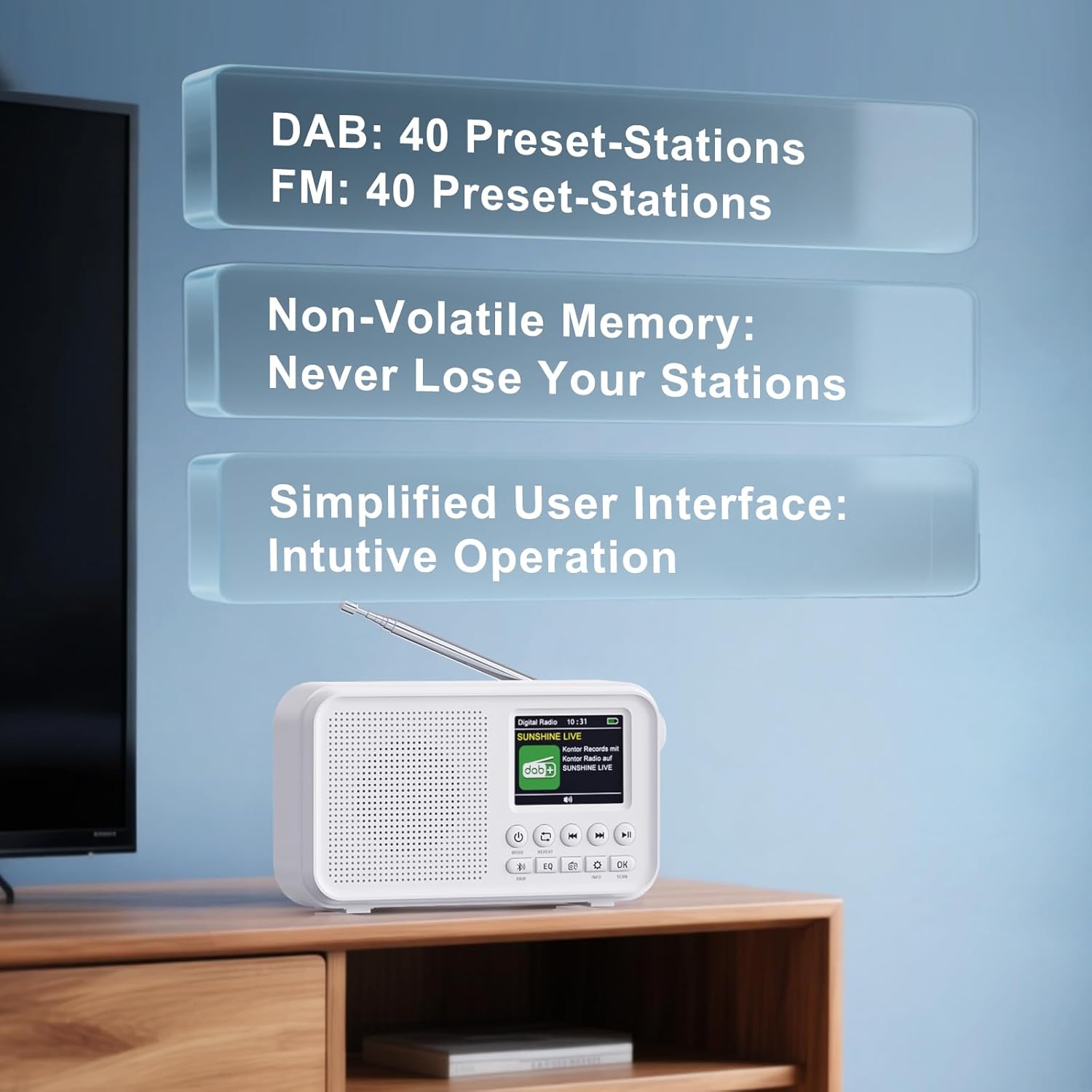
Image: The ROCAM CR1031DAB radio screen showing the user interface with information about DAB and FM preset stations. It indicates 40 preset stations for DAB and 40 for FM, along with non-volatile memory to retain saved stations.
3. Bluetooth 5.0 байланышы
- басыңыз Mode button until "Bluetooth" is displayed. The radio will enter pairing mode, indicated by a flashing Bluetooth icon.
- Смартфонуңузда, планшетиңизде же ноутбукуңузда Bluetooth'ду иштетиңиз жана жеткиликтүү түзмөктөрдү издеңиз.
- Select "CR1031DAB" from the list of devices.
- Once connected, the Bluetooth icon will stop flashing, and you can stream audio from your device to the radio.
- Note: This radio does not support Bluetooth headphones.

Image: The ROCAM CR1031DAB radio displaying "Pairing..." on its screen, next to a smartphone, illustrating the seamless Bluetooth 5.0 connectivity. The image suggests a stable connection range of up to 30 meters.
4. TF картасын ойнотуу
- Insert a TF (microSD) card (up to 64GB) with audio fileTF карта уячасына.
- басыңыз Mode button until "TF Card" mode is displayed.
- Радио автоматтык түрдө аудио ойной баштайт fileкартадан.
- Use the navigation buttons to skip tracks or pause/play.
5. Dual Alarm Clock
- басыңыз Ойготкуч ойготкуч жөндөөлөрүнө кирүү үчүн баскычты басыңыз.
- Ойготкуч 1 же Ойготкуч 2 тандаңыз.
- Set the desired alarm time, source (DAB/FM radio), and volume using the navigation and OK баскычтар.
- Choose the repeat mode: Daily, Weekdays, Weekends, or Weekly.
- Сигнализация иштетилгенин текшериңиз.
6. Уйку таймери
- басыңыз Уйку button (often combined with another function, refer to button labels).
- Use the navigation buttons to select a sleep timer duration (e.g., 15, 30, 60, 90, 120 minutes).
- Тандалган убакыттан кийин радио автоматтык түрдө өчөт.
7. Equalizer (EQ) Modes
басыңыз EQ button repeatedly to cycle through the available equalizer presets: Pop, Rock, Jazz, Classical, Bass Boost, and Normal. Select the mode that best suits your audio preference.
Техникалык тейлөө
- Тазалоо: Радионун сыртын тазалоо үчүн жумшак, кургак чүпүрөктү колдонуңуз. Абразивдүү тазалоочу каражаттарды же эриткичтерди колдонбоңуз.
- Сактагыч: Радиону көпкө чейин колдонбогон учурда, аны салкын, кургак жерде сактаңыз.
- Батареяга кам көрүү: Батареянын иштөө мөөнөтүн узартуу үчүн, бат-баттан батарейканы толук зарядсыздандырбаңыз. Аппаратты колдонбосо дагы, үзгүлтүксүз заряддап туруңуз.
Проблемаларды чечүү
| Көйгөй | Мүмкүн себеп | Чечим |
|---|---|---|
| Күч жок | Батарея түгөнүп калды. | Charge the radio using the provided USB-C cable and power adapter. |
| Радио кабыл алуу начар | Антенна узартылган эмес же сигналдын начар аймагы. | Fully extend and adjust the telescopic antenna. Try moving the radio to a different location. Perform a new station scan. |
| Bluetooth туташпай жатат | Radio not in pairing mode or device not discoverable. | Ensure the radio is in Bluetooth mode and flashing. Make sure Bluetooth is enabled on your external device and it is searching for new connections. |
| TF картасы ойнобой жатат | Card not inserted correctly or unsupported file формат. | TF картасын кайра салыңыз. Аудио бар экенин текшериңиз files are in a compatible format (e.g., MP3). Check if the card is damaged. |
| Сигнал чыкпай жатат | Ойготкуч иштетилген эмес же үнү өтө төмөн. | Ойготкучтун жөндөөлөрүн текшерип, анын иштетилгенин жана үнү туура коюлганын текшериңиз. |
Техникалык шарттар
- Модель номери: CR1031DAB
- Бренд: ROCAM
- Байланыш технологиясы: DAB, DAB+, FM, Bluetooth 5.0, TF Card
- Дисплей: 2.4 дюймдук TFT түстүү экран
- Динамиктин чыгышы: 8W
- Батарея: 3000 mAh Lithium-ion (Rechargeable)
- Ойнотуу убактысы: 18 саатка чейин (50% көлөмдө)
- DAB/DAB+ Frequencies: 174.928 - 239.200 МГц
- FM Frequencies: 87.5 - 108.00 МГц
- Алдын ала орнотуулар: 40 DAB/DAB+, 40 FM
- EQ режимдери: Pop, Rock, Jazz, Classical, Bass Boost, Normal
- Өлчөмдөрү (L x W x Y): 16.9 x 4.7 x 9.2 см (болжол менен 6.65 x 1.85 x 3.62 дюйм)
- Камтылган компоненттер: USB-C charging cable, power adapter
Кепилдик жана колдоо
For warranty information or technical support, please refer to the documentation provided with your purchase or contact ROCAM customer service directly. Contact details can typically be found on the manufacturer's official webсайтында же продуктунун таңгагында.