
1. Киришүү
The Cellularline NEBIT TWS Earbuds are designed to facilitate seamless communication and productivity through advanced AI features. These earbuds offer real-time translation in over 100 languages, instant transcription, AI-generated summaries, and photo translation. Their open-ear design ensures comfort and environmental awareness, making them suitable for various daily activities, travel, work, and study.
This manual provides detailed instructions on how to set up, operate, and maintain your NEBIT earbuds to ensure optimal performance and longevity.
2. Кутуда эмне бар
Сураныч, пакеттин мазмунун текшерип, бардык буюмдар бар экенин текшериңиз:
- Cellularline NEBIT TWS Earbuds
- Заряддоо кутусу
- USB заряддоо кабели
- User Manual
3. Орнотуу
3.1. Баштапкы заряддоо
Before first use, fully charge your NEBIT earbuds and charging case. Place the earbuds into the charging case. Connect the USB charging cable to the case and a power source. The LED display on the case will indicate the charging status.
3.2. Downloading the NebulaBuds App
The NebulaBuds App is essential for unlocking all features of your NEBIT earbuds. It is available for free on both the Apple App Store and Google Play Store.

Image: A smartphone scanning a QR code to download the NebulaBuds App. The image highlights that the app is 100% free and unlocks all translation features.

Image: A smartphone screen displaying the NebulaBuds App with options to download from the App Store and Google Play. Text confirms no subscription is required.
- Open the packaging and locate the QR code for the NebulaBuds App.
- Scan the QR code with your smartphone camera, or search for "NebulaBuds" directly in the Apple App Store or Google Play Store.
- Колдонмону жүктөп алып, орнотуңуз.
3.3. Pairing and Activation
Follow these steps to pair your NEBIT earbuds with your smartphone and activate them within the app:
- Open the NebulaBuds App.
- Grant necessary permissions for location access to enable all functions.
- Смартфонуңузда Bluetooth иштетилгенин текшериңиз.
- Take the NEBIT earbuds out of their charging case. They will automatically enter pairing mode.
- In the NebulaBuds App, navigate to the device connection section.
- The app will prompt you to connect. You can either scan the QR code provided in the manual or manually enter the activation code.
- Tap "Connect" to complete the pairing process.
- Log in or create a new account within the app to finalize setup.
Video: A step-by-step guide on how to connect and activate the Cellularline NEBIT TWS Earbuds with the NebulaBuds App, including app download, Bluetooth pairing, and device activation via QR code or manual entry.
4. Иштөө нускамалары
The Cellularline NEBIT earbuds offer multiple modes to enhance communication and productivity. Once connected, select your desired mode within the NebulaBuds App.
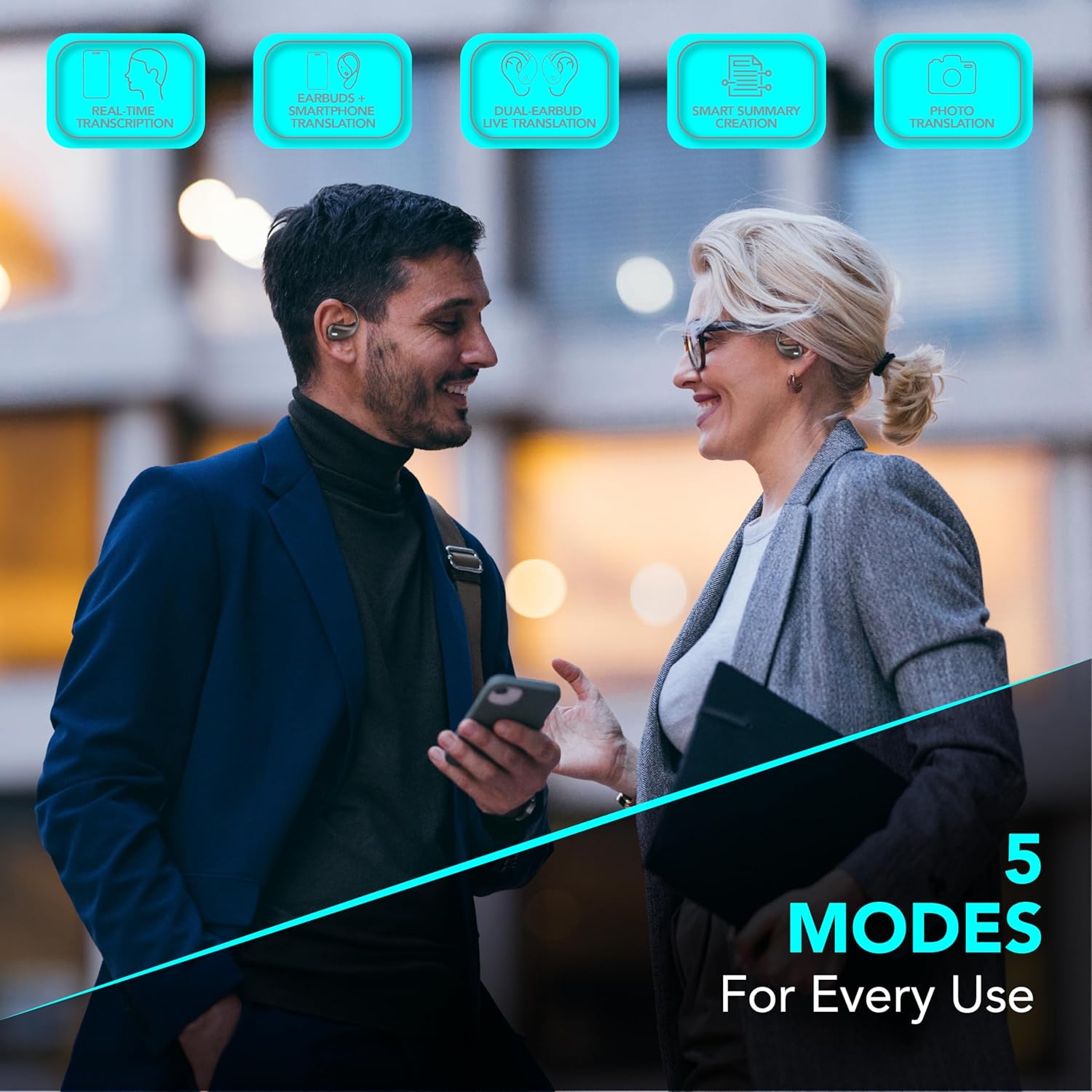
Image: Two individuals using the NEBIT earbuds and a smartphone, illustrating the five operational modes: Real-time transcription, Earbuds + phone translation, Dual-earbud live translation, Smart summary creation, and Photo translation.
4.1. Реалдуу убакыттагы котормо
Engage in conversations across over 100 languages with instant translation. This feature allows for natural and immediate dialogue, ideal for travel, business, or study.
- Earbuds + Phone Translation: Use one earbud while speaking into your phone's microphone for guided conversations.
- Dual-Earbud Live Translation: Share an earbud with another person for seamless two-way translation during face-to-face interactions.
4.2. Instant Transcription and AI Summaries
Transform spoken words into text and generate concise summaries of your recordings.
- Instant Transcription: Converts voice to text in real-time, perfect for taking notes during meetings, lectures, or important conversations.
- AI Summaries: Automatically generates key points from your recorded transcriptions, enhancing productivity and retention.
4.3. Сүрөт которуу
Translate text from images quickly and efficiently.
- Use your smartphone camera through the NebulaBuds App to capture text from signs, menus, or documents. The app will provide an instant translation.
4.4. Open-Ear Design and Touch Control
The open-ear design provides comfort for extended wear and allows you to remain aware of your surroundings. The earbuds feature intuitive touch controls for managing calls, music, and AI functions.

Image: Two individuals wearing the NEBIT open-ear earbuds, emphasizing the design's benefits for full awareness, all-day comfort, and hygienic sharing.

Image: The NEBIT earbuds in their charging case, with text indicating '18 Hours Total Play Time' and 'Touch control' pointing to the earbud's surface.
4.5. Music and Calls
Enjoy your music and manage calls safely while maintaining awareness of your environment.
Видео: Жарнамалык роликasing the various features of the NEBIT earbuds, including real-time translation, transcription, and the open-ear design for safe listening during activities like running.
5. Техникалык тейлөө
5.1. Тазалоо
- Кулакчындарды жана заряддоо кутусун жумшак, кургак, түксүз чүпүрөк менен дайыма тазалап туруңуз.
- Абразивдүү тазалагычтарды, спиртти же химиялык эриткичтерди колдонбоңуз.
- Ensure charging contacts are free from dust and debris.
5.2. Сактоо
- Колдонулбаганда, кулакчындарды коргоо жана кубаттоо үчүн кубаттоочу кутучага сактаңыз.
- Салкын, кургак жерде, экстремалдык температурадан жана түз күндүн нурунан алыс сактаңыз.
5.3. Батареяга кам көрүү
- Батареяны бат-баттан толук кубаттап калуудан алыс болуңуз.
- Батареянын иштөө мөөнөтүн сактоо үчүн, көп колдонулбаса да, кулакчындарды үзгүлтүксүз кубаттап туруңуз.
6. Кыйынчылыктарды
If you encounter issues with your Cellularline NEBIT earbuds, please refer to the following common solutions:
| Көйгөй | Мүмкүн чечим |
|---|---|
| Кулакчындар жупташкан жок |
|
| Үн жок же үнү төмөн |
|
| Колдонмонун функциялары иштебейт |
|
| Translation inaccuracies |
|
7. Техникалык шарттар
| Өзгөчөлүк | Деталь |
|---|---|
| Бренд | уюлдук линия |
| Модель аты | BTNEBITTWSK |
| Түс | Кара |
| Кулак жайгаштыруу | Кулак ичинде |
| Форма фактору | Ачык кулак |
| Импеданс | 20 Ом |
| Noise Control | Жок |
| Байланыш технологиясы | Зымсыз (Bluetooth) |
| Зымсыз байланыш технологиясы | Bluetooth |
| Продукт өзгөчөлүктөрү | AI-generated smart summaries, Real-time translation, Instant transcription, Image translation |
| Сунушталган Колдонуулар | Meetings, Study, Travel |
| Шайкеш түзмөктөр | Mobile phones, Tablets, Music production equipment |
| Сууга туруктуулук деңгээли | Сууга чыдамдуу эмес |
| Батареянын орточо иштөө мөөнөтү | 18 саат |
8. Кепилдик жана колдоо
8.1. Өндүрүүчүнүн Кепилдиги
The Cellularline NEBIT TWS Earbuds come with a 2 жылдык өндүрүүчүнүн кепилдиги сатып алынган күндөн тартып. Бул кепилдик нормалдуу колдонуудагы материалдардагы жана жасалгадагы кемчиликтерди камтыйт. Бул туура эмес колдонуудан, кырсыктардан, уруксатсыз өзгөртүүлөрдөн же кадимки эскирүүдөн келип чыккан зыянды камтыбайт.
8.2. Кардарларды колдоо кызматы
For technical assistance, warranty claims, or further information, please visit the official Cellularline webсайтка же түздөн-түз кардарларды колдоо менен байланышыңыз. Сиз да зыярат кылсаңыз болот Cellularline Store on Amazon продукттун чоо-жайы жана колдоо ресурстары үчүн.