
Samsung Silicone Magnet Case for Samsung Galaxy S26
Samsung Galaxy S26 Black Silicone Magnet Case User Manual
Model: Silicone Magnet Case (EF-ES942)
Introduction
This manual provides instructions for the Samsung Galaxy S26 Black Silicone Magnet Case. This case is designed to offer protection and enhance the functionality of your Samsung Galaxy S26 smartphone. It features a soft-touch grip for comfortable handling, built-in magnets for wireless charging compatibility, and a refined translucent silicone design.
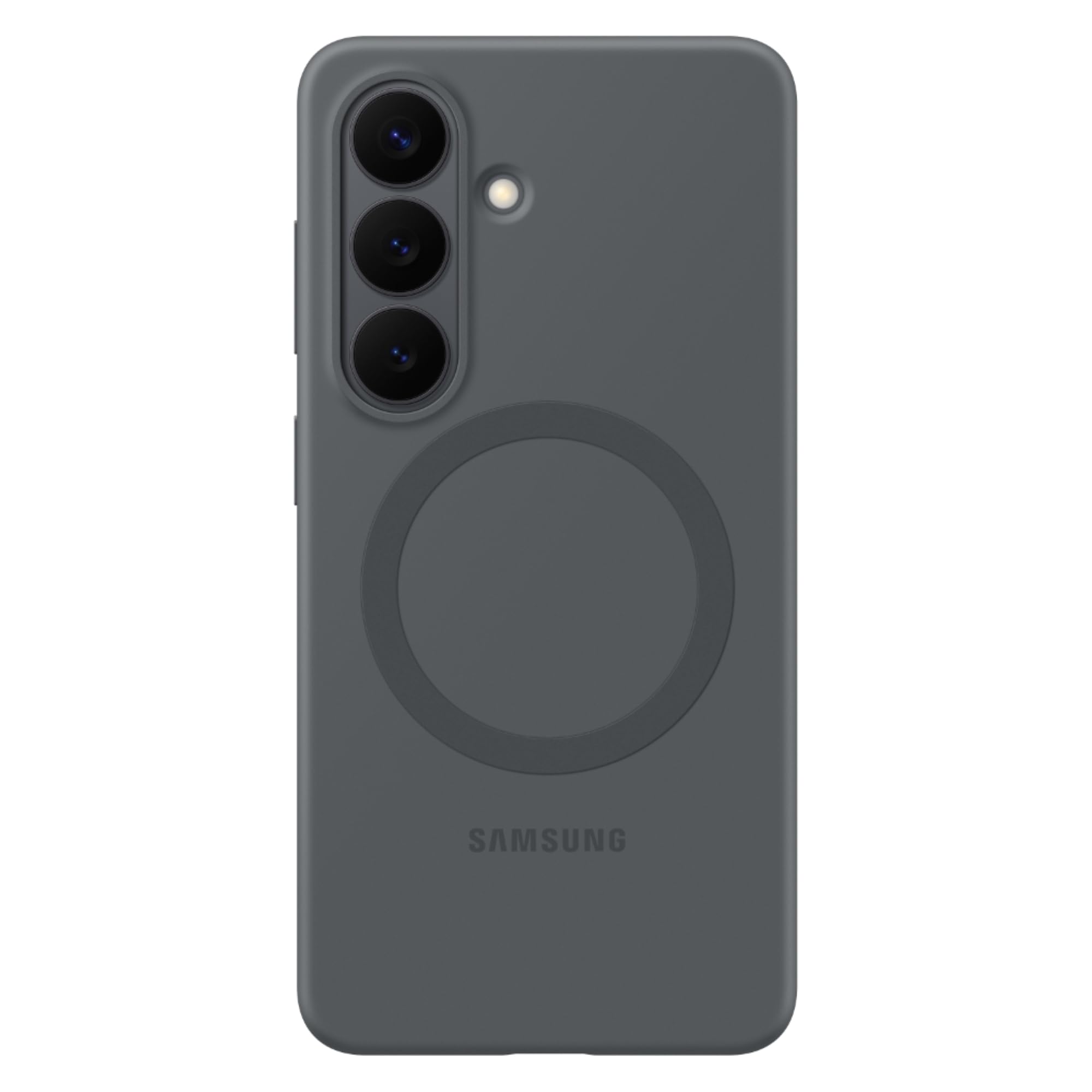
Image: The Black Silicone Magnet Case for Samsung Galaxy S26, showcasing its sleek design, camera protection, and integrated magnetic ring on the back.
Орнотуу жана орнотуу
Follow these steps to properly install the silicone magnet case on your Samsung Galaxy S26 smartphone:
- Сиздин даярдоо: Samsung Galaxy S26 телефонуңуздун таза жана чаңсыз же таштандысыз экенин текшериңиз.
- Корпусту тегиздөө: Корпусту камеранын кесиндиси телефонуңуздун камера модулуна тегиздеп кармаңыз.
- Телефонду киргизиңиз: Gently push your phone into the case, starting with the top or bottom edge. Ensure all corners are securely fitted into the case.
- ылайыктуулугун текшерүү: Verify that all buttons, ports, and camera lenses are properly aligned with the case's cutouts. The case should fit snugly around your device.
To remove the case, gently peel back one corner of the case from the phone and then carefully work your way around the edges until the phone can be lifted out.
Иштетүү өзгөчөлүктөрү
This silicone magnet case offers several features to enhance your phone experience:
- Soft Touch Grip: The silicone material provides a comfortable and secure hold, reducing the risk of accidental drops.
- Магниттик тегиздөө: Built-in magnets ensure perfect alignment with compatible wireless chargers, enabling fast and efficient wireless charging without removing the case.
- Аксессуар шайкештиги: The integrated magnetic system allows for easy attachment and detachment of compatible magnetic accessories, expanding your phone's functionality.
- Коргоо: The case provides basic protection against scratches, minor bumps, and daily wear and tear.
Техникалык тейлөө жана кам көрүү
To maintain the appearance and longevity of your silicone magnet case, follow these care instructions:
- Тазалоо: Ишти дайыма жумшак менен сүртүп туруңуз, гamp cloth. For stubborn stains, use a mild soap solution and rinse thoroughly. Ensure the case is completely dry before reattaching it to your phone.
- Катуу химиялык заттардан алыс болуңуз: Do not use abrasive cleaners, solvents, or harsh chemicals, as these can damage the silicone material and finish.
- Сактагыч: Колдонулбаган учурда капты күн тийбеген жана өтө температурадан алыс салкын, кургак жерде сактаңыз.
- Түстүн бузулушун алдын алуу: Prolonged exposure to certain dyes or inks may cause discoloration. Avoid contact with such materials.
Проблемаларды чечүү
If you encounter any issues with your silicone magnet case, refer to the following common solutions:
- Корпус туура келбей жатат: Ensure you have the correct case model for your Samsung Galaxy S26. Remove and re-install the case, making sure all edges snap into place.
- Зымсыз кубаттоо көйгөйлөрү: Ensure your wireless charger is compatible with magnetic alignment. Re-position your phone on the wireless charger to ensure proper magnetic connection. Remove any foreign objects between the phone and the charger.
- Magnetic accessories not attaching securely: Verify that the accessory is designed for magnetic attachment and is compatible with the case's magnetic system. Ensure the accessory is clean and free of obstructions.
- Case appears dirty or discolored: Тазалоо боюнча нускамаларды "Техникалык тейлөө жана кам көрүү" бөлүмүн караңыз.
Техникалык шарттар
| Өзгөчөлүк | Деталь |
|---|---|
| Бренд | Samsung |
| Шайкеш телефон моделдери | Samsung Galaxy S26 |
| Түс | Кара |
| Материал | Поликарбонат |
| Элементтин өлчөмдөрү (L x W x Y) | 7.5 x 15.3 x 1.2 сантиметр |
| Продукт өзгөчөлүктөрү | Fade Resistant, Magnetic, Wireless Charging Compatible |
| Үлгү | Катуу |
| Стиль аты | Silicone Magnet Case |
| Product Finish Type | Мт |
| Модель номери | EF-ES942 |
| Элемент Салмагы | 32 грамм |
Кепилдик маалымат
This Samsung Galaxy S26 Black Silicone Magnet Case comes with a 3 ай Өндүрүүчүнүн Кепилдиги сатып алынган күндөн тартып. Бул кепилдик кадимки колдонуудагы өндүрүштүк кемчиликтерди камтыйт. Кепилдик боюнча дооматтар үчүн сатып алганыңызды тастыктаган документти сактап коюңуз.
Кепилдик туура эмес колдонуудан, кырсыктардан, уруксатсыз өзгөртүүлөрдөн же кадимки эскирүүдөн келип чыккан зыянды камтыбайт.
Колдоо
For further assistance, technical support, or warranty inquiries, please contact Samsung customer service:
- Импорттоочунун байланыш маалыматы: Samsung India Electronics Pvt ltd, 6th Floor, DLF Centre, Sansad Marg, New Delhi - 110001.
- Электрондук почта колдоо: support.india@samsung.com
- Өндүрүүчү: LUXOMER, Industrial park, Dongchen town, Rugao city, Jiangsu Province, China.
Please have your product model number (EF-ES942) and proof of purchase ready when contacting support.
Тектеш документтер - Silicone Magnet Case for Samsung Galaxy S26
 |
Samsung китеп мукабасынын клавиатурасы - AI баскычы колдонуучу үчүн колдонмо Samsung Book Cover Keyboard - AI Key жана Book Cover Keyboard Slim - AI Key үчүн кеңири колдонуучу колдонмосунда түзмөктүн жайгашуусу, клавиатураны бекитүү, баскычтарды жана сенсордук панелди колдонуу, S Penди сактоо жана алмаштыруу, ошондой эле маанилүү колдонуу эскертүүлөрү камтылган. EF-DX720, EF-DX725, EF-DX820, EF-DX825, EF-DX920, EF-DX925 моделинин номерлери камтылган. |
 |
Samsung Book Cover Keyboard User Manual User manual for Samsung Book Cover Keyboard and Slim models (EF-DX710, EF-DX810, EF-DX910, EF-DX715, EF-DX815, EF-DX915). Includes setup, usage, and maintenance instructions. |
 |
Samsung китеп мукабасынын клавиатурасы үчүн AI баскычын колдонуучуга колдонмо Samsung Book Cover Keyboard AI Key жана Book Cover Keyboard Slim AI Key үчүн расмий колдонуучу колдонмосунда EF-DX720, EF-DX725, EF-DX820, EF-DX825, EF-DX920 жана EF-DX925 моделдери үчүн орнотуу, функциялар жана колдонуу жөнүндө кеңири маалымат берилген. |
 |
Samsung китеп мукабасынын клавиатурасы үчүн AI баскычын колдонуучуга колдонмо Бул колдонуучу колдонмосунда Samsung Book Cover Keyboard AI Key жана Book Cover Keyboard Slim AI Key боюнча кеңири көрсөтмөлөр берилген. Анда түзмөктү орнотуу, баскычты жана сенсордук панелди колдонуу, S Pen сактагычы жана EF-DX720, EF-DX725, EF-DX820, EF-DX825, EF-DX920 жана EF-DX925 моделдери үчүн маанилүү коопсуздук чаралары камтылган. |
 |
Samsung SMART LED View Колдонуучунун колдонмосун жабыңыз User manual for the Samsung SMART LED View Cover (EF-NG980, EF-NG985, EF-NG988). Learn about setup, device layout, call handling, screen unlocking, and LED image settings. Visit Samsung.com for support. |
 |
Samsung Book Cover Keyboard Slim AI Key колдонуучу колдонмосу Samsung Book Cover Keyboard Slim жана AI Key менен Book Cover Keyboard (EF-DX620, EF-DX625) үчүн колдонуучунун колдонмосунда орнотуу, колдонуу, функциялар жана сактык чаралары кеңири баяндалган. |
Ask a question about this manual
Ask about setup, troubleshooting, compatibility, parts, safety, or missing instructions. Manuals+ will review the question and use this page’s manual context to help answer it.