
1. Киришүү
This manual provides instructions for the proper installation, use, and maintenance of your Samsung Silicone Magnet Case for the Galaxy S26 Ultra. This case is designed to offer protection and enhance functionality with its integrated magnetic features.
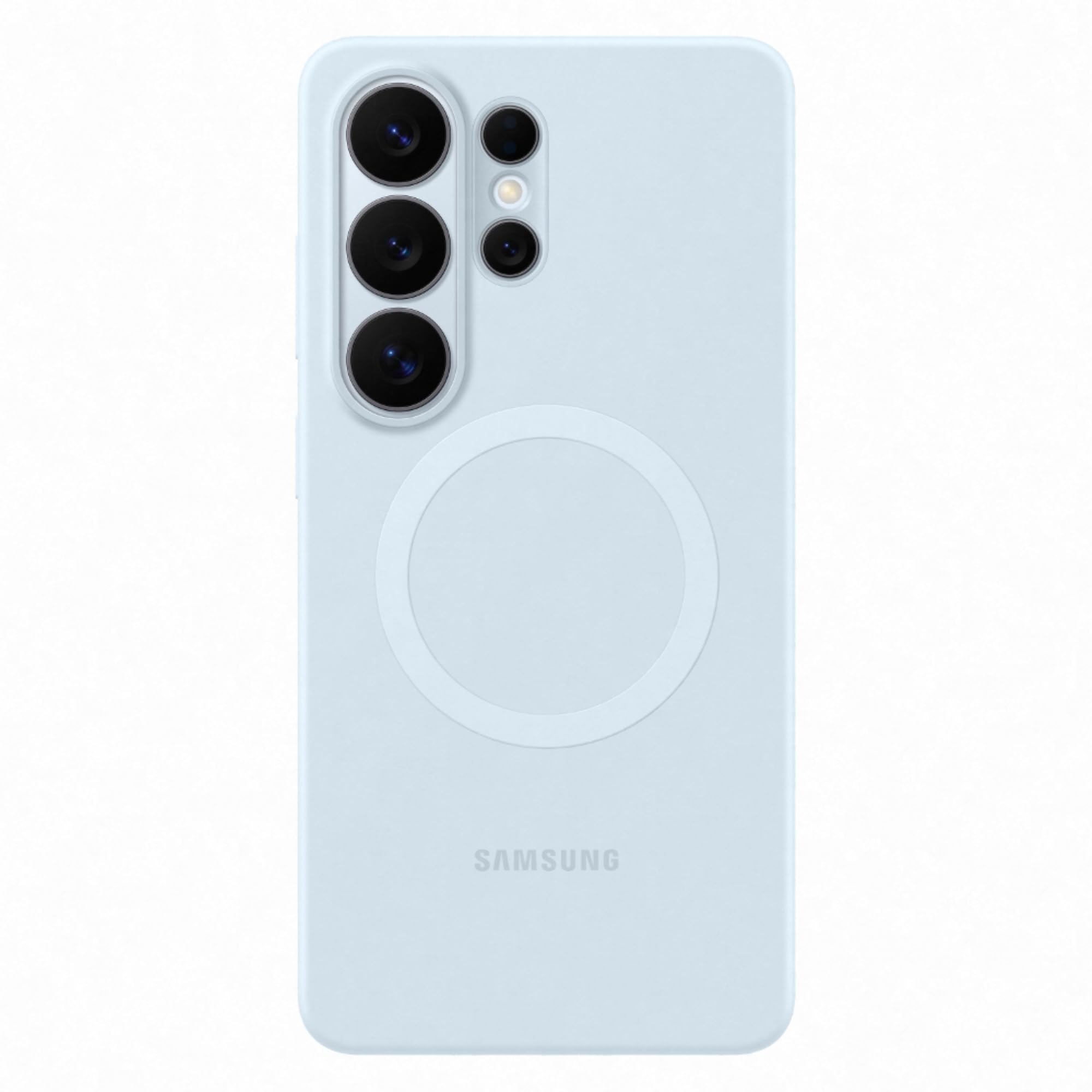
Figure 1: Samsung Galaxy S26 Ultra Silicone Magnet Case (Light Blue)
2. Орнотуу жана орнотуу
Follow these steps to correctly install the Silicone Magnet Case on your Samsung Galaxy S26 Ultra smartphone.
2.1 Installing the Case
- Samsung Galaxy S26 Ultra телефонуңуздун таза жана чаңсыз же таштандысыз экенин текшериңиз.
- Align the phone with the case, starting with the top edge where the camera cutouts are located.
- Телефонду акырын капкактын ичине басып, бардык бурчтары жана четтери бекем орнотулганын текшериңиз.

Сүрөт 2: Алдыңкы view of phone with case installed

3-сүрөт: Артка view of phone with case installed, highlighting the magnetic ring
2.2 Removing the Case
- Start by gently peeling one of the top corners of the case away from the phone.
- Work your way around the edges until the phone can be safely lifted out of the case.
3. Иштөө нускамалары
The Silicone Magnet Case is designed for daily use, offering a comfortable grip and magnetic functionality.
3.1 Magnetic Alignment for Wireless Charging
The case features built-in magnets that align perfectly with your phone for efficient wireless charging. Place your phone with the case onto a compatible magnetic wireless charger. The magnets will help ensure optimal positioning for fast charging.
3.2 Магниттик аксессуарларды бекитүү
The integrated magnetic ring allows for easy attachment and detachment of compatible magnetic accessories. Simply bring the accessory close to the back of the case, and the magnets will secure it in place.

Figure 4: Back of the case showing the magnetic ring
4. Техникалык тейлөө
To keep your Silicone Magnet Case in optimal condition, follow these maintenance guidelines:
- Тазалоо: Wipe the case regularly with a soft, slightly damp cloth. Avoid using harsh chemicals, abrasive cleaners, or solvents, as these can damage the silicone material and color.
- Сактагыч: Колдонулбаган учурда капты күн тийбеген жана өтө температурадан алыс салкын, кургак жерде сактаңыз.
- Курч объекттерден качыңыз: Prevent contact with sharp objects that could scratch or puncture the case.
5. Кыйынчылыктарды
If you encounter any issues with your Silicone Magnet Case, refer to the following common solutions:
- Корпус туура эмес орнотулган: Ensure you have the correct case model for your Samsung Galaxy S26 Ultra. Re-install the case, making sure all edges snap into place.
- Зымсыз кубаттоо маселелери: Verify that your wireless charger is compatible with magnetic alignment. Ensure the phone with the case is centered correctly on the charging pad. Remove any foreign objects between the phone and the charger.
- Magnetic Accessories Not Attaching: Confirm that the accessory is designed for magnetic attachment. Ensure there is no obstruction between the accessory and the case's magnetic ring.
6. Техникалык шарттар
| Өзгөчөлүк | Деталь |
|---|---|
| Бренд | Samsung |
| Шайкеш телефон модели | Samsung Galaxy S26 Ultra |
| Материал | Polycarbonate (with Silicone finish) |
| Түс | Ачык көк |
| Элементтин өлчөмдөрү (L x W x Y) | 8.2 x 16.7 x 1.1 сантиметр |
| Элемент Салмагы | 36 грамм |
| Модель номери | EF-ES948 |
| Өндүрүүчү бөлүгүнүн номери | EF-ES948CLEGIN |
| Продукт өзгөчөлүктөрү | Fade Resistant, Magnetic, Wireless Charging Compatible |
7. Кепилдик маалыматы
This Samsung Silicone Magnet Case comes with a 3 ай Өндүрүүчүнүн Кепилдиги сатып алынган күндөн тартып. Бул кепилдик кадимки колдонуудагы өндүрүштүк кемчиликтерди камтыйт. Ал туура эмес колдонуудан, кырсыктардан, уруксатсыз өзгөртүүлөрдөн же кадимки эскирүүдөн келип чыккан зыянды камтыбайт.
Кепилдик дооматтары үчүн сатып алганыңыздын далилин сактап коюңуз.
8. Колдоо
For further assistance, technical support, or warranty inquiries, please contact Samsung customer service:
- Электрондук почта: support.india@samsung.com
- Өндүрүүчүнүн байланышы: Hochen, 301-3-7/F, Building 29, Yi Feng Hua Innovation Industrial Park, Xinshi Community, Dalang, Longhua District, Shenzhen.
- Импорттоочунун байланыш маалыматы: Samsung India Electronics Pvt ltd, 6th Floor, DLF Centre, Sansad Marg, New Delhi - 110001.
You may also visit the official Samsung webкошумча колдоо ресурстары жана көп берилүүчү суроолор үчүн сайт.


